

Your Browsing History

- $159.99
- Free 30-day Returns

Meet Your Seller

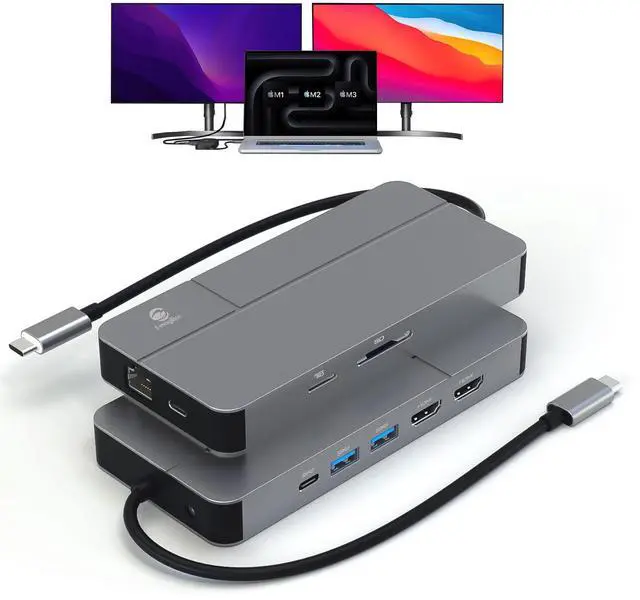


MacBook Docking Station Dual Monitor, Laptop Docking Stations for MacBook pro/Air HP Dell Lenovo Computer, 10 in 1 USB C Dock with Dual Hdmi 4K@60Hz Splitter Extended Display, USB 3.2 Hub
Limited time offer, ends 09/14 By Fornierwoly
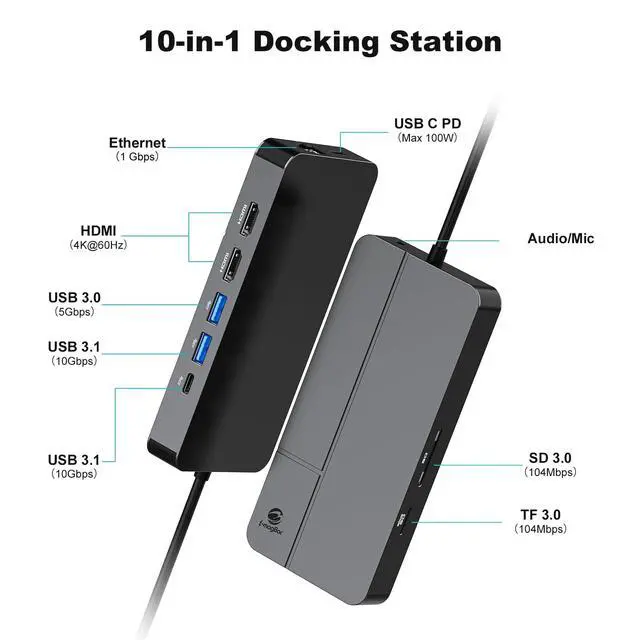
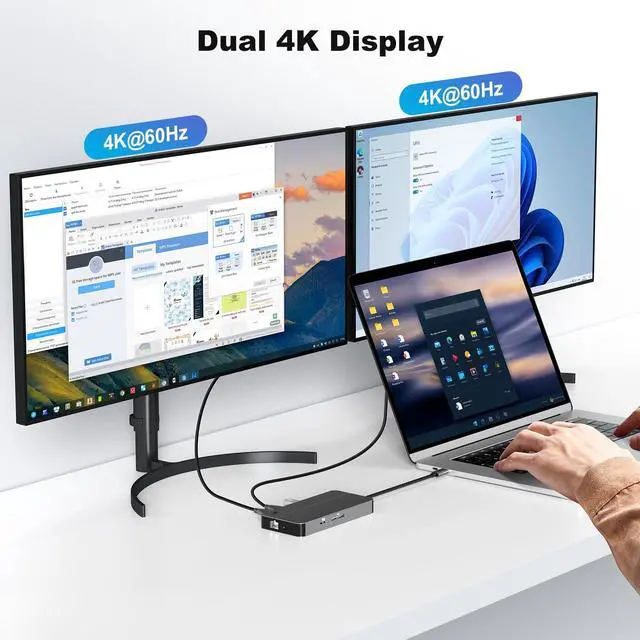
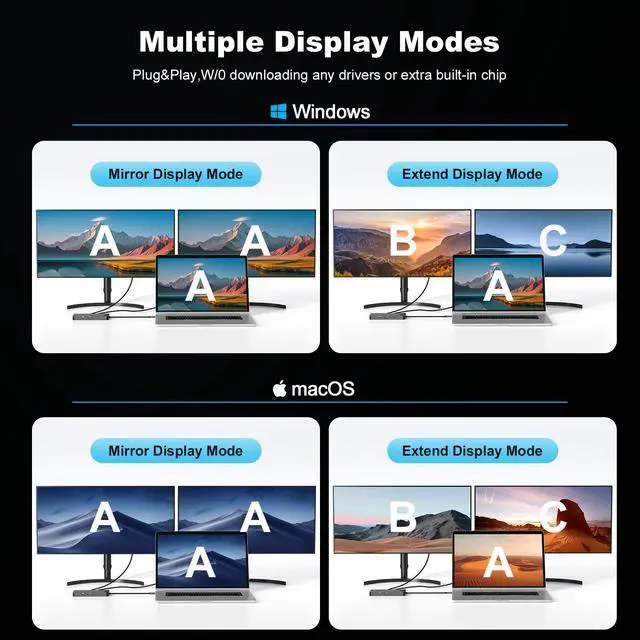
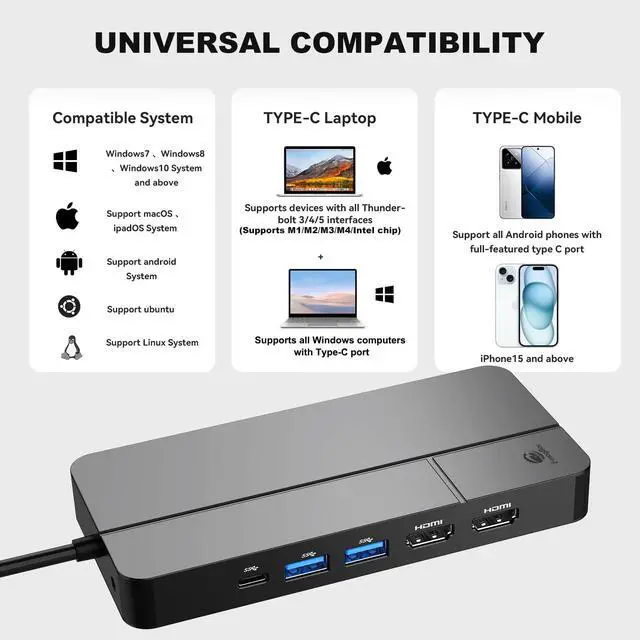
- Universal MacBook Docking Station: This docking station supports MacOS and Windows laptops to extend 2 monitors. The first time you connect the USB C docking station with the MacBook, the built-in driver's icon ("BKRDISPLAY+") will appear on the host screen. Click the driver icon to allow the permissions step by step to start the MST of MacBook, including laptops with Mac M1/M2/M3/M4/Intel chips. Strong Compatibility: This laptop docking station is compatible with all laptops with a Type C port, including MacBook with Thunderbolt 3/4/5 and Windows laptops. Ubuntu and Linux systems are also perfectly compatible. This docking station not only supports laptops but is also compatible with smartphones, tablets, and other Type C port devices. Multiple Ports for Versatile Connectivity: Equipped with a max 100W USB C PD port, a USB 3.2 C & USB 3.2 Gen 2 A port that supports up to 10Gbps data transfer, a USB A port with 5Gbps data transfer, dual 4K@60Hz HDMI ports, a Gigabit Ethernet port, an SD/TF card slot, and a 3.5mm jack for audio/mic. All ports can work simultaneously, and the temperature of the docking station is controlled within a normal range. Built-In Powerful Software for MacBook MST: The included SMI MacOS InstantView program allows your MacBook to extend two different monitors (A-B+C mode). For MacOS MST display, you need to install a driver. You can also enable or disable HiDPI through the software. Automatic updates ensure you always have the latest version of the prog
+
+
Overview
Specs
Reviews

Any questions? Our AI mode will help you find out quickly.
Try me now
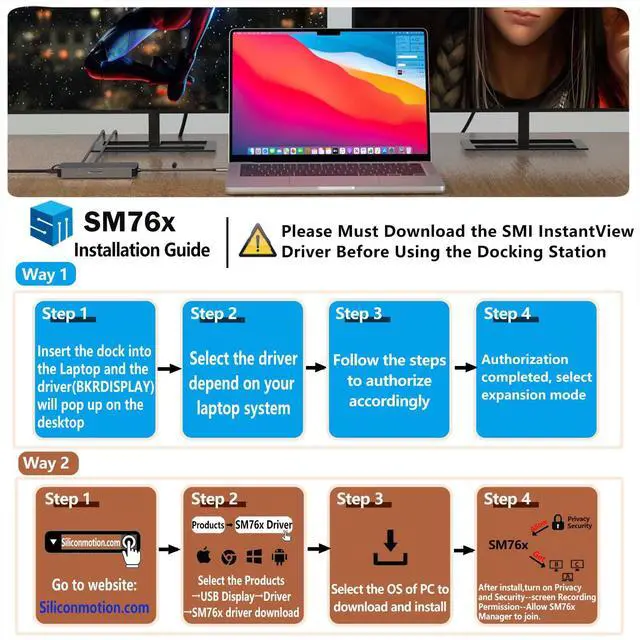
Universal MacBook Docking Station: This docking station supports MacOS and Windows laptops to extend 2 monitors. The first time you connect the USB C docking station with the MacBook, the built-in driver's icon ("BKRDISPLAY+") will appear on the host screen. Click the driver icon to allow the permissions step by step to start the MST of MacBook, including laptops with Mac M1/M2/M3/M4/Intel chips. Strong Compatibility: This laptop docking station is compatible with all laptops with a Type C port, including MacBook with Thunderbolt 3/4/5 and Windows laptops. Ubuntu and Linux systems are also perfectly compatible. This docking station not only supports laptops but is also compatible with smartphones, tablets, and other Type C port devices. Multiple Ports for Versatile Connectivity: Equipped with a max 100W USB C PD port, a USB 3.2 C & USB 3.2 Gen 2 A port that supports up to 10Gbps data transfer, a USB A port with 5Gbps data transfer, dual 4K@60Hz HDMI ports, a Gigabit Ethernet port, an SD/TF card slot, and a 3.5mm jack for audio/mic. All ports can work simultaneously, and the temperature of the docking station is controlled within a normal range. Built-In Powerful Software for MacBook MST: The included SMI MacOS InstantView program allows your MacBook to extend two different monitors (A-B+C mode). For MacOS MST display, you need to install a driver. You can also enable or disable HiDPI through the software. Automatic updates ensure you always have the latest version of the program. Convenient & Practical: Unlike larger docking stations with power AC adapters, this one is small enough to work for your laptop without needing to link an adapter. It operates on 5-10W of power, which is low enough to be efficiently supplied directly from the host computer without an external power adapter. This helps keep your desktop tidy and makes it easier to carry around. Silicone cables and reinforced plugs are used for durability during frequent unplugging. Note: The dock primarily uses the SM768 chip to solve the problem of expanding to a second monitor. A driver needs to be installed and authorized. There are 2 ways: 1. The dock has built-in drivers for main systems; the first time you plug it in, they will automatically pop up and prompt you to install. 2. Download from the SMI official website and follow the video in the product page. This driver requires computer authorization
Warranty & Returns
Warranty, Returns, And Additional Information
Warranty
- Please contact the Seller directly for warranty information. Warranty information may also be found on the Manufacturer's website.
- CONTACT
Return Policies
- Return for refund within: 30 days
- Return for replacement within: 30 days
- This item is covered by Fornierwoly Return Policy
Manufacturer Contact Info
- For a directory of all our manufacturers, please click below.
- Manufacturers Directory
LOADING...