

Your Browsing History


Meet Your Seller

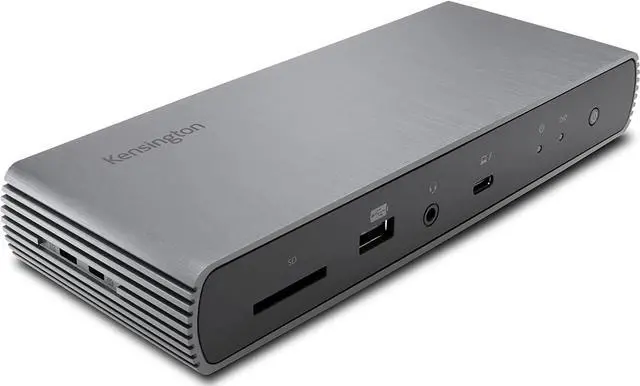



Kensington SD5700T Thunderbolt 4 Docking Station, Dual 4K, 90W PD - Window and Mac OS (K35175NA)
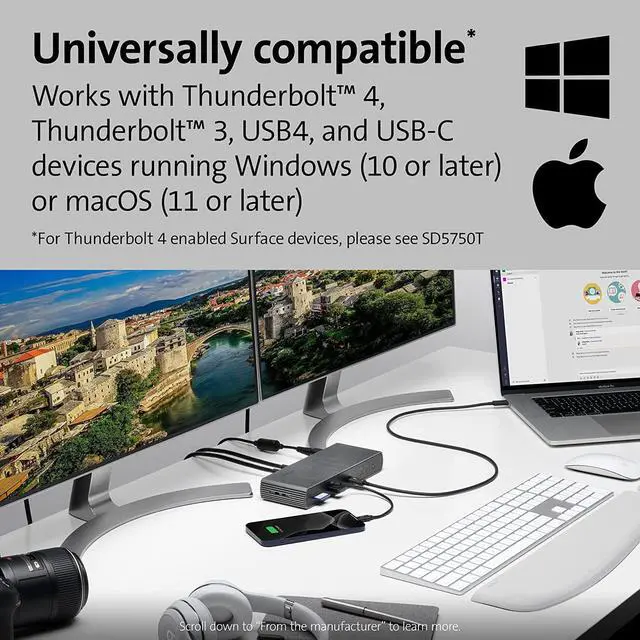
- Thunderbolt 4 docking station for Thunderbolt 4 Windows laptops and Thunderbolt 3 and Thunderbolt 4 MacBooks (macOS 11 or later); if you have a Thunderbolt 3 Windows laptop, this is not the dock for you, see part # K34009US)
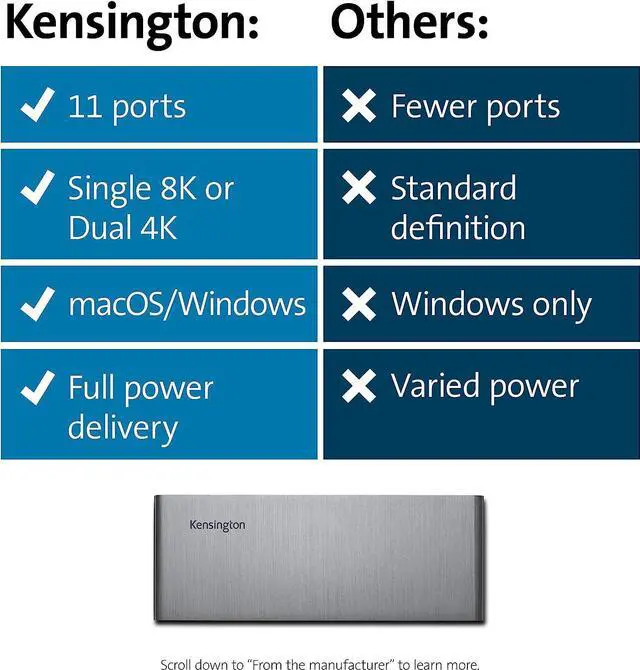
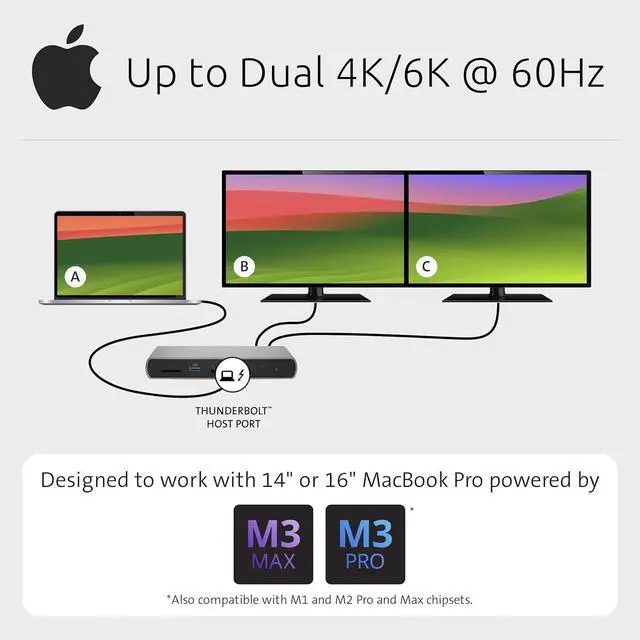
- Supports single 8K or dual 4K @ 60 Hz, single 4k @ 120Hz, or dual 1080P @120Hz Hz video output for Thunderbolt 4 devices; (note: any Macs with the M1, M2 or M3 chipset will only display to a single monitor due to Apples chipset limitations, but Macs with M1/M2/M3/M4 Pro or Max, and M4 base CPUs will work with dual displays)
+
+
Overview
Reviews

Any questions? Our AI beta will help you find out quickly.
Try me now
Thunderbolt 4 docking station for Thunderbolt 4 Windows laptops and Thunderbolt 3 and Thunderbolt 4 MacBooks (macOS 11 or later); if you have a Thunderbolt 3 Windows laptop, this is not the dock for you, see part # K34009US)
Supports single 8K or dual 4K @ 60 Hz, single 4k @ 120Hz, or dual 1080P @120Hz Hz video output for
Thunderbolt 4 devices; (note: any Macs with the M1, M2 or M3 chipset will only display to a single monitor due to Apples chipset limitations, but Macs with M1/M2/M3/M4 Pro or Max, and M4 base CPUs will work with dual displays)
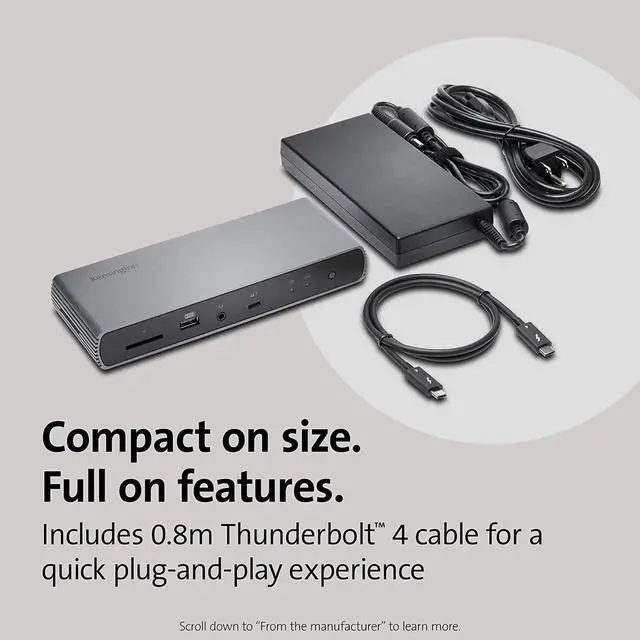
Connect your laptop to the Thunderbolt 4 port (. 8 meter Intel Certified TB4 cable included); connect your displays using one or two of the Thunderbolt 4 ports (usb-c to hdmi or usb-c to DisplayPort adapter or cable not included); unused Thunderbolt ports can connect directly to Thunderbolt devices (up to five additional via daisy chain, max 2 per port) while providing transfer speeds up to 40Gbps
180 Watt Power Supply delivers 90W power to charge your laptop; delivers additional power to run peripherals like hard drives, and for charging phones and tablets including Thunderbolt 4, Thunderbolt 3, USB 4.0, USB 3 and USB 2 peripherals
Static charging technology provides 15W to each of the downstream Thunderbolt 4 ports without taking power from the laptop laptop still receives full 90W of power even when all other ports are utilized; other Thunderbolt 4 docks will divert power away from the laptop
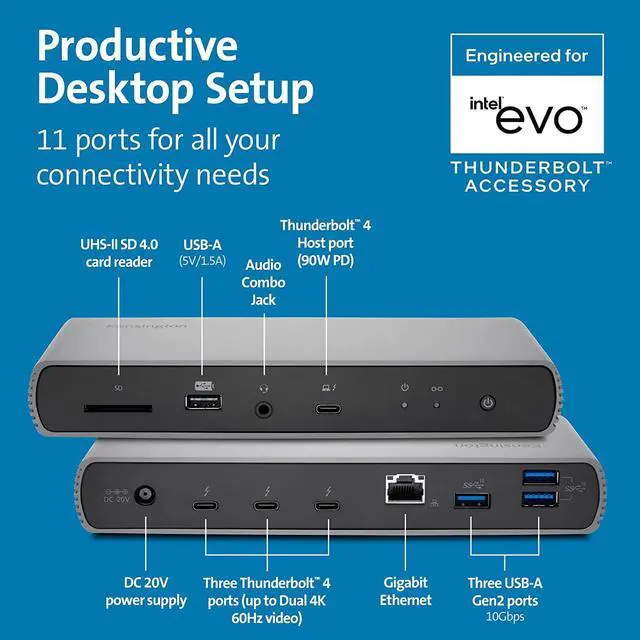
Three Thunderbolt 4 downstream ports (all capable of data, video and audio and 15w power each); SD card reader (UHS-II SD 4.0 ); four USB-A ports (one 5V/ 1.5A charging port and three Gen2@10Gbps ports); one Gigabit Ethernet port; one audio combo jack; on/off switch Vesa mounting holes (see Kensington mounting bracket, part # K34050WW); Kensington lock slot (for a lock see part #K65035AM or K60600WW)
DockWorks WiFi Auto-Switch guarantees the fastest, most reliable internet connection; while MAC Address ID Pass-Through and Reset, and Device Connection Monitoring give IT managers maximum network monitoring and visibility; Intel VT-d DMA protection blocks peripheral devices from unauthorized access to system memory.
Supports single 8K or dual 4K @ 60 Hz, single 4k @ 120Hz, or dual 1080P @120Hz Hz video output for
Thunderbolt 4 devices; (note: any Macs with the M1, M2 or M3 chipset will only display to a single monitor due to Apples chipset limitations, but Macs with M1/M2/M3/M4 Pro or Max, and M4 base CPUs will work with dual displays)
Connect your laptop to the Thunderbolt 4 port (. 8 meter Intel Certified TB4 cable included); connect your displays using one or two of the Thunderbolt 4 ports (usb-c to hdmi or usb-c to DisplayPort adapter or cable not included); unused Thunderbolt ports can connect directly to Thunderbolt devices (up to five additional via daisy chain, max 2 per port) while providing transfer speeds up to 40Gbps
180 Watt Power Supply delivers 90W power to charge your laptop; delivers additional power to run peripherals like hard drives, and for charging phones and tablets including Thunderbolt 4, Thunderbolt 3, USB 4.0, USB 3 and USB 2 peripherals
Static charging technology provides 15W to each of the downstream Thunderbolt 4 ports without taking power from the laptop laptop still receives full 90W of power even when all other ports are utilized; other Thunderbolt 4 docks will divert power away from the laptop
Three Thunderbolt 4 downstream ports (all capable of data, video and audio and 15w power each); SD card reader (UHS-II SD 4.0 ); four USB-A ports (one 5V/ 1.5A charging port and three Gen2@10Gbps ports); one Gigabit Ethernet port; one audio combo jack; on/off switch Vesa mounting holes (see Kensington mounting bracket, part # K34050WW); Kensington lock slot (for a lock see part #K65035AM or K60600WW)
DockWorks WiFi Auto-Switch guarantees the fastest, most reliable internet connection; while MAC Address ID Pass-Through and Reset, and Device Connection Monitoring give IT managers maximum network monitoring and visibility; Intel VT-d DMA protection blocks peripheral devices from unauthorized access to system memory.
Warranty & Returns
Warranty, Returns, And Additional Information
Warranty
- Please contact the Seller directly for warranty information. Warranty information may also be found on the Manufacturer's website.
- CONTACT
Return Policies
- Return for refund within: 30 days
- Return for replacement within: 30 days
- This item is covered by DHKtechnologies Return Policy
Manufacturer Contact Info
- For a directory of all our manufacturers, please click below.
- Manufacturers Directory
LOADING...