

Your Browsing History


Meet Your Seller
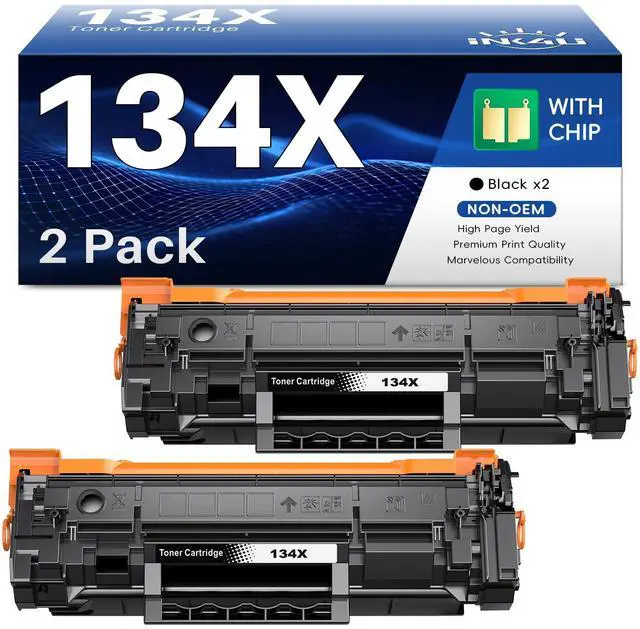



134X Black Toner for HP LaserJet M209dw MFP M234sdw M234dw M234sdn Printer | for HP 134X Toner W1340X Toner Cartridges (with Chip, 2-Pack)
Limited time offer, ends 08/27 By Tecinhblissu
- Why select this product: The 134X black toner cartridge offers double the toner fill and produces more pages, assisting you in saving costs. High Page Yield: Up to 2400 pages per 134X toner cartridge (Letter/A4, at 5% coverage). Compatible Printer Models: 134X toner cartridges (with chip) are designed for M209dw, M234dw, M234sdw, and M234sdn printers. Important Note: The 134X black toner cartridge is not suitable for "e" series printers, including M234dwe, M234sdne, and M234sdwe models. Package Contents: 2 x 134X black toner cartridges (with chip), 1 x user instruction card. Note: During installation, if a "Cartridge Low" message appears on the computer, it will not hinder printing. Please skip the message and proceed with printing. Reminder: If the product is not recognized after being loaded into the printer, please remove the toner cartridge, power off the printer to reboot, and then reload it
+
+
Overview
Specs
Reviews

Any questions? Our AI mode will help you find out quickly.
Try me now
Why select this product: The 134X black toner cartridge offers double the toner fill and produces more pages, assisting you in saving costs.
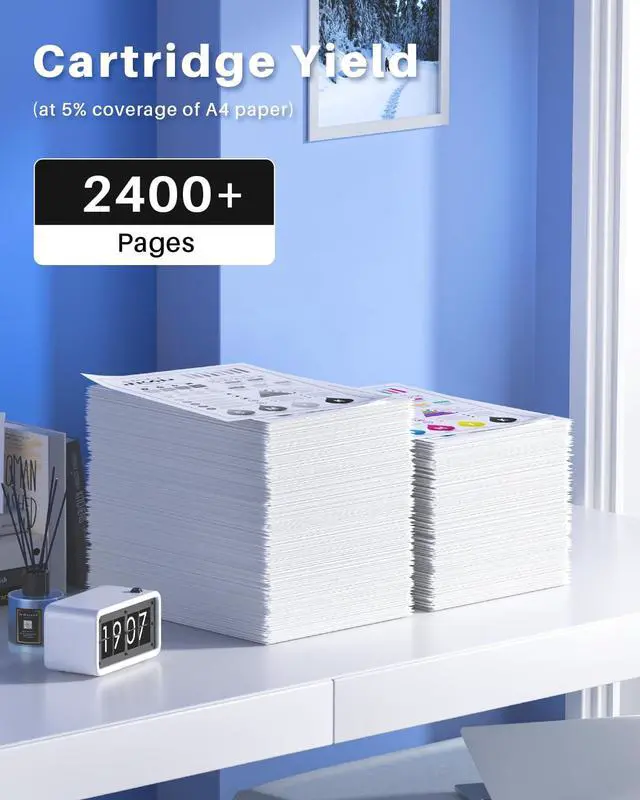
High Page Yield: Up to 2400 pages per 134X toner cartridge (Letter/A4, at 5% coverage).
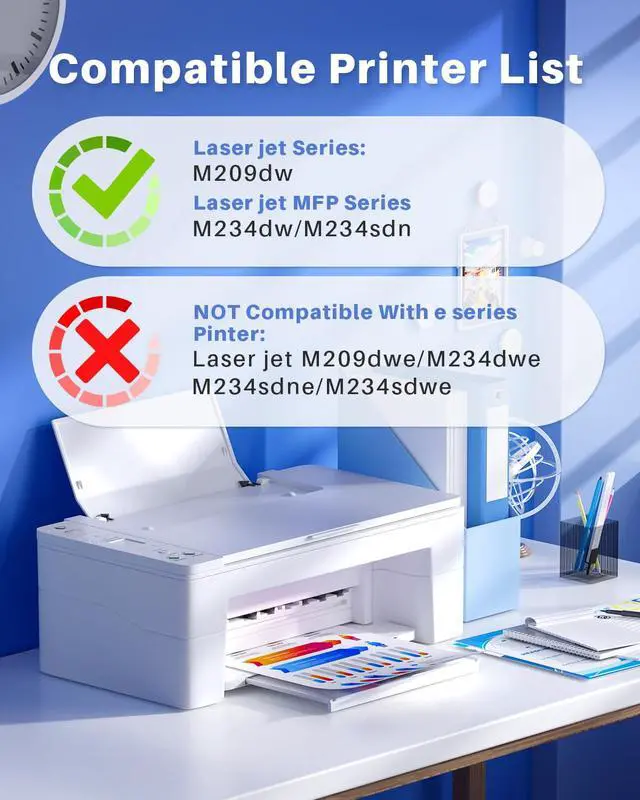
Compatible Printer Models: 134X toner cartridges (with chip) are designed for M209dw, M234dw, M234sdw, and M234sdn printers.
Important Note: The 134X black toner cartridge is not suitable for "e" series printers, including M234dwe, M234sdne, and M234sdwe models.
Package Contents: 2 x 134X black toner cartridges (with chip), 1 x user instruction card.
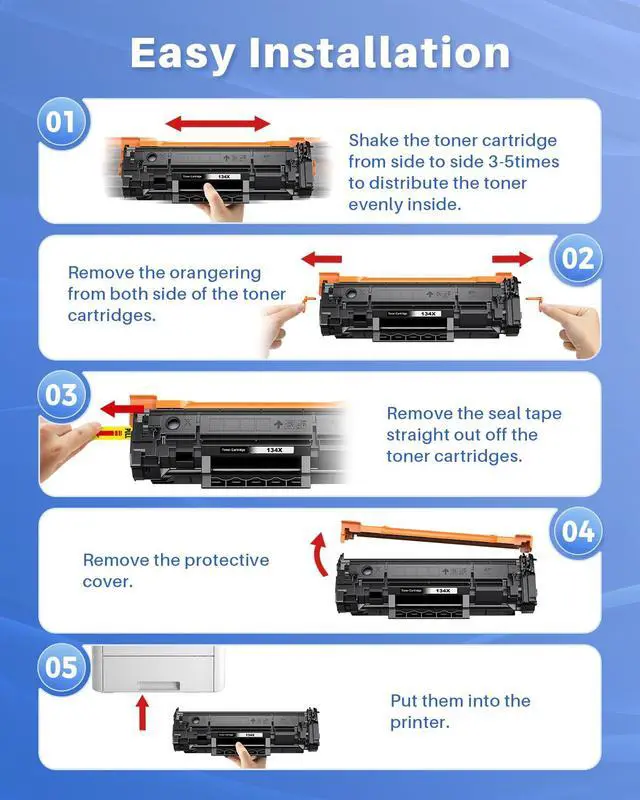
Note: During installation, if a "Cartridge Low" message appears on the computer, it will not hinder printing. Please skip the message and proceed with printing.
Reminder: If the product is not recognized after being loaded into the printer, please remove the toner cartridge, power off the printer to reboot, and then reload it
High Page Yield: Up to 2400 pages per 134X toner cartridge (Letter/A4, at 5% coverage).
Compatible Printer Models: 134X toner cartridges (with chip) are designed for M209dw, M234dw, M234sdw, and M234sdn printers.
Important Note: The 134X black toner cartridge is not suitable for "e" series printers, including M234dwe, M234sdne, and M234sdwe models.
Package Contents: 2 x 134X black toner cartridges (with chip), 1 x user instruction card.
Note: During installation, if a "Cartridge Low" message appears on the computer, it will not hinder printing. Please skip the message and proceed with printing.
Reminder: If the product is not recognized after being loaded into the printer, please remove the toner cartridge, power off the printer to reboot, and then reload it
Warranty & Returns
Warranty, Returns, And Additional Information
Warranty
- Please contact the Seller directly for warranty information. Warranty information may also be found on the Manufacturer's website.
- CONTACT
Return Policies
- Return for refund within: 30 days
- Return for replacement within: 30 days
- This item is covered by Tecinhblissu Return Policy
Manufacturer Contact Info
- For a directory of all our manufacturers, please click below.
- Manufacturers Directory
LOADING...