

Your Browsing History
Most customers receive within 5-9 days.

Meet Your Seller

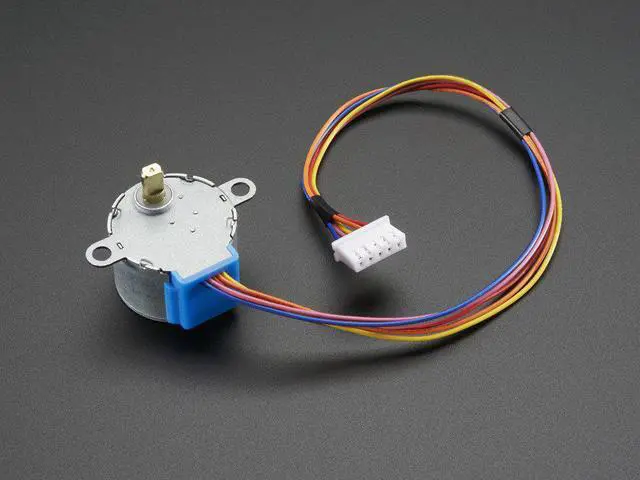
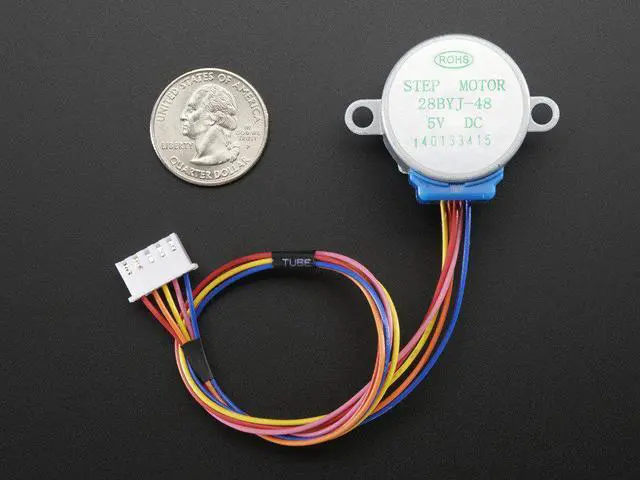
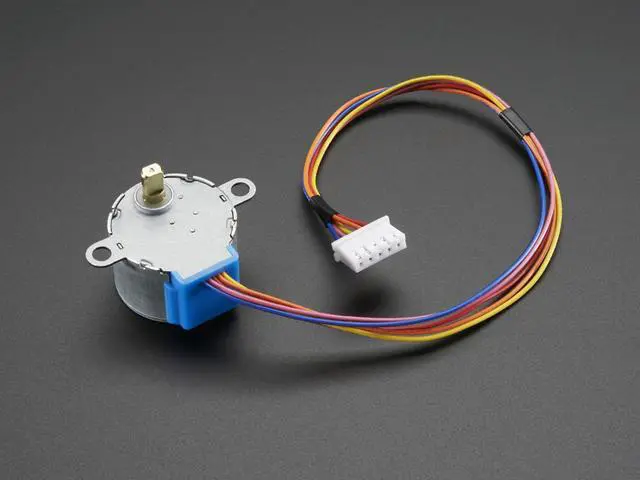
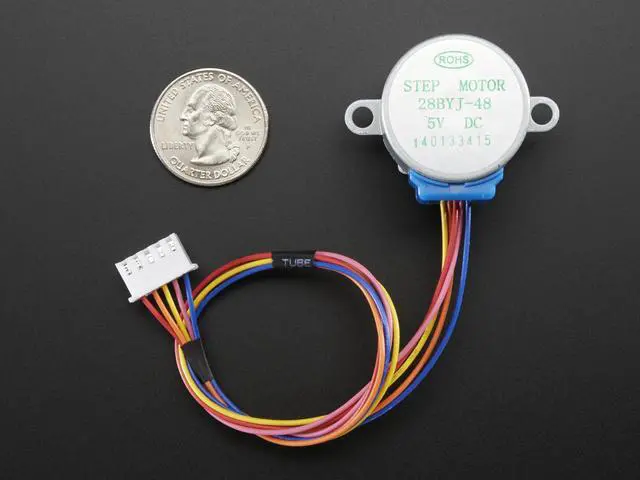
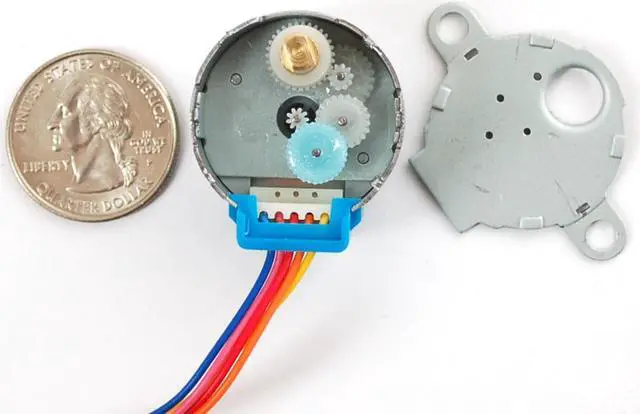


Adafruit 858 Small Reduction Stepper Motor - 5VDC 32-Step 1/16 Gearing
- Unipolar stepper with 0.1" spaced 5-pin cable connector
- 513 steps per revolution
- 1/16.032 geared down reduction
- 5V DC suggested operation
- Weight: 37 g.
- Dimensions: 28mm diameter, 20mm tall not including 9mm shaft with 5mm diameter
- 9" / 23 cm long cable
- Holding Torque: 150 gram-force*cm, 15 N*mm/ 2 oz-force*in
- Shaft: 5mm diameter flattened
- Approx 42 ohm DC impedence per winding
Overview
Specs
Reviews

Any questions? Our AI beta will help you find out quickly.
Try me now
This is a great first stepper motor, good for small projects and experimenting with steppers. This uni-polar motor has a built in mounting plate with two mounting holes. There are only 32 step (11.25 degree) per revolution, and inside is a 1/16 reduction gear set. (Actually its 1/16.032 but for most purposes 1/16 is a good enough approximation) What this means is that there are really 32*16.032 steps per revolution = 513 steps! The shaft is flattened so its easy to attach stuff to it with a set-screw. A perfect first stepper motor and works well with the Motor Shield for Arduino.
The gearing has a few side effects which are important to note. First, you can turn the stepper by hand but not as smoothly as an un-geared stepper. It also means you shouldn't use interleaved or micro-stepping to control or it will take forever to turn. Instead use single or double stepping. The torque is fairly high but its slower than un-geared steppers - we maxed out at about 50 RPM by over-driving it a bit with 9VDC. At 5V try to stick to under 25 RPM
To use with the Adafruit Motor Shield, connect red to ground (middle), orange and pink to one motor port (say M1) and blue and yellow to the other motor port (say M2). So in order, thats: orange - pink - red - blue - yellow. Then just use the example code that comes with the Adafruit Motor Shield library and set the constructor to Adafruit_StepperMotor *myMotor = AFMS.getStepper(513,motornum) and the speed at 5 RPM by calling motor->setSpeed(5)
The gearing has a few side effects which are important to note. First, you can turn the stepper by hand but not as smoothly as an un-geared stepper. It also means you shouldn't use interleaved or micro-stepping to control or it will take forever to turn. Instead use single or double stepping. The torque is fairly high but its slower than un-geared steppers - we maxed out at about 50 RPM by over-driving it a bit with 9VDC. At 5V try to stick to under 25 RPM
To use with the Adafruit Motor Shield, connect red to ground (middle), orange and pink to one motor port (say M1) and blue and yellow to the other motor port (say M2). So in order, thats: orange - pink - red - blue - yellow. Then just use the example code that comes with the Adafruit Motor Shield library and set the constructor to Adafruit_StepperMotor *myMotor = AFMS.getStepper(513,motornum) and the speed at 5 RPM by calling motor->setSpeed(5)
Warranty & Returns
Warranty, Returns, And Additional Information
Warranty
- Please contact the Seller directly for warranty information. Warranty information may also be found on the Manufacturer's website.
- CONTACT
Return Policies
- Return for refund within: 30 days
- Return for replacement within: 30 days
- This item is covered by 3DMakerWorld Return Policy
Manufacturer Contact Info
- For a directory of all our manufacturers, please click below.
- Manufacturers Directory
LOADING...