Certification:NONE
Origin:CN(Origin)
DIY Supplies:ELECTRICAL
Model Number:EBD-USB
Type:Household Tester
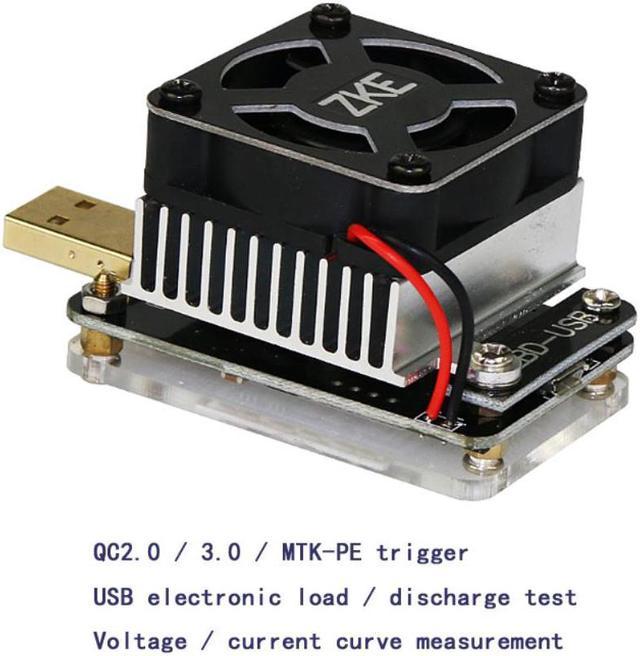
EBD-USB is a special USB load used to test mobile power and charging head. It supports QC and MTK protocol charging voltage trigger detection and USB charging voltage current measurement.
(Online use via EB software)
.
1. Connect the USB public port to the charger / mobile power supply and start the "constant current" mode. The internal electronic load can be used for constant current discharge test capacity or current output performance.
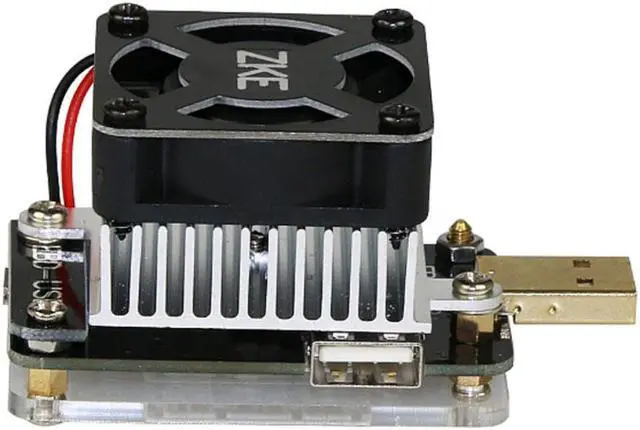
2. Connect the USB male port to the charger / mobile power supply, and the female port to the mobile phone / mobile power supply through the charging cable. Start the "Ammeter" mode, and you can record the charging curve from the male port to the female port
3. "Ammeter" mode test D + D- voltage and MFI line current (supported by enhanced version only):
Online software:
Test chart:
Product details
:
one enhanced version (EBD-USB +)
Note: without microUSB cable
Introduction to use:
1. Download EB V1.8.5 software package, install EB software and PL2303 driver separately.
Download Link:
2. Connect EBD-USB to the computer via MicroUSB data cable
3. Find the corresponding port in the device manager of the computer (refer to the software description icon)
4. Open the EB software, select the corresponding port, connect the device and test
5. Test example: //bbs.chongdiantou.com/thread-7024-1-1.html