USB Type:Standard
Certification:CE
Use:Computer,Smart Devices
Origin:Mainland China
Model Number:SC-09
Bundle:Bundle 1
Package:Yes
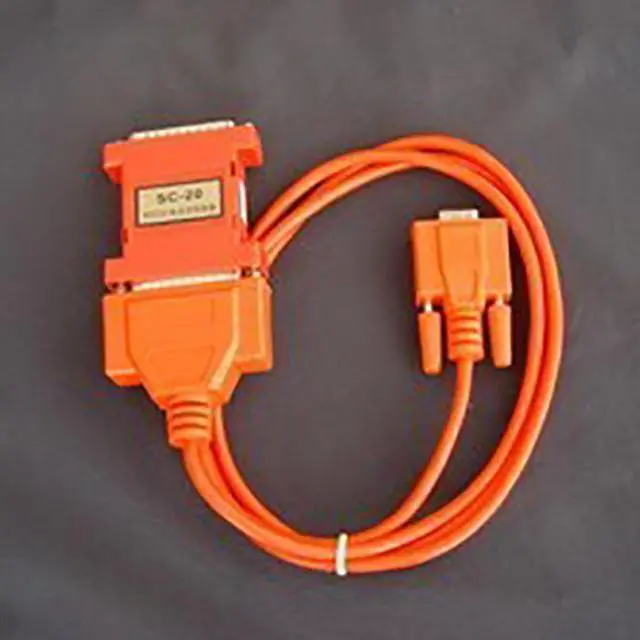
SC-20 RS232/TTY Converter Instructions
The SC-20 communication converter is used to realize the conversion between RS232 and TTY (20mA current loop) communication procedures. This product is small in size and does not require an external power supply. The output current of about 20mA can be obtained by RS232, and there is no need to initialize the serial port. The DB25 conversion box is used. One end of the DB25F (socket) is an RS232 port, which is directly inserted into the 25-pin RS232 socket. If your RS232 socket is 9-pin, a 9-25 converter should be installed between the RS232 socket and the DB25F. The corresponding connections are as follows:
1. Main technical parameters:
1. Power supply: No external power supply is required, and no serial port initialization is required.
2. Communication distance: more than 100 meters (9600bps)
3. Communication rate: 09600bps adaptive
4. Transmission line: twisted pair or ordinary wire
5. Working mode: full-duplex current loop transmission and can suppress lightning and other strong electrical interference
6. Dimensions: 60×50×17
7. Weight: 40g
8. Working temperature: -40~+85
9. Working humidity: 0~95%
Note: This product has been sealed with glue before leaving the factory, please do not disassemble it by yourself, otherwise the manufacturer will not be responsible for any quality problems.
2. Software description:
Since this product does not need to initialize the RS232 serial port to get power, it is suitable for all communication software, even after using this product, it will not make any changes to the software you use!
3. Wiring:
Plug the DB25F (socket) end of this product into the RS232 serial port of the device, and the BD25M (pin socket) end is the current loop interface. Use a cable to connect to the current loop interface of the device, as shown in the figure: