



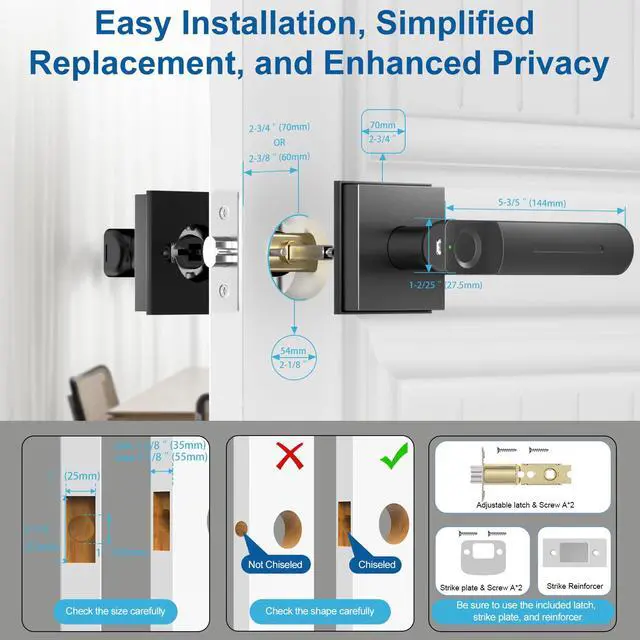




Smart, Flexible, Reliable
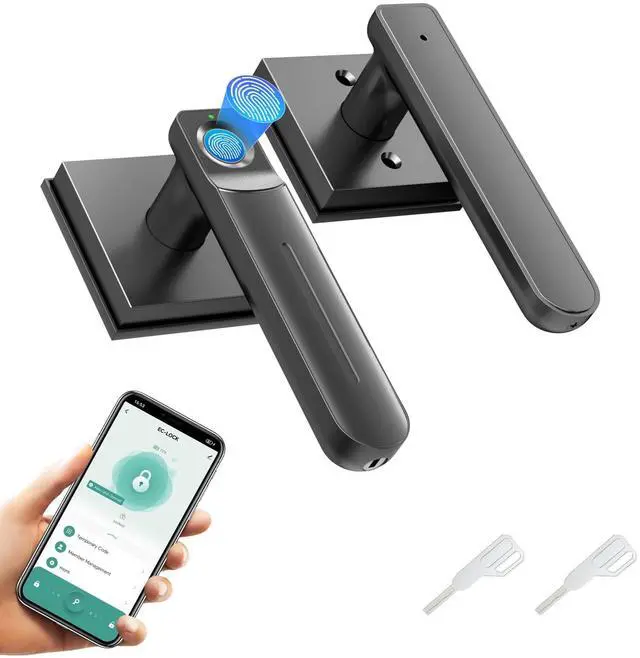
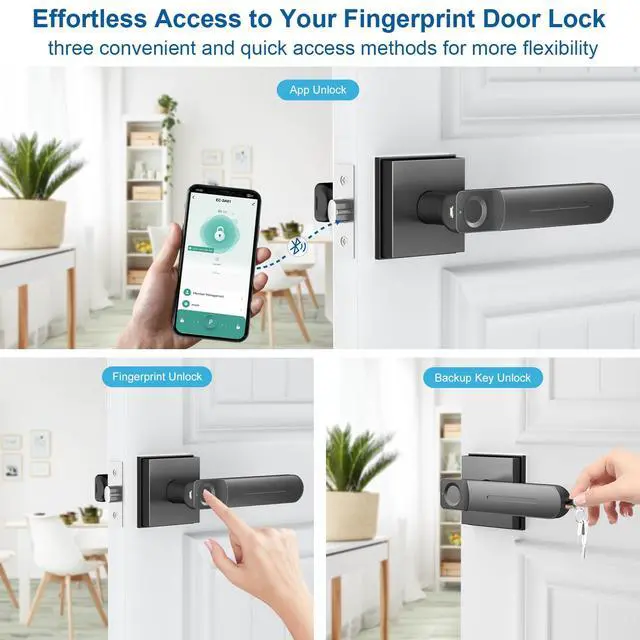
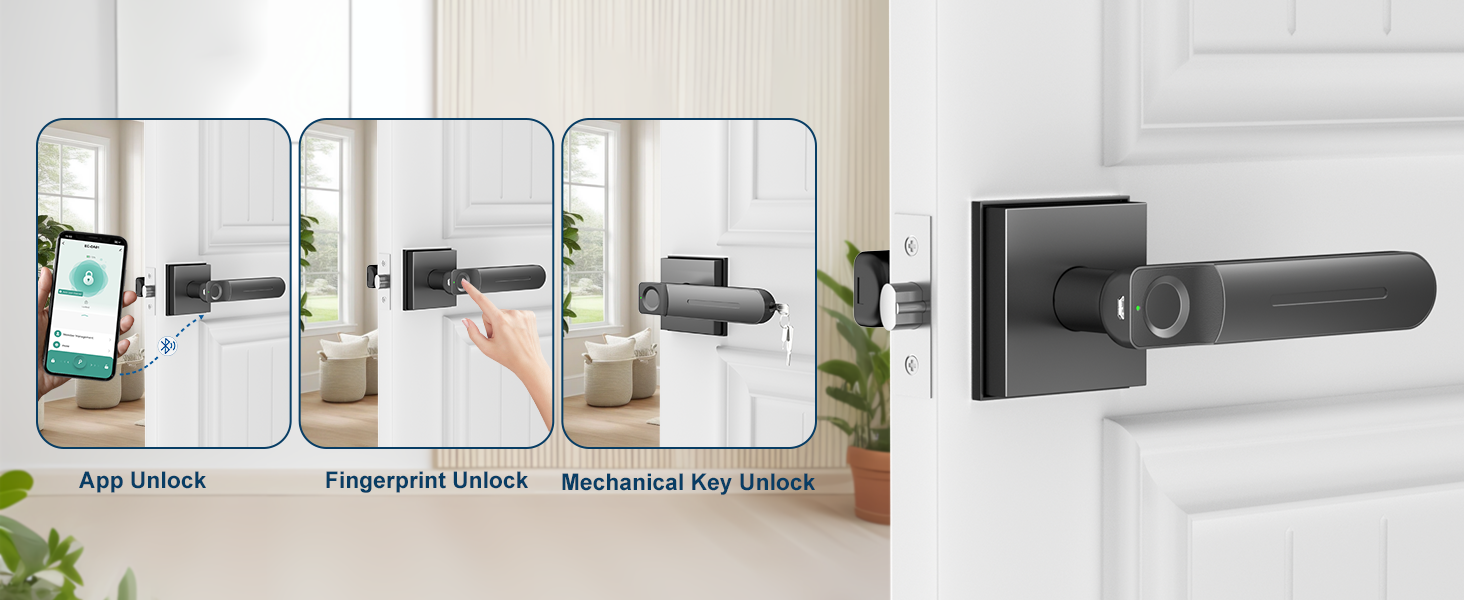
3-in-1 Smart Lock — App, Fingerprint & Key Access
- App Unlock:Control access via phone.
- Fingerprint Unlock:Fast & secure.
- Key Unlock:Reliable backup.
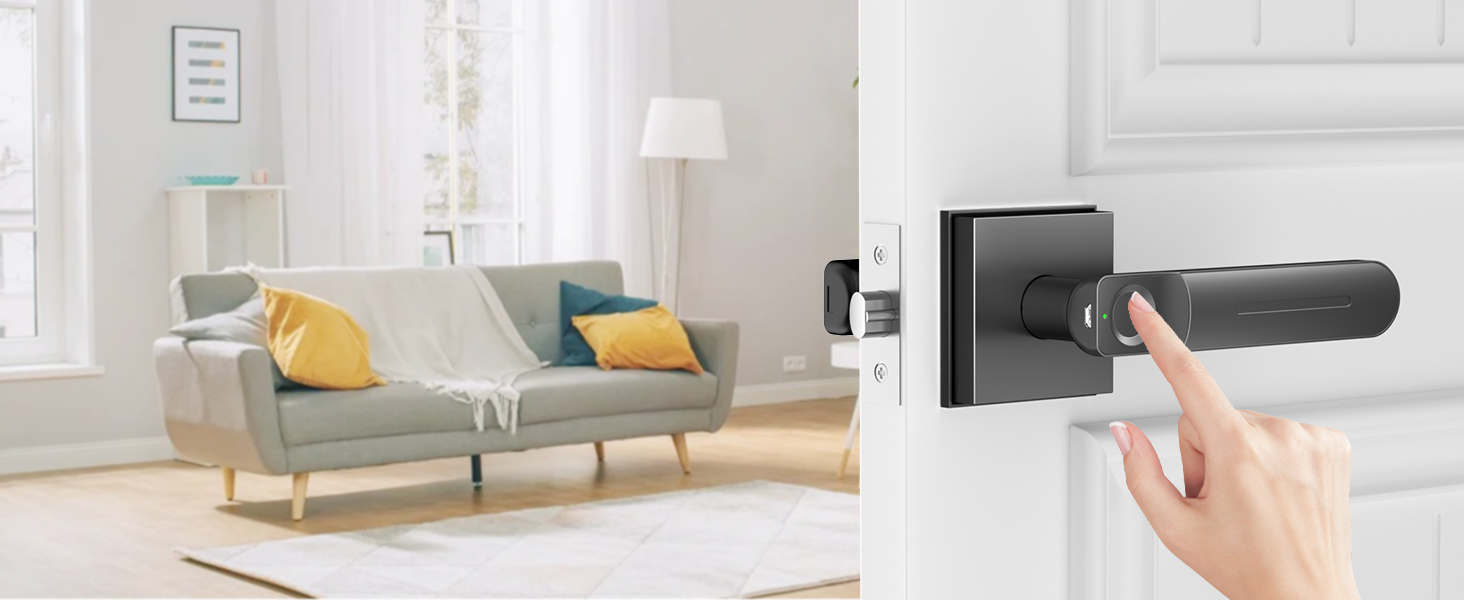
Secure Entry Made Easy
Access Your Door with One Touch
Experience next-gen security—fast, precise, and key-free access with your fingerprint in a second.
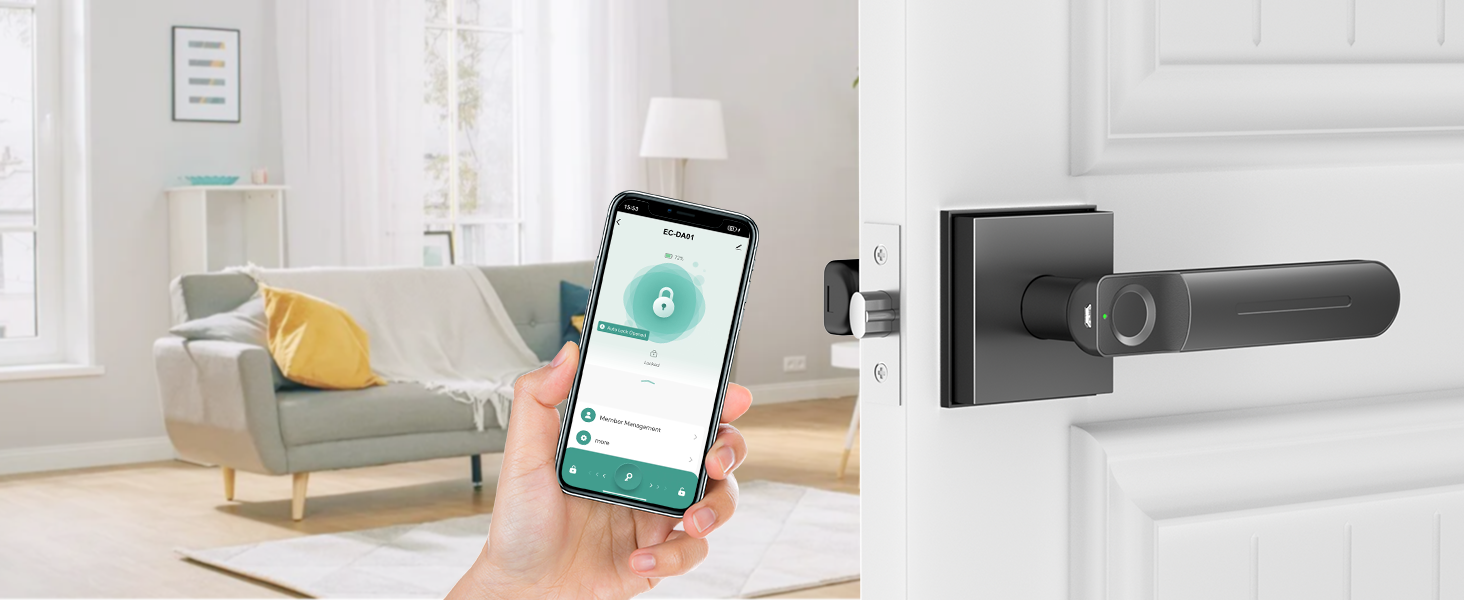
Smart Control Made Simple
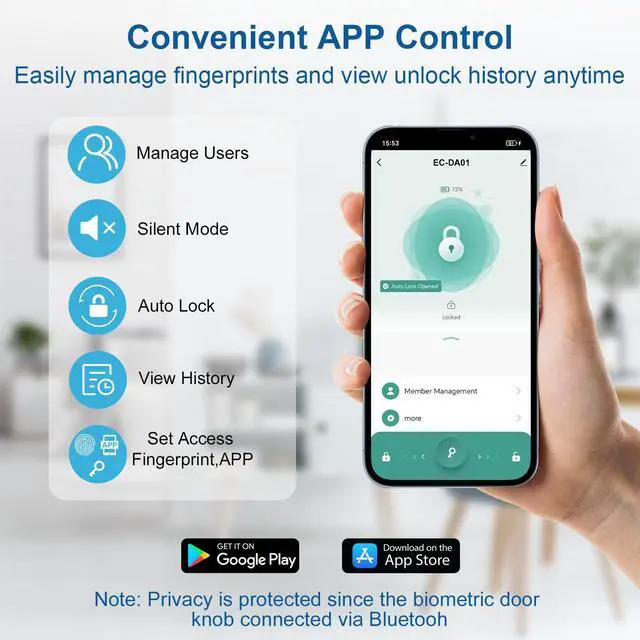
Manage Doors and Users on the Go
Use the app to unlock doors, share access, and monitor usage —total control in your hand.
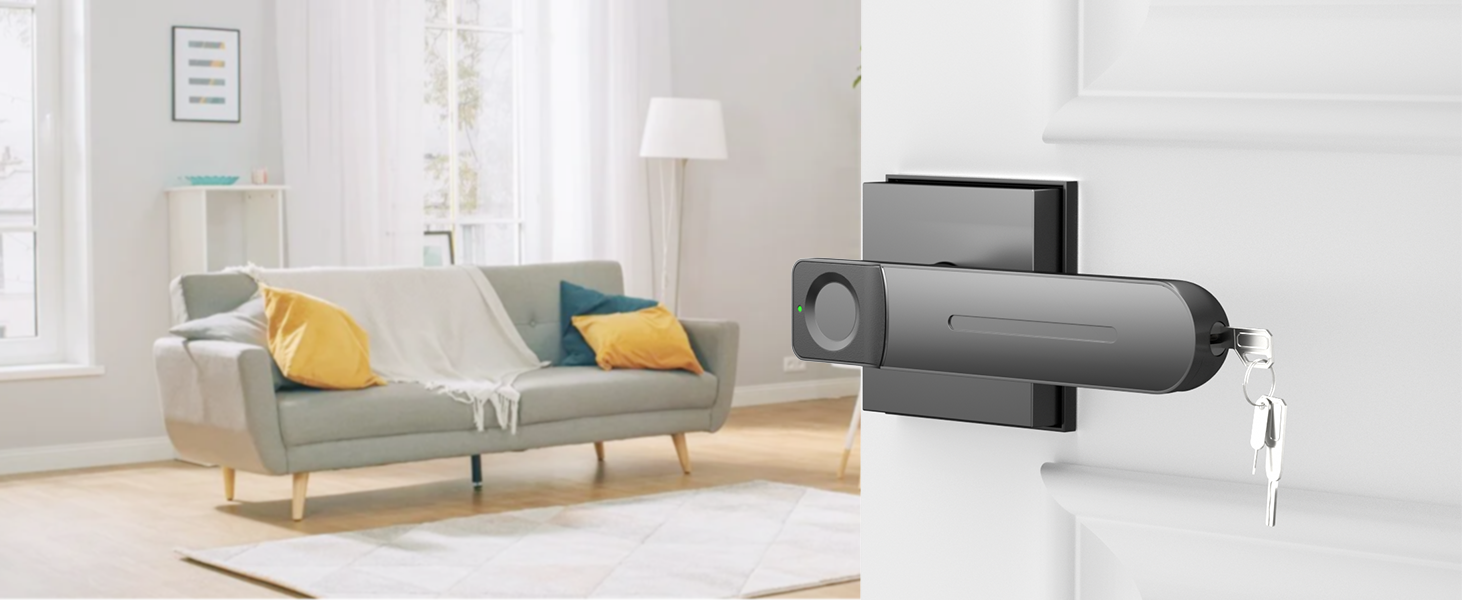
Simple Emergency Access
Physical Key for Peace of Mind
Keep a traditional key for fast entry—perfect for family use or during power and battery outages.
Advanced App Features for Smarter Access
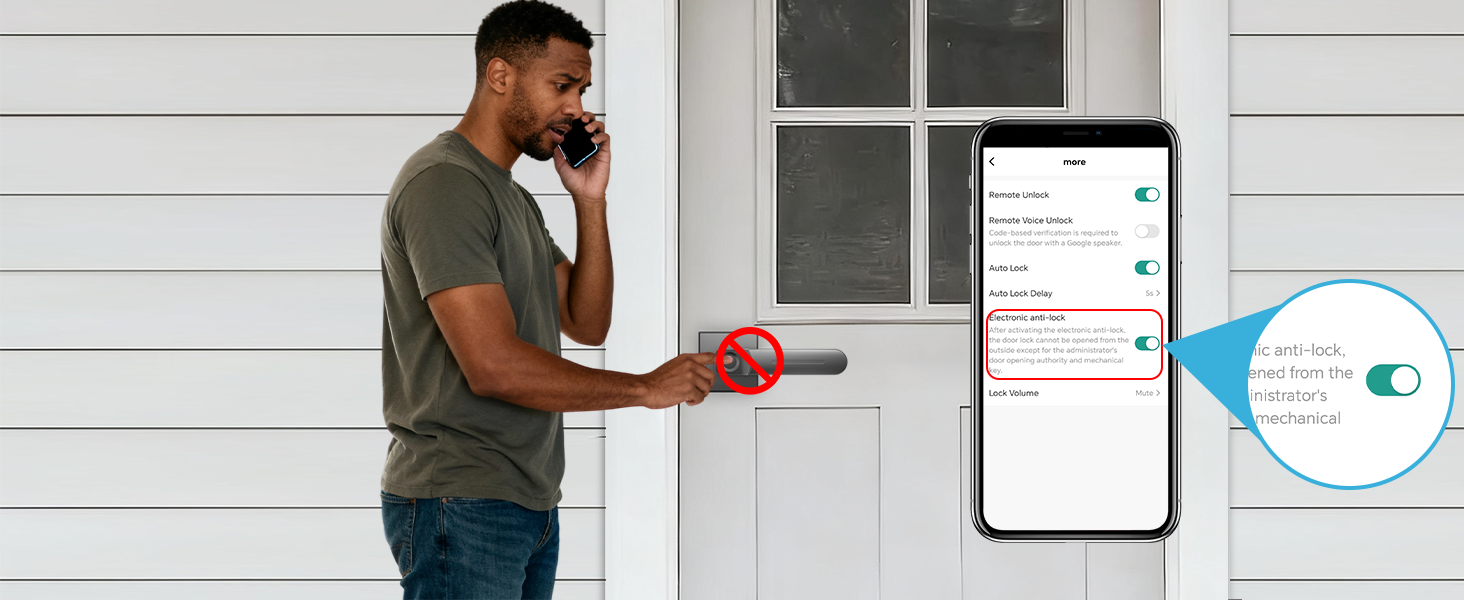
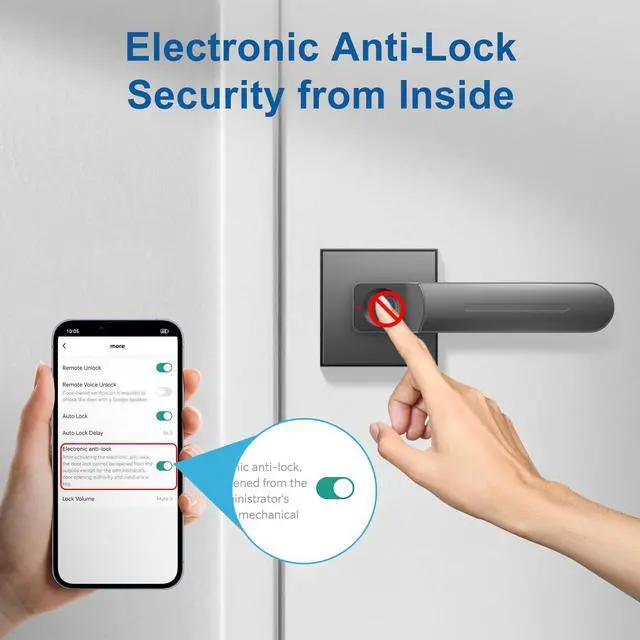
Electronic Anti-Lock — Secure from Inside
Activate the anti-lock through the app to block outside access. Once enabled, only admin fingerprints or physical keys can unlock from outside—ideal for added privacy and advanced home protection.
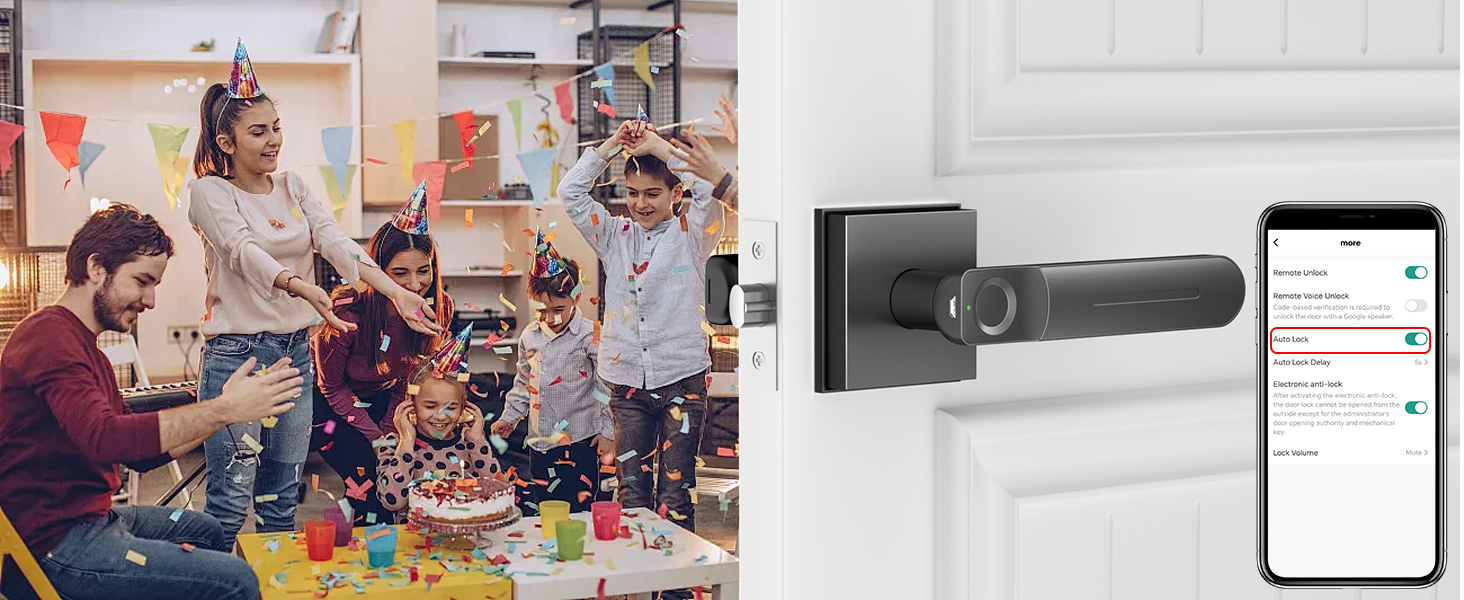
Passage Mode — Keep Door Unlocked as Needed
Enable Passage Mode in the app to turn off auto lock. Keep the door unlocked for family gatherings, office hours, or frequent entry—no need to scan fingerprints or use keys each time you pass through.
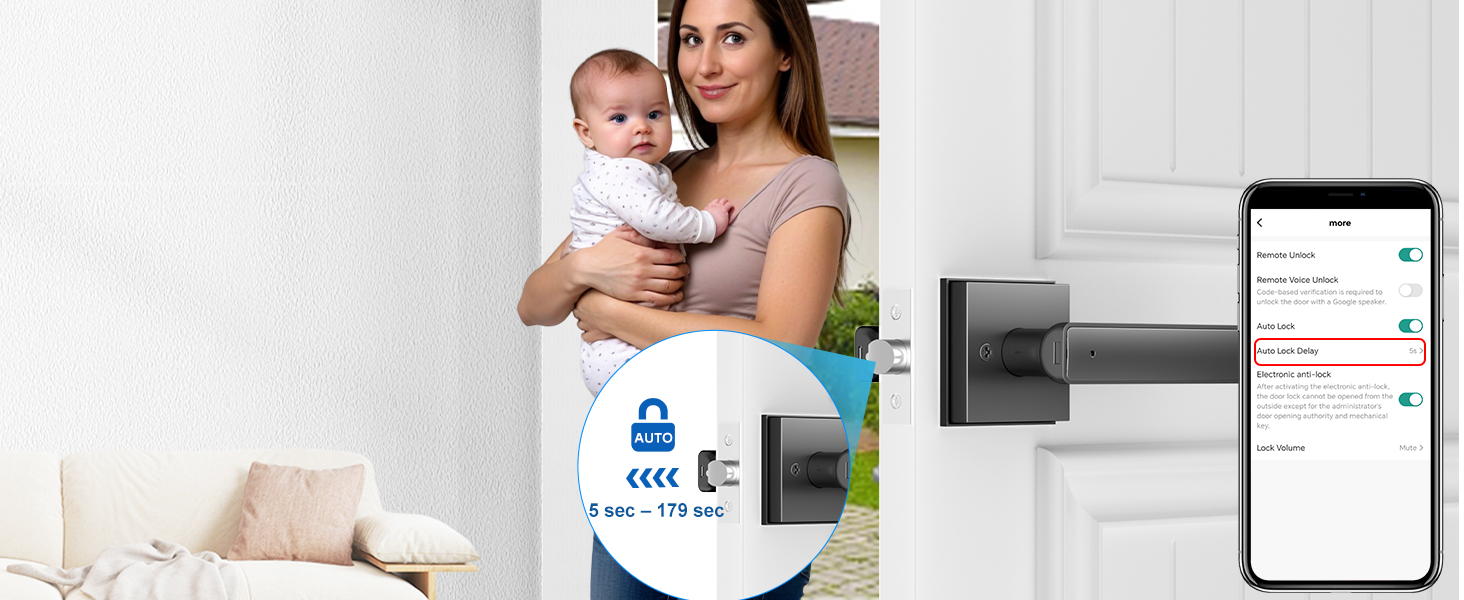
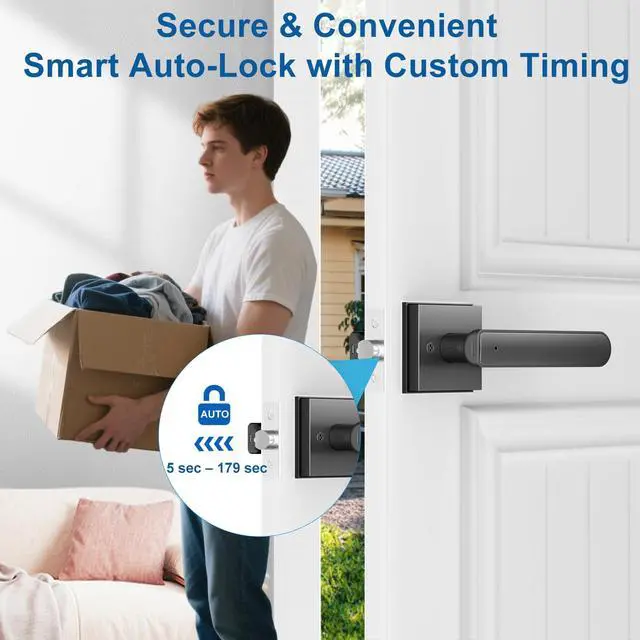
Auto Lock Delay — Customize Lock Timing
Set your right auto lock delay in the app—from 5 to 179 seconds. Choose the right timing for your routine to ensure security after every close, balancing safety and convenience with smart automation.
Complete Smart Access with Gavdhe Gateway (Sold Separately)
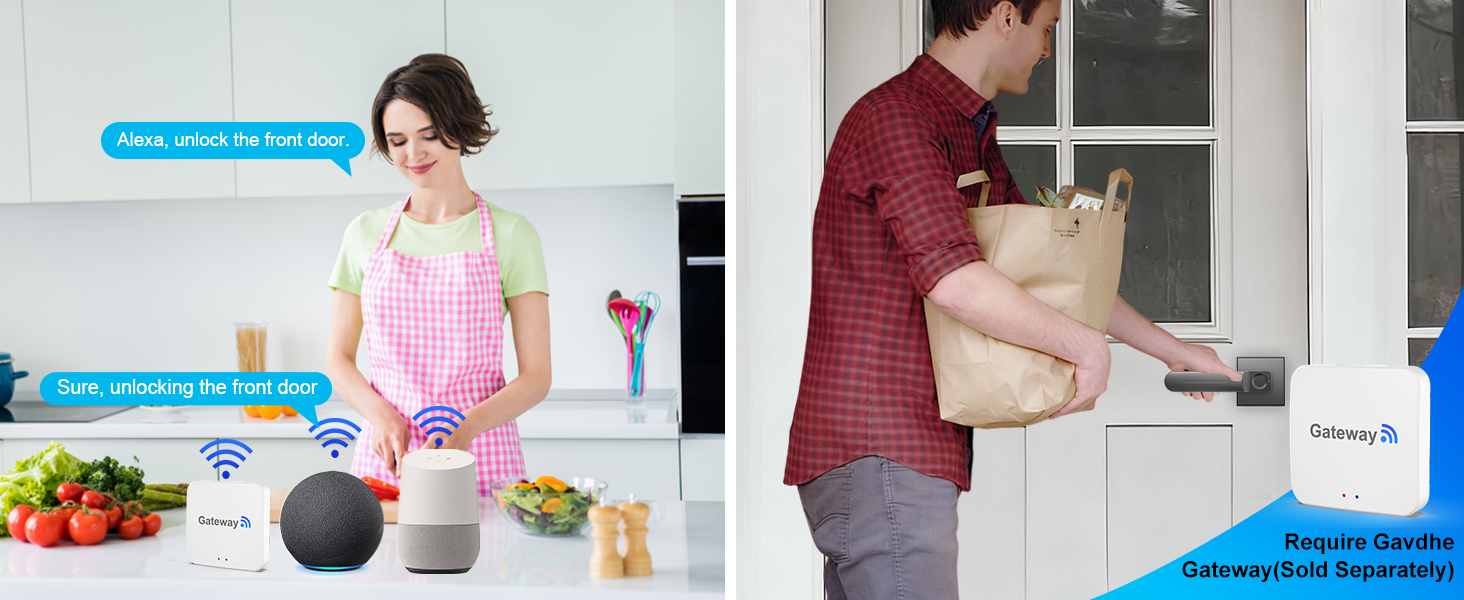
Hands-Free Voice Unlock with Gavdhe Gateway
Control your door with just your voice using Gavdhe Gateway (sold separately). Works with Alexa or Google Assistant—easy, secure access for visitors, family, or deliveries.
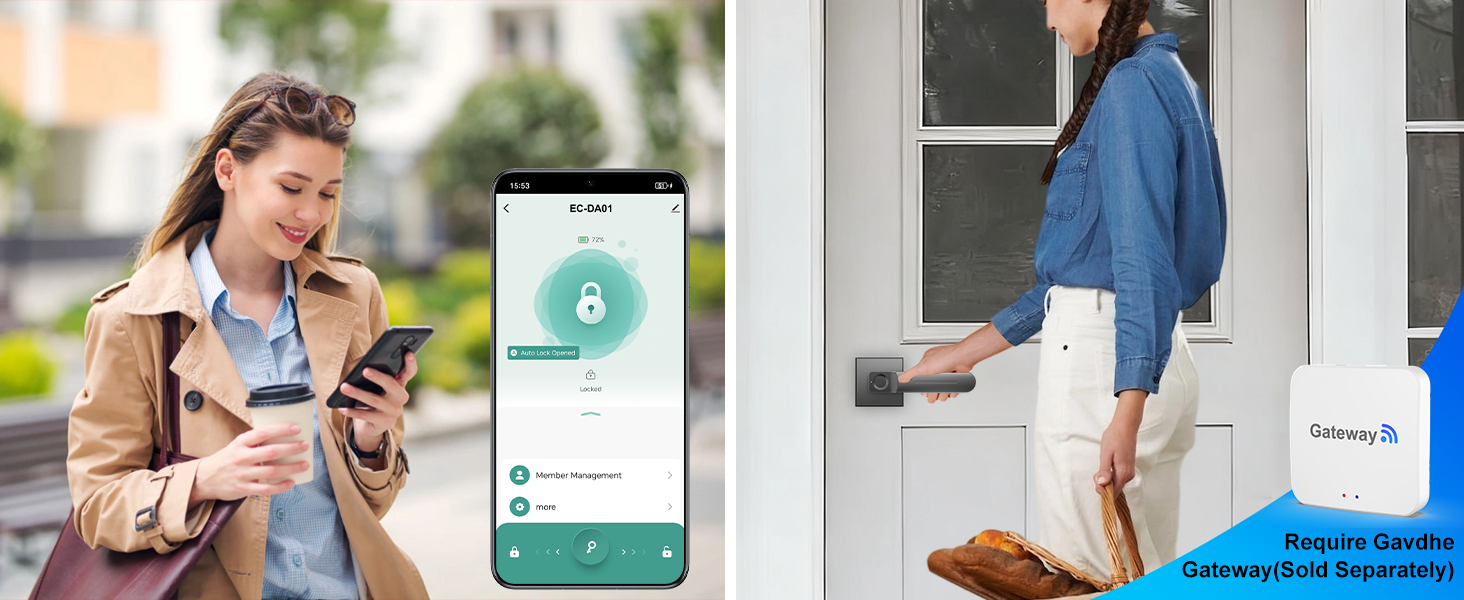
Unlock Your Door Remotely with Gavdhe Gateway
Use Gavdhe Gateway (sold separately) to unlock your door from anywhere. Grant access to family, guests, or delivery personnel instantly—secure, convenient, and fully under your control.
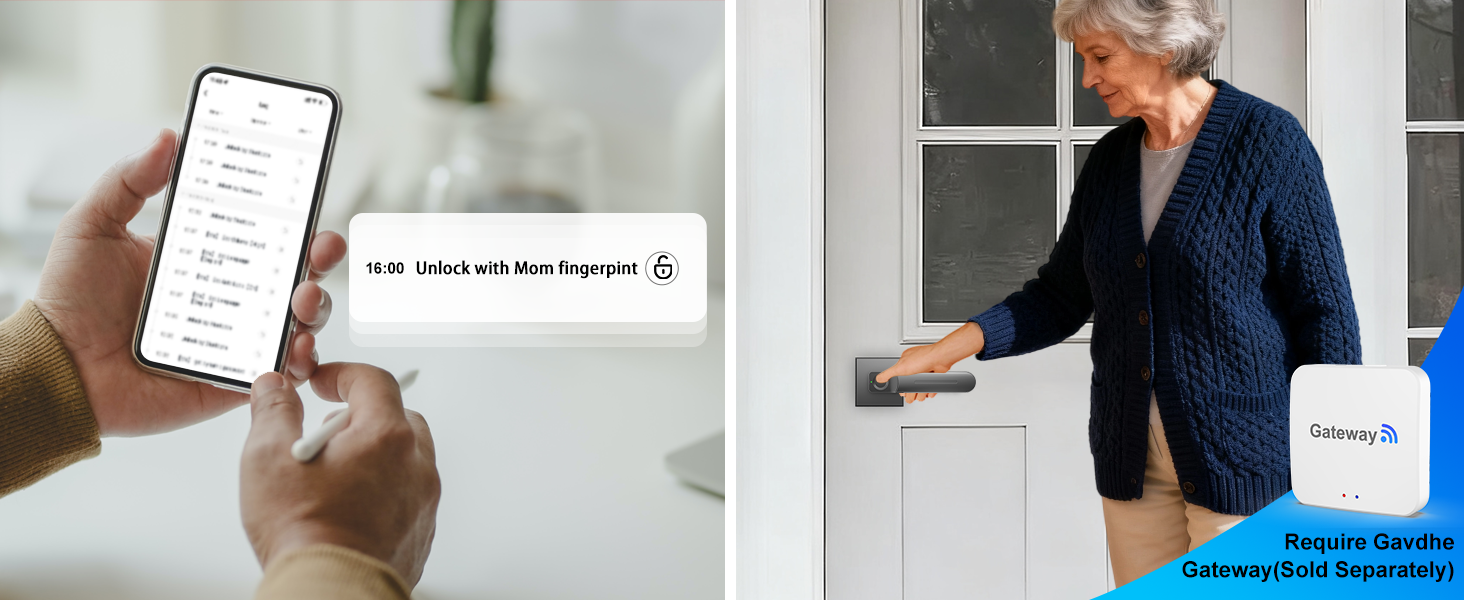
Check Instant Door Activity with Gavdhe Gateway
Monitor every door event in real time with Gavdhe Gateway (sold separately). View who entered and when—perfect for keeping your home or office secure and staying informed at all times.


Important Tips for Safe & Smooth Lock Use
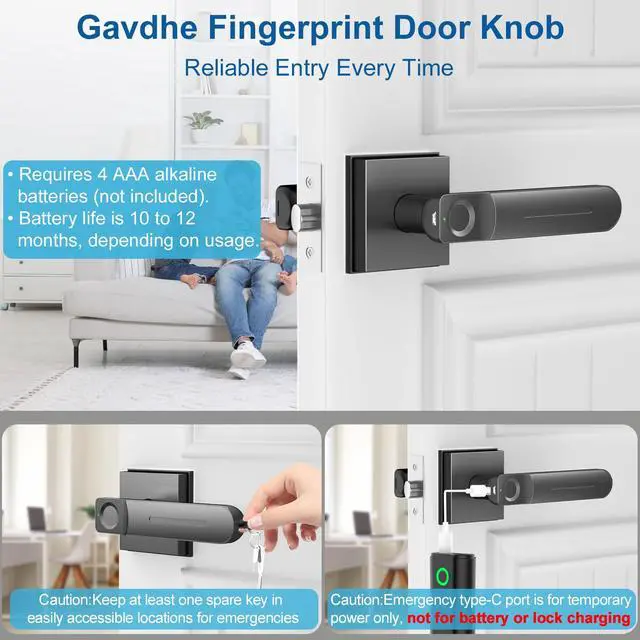
- Battery: Use four AAA alkaline batteries (not included) for best performance. Rechargeable batteries are okay, but do not charge the lock or the batteries via Type-C port or DC wall output to avoid damage.
- Fingerprint Security: Register your admin fingerprint after installation to prevent unauthorized access.
- Recognition Accuracy: Register the same fingerprint multiple times at different angles for smoother unlocking.
- Emergency Power: Use Type-C port only with a power bank (not included) if batteries die.
- App Management: Use Tuya Smart or Smart Life apps and follow instructions carefully.
- Support: For missing parts or setup help, contact product support with details for fast assistance.

Smart, Flexible, Reliable
3-in-1 Smart Lock — App, Fingerprint & Key Access
- App Unlock:Control access via phone.
- Fingerprint Unlock:Fast & secure.
- Key Unlock:Reliable backup.
Secure Entry Made Easy
Access Your Door with One Touch
Experience next-gen security—fast, precise, and key-free access with your fingerprint in a second.
Smart Control Made Simple
Manage Doors and Users on the Go
Use the app to unlock doors, share access, and monitor usage —total control in your hand.
Simple Emergency Access
Physical Key for Peace of Mind
Keep a traditional key for fast entry—perfect for family use or during power and battery outages.


Advanced App Features for Smarter Access
Electronic Anti-Lock — Secure from Inside
Passage Mode — Keep Door Unlocked as Needed
Auto Lock Delay — Customize Lock Timing


Activate the anti-lock through the app to block outside access. Once enabled, only admin fingerprints or physical keys can unlock from outside—ideal for added privacy and advanced home protection.
Enable Passage Mode in the app to turn off auto lock. Keep the door unlocked for family gatherings, office hours, or frequent entry—no need to scan fingerprints or use keys each time you pass through.
Set your right auto lock delay in the app—from 5 to 179 seconds. Choose the right timing for your routine to ensure security after every close, balancing safety and convenience with smart automation.
Complete Smart Access with Gavdhe Gateway (Sold Separately)
Hands-Free Voice Unlock with Gavdhe Gateway
Unlock Your Door Remotely with Gavdhe Gateway
Check Instant Door Activity with Gavdhe Gateway


Control your door with just your voice using Gavdhe Gateway (sold separately). Works with Alexa or Google Assistant—easy, secure access for visitors, family, or deliveries.
Use Gavdhe Gateway (sold separately) to unlock your door from anywhere. Grant access to family, guests, or delivery personnel instantly—secure, convenient, and fully under your control.
Monitor every door event in real time with Gavdhe Gateway (sold separately). View who entered and when—perfect for keeping your home or office secure and staying informed at all times.


Important Tips for Safe & Smooth Lock Use
- Battery: Use four AAA alkaline batteries (not included) for best performance. Rechargeable batteries are okay, but do not charge the lock or the batteries via Type-C port or DC wall output to avoid damage.
- Fingerprint Security: Register your admin fingerprint after installation to prevent unauthorized access.
- Recognition Accuracy: Register the same fingerprint multiple times at different angles for smoother unlocking.
- Emergency Power: Use Type-C port only with a power bank (not included) if batteries die.
- App Management: Use Tuya Smart or Smart Life apps and follow instructions carefully.
- Support: For missing parts or setup help, contact product support with details for fast assistance.