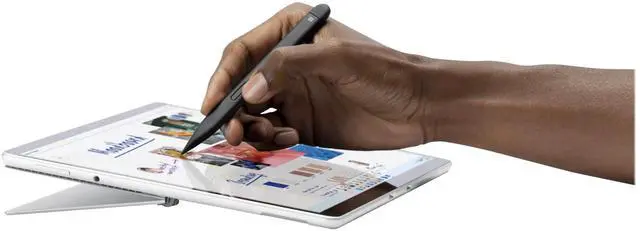
Write, sketch, navigate and recharge. Take handwritten notes and draw with the same feeling you get with pen on paper, with exceptional accuracy and a storable design. The Surface Slim Pen 2 does not come with a charger. Surface Slim Pen 2 is compatible to charge with a wide variety of Surface devices. All are sold separately. The best shading experience yet. A sharper pen tip and an improved design let you approach the screen at a perfect angle for ultra-precise tilting, shading and an exceptional 4, 096 points of pressure sensitivity.
Surface Slim Pen 2 stores securely and recharges when stored in Surface Pro Signature Keyboard and when magnetically attached to Surface Laptop Studio. The haptic motor in Surface Slim Pen 2 brings the feeling of writing and drawing on paper to your PC's screen. You control the level of feedback you feel when you successfully select objects, hover, delete, and more. Create, store, charge, repeat Write, sketch, navigate, and recharge. Take handwritten notes and draw with the same feeling you get with pen on paper, with exceptional accuracy and a new storable design.
Surface Slim Pen 2 also delivers incredible shading and exceptional pressure sensitivity. Fast, fluid, and perfect with your SurfaceOur best performing pen yet, with real-time writing, pin-point accuracy, and incredible shading thanks to a sharper pen tip and improved design. Note-taking, sketching, and navigating for everyoneExperience natural and intuitive note-taking, sketching, and navigating with the same feeling you get with pen on paper, thanks to feedback you control when paired with Surface Pro 8 or Surface Laptop Studio. Surface Slim Pen 2 can help improve your productivityYou control the level of feedback you feel when you successfully select objects, hover, delete, and more.
Always charged and readySurface Slim Pen 2 is ready to use right out of the box for you to unleash your creativity. Better yet, you'll always know where it is with built-in, wireless charging and secure storage in Surface Pro Signature Keyboard or Surface Laptop Studio. Capture ideas instantlyBrainstorm and sketch with others over Microsoft Teams or when using Microsoft Whiteboard. Plus, edit presentations on the spot, fill out and sign documents, or take personal handwritten notes in Microsoft Journal.