Your Browsing History
- Free 30-day Returns
$153.74
Ships from Hong Kong.
Best Sellers
- $154.19
- + FREE SHIPPING
Meet Your Seller
Quadruple Display USB C Docking Station (2*HDMI+DP), 14 in 1 USB C Hub Compatible for macOS&Windows, USB C Dock(2 * 4KHDMI,DP,PD3.0,USB-C,Ethernet,Audio,SD/TF Card Reader,5*USB Ports)
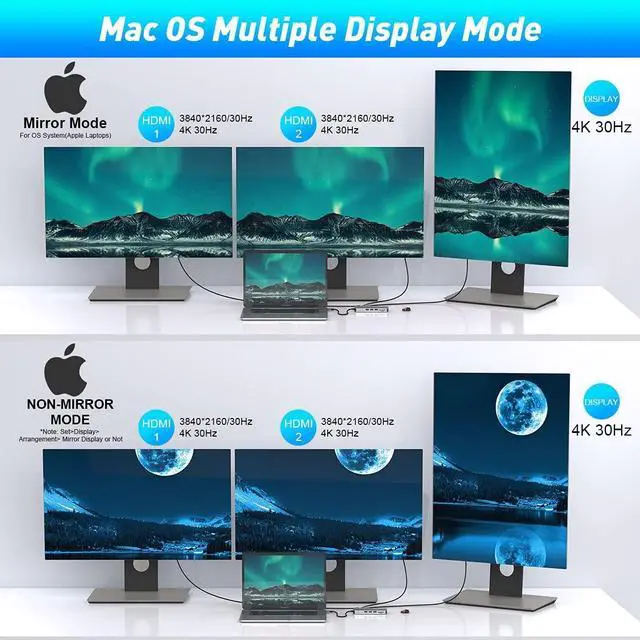
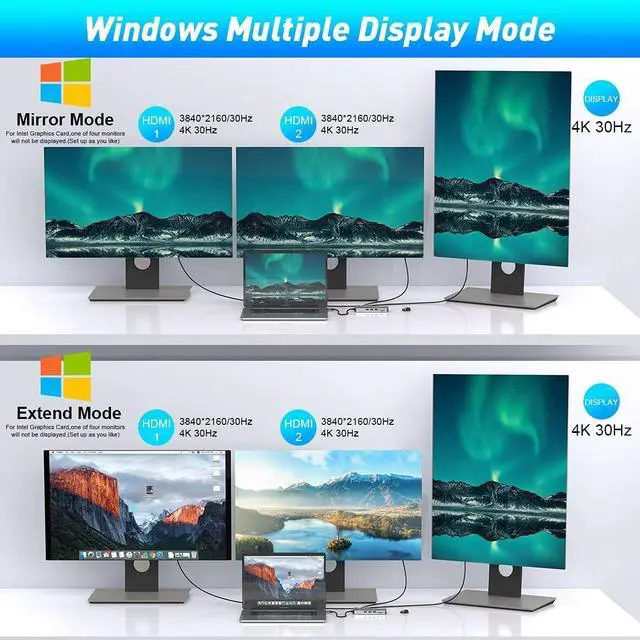
- Full Quadruple Display USB C Hub & Advance chip USB C Docking Station supports MST (Multi-Stream Transport) Quadruple Displays for both macOS&Windows laptop systems. USB C hdmi dual monitor adapter Support Extend Mode Or Mirror Mode, HDMI 3840*2160@30hz, DP 3840*[email protected] like a pro on multiple displays! An ideal Gadget for Video Editor, Photography, Programmer. USB C laptop docking station was specifically designed for technology focused professionals.
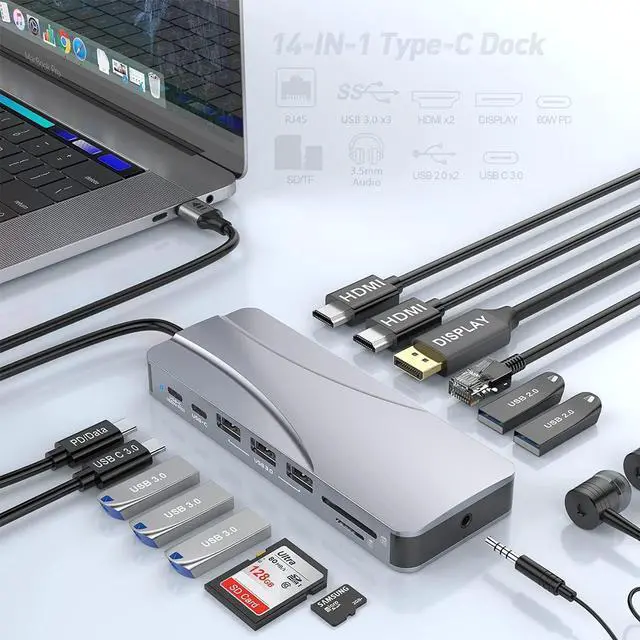
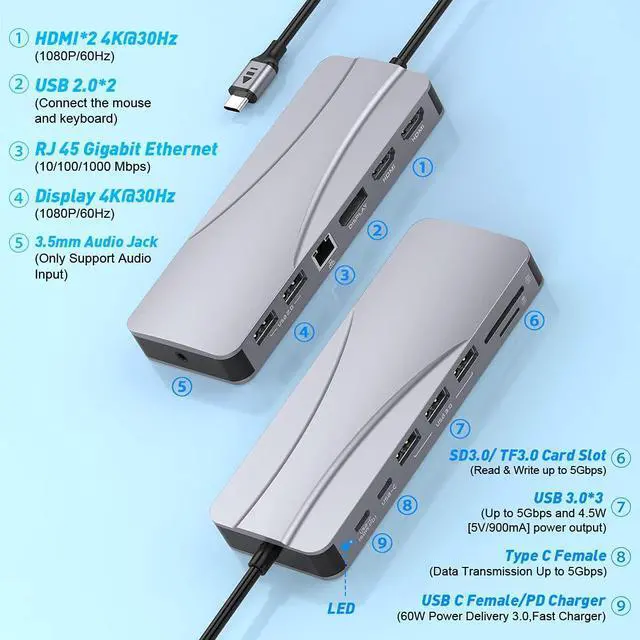
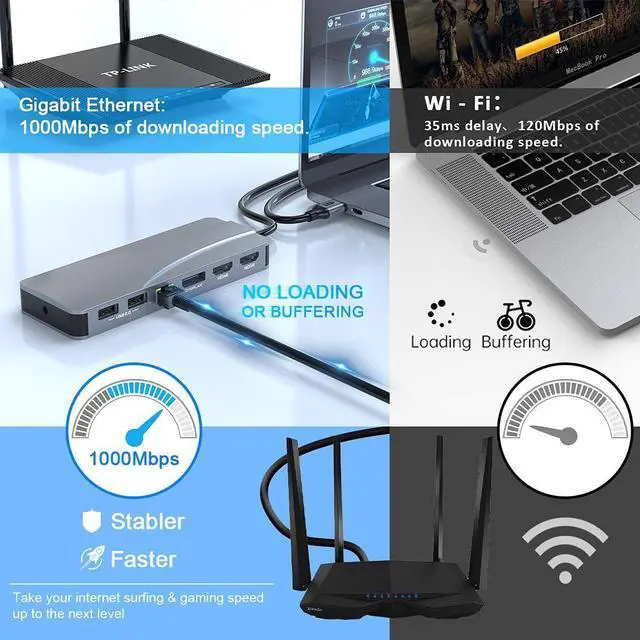
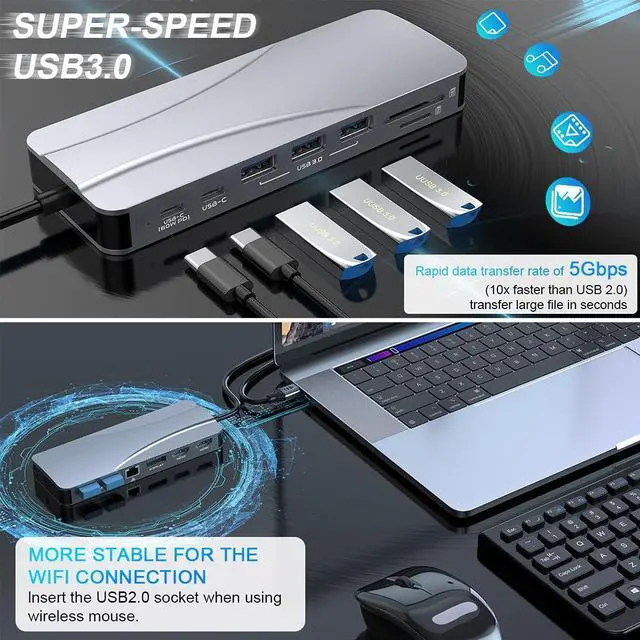
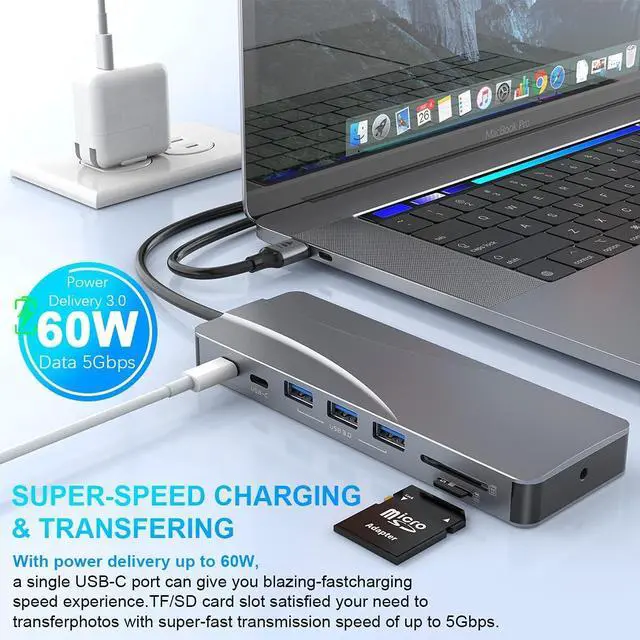
- Ultra Portable 14 in 1 USB-C Laptop Docking StationUSB C Hub Multiport adapter has multiport function and capability into a compact and lightweight design, easily allowing you to bring it along for home, work, travel, and/or business trips. usb c docking station triple monitor packs a total of 2x 4K HDMI 1, 1x DP, 3x USB 3.0, 2x USB 2.0, 1x RJ45 Gigabit Ethernet (10/100/1000), 1x PD Charging, 1x Type C data trasfer, 1x3.55mm Jack, 1x SD/TF (can read both memory cards simultaneously)
- Safe-charging& &
+
+
Overview
Specs
Reviews
Any questions? Our AI beta will help you find out quickly.
Try me now
Why Choose our USb C Docking Station?
1.Simple and quick set-up process, get up and running in seconds. For Windows just press Windows key+P" to expand to two or three monitors. For macOS simply unclick "mirror display" to extend to 4 different displays(Setting: About Mac>Display>Arrangement>Mirror Displays).
2.Most multi-tasking technology professionals understand the demands of needing extra ports. With the Our USB C Laptop Docking Station a single USB Type C port from your laptop expands to 14ports. Whether you need multiple USB ports, multi-screen capability, or a SD/TF Card Reader, Quadruple Display USB-C Docking Station is the all in one solution and more in a thin, sleek, and ultra portable form factor.
3.Confidence, You will get Triple monitor USB C adapter, user manual. You will get 24-months for each Macbook pro docking station and friendly service.
Note:
1. Make sure that your device supports PD charging and DisplayPort Alt Mode.
2. Connect the charger with the USb C Laptop docking station for your device to work normally(our docking station consumes 8W-15W).
3. Not compatible to support any USB C to USB converters.

1.Simple and quick set-up process, get up and running in seconds. For Windows just press Windows key+P" to expand to two or three monitors. For macOS simply unclick "mirror display" to extend to 4 different displays(Setting: About Mac>Display>Arrangement>Mirror Displays).
2.Most multi-tasking technology professionals understand the demands of needing extra ports. With the Our USB C Laptop Docking Station a single USB Type C port from your laptop expands to 14ports. Whether you need multiple USB ports, multi-screen capability, or a SD/TF Card Reader, Quadruple Display USB-C Docking Station is the all in one solution and more in a thin, sleek, and ultra portable form factor.
3.Confidence, You will get Triple monitor USB C adapter, user manual. You will get 24-months for each Macbook pro docking station and friendly service.
Note:
1. Make sure that your device supports PD charging and DisplayPort Alt Mode.
2. Connect the charger with the USb C Laptop docking station for your device to work normally(our docking station consumes 8W-15W).
3. Not compatible to support any USB C to USB converters.
Warranty & Returns
Warranty, Returns, And Additional Information
Warranty
- Please contact the Seller directly for warranty information. Warranty information may also be found on the Manufacturer's website.
- CONTACT
Return Policies
- Return for refund within: 30 days
- Return for replacement within: non-replaceable
- This item is covered by pigpig tech Return Policy
Manufacturer Contact Info
- For a directory of all our manufacturers, please click below.
- Manufacturers Directory
LOADING...
LOADING...