Team Group T-FORCE VULCAN Z 2.5" 2TB SATA III 3D NAND Internal Solid State Drive (SSD) T253TZ002T0C101
  •  
  • $219.99 
  • Save: 14%
  • $355.99
  • Free 30-day Returns
  • Price alert
    Shop it at NeweggBusiness.

    Meet Your Seller

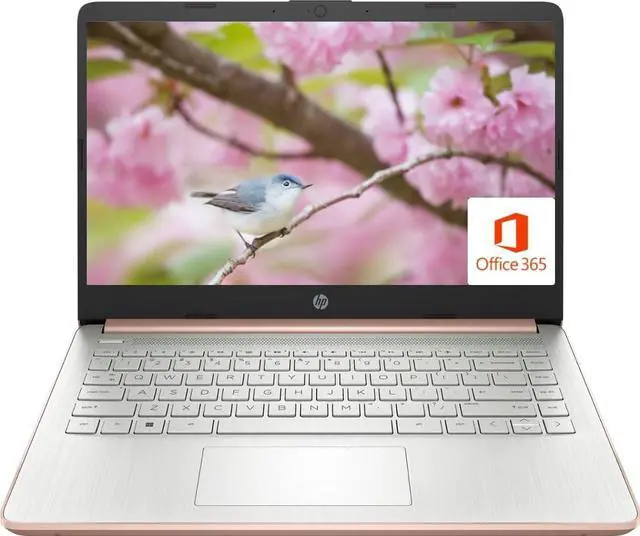
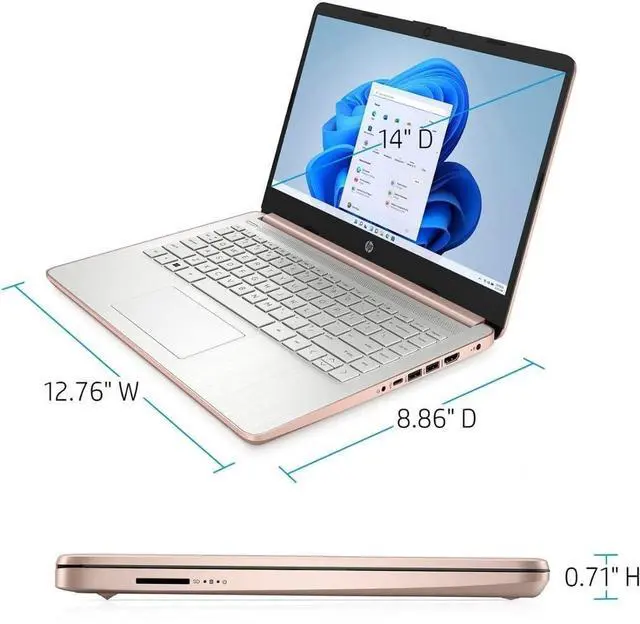
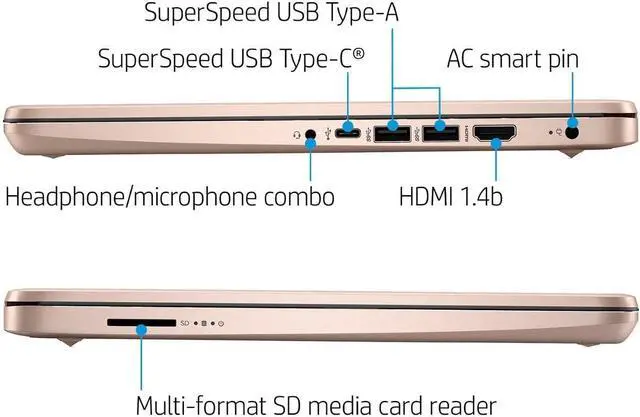
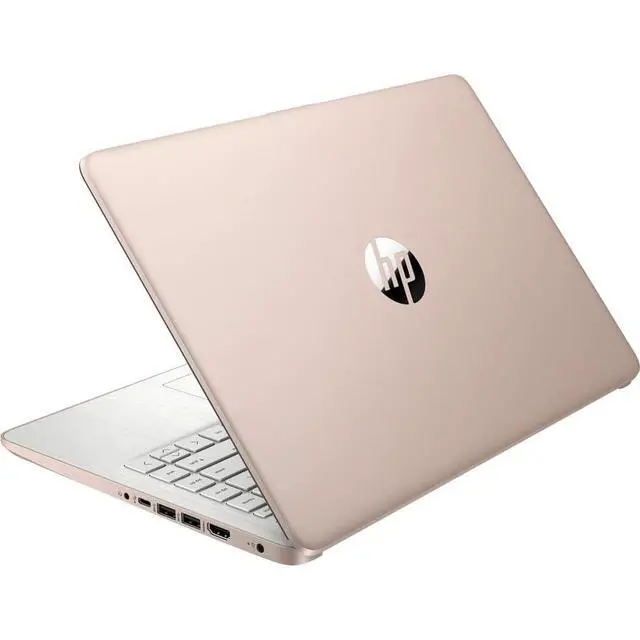
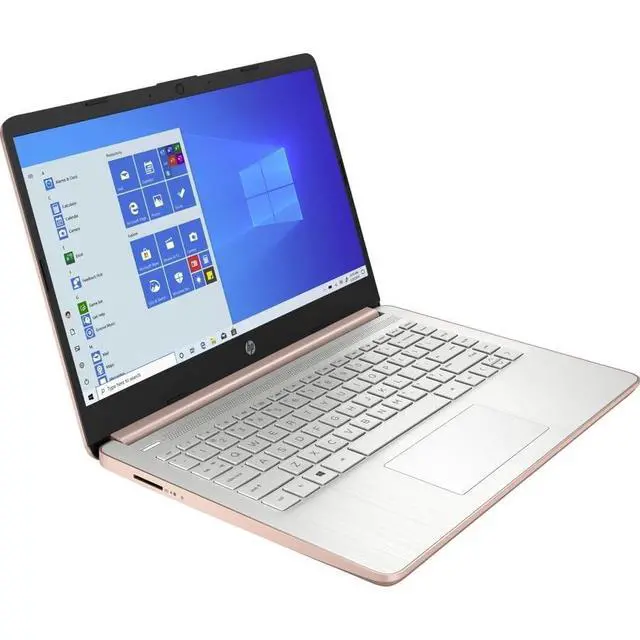
    HP 14 Premium HD Portable Laptop Computer Students Business, Quad-Core Intel Celeron Processor, 8GB RAM, 256GB Storage(128GB eMMC+64GB Ghost Manta SD Card), 1 Year Office 365, HDMI, Win 11

    • 14-inch HD Screen LaptopHP 14" Laptop with HD, micro-edge, BrightView display. Enjoy an immersive multimedia experience with a slim bezel design and maximized viewing area. HP True Vision 720p HD webcam with integrated dual-array digital microphones keeps video chats crystal clear, even in low-light conditions.
    • Intel Celeron N4120 ProcessorPowered by an Intel processor, 4 Core performance delivers seamless multi-monitor setups. With an ultra-sensitive precision touchpad, you can browse the web, study, work and do more anytime with up to 11 hours of battery life, you can easily power through a full day of work and play.
    • Upgraded to 8GB RAM & 128GB eMMCAdequate high-bandwidth RAM to smoothly run multiple applications and browser tabs all at once. Massive storage space for your files, applications, and multimedia content, providing fast and reliable data access.
    • Windows 11 Home in S modeYou may switch to regular windows 11: Press "Start button" bottom left of the screen;
    +
    +
    Overview
    Specs
    Reviews
    avatar

    Any questions? Our AI beta will help you find out quickly.

    Switching out of S mode in Windows 11Windows 11 in S mode is designed for security and performance, exclusively running apps from the Microsoft Store. If you want to install an app that isn't available in the Microsoft Store, you'll need to switch out of S mode1. On your PC running Windows 11 in S mode, open Settings > System > Activation. 2. In the Switch to Windows 11 Pro section, select Go to the Store. (If you also see an "Upgrade your edition of Windows" section, be careful not to click the "Go to the Store" link that appears there.

    )3. On the Switch out of S mode (or similar) page that appears in the Microsoft Store, select the Get button. After you see a confirmation message on the page, you'll be able to install apps from outside of the Microsoft Store. Activate pre-installed Office 365:1. Launch any Office app >2. Start your activation by signing in with your Microsoft account(Create a account if you don't have one yet) >3. Click "Activative Office" >4. Sign in your account and follow the next prompts. >5. Complete Step 1, 2 and 3 >6.

    Click on Refresh once Office is ready >7. Open a document and accept the license agreement.
    Memory: Upgraded to 8GB
    RAM
    Storage: 128GB eMMC + 64GB
    Ghost Manta SD CardDisplay: 14.0 -inch diagonal, HD (1366 x 768), micro-edge, BrightViewProcessor: Intel Celeron N4120, up to 2.6 GHz, 4 Cores & 4
    ThreadsBattery Life: Up
    to 10 hoursGraphics: Intel UHD
    Graphics 600Webcam: HP True Vision 720p HD camera with integrated dual array digital microphonesConnectivity: 802.11 a/b/g/n/ac Wi-Fi and
    BluetoothOperating System: Windows 11 Home in S mode

    Warranty & Returns

    Warranty, Returns, And Additional Information

    Warranty

    • Please contact the Seller directly for warranty information. Warranty information may also be found on the Manufacturer's website.
    • CONTACT

    Return Policies

    • Return for refund within: 30 days
    • Return for replacement within: non-replaceable
    • This item is covered by SIMPLIZED Return Policy

    Manufacturer Contact Info

    LOADING...