

Your Browsing History

- Free 30-day Returns
$96.99

Meet Your Seller

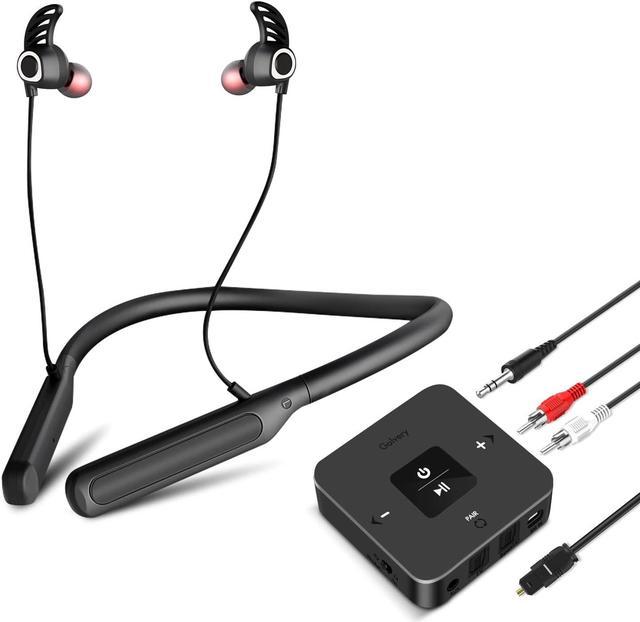


Golvery Bluetooth Headphones Transmitter for TV Watching, Neckband Wireless Stereo Earphones Earbuds Set w/Transmitter Adapter for Optical Digital RCA 3.5mm Aux TVs, Plug n Play No Audio Delay
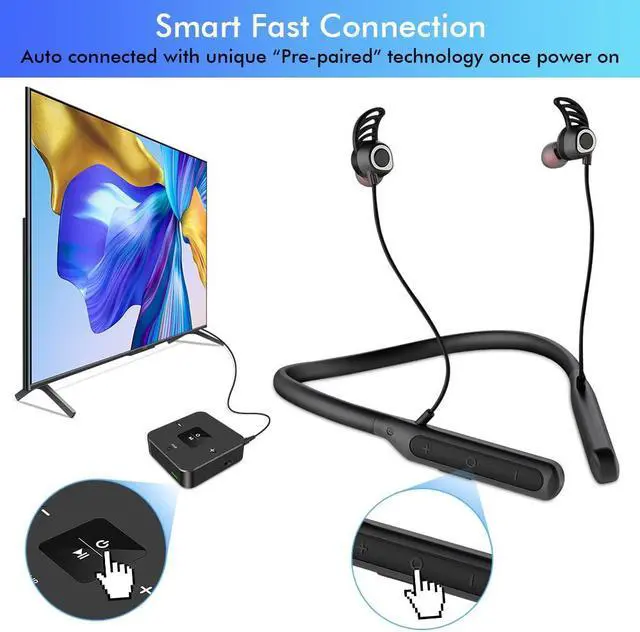
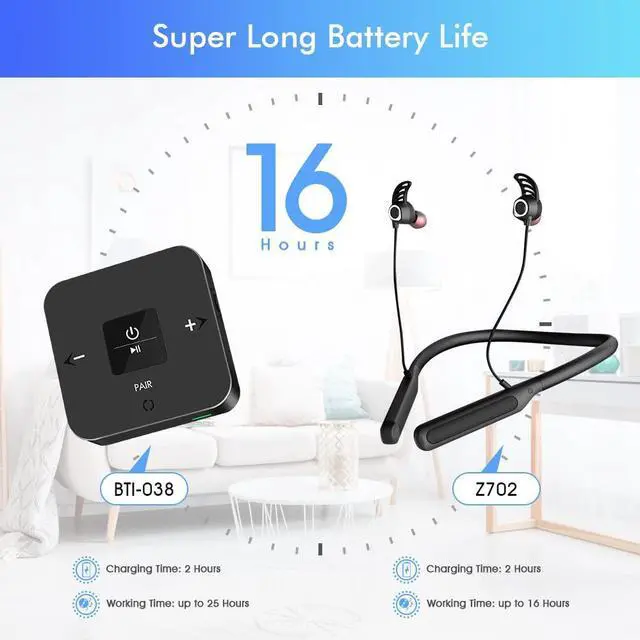
- [(Easy to Set Up)] There comes a BTI-038 Bluetooth transmitter and a Z702 Bluetooth headphones. They are arriving with pre-paired technology. Just power on both the transmitter and the headphones, they will pair together automatically. And plug the transmitter to your TV's audio output port. You may watch the 3-minutes video under product pictures to help you understand how to use.
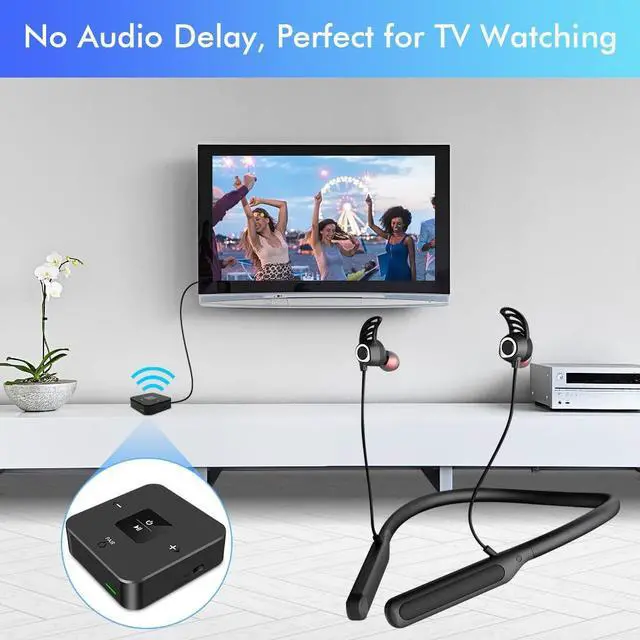
- [(No Lip-Sync Delay)] Golvery BTWH-038 wireless headphones set supports low latency audio codec, it can reduce the audio delay to unnoticeable 40ms, brings you immersive TV watching experience with no lip sync problem. NOTE: If you use the BTI-038 transmitter to pair with other Bluetooth headphones, there may be some audio delay since most of other brand's headphones cannot support low latency codec.
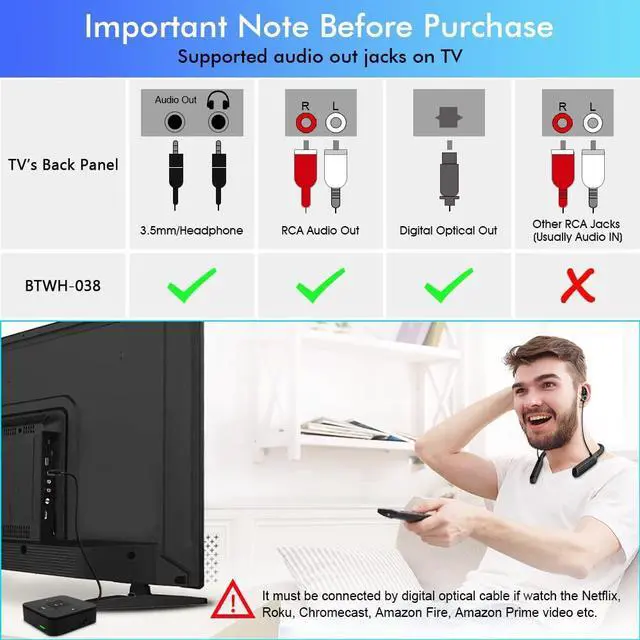
- [(Work with All TVs)] Our BTWH-038 can be connected to TV by the digital optical, RCA and the 3.5 AUX audio cable. It is universally compatible and works with all TVs on the market, no matter old TV or
+
+
Overview
Specs
Reviews

Any questions? Our AI beta will help you find out quickly.
Try me now
This Magic Hearing set of Bluetooth Neckband Headphones Z702 and Bluetooth transmitter receiver BTI-038 with no lip sync delay can bring you wonderful TV watching experience! Easy to
Set Up in 2 minutes: 1. Turn on Z702, slide switch BTI-038 to TX mode, turn it on as well. They will automatically connect to each other in seconds. 2. Connect BTI-038 to TV's audio output port(Digital Optical/RCA/ 3.5MM AUX). (a)
Optical audio output port: Change TV audio channel to "External Speaker" and set audio format to "PCM".
(b) RCA port: Change TV audio channel to "External Speaker". (c) 3.5 mm
AUX port: Change TV audio channel to "Headphone". Perfect Audio-to-video Synchronization Benefits of Z702 and BTI-038's supporting fast stream codec, the audio latency will be less than 40ms, which can allow you to enjoy live TV shows, movies, games wirelessly without needing to worry about synchronization problem. Pre-Paired Bluetooth headphones and Adapter Tired of all those pairing procedures? We have already complete the job for you previously, you can use them right out of box! There would also be a fixed record of Z702 stored in BTI-038, everytime you come back to watch TV, turn them on and they will pair to each other automatically when they are in stream range.
Set Up in 2 minutes: 1. Turn on Z702, slide switch BTI-038 to TX mode, turn it on as well. They will automatically connect to each other in seconds. 2. Connect BTI-038 to TV's audio output port(Digital Optical/RCA/ 3.5MM AUX). (a)
Optical audio output port: Change TV audio channel to "External Speaker" and set audio format to "PCM".
(b) RCA port: Change TV audio channel to "External Speaker". (c) 3.5 mm
AUX port: Change TV audio channel to "Headphone". Perfect Audio-to-video Synchronization Benefits of Z702 and BTI-038's supporting fast stream codec, the audio latency will be less than 40ms, which can allow you to enjoy live TV shows, movies, games wirelessly without needing to worry about synchronization problem. Pre-Paired Bluetooth headphones and Adapter Tired of all those pairing procedures? We have already complete the job for you previously, you can use them right out of box! There would also be a fixed record of Z702 stored in BTI-038, everytime you come back to watch TV, turn them on and they will pair to each other automatically when they are in stream range.
Warranty & Returns
Warranty, Returns, And Additional Information
Warranty
- Please contact the Seller directly for warranty information. Warranty information may also be found on the Manufacturer's website.
- CONTACT
Return Policies
- Return for refund within: 30 days
- Return for replacement within: 30 days
- This item is covered by JMDesign Return Policy
Manufacturer Contact Info
- For a directory of all our manufacturers, please click below.
- Manufacturers Directory
LOADING...