

Your Browsing History

- Free 30-day Returns
$120.99


Meet Your Seller

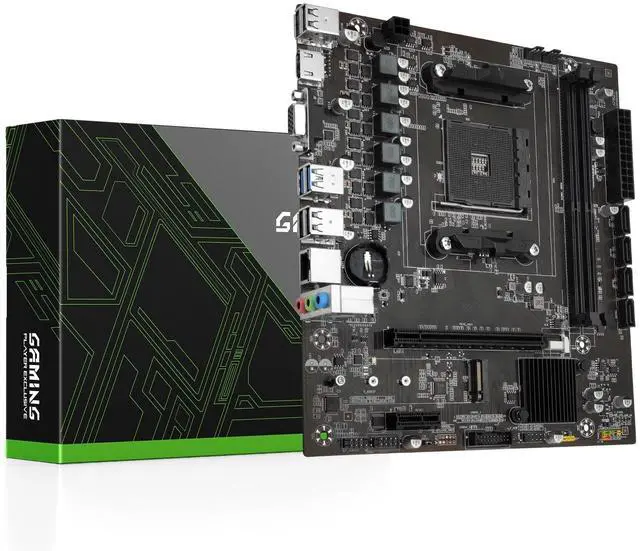


SHANGZHAOYUAN B450 AM4 Motherboard Gaming Motherboard for AMD Ryzen 1-5th gen Processor (DDR4 Max 64GB, NVME/NGFF M.2, PCIe 3.0, SATA 3.0, USB 3.0, Gb LAN)
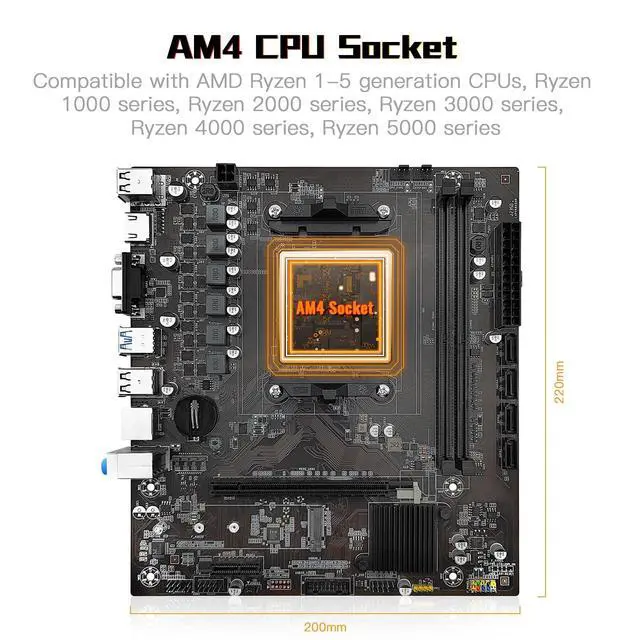
- AMD AM4 Socket: Compatible with AMD Ryzen 1-5th generation CPUs, Ryzen 1000-5000 Series. (Eg. Ryzen 5 5600XRyzen 9 3950XRyzen 7 5800X, Ryzen 7 3700X etc.)
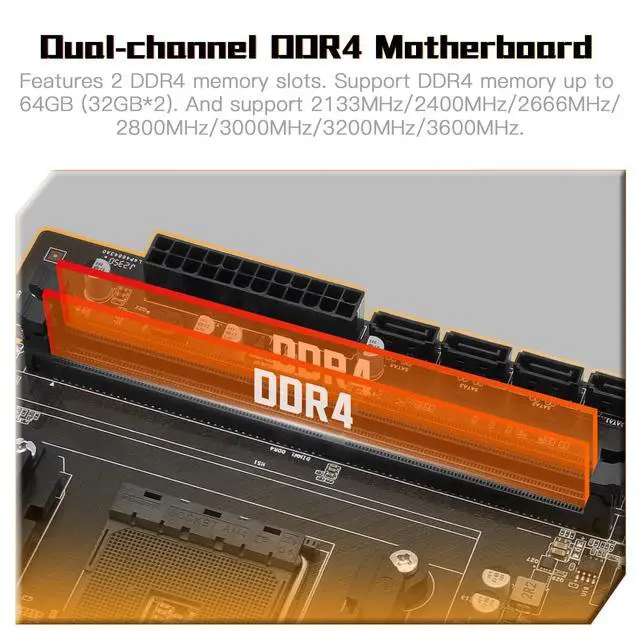
- Maximum 64G DDR4 Memory: 2 memory slots support dual-channel DDR4 memory up to 64GB, 2133MHz/2400MHz/2666MHz/2800MHz/3000MHz/3200MHz/3600MHz
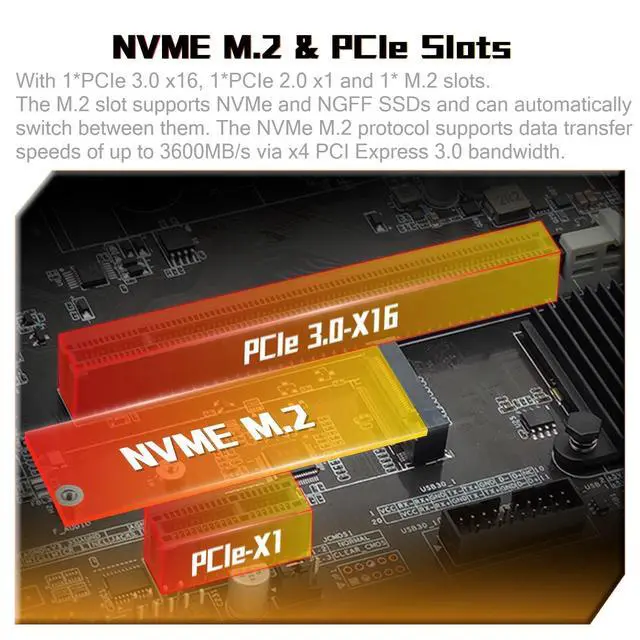
- Outstanding Gaming Connectivity: This AM4 motherboard is equipped with HDMI-compatible and VGA high-definition multimedia transmission interfaces, and Gigabit Ethernet, NVME/NGFF M.2, PCI-E 3.0 x16, USB 3.0, SATA 3.0
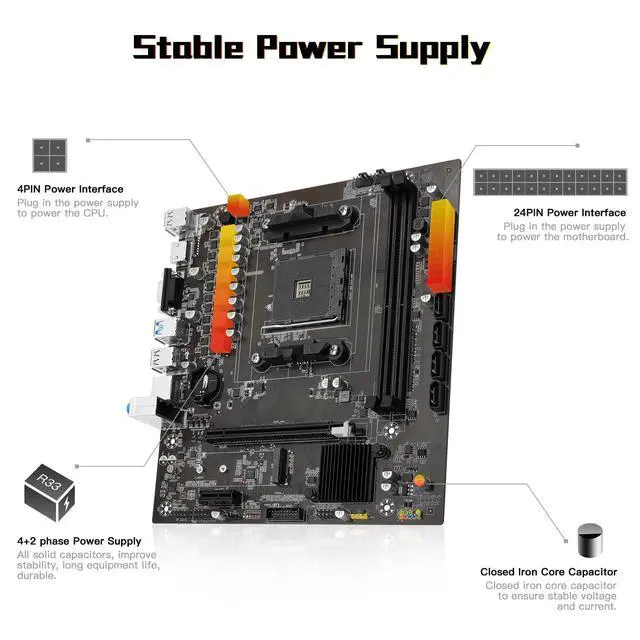
- Stable power supply: 24pin+4pin power interface and 4+2 phase power supply, this B450 Motherboard uses an all-solid capacitor design to ensure the stable operation of the motherboard's accessories. (Please use at least a 500W brand power supply)
- Package Includes: 1*motherboard, 1*SATA cable, 1*I/0 shield. IMPORTANT: The package does not contain a user manual, and the motherboard does not include a CR2032 battery, please purchase one yourself
- Tips 1: If the motherb
+
+
Overview
Specs
Reviews

Any questions? Our AI mode will help you find out quickly.
Try me now
AMD AM4 Socket: Compatible with AMD Ryzen 1-5th generation CPUs, Ryzen 1000-5000 Series. (Eg. Ryzen 5 5600XRyzen 9 3950XRyzen 7 5800X, Ryzen 7 3700X etc. ) ^^ Maximum 64G
DDR4 Memory: 2 memory slots support dual-channel DDR4 memory up to 64GB, 2133MHz/2400MHz/2666MHz/2800MHz/3000MHz/3200MHz/3600MHz ^^
Outstanding Gaming Connectivity: This AM4 motherboard is equipped with HDMI-compatible and VGA high-definition multimedia transmission interfaces, and Gigabit Ethernet, NVME/NGFF M. 2, PCI-E 3.0 x16, USB 3.0, SATA 3.0 ^^
Stable power supply: 24pin+4pin power interface and 4+2 phase power supply, this B450 Motherboard uses an all-solid capacitor design to ensure the stable operation of the motherboard's accessories. (Please use at least a 500W brand power supply) ^^
Package Includes: 1*motherboard, 1*SATA cable, 1*I/0 shield.
IMPORTANT: The package does not contain a user manual, and the motherboard does not include a CR2032 battery, please purchase one yourself ^^
Tips 1: If the motherboard does not boot and the fan does not work, please check whether the motherboard power supply and CPU power supply are correctly connected, whether the CPU model and memory model are compatible or good, and whether the memory module is installed in the correct position. If it still does not start after eliminating the above problems, please clear CMOS ^^
Tips 2: If there is no display (the fan is working, the Caps Lock key on the keyboard is pressed, and the keyboard light is off), please check whether the motherboard power supply and CPU power supply are correctly connected, check whether the memory module is installed in the correct position, and check whether the CPU and memory models are compatible and good. If there is still no display after eliminating the above, please clear CMOS ^^
Tips 3: If there is no display (the fan is working, the Caps Lock key on the keyboard is pressed, and the keyboard light is on). Please check whether the monitor is turned on and whether the display data cable is connected properly. If no external graphics card is installed, please check whether the CPU supports integrated graphics. If an external graphics card is installed, please check whether the data cable is correctly connected to the interface of the external graphics card. Check whether the display data cable, graphics card and monitor are in good condition. If there is still no display after eliminating the above, please clear CMOS
DDR4 Memory: 2 memory slots support dual-channel DDR4 memory up to 64GB, 2133MHz/2400MHz/2666MHz/2800MHz/3000MHz/3200MHz/3600MHz ^^
Outstanding Gaming Connectivity: This AM4 motherboard is equipped with HDMI-compatible and VGA high-definition multimedia transmission interfaces, and Gigabit Ethernet, NVME/NGFF M. 2, PCI-E 3.0 x16, USB 3.0, SATA 3.0 ^^
Stable power supply: 24pin+4pin power interface and 4+2 phase power supply, this B450 Motherboard uses an all-solid capacitor design to ensure the stable operation of the motherboard's accessories. (Please use at least a 500W brand power supply) ^^
Package Includes: 1*motherboard, 1*SATA cable, 1*I/0 shield.
IMPORTANT: The package does not contain a user manual, and the motherboard does not include a CR2032 battery, please purchase one yourself ^^
Tips 1: If the motherboard does not boot and the fan does not work, please check whether the motherboard power supply and CPU power supply are correctly connected, whether the CPU model and memory model are compatible or good, and whether the memory module is installed in the correct position. If it still does not start after eliminating the above problems, please clear CMOS ^^
Tips 2: If there is no display (the fan is working, the Caps Lock key on the keyboard is pressed, and the keyboard light is off), please check whether the motherboard power supply and CPU power supply are correctly connected, check whether the memory module is installed in the correct position, and check whether the CPU and memory models are compatible and good. If there is still no display after eliminating the above, please clear CMOS ^^
Tips 3: If there is no display (the fan is working, the Caps Lock key on the keyboard is pressed, and the keyboard light is on). Please check whether the monitor is turned on and whether the display data cable is connected properly. If no external graphics card is installed, please check whether the CPU supports integrated graphics. If an external graphics card is installed, please check whether the data cable is correctly connected to the interface of the external graphics card. Check whether the display data cable, graphics card and monitor are in good condition. If there is still no display after eliminating the above, please clear CMOS
Warranty & Returns
Warranty, Returns, And Additional Information
Warranty
- Please contact the Seller directly for warranty information. Warranty information may also be found on the Manufacturer's website.
- CONTACT
Return Policies
- Return for refund within: 30 days
- Return for replacement within: 30 days
- This item is covered by HAIZHILANSTORE Return Policy
Manufacturer Contact Info
- For a directory of all our manufacturers, please click below.
- Manufacturers Directory
LOADING...