

Your Browsing History


Meet Your Seller

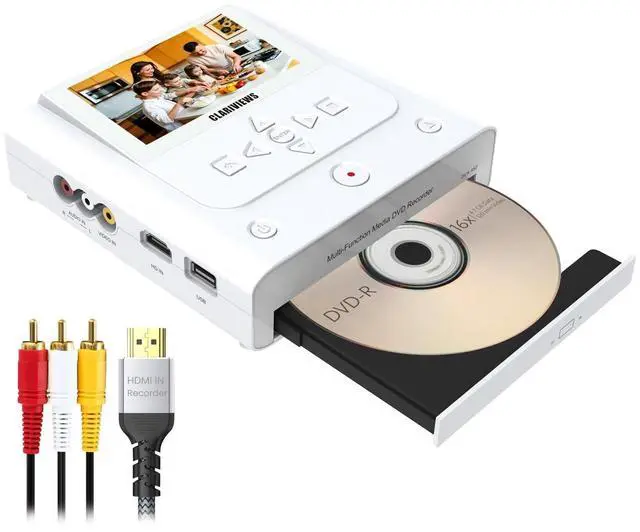
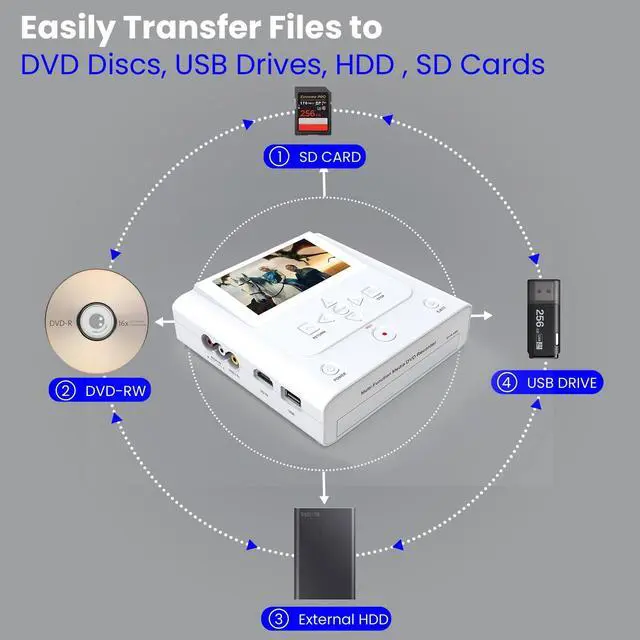
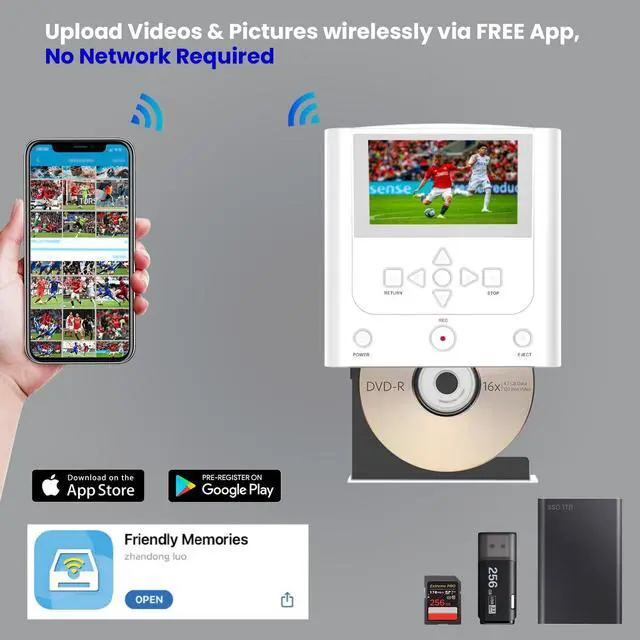


VHS to DVD Recorder, DVD Recorder with HDMI & AV Input, Convert VHS, VCR, Hi8 and Camcorder to DVD, USB, SD or HDD, No PC Needed, 4.3" LCD Preview, Phone Video/Photo to DVD/USB/SD/HDD App Copy
- Record from VHS, VCR, Camcorder and Other External Video Sources:Record from VHS players, VCRs, camcorders, DVD players and other external video sources to DVD, USB drive, SD card or external hard drive with no computer required. This unit is a recorder and converter, but it does not play VHS tapes by itself.
- Save to DVD, USB, SD or External Hard Drive:Create a DVD copy to keep and share, or save to a USB drive, SD card or external hard drive for more flexible backup and storage. Final recording quality depends on the condition of the original tape and the playback device.
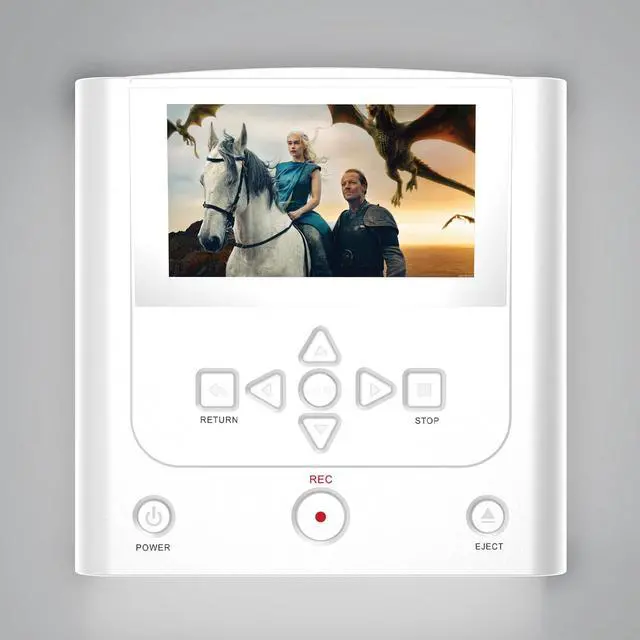
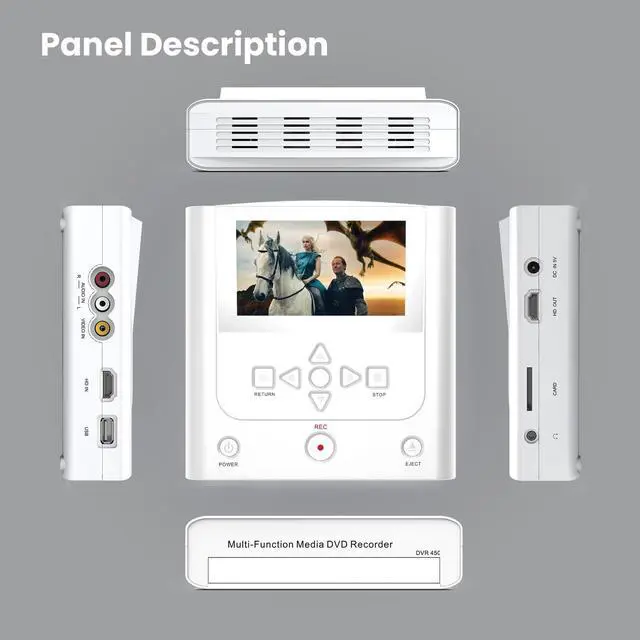
- AV & HDMI Input with 4.3" LCD Preview:Use AV input for VHS players, VCRs and camcorders, or HDMI input for compatible video sources. The built-in 4.3" LCD screen lets you monitor picture and audio while recording, and HDMI output makes it easy to watch saved videos on a TV.
- Phone App Copy for Everyday Backup:Use the free Friendly Memory app on iOS or Android to copy supported photos and videos from your phon

+
+
Overview
Specs
Reviews

Any questions? Our AI mode will help you find out quickly.
Try me now
Record from VHS, VCR, Camcorder and Other External
Video Sources: Record from VHS players, VCRs, camcorders, DVD players and other external video sources to DVD, USB drive, SD card or external hard drive with no computer required. This unit is a recorder and converter, but it does not play VHS tapes by itself. ^^ Save to DVD, USB, SD or External
Hard Drive: Create a DVD copy to keep and share, or save to a USB drive, SD card or external hard drive for more flexible backup and storage. Final recording quality depends on the condition of the original tape and the playback device. ^^ AV & HDMI Input with 4.3"
LCD Preview: Use AV input for VHS players, VCRs and camcorders, or HDMI input for compatible video sources. The built-in 4.3" LCD screen lets you monitor picture and audio while recording, and HDMI output makes it easy to watch saved videos on a TV. ^^ Phone App Copy for
Everyday Backup: Use the free Friendly Memory app on iOS or Android to copy supported photos and videos from your phone to DVD, USB drive, SD card or external hard drive. It is an easy way to free up phone storage and create an extra backup without using a computer. ^^ Copy Between DVD, USB, SD and
HDD: Transfer files between DVD, USB drive, SD card and external hard drive directly on the recorder for easier backup, organization and sharing. USB and SD storage must be FAT32 or NTFS. exFAT is not supported. HDMI recording availability depends on the video source and content protection.
Video Sources: Record from VHS players, VCRs, camcorders, DVD players and other external video sources to DVD, USB drive, SD card or external hard drive with no computer required. This unit is a recorder and converter, but it does not play VHS tapes by itself. ^^ Save to DVD, USB, SD or External
Hard Drive: Create a DVD copy to keep and share, or save to a USB drive, SD card or external hard drive for more flexible backup and storage. Final recording quality depends on the condition of the original tape and the playback device. ^^ AV & HDMI Input with 4.3"
LCD Preview: Use AV input for VHS players, VCRs and camcorders, or HDMI input for compatible video sources. The built-in 4.3" LCD screen lets you monitor picture and audio while recording, and HDMI output makes it easy to watch saved videos on a TV. ^^ Phone App Copy for
Everyday Backup: Use the free Friendly Memory app on iOS or Android to copy supported photos and videos from your phone to DVD, USB drive, SD card or external hard drive. It is an easy way to free up phone storage and create an extra backup without using a computer. ^^ Copy Between DVD, USB, SD and
HDD: Transfer files between DVD, USB drive, SD card and external hard drive directly on the recorder for easier backup, organization and sharing. USB and SD storage must be FAT32 or NTFS. exFAT is not supported. HDMI recording availability depends on the video source and content protection.
Warranty & Returns
Warranty, Returns, And Additional Information
Warranty
- Please contact the Seller directly for warranty information. Warranty information may also be found on the Manufacturer's website.
- CONTACT
Return Policies
- Return for refund within: 30 days
- Return for replacement within: 30 days
- This item is covered by ApexDash Return Policy
Manufacturer Contact Info
- For a directory of all our manufacturers, please click below.
- Manufacturers Directory
LOADING...