

Your Browsing History
- Free 30-day Returns
$143.99



Meet Your Seller


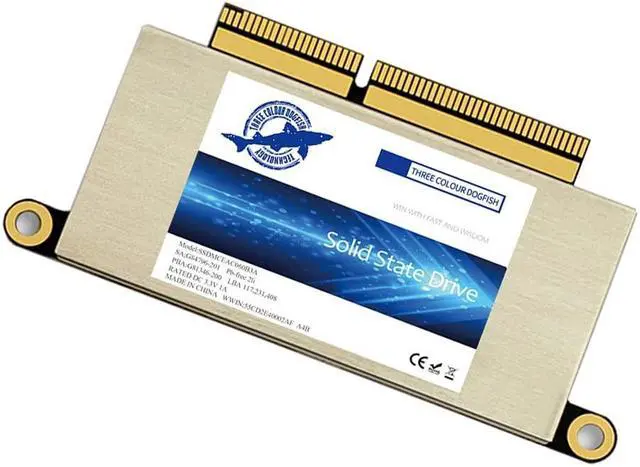


Dogfish 256GB SSD for MacBook NVMe PCIe Gen3x4 M.2, Internal Solid State Drive Upgrade for MacBook Pro A1708 (2016-2017)
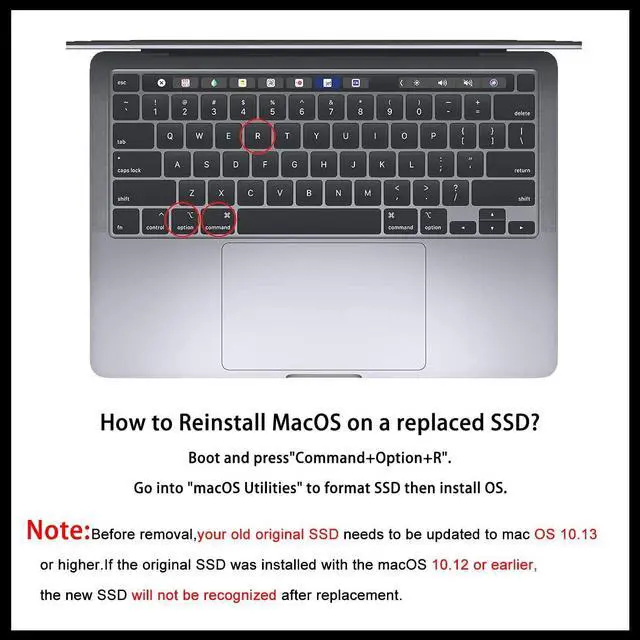
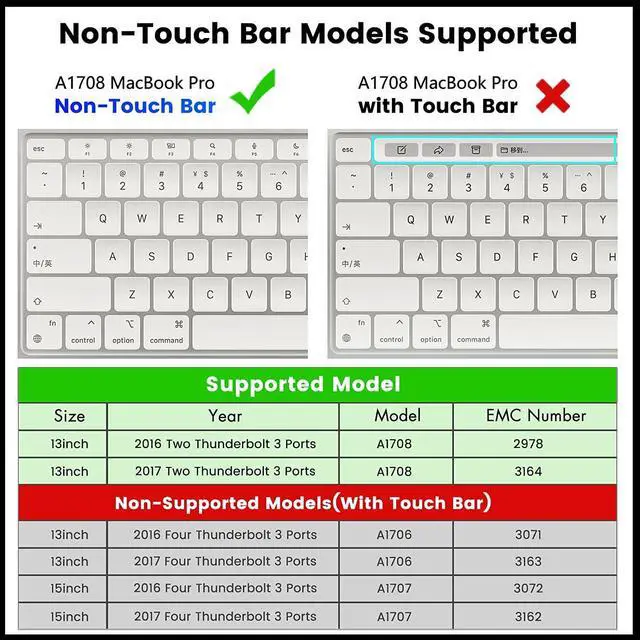
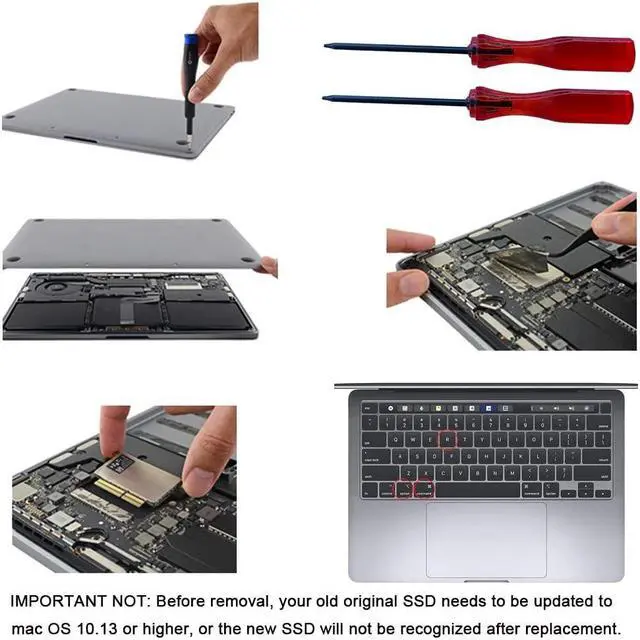
- [Update for your MacBook]: You can replace the SSD to increase the capacity and processing speed to extend the life of your MacBook Pro A1708 (2016-2017).Note,Just Non-Touch Bar Models Supported. IMPORTANT NOT: Before removal, your old original SSD needs to be updated to mac OS 10.13 or higher, or the new SSD will not be recognized after replacement.
- [Data Safety]: The nvme m.2 ssd run stablely and protect your datas well as the Encryption program, ensuring your data is always safe and secure. So, you can save your precious photos, videos, and other important data. Note: To reinstall macOS on the replaced SSD, Boot and press "Command+Option+R". Go into "macOS Utilities" to format SSD then install OS.
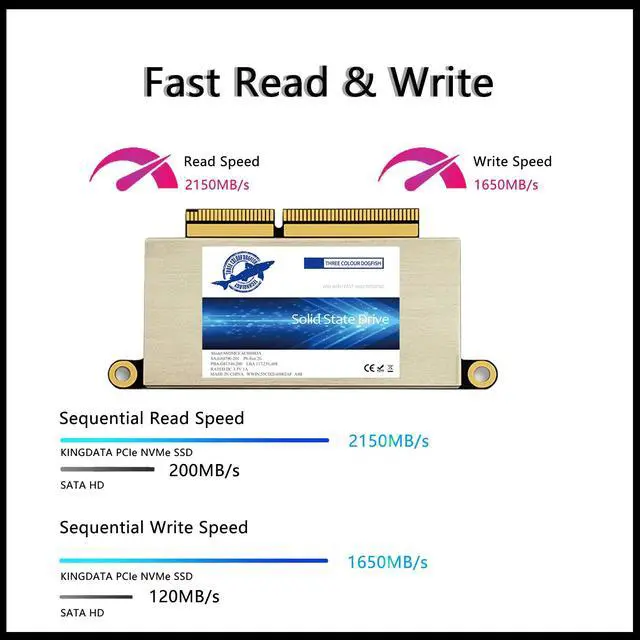
- [High Speed]: With This SSD PCIe NVMe Internal Solid State Drive, greatly upgrade your Macbook, read speed is up to 2200 MB/s, write speed 2000 MB/s (1TB). Faster boot times, faster application loading times and better system responsiveness, provide you a smoother experienc
+
+
Overview
Specs
Reviews

Any questions? Our AI mode will help you find out quickly.
Try me now
Dogfish 256GB SSD for MacBook NVMe PCIe Gen3x4 M. 2, Internal Solid State Drive Upgrade for MacBook Pro A1708 (2016-2017)
Warranty & Returns
Warranty, Returns, And Additional Information
Warranty
- Please contact the Seller directly for warranty information. Warranty information may also be found on the Manufacturer's website.
- CONTACT
Return Policies
- Return for refund within: 30 days
- Return for replacement within: 30 days
- This item is covered by JMDesign Return Policy
Manufacturer Contact Info
- For a directory of all our manufacturers, please click below.
- Manufacturers Directory
LOADING...