

Your Browsing History

- Free 30-day Returns
$46.99

Meet Your Seller

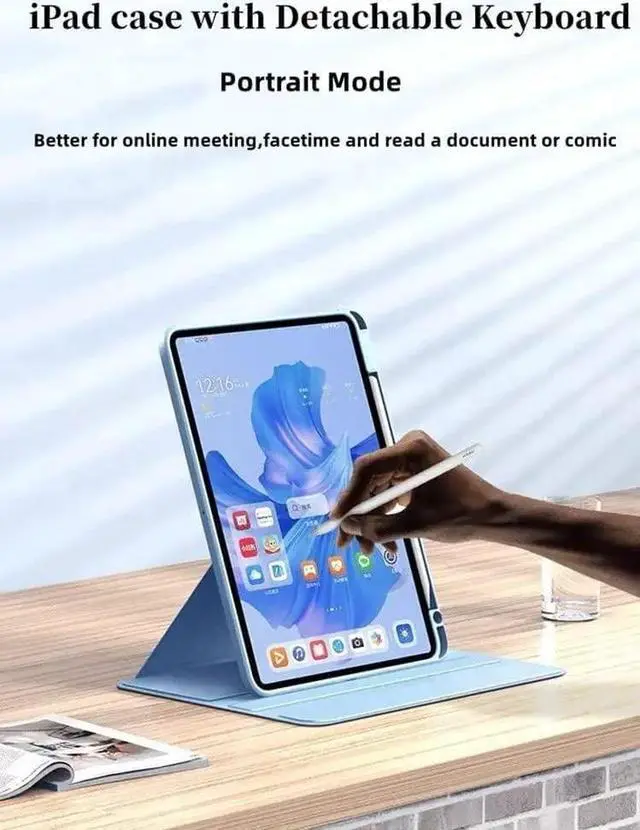


AnMengXinLing Keyboard Case for iPad 11 inch 2025(A16)/iPad 10 2022,Rotating Clear Back Cover with Pencil Holder and Detachable Round Keys Keyboard (Teal)
- CompatibilityDesigned exclusively for iPad 11 inch 2025(A16) / iPad 10th generation 10.9-inch 2022 (Model: A2696, A2757, A2777); Touch ID accurate cutout, access to all features and controls.
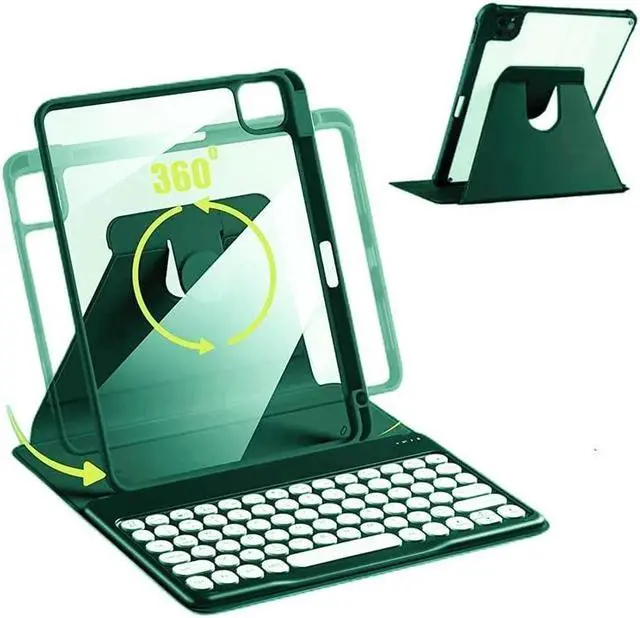
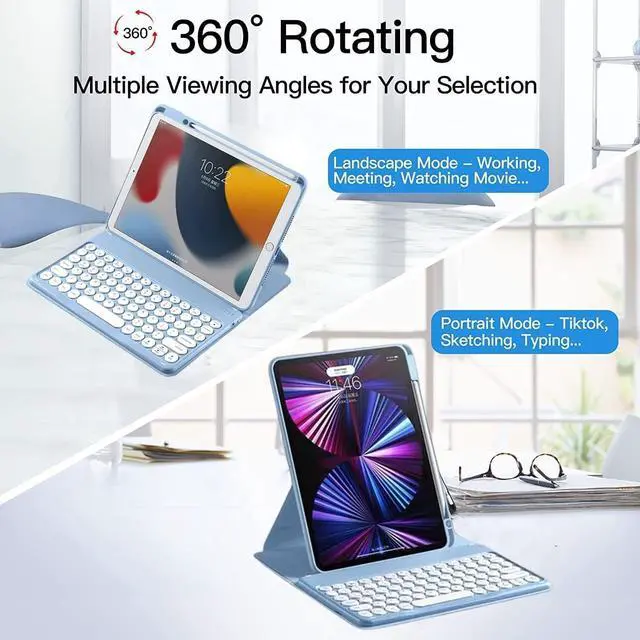
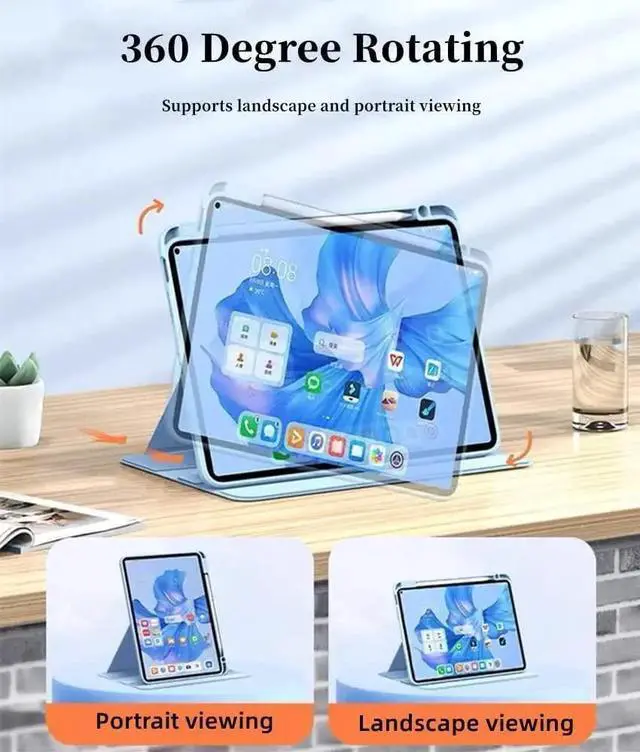
- iPad Clear Case 360 Rotate360 degree rotating case converts into a stand that rotates between portrait and landscape.And the crystal transparent clear hard shell back cover will show your original tablet beauty
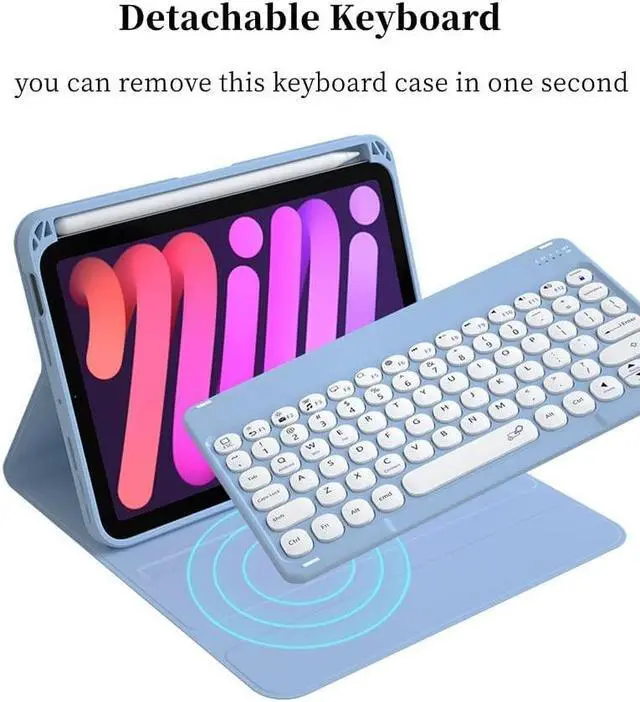
- Magnet Detachable KeyboardThe magnetic wireless keyboard is removable and moveable to make it easy to put the iPad and keyboard in a comfortable position. Round Keys make your keyboard is Unique and Attractive.
- Built-in Apple Pencil Holder This ipad keyboard case is comes with Apple Pencil Holder, you can use your Apple Pencil whenever you want and never get lost easily. (Apple Pencil is NOT included).
- Best Gift for College Students/Women/Menwhether you're a blogger, writer, designer, professional or student, iPad 11 inch 2025(A16)/iPad 10 2022 Released
+
+
Overview
Specs
Reviews

Any questions? Our AI mode will help you find out quickly.
Try me now
Rotating Case with Keyboard for iPad 11 inch 2025 (A16) /iPad 10 Generation 2022 ( 10.9 Inch), Tablet Keyboard Case, 360 Degree Rotate Smart Protective Cover With Pencil Holder
How to Connect the iPad:
Step 1. Switch On/Off to On to turn your keyboard on.
Step 2. Press the Fn + C keys together to enter pairing mode. please press"Fn""C"together.
Step 3. Verify your devices Bluetooth settings are on. Select Settings - Bluetooth - On.
Step 4. Select Bluetooth Keyboard from your devices list of available devices to complete pairing.
Step 5. Select Bluetooth Keyboard, the indicator will turn off after successfully paired.
NOTE: the case with plastic film, please remove it before you use the ipad case.
How to Connect the iPad:
Step 1. Switch On/Off to On to turn your keyboard on.
Step 2. Press the Fn + C keys together to enter pairing mode. please press"Fn""C"together.
Step 3. Verify your devices Bluetooth settings are on. Select Settings - Bluetooth - On.
Step 4. Select Bluetooth Keyboard from your devices list of available devices to complete pairing.
Step 5. Select Bluetooth Keyboard, the indicator will turn off after successfully paired.
NOTE: the case with plastic film, please remove it before you use the ipad case.
Warranty & Returns
Warranty, Returns, And Additional Information
Warranty
- Please contact the Seller directly for warranty information. Warranty information may also be found on the Manufacturer's website.
- CONTACT
Return Policies
- Return for refund within: 30 days
- Return for replacement within: 30 days
- This item is covered by Detail Driven Return Policy
Manufacturer Contact Info
- For a directory of all our manufacturers, please click below.
- Manufacturers Directory
LOADING...