

Your Browsing History
- Free 30-day Returns
$43.99

Meet Your Seller

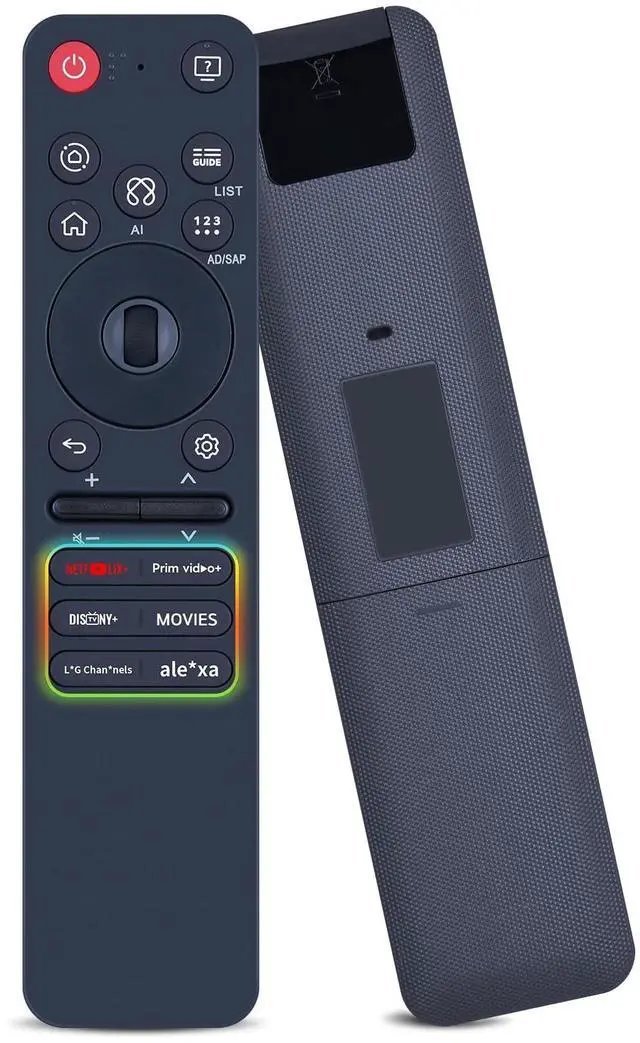
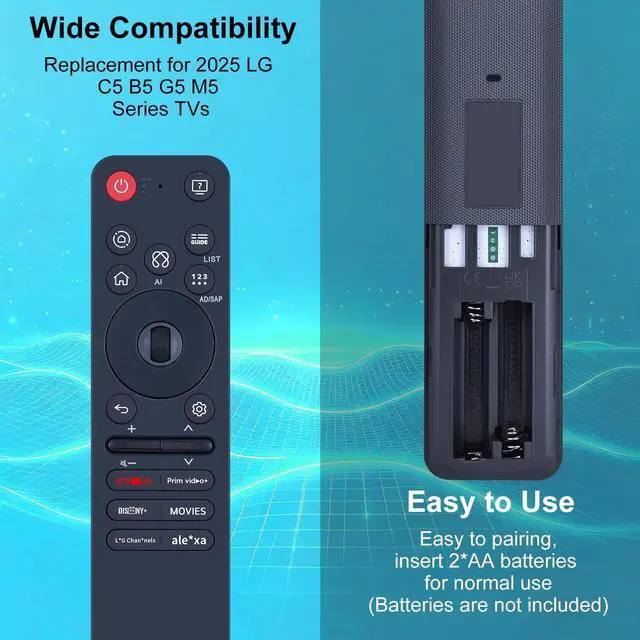


RETROSUN Magic Remote Control Replacement, Compatible with 2025 LG C5 B5 G5 M5 Series TV MR25GA AKB76046605, Include AI, Pointer Voice Control
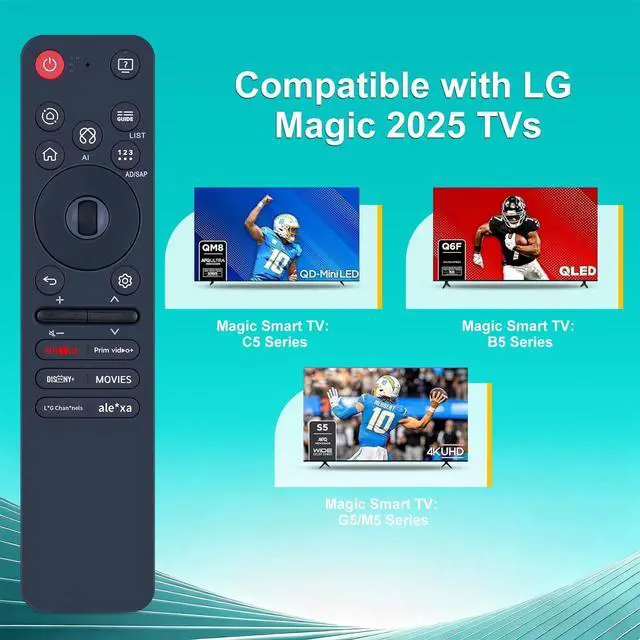
- Compatible Models - This new upgrade remote control replacement is compatible with 2025 LG C5 B5 G5 M5 series TVTips: Please refer to the A+ long description section for compatible TV models.
- Perfect Fit - This product is a replacement for the OEM magic remote control and is installed with the same button layout as the original remote control, so you only need to make sure that the old remote control is the same as shown in the main picture, then you will be able to use all the functions that come with it
- How to Register(Pair) the Magic Remote - 1)Put batteries into the magic remote and turn the TV on. 2)Point the magic remote at your TV and press the [Wheel(OK)] on the remote control
- How to Register(Pair) the Magic Remote - 1)Put batteries into the magic remote and turn the TV on. 2)Point the magic remote at your TV and press the [Wheel(OK)] on the remote control
- Package List - 1 * Remote Control Instruction ( 2pcs AAA Battery Not Included.) If you have any questions, pl
+
+
Overview
Specs
Reviews

Any questions? Our AI mode will help you find out quickly.
Try me now
Compatible Models - This new upgrade remote control replacement is compatible with 2025 LG C5 B5 G5 M5 series
TVTips: Please refer to the A+ long description section for compatible TV models. ^^ Perfect Fit - This product is a replacement for the OEM magic remote control and is installed with the same button layout as the original remote control, so you only need to make sure that the old remote control is the same as shown in the main picture, then you will be able to use all the functions that come with it ^^ How to Register (Pair) the Magic Remote - 1)Put batteries into the magic remote and turn the TV on. 2)Point the magic remote at your TV and press the [Wheel (OK) ] on the remote control ^^ How to Register (Pair) the Magic Remote - 1)Put batteries into the magic remote and turn the TV on. 2)Point the magic remote at your TV and press the [Wheel (OK) ] on the remote control ^^ Package List - 1 * Remote Control Instruction ( 2pcs AAA Battery Not Included. ) If you have any questions, please contact us through AMZ tools and we will help you within 12 hours
TVTips: Please refer to the A+ long description section for compatible TV models. ^^ Perfect Fit - This product is a replacement for the OEM magic remote control and is installed with the same button layout as the original remote control, so you only need to make sure that the old remote control is the same as shown in the main picture, then you will be able to use all the functions that come with it ^^ How to Register (Pair) the Magic Remote - 1)Put batteries into the magic remote and turn the TV on. 2)Point the magic remote at your TV and press the [Wheel (OK) ] on the remote control ^^ How to Register (Pair) the Magic Remote - 1)Put batteries into the magic remote and turn the TV on. 2)Point the magic remote at your TV and press the [Wheel (OK) ] on the remote control ^^ Package List - 1 * Remote Control Instruction ( 2pcs AAA Battery Not Included. ) If you have any questions, please contact us through AMZ tools and we will help you within 12 hours
Warranty & Returns
Warranty, Returns, And Additional Information
Warranty
- Please contact the Seller directly for warranty information. Warranty information may also be found on the Manufacturer's website.
- CONTACT
Return Policies
- Return for refund within: 30 days
- Return for replacement within: non-replaceable
- This item is covered by SIMPLIZED Return Policy
Manufacturer Contact Info
- For a directory of all our manufacturers, please click below.
- Manufacturers Directory
LOADING...