

Your Browsing History

Best Sellers
- $62.99
- + $5.99 Shipping

Meet Your Seller

Sponsored Products



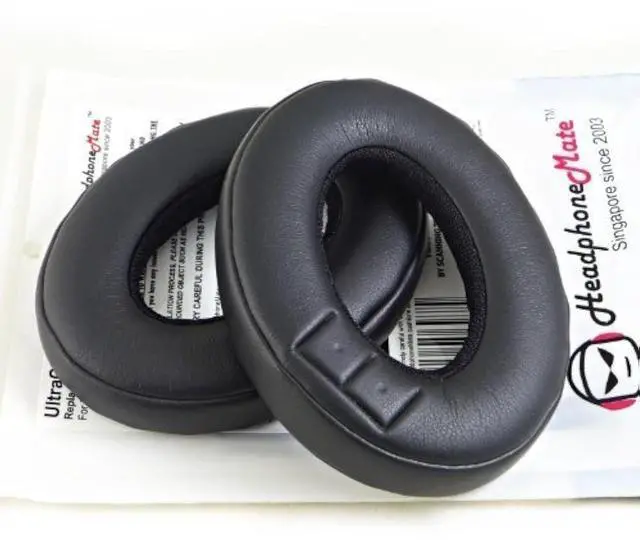
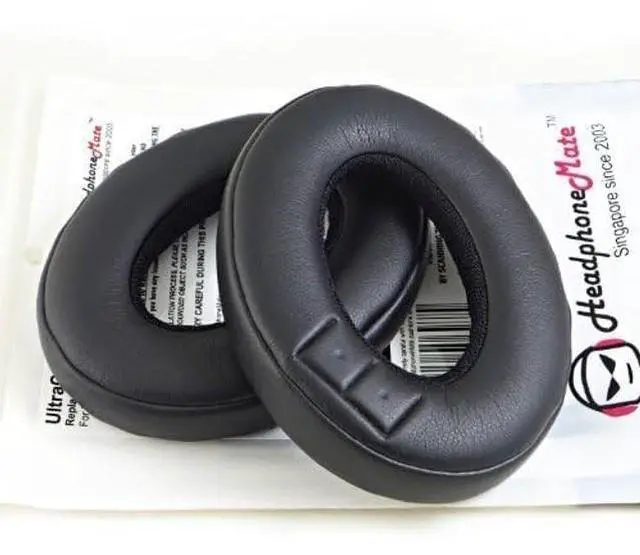
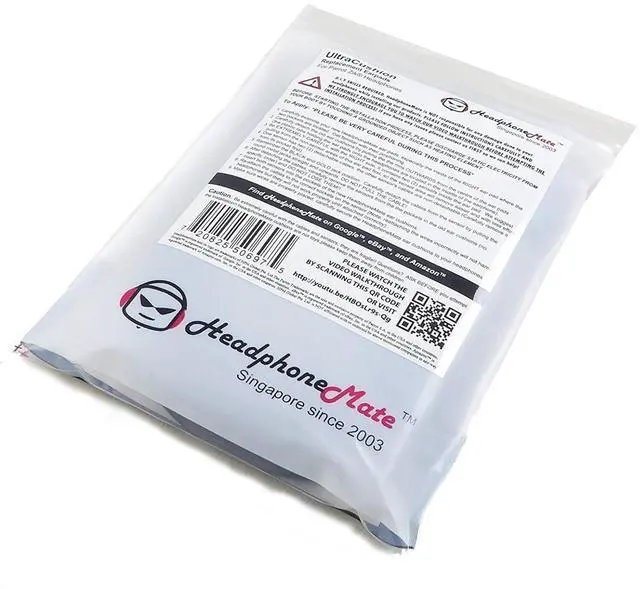


HeadphoneMate Replacement Earpad Cushions for Parrot Zik (Zik1, Zik First Generation) Headphones
Limited time offer, ends 07/28 By Ceelys Store
- Designed for Parrot Zik headphones
- Premium material and customized fit
- DIY skill required
- Satisfaction guarantee
+
+
Overview
Specs
Reviews

Any questions? Our AI beta will help you find out quickly.
Try me now
Premium Replacement Ear Pads Earpads cushions for Parrot Zik, Zik 1.0 headphones. From HeadphoneMate, a global leader in headphone accessories.
To Apply: *PLEASE BE VERY CAREFUL DURING THIS PROCESS* 1. Carefully examine your new HeadphoneMate ear pads, especially the inside of the RIGHT ear pad where the two pockets are located. Get familiar with their positioning. 2. Carefully detach the old ear cushions by pulling the the rims OUTWARDS from the centre of the ear pads (the plastic tabs holding the ear pads onto the headphones are located in the middle of the earphone). 3. Be EXTREMELY CAREFUL with the RIGHT side, it contains two (2) sensors inside the ear pad. We suggest pulling from the non-sensor areas of this ear pad first, so the sensor area will remove easier and with less effort. 4. One sensor has two (2) detachable cables, the other sensor's cables are non-detachable (Carefully remove it from its pocket first). 5. Remember the BLACK and GOLD jack position. Carefully detach the cables from the sensor by pulling the round metal jacks straight and upwards, DO NOT PULL THE CABLE! 6. After detaching the cables, carefully remove the sensors from the the pockets in the old ear cushions (no specific order) and DO NOT LOSE THEM!! 7.
Insert both sensors into the pockets of the new HeadphoneMate ear cushions. 8. Re-attach the cables to the correct sockets on the sensor (Note: reattaching the wires incorrectly will not harm headphones but they will not work properly until attached correctly). 9. Make sure wires are properly placed, carefully secure the HeadphoneMate ear cushions to your headphones.
Note: These earpads do NOT come with sensor nor cables. DIY skill required, watching video walk through is recommended.
Video link:
http: //youtu. be/HBOsLr9s-Qg In case you are not happy with the purchase, simply send them back for refund, no questions asked! #
To Apply: *PLEASE BE VERY CAREFUL DURING THIS PROCESS* 1. Carefully examine your new HeadphoneMate ear pads, especially the inside of the RIGHT ear pad where the two pockets are located. Get familiar with their positioning. 2. Carefully detach the old ear cushions by pulling the the rims OUTWARDS from the centre of the ear pads (the plastic tabs holding the ear pads onto the headphones are located in the middle of the earphone). 3. Be EXTREMELY CAREFUL with the RIGHT side, it contains two (2) sensors inside the ear pad. We suggest pulling from the non-sensor areas of this ear pad first, so the sensor area will remove easier and with less effort. 4. One sensor has two (2) detachable cables, the other sensor's cables are non-detachable (Carefully remove it from its pocket first). 5. Remember the BLACK and GOLD jack position. Carefully detach the cables from the sensor by pulling the round metal jacks straight and upwards, DO NOT PULL THE CABLE! 6. After detaching the cables, carefully remove the sensors from the the pockets in the old ear cushions (no specific order) and DO NOT LOSE THEM!! 7.
Insert both sensors into the pockets of the new HeadphoneMate ear cushions. 8. Re-attach the cables to the correct sockets on the sensor (Note: reattaching the wires incorrectly will not harm headphones but they will not work properly until attached correctly). 9. Make sure wires are properly placed, carefully secure the HeadphoneMate ear cushions to your headphones.
Note: These earpads do NOT come with sensor nor cables. DIY skill required, watching video walk through is recommended.
Video link:
http: //youtu. be/HBOsLr9s-Qg In case you are not happy with the purchase, simply send them back for refund, no questions asked! #
Warranty & Returns
Warranty, Returns, And Additional Information
Warranty
- Please contact the Seller directly for warranty information. Warranty information may also be found on the Manufacturer's website.
- CONTACT
Return Policies
- Return for refund within: 30 days
- Return for replacement within: 30 days
- This item is covered by Ceelys Store Return Policy
Manufacturer Contact Info
- For a directory of all our manufacturers, please click below.
- Manufacturers Directory
LOADING...
LOADING...