

Your Browsing History

- Free 30-day Returns
$61.99


Meet Your Seller

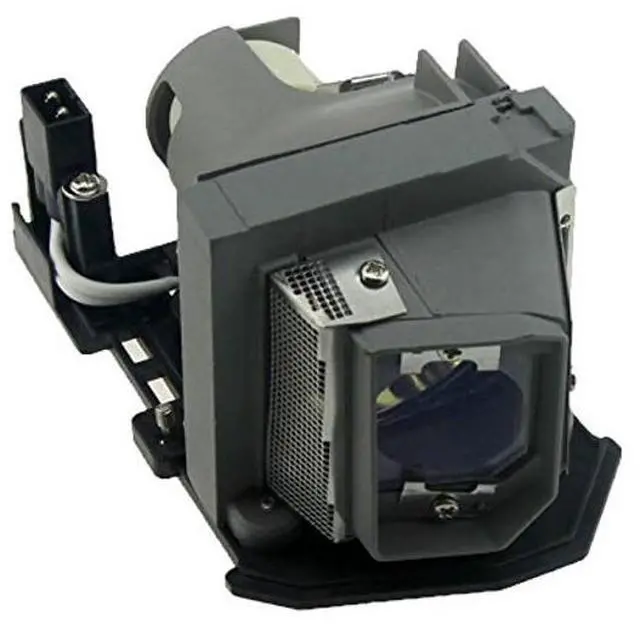
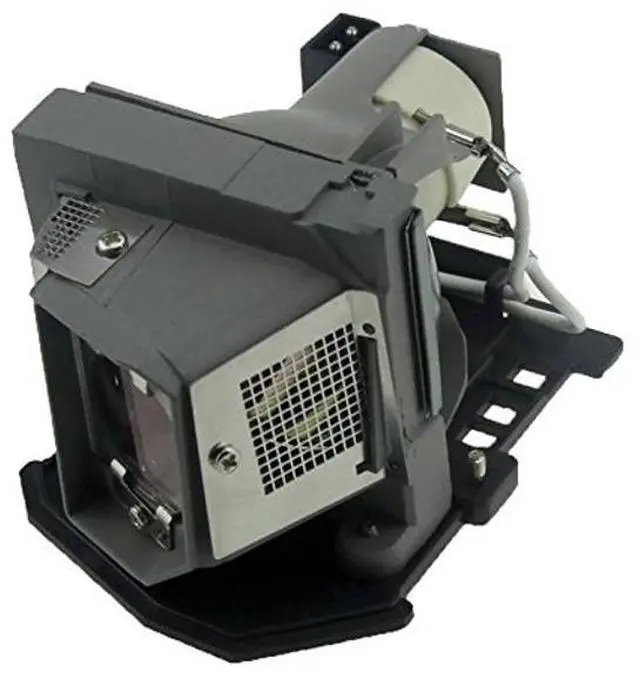
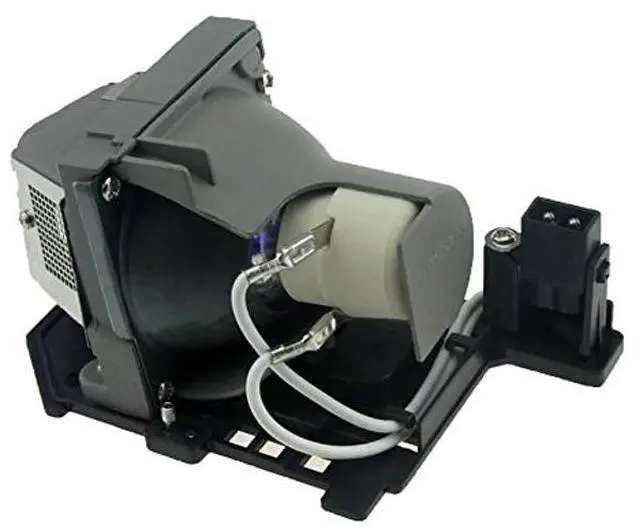




Huaute BL-FU185A/1209S/317-2531/725-10229/ET-LAL320 Replacement Projector Lamp Bulb with Housing for X619 EX536 ES526 EW531 EW533ST EW536 EX526 EX531 HD600X HD66 HD67 HD6700 PRO150S Projectors
- 1.The lamp provides 180 watts of power and an average life of 3000 hours.
- 2.Our high quality replacement lamps last much longer than the imitations and provide a brighter, cleaner light source.
- 3.Easy for installation, no technician needed, It's an easy process that can be completed in just a few minutes!
- 4.Included with every projector lamp we sell is our trusted 180-Day Guarantee. If you order a projector lamp from our company and you are not satisfied for any reason, you may send the projector lamp back for a refund or an exchange.
- 5.Compatible ModelsFor Optoma DX619 / EX536 / ES526 / EW531 / EW533ST / EW536 / EX526 / EX531 / HD600X / HD66 / HD67 / HD6700 / PRO150S / PRO250X / PRO350W / TS526 / TW536 / TX536 / DS316 / DW318 / DX319 / DS216 Projectors

+
+
Overview
Specs
Reviews

Any questions? Our AI mode will help you find out quickly.
Try me now
Description: BRAND NEW replacement lamp with genuine bulb inside directly from our own factory.
Part Number:
BL-FU185AWattage: 180W LampProjector
Lamp Type: Projector lamp with
HousingAverage Life (hrs): 3000
hoursApplication:
Business&Education&Home&SchoolPackage: 1*bulb with housingCompatible with
Projector models: For Optoma DX619 / EX536 / ES526 / EW531 / EW533ST / EW536 / EX526 / EX531 / HD600X / HD66 / HD67 / HD6700 / PRO150S / PRO250X / PRO350W / TS526 / TW536 / TX536 / DS316 / DW318 / DX319 / DS216 ProjectorsInstalling a Projector LampTo install a projector lamp with the housing, just follow the easy steps below: 1. Make sure the projector is unplugged and sitting on a flat surface2. Loosen the screw holding the projector lamp module cover in place and remove the panel3. Unplug the old projector lamp and remove it from the projector4. Plug the new projector lamp securely into place5. Attach the panel back onto the projector and tighten the screw
Part Number:
BL-FU185AWattage: 180W LampProjector
Lamp Type: Projector lamp with
HousingAverage Life (hrs): 3000
hoursApplication:
Business&Education&Home&SchoolPackage: 1*bulb with housingCompatible with
Projector models: For Optoma DX619 / EX536 / ES526 / EW531 / EW533ST / EW536 / EX526 / EX531 / HD600X / HD66 / HD67 / HD6700 / PRO150S / PRO250X / PRO350W / TS526 / TW536 / TX536 / DS316 / DW318 / DX319 / DS216 ProjectorsInstalling a Projector LampTo install a projector lamp with the housing, just follow the easy steps below: 1. Make sure the projector is unplugged and sitting on a flat surface2. Loosen the screw holding the projector lamp module cover in place and remove the panel3. Unplug the old projector lamp and remove it from the projector4. Plug the new projector lamp securely into place5. Attach the panel back onto the projector and tighten the screw
Warranty & Returns
Warranty, Returns, And Additional Information
Warranty
- Please contact the Seller directly for warranty information. Warranty information may also be found on the Manufacturer's website.
- CONTACT
Return Policies
- Return for refund within: 30 days
- Return for replacement within: 30 days
- This item is covered by HAIZHILANSTORE Return Policy
Manufacturer Contact Info
- For a directory of all our manufacturers, please click below.
- Manufacturers Directory
LOADING...