

Your Browsing History

- Free 30-day Returns
$293.99


Meet Your Seller

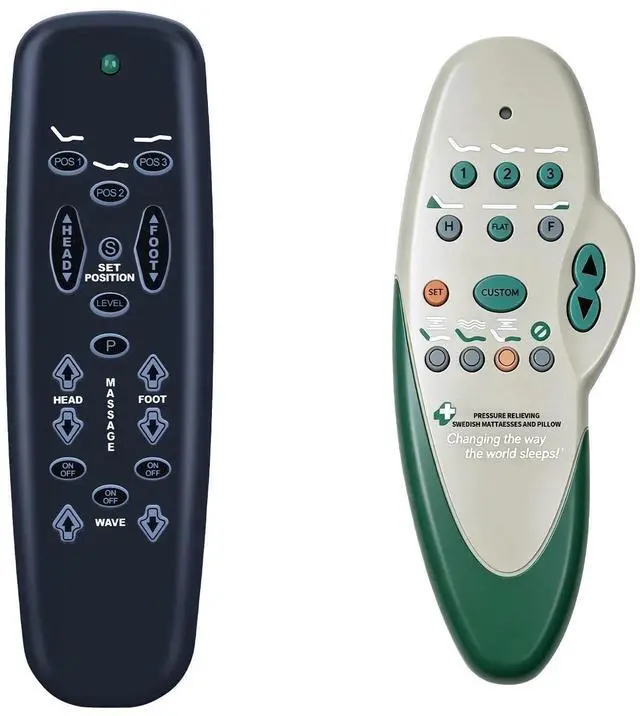
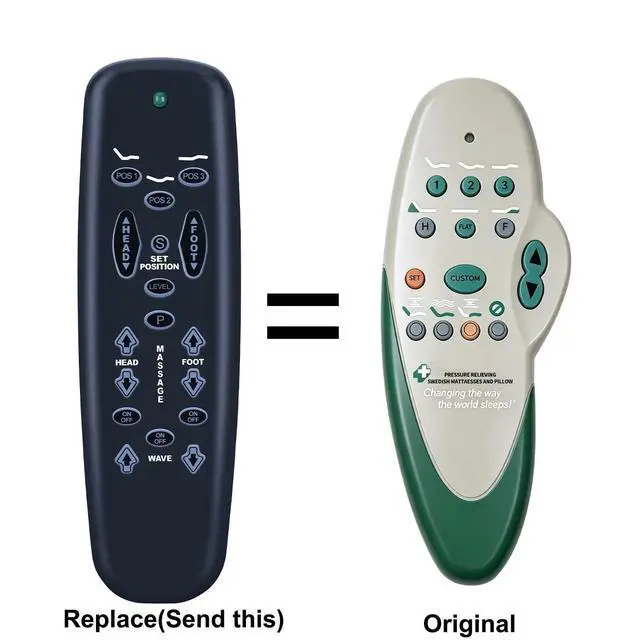
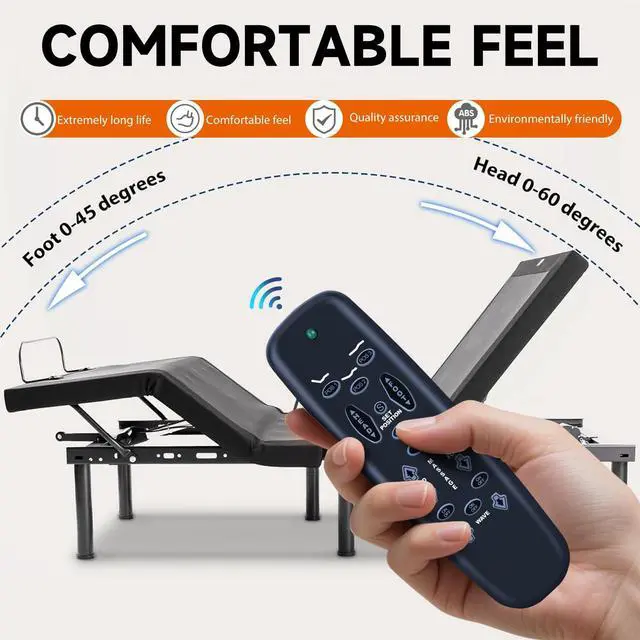
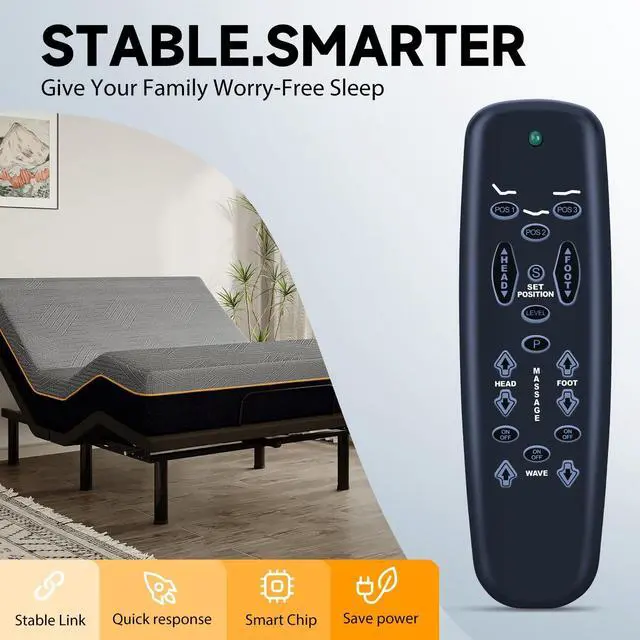


MOVHEIYL Replacement Remote Control fit for Leggett & Platt E95 S-Cape II MR Adjustable Bed, for Tempur-Pedic Ergo Raven Adjustable Bed 2004A-508368
- Compatible with Leggett & Platt Adjustable Bed all Models, for Tempur-Pedic Ergo Raven Adjustable Bed 2004A-508368(replacement remote for old gen Adjusta Magic, Sealy, Serta,and Orthomatic Series Bases. Now that all the individual remotes have been discontinued this is the generic replacement as pictured above that gains 3 extra presets. As long as your buttons match exactly this remote will work!)
- Remote control programming: Program One Remote to Operate One Base - your adjustable base will be equipped with one of the following: (A) a DC motor with a power down box, (B) an AC J box, (C) a DC motor without a power down box.
- Step 1: (A) DC motor with a power down box: press the learn button on the power down box for 1 second.(B or C) AC Jbox or DC motor without power down box: unplug the adjustable base electrical power cord. Wait 30 seconds, then plug the cord back into the power source.
- Step 2: On the remote control, simultaneously press and hold the POS 1 and head massage on
+
+
Overview
Specs
Reviews

Any questions? Our AI mode will help you find out quickly.
Try me now
Compatible with Leggett & Platt Adjustable Bed all Models, for Tempur-Pedic Ergo Raven Adjustable Bed 2004A-508368(replacement remote for old gen Adjusta Magic, Sealy, Serta, and Orthomatic Series Bases. Now that all the individual remotes have been discontinued this is the generic replacement as pictured above that gains 3 extra presets. As long as your buttons match exactly this remote will work! ) ^^
Remote control programming: Program One Remote to Operate One Base - your adjustable base will be equipped with one of the following: (A) a DC motor with a power down box, (B) an AC J box, (C) a DC motor without a power down box.
^^ Step 1: (A) DC motor with a power down box: press the learn button on the power down box for 1 second. (B or C) AC Jbox or DC motor without power down box: unplug the adjustable base electrical power cord. Wait 30 seconds, then plug the cord back into the power source.
^^ Step 2: On the remote control, simultaneously press and hold the POS 1 and head massage on/off buttons. The transmission indicator light will flash slowly and then flash rapidly to indicate programming mode. Continue to hold for 5 seconds and then release the buttons. ^^ Premium After-saleWe provide a 1 year warranty return service. If you have any questions about your order, please feel free to contact us directly and we will get back to you within 12 hours.
Remote control programming: Program One Remote to Operate One Base - your adjustable base will be equipped with one of the following: (A) a DC motor with a power down box, (B) an AC J box, (C) a DC motor without a power down box.
^^ Step 1: (A) DC motor with a power down box: press the learn button on the power down box for 1 second. (B or C) AC Jbox or DC motor without power down box: unplug the adjustable base electrical power cord. Wait 30 seconds, then plug the cord back into the power source.
^^ Step 2: On the remote control, simultaneously press and hold the POS 1 and head massage on/off buttons. The transmission indicator light will flash slowly and then flash rapidly to indicate programming mode. Continue to hold for 5 seconds and then release the buttons. ^^ Premium After-saleWe provide a 1 year warranty return service. If you have any questions about your order, please feel free to contact us directly and we will get back to you within 12 hours.
Warranty & Returns
Warranty, Returns, And Additional Information
Warranty
- Please contact the Seller directly for warranty information. Warranty information may also be found on the Manufacturer's website.
- CONTACT
Return Policies
- Return for refund within: 30 days
- Return for replacement within: 30 days
- This item is covered by HAIZHILANSTORE Return Policy
Manufacturer Contact Info
- For a directory of all our manufacturers, please click below.
- Manufacturers Directory
LOADING...