

Your Browsing History
- Free 30-day Returns
$45.99

Meet Your Seller

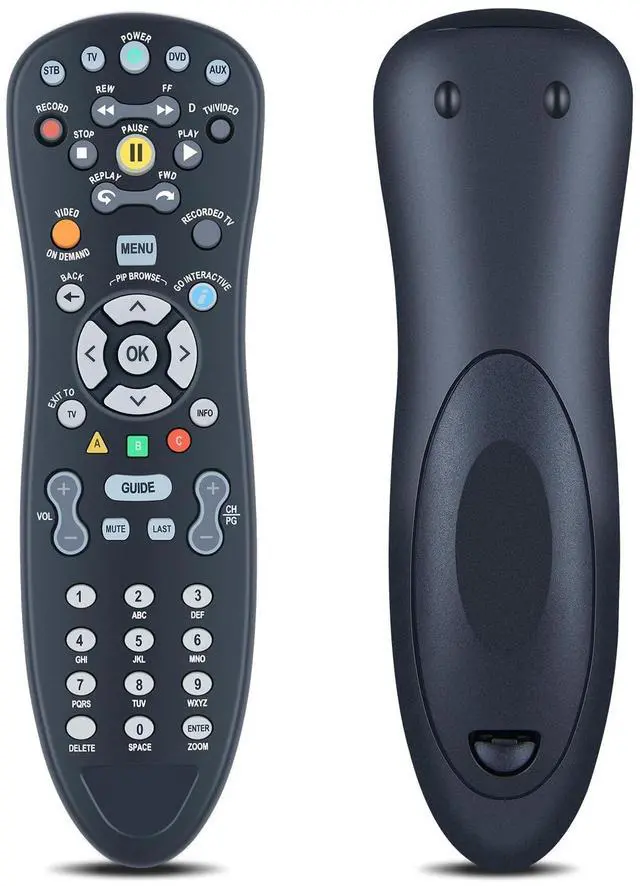
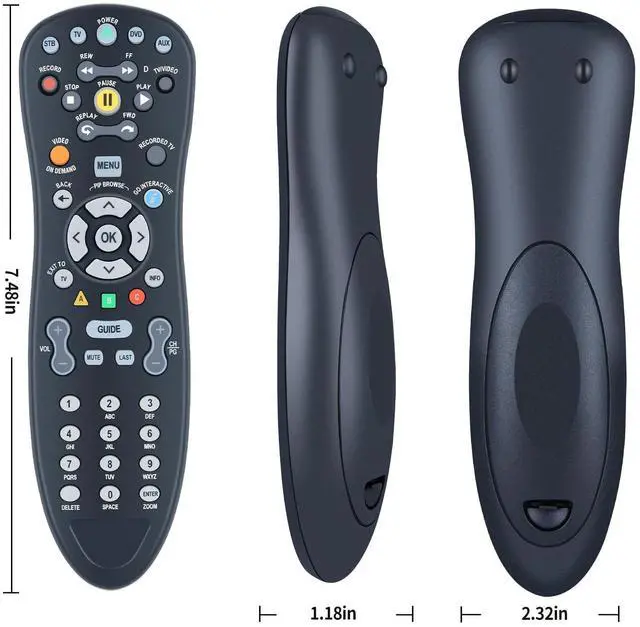
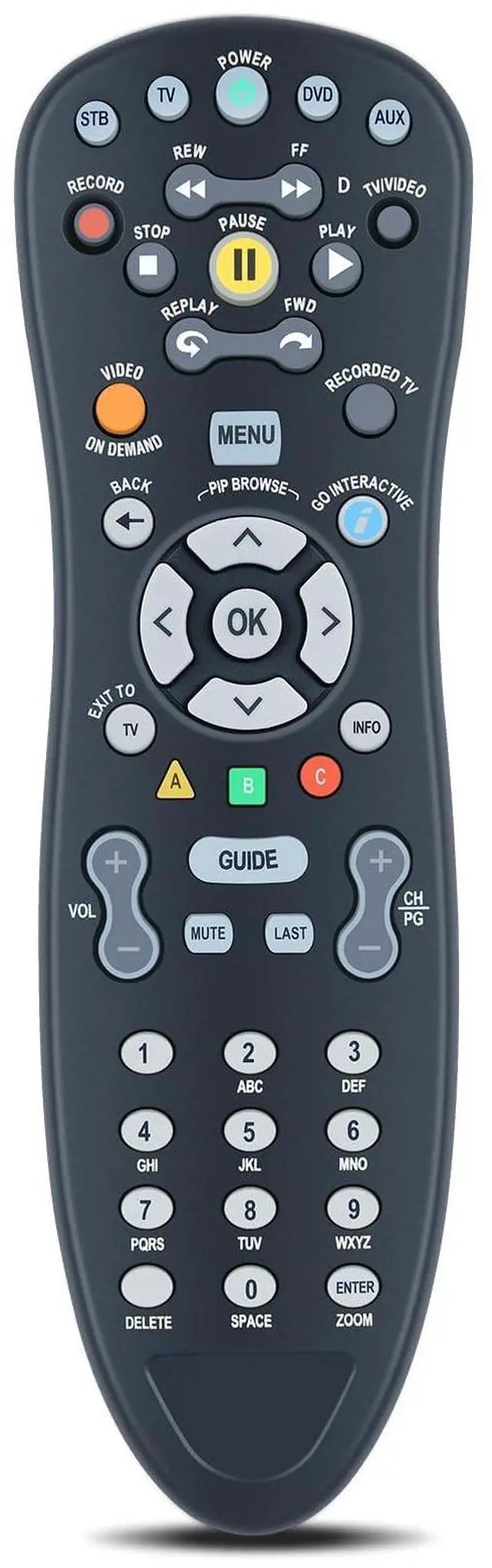


WKOLF Universal s30/s10 Replacement Remote Control for AT&T Uverse S10-S1 S10-S2 S10-S3 S10-S4, Compatible with U-Verse Uverse Receivers Digital TV DVR Uverse Receiver Cable Box - Easy Setup
- Compatible Modelss30/s10 Replacement Remote For ATT U-Verse S10-S1 S10-S2 S10-S3 S10-S4
- Easy Setup and ProgramSetting up your Remote to control other devices(TV/DVD/etc). You may also use the setup tool on the TV (Recommended): Go to Menu- Help - System Set-up - Program your U-verse Remote. To control other devices, your Remote Control needs to be programmed. The Remote contains the IR codes to control them. By Searching for Device Codes to find the code for your device or Manually Program the Device Codes.
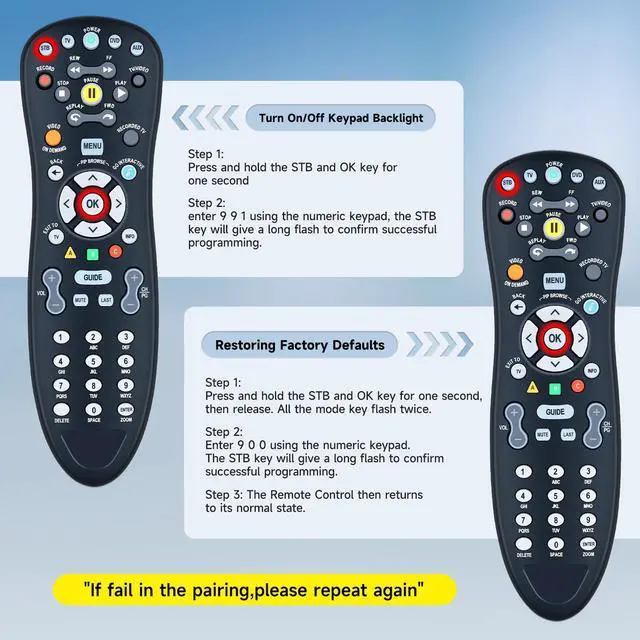
- Backlight FunctionTurn On/Off Keypad Backlight: Press and hold the STB and OK key for one second, enter 9 9 1 using the numeric keypad, the STB key will give a long flash to confirm successful programming.
- Restoring Factory DefaultsReturn all programmed codes to Factory Default: Press and hold the STB and OK key for one second, then release. All the mode key flash twice. Enter 9 0 0 using the numeric keypad. The STB key will give a long flash to confirm successful programmi
+
+
Overview
Specs
Reviews

Any questions? Our AI mode will help you find out quickly.
Try me now
Compatible Modelss30/s10 Replacement Remote For ATT U-Verse S10-S1 S10-S2 S10-S3 S10-S4 ^^ Easy Setup and ProgramSetting up your Remote to control other devices(TV/DVD/etc). You may also use the setup tool on the
TV (Recommended): Go to Menu- Help - System Set-up - Program your U-verse Remote. To control other devices, your Remote Control needs to be programmed. The Remote contains the IR codes to control them. By Searching for Device Codes to find the code for your device or Manually Program the Device Codes. ^^ Backlight FunctionTurn On/Off
Keypad Backlight: Press and hold the STB and OK key for one second, enter 9 9 1 using the numeric keypad, the STB key will give a long flash to confirm successful programming. ^^ Restoring Factory DefaultsReturn all programmed codes to
Factory Default: Press and hold the STB and OK key for one second, then release. All the mode key flash twice. Enter 9 0 0 using the numeric keypad. The STB key will give a long flash to confirm successful programming. The Remote Control then returns to its normal state. ^^
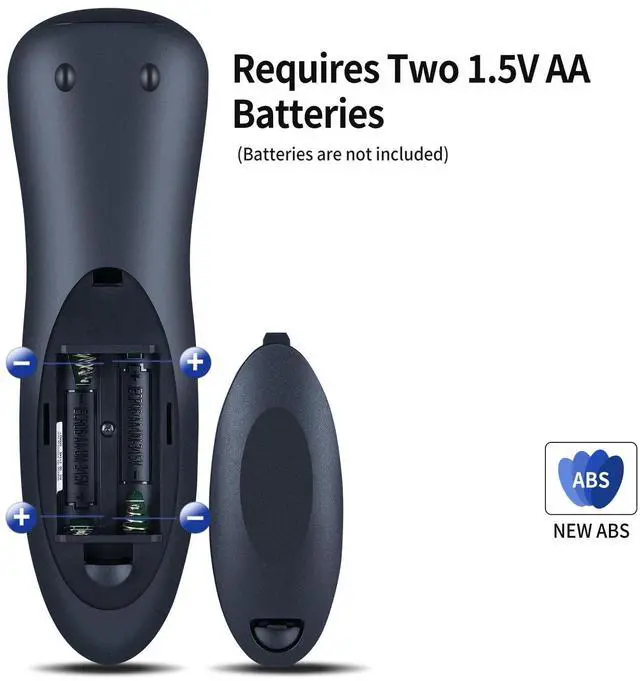
Quality Assurance & SupportPackage Contains: 1x Remote Control (2xAA batteries are not included). Enjoy peace of mind with our comprehensive after-sales service. Contact us via email for any assistance, we'll get back to you within 12 hours on weekdays.
TV (Recommended): Go to Menu- Help - System Set-up - Program your U-verse Remote. To control other devices, your Remote Control needs to be programmed. The Remote contains the IR codes to control them. By Searching for Device Codes to find the code for your device or Manually Program the Device Codes. ^^ Backlight FunctionTurn On/Off
Keypad Backlight: Press and hold the STB and OK key for one second, enter 9 9 1 using the numeric keypad, the STB key will give a long flash to confirm successful programming. ^^ Restoring Factory DefaultsReturn all programmed codes to
Factory Default: Press and hold the STB and OK key for one second, then release. All the mode key flash twice. Enter 9 0 0 using the numeric keypad. The STB key will give a long flash to confirm successful programming. The Remote Control then returns to its normal state. ^^
Quality Assurance & SupportPackage Contains: 1x Remote Control (2xAA batteries are not included). Enjoy peace of mind with our comprehensive after-sales service. Contact us via email for any assistance, we'll get back to you within 12 hours on weekdays.
Warranty & Returns
Warranty, Returns, And Additional Information
Warranty
- Please contact the Seller directly for warranty information. Warranty information may also be found on the Manufacturer's website.
- CONTACT
Return Policies
- Return for refund within: 30 days
- Return for replacement within: 30 days
- This item is covered by StarDragon Return Policy
Manufacturer Contact Info
- For a directory of all our manufacturers, please click below.
- Manufacturers Directory
LOADING...