

Your Browsing History
- Free 30-day Returns
$67.99
Most customers receive within 5-9 days.

Meet Your Seller


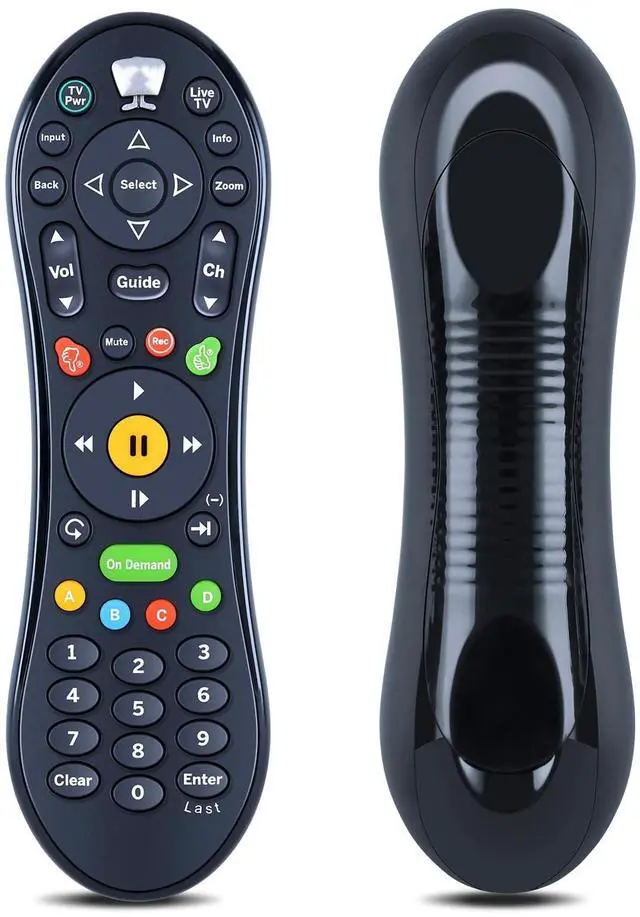
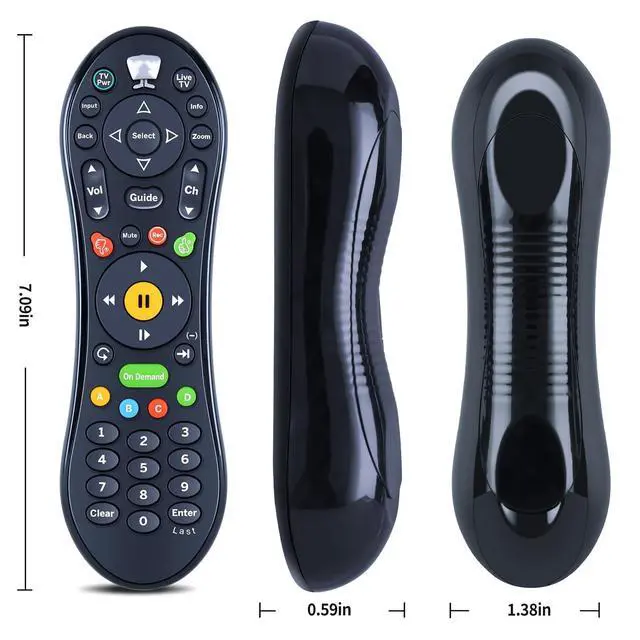


WKOLF New Replacement Remote Control for TiVo TGN-RC30 Roamio Plus/OTA/Pro, Works with RCN/Astound SMLD-00266-000
- Compatible ModelsCompatible with all TiVo Roamio DVRs, all TiVo Premieres, TiVo Series3, TiVo HD & HD XL, Series2 DVRs from TiVo, Humax & AT&T Broadband & Philips or Hughes digital video recorders including the DIRECTV DVR with TiVo services.
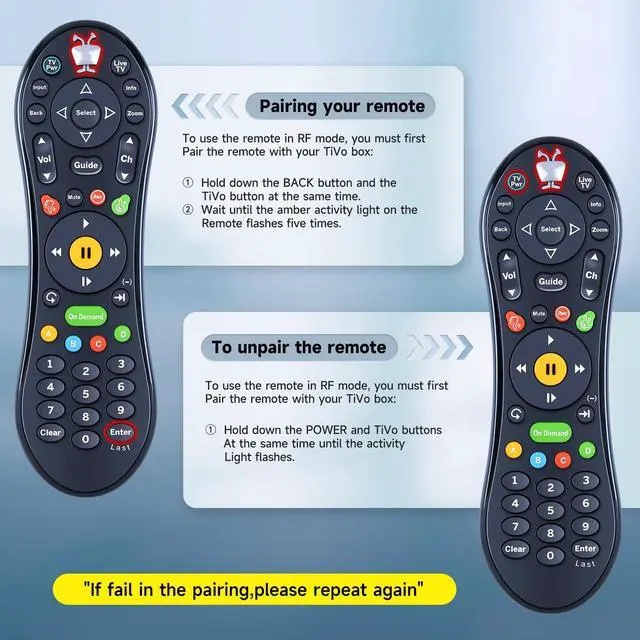
- Easy to PairStep 1: Hold down the BACK button and the TiVo button at the same time; Step 2: Wait until the amber activity light on the remote flashes five times. Note: Once a remote is paired, it will only work in RF mode with that DVR. It will continue to work with other DVRs in IR mode.
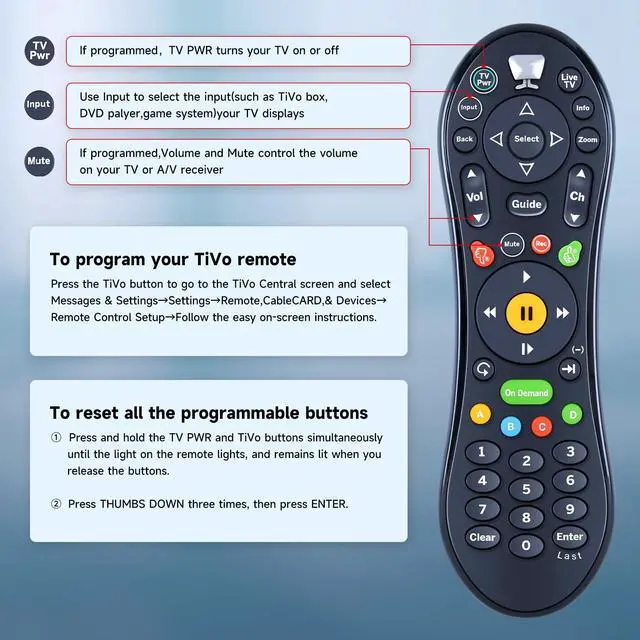
- How to program?To program your TiVo remote: Press the TiVo button to go to the TiVo Central screen and select Messages & SettingsSettingsRemote,CableCARD,& DevicesRemote Control SetupFollow the easy on-screen instructions. Note: If you want to reset all the programmable buttons, pls press and hold the TV PWR and TiVo buttons simultaneously until the light on the remote lights, and remains lit when you release the buttons. Then press THUMBS DOWN three
+
+
Overview
Specs
Reviews

Any questions? Our AI mode will help you find out quickly.
Try me now
Compatible ModelsCompatible with all TiVo Roamio DVRs, all TiVo Premieres, TiVo Series3, TiVo HD & HD XL, Series2 DVRs from TiVo, Humax & AT&T Broadband & Philips or Hughes digital video recorders including the DIRECTV DVR with TiVo services. ^^ Easy to
PairStep 1: Hold down the BACK button and the TiVo button at the same time;
Step 2: Wait until the amber activity light on the remote flashes five times.
Note: Once a remote is paired, it will only work in RF mode with that DVR. It will continue to work with other DVRs in IR mode. ^^ How to program? To program your
TiVo remote: Press the TiVo button to go to the TiVo Central screen and select Messages & SettingsSettingsRemote, CableCARD, & DevicesRemote Control SetupFollow the easy on-screen instructions.
Note: If you want to reset all the programmable buttons, pls press and hold the TV PWR and TiVo buttons simultaneously until the light on the remote lights, and remains lit when you release the buttons. Then press THUMBS DOWN three times, then press ENTER. ^^ Built to Last & ComfortableCrafted from high-grade ABS material, the remote is impact-resistant and built for durability. Its smooth surface offers a comfortable grip, while soft silicone keys are gentle on the fingers and resistant to wear and stains. ^^
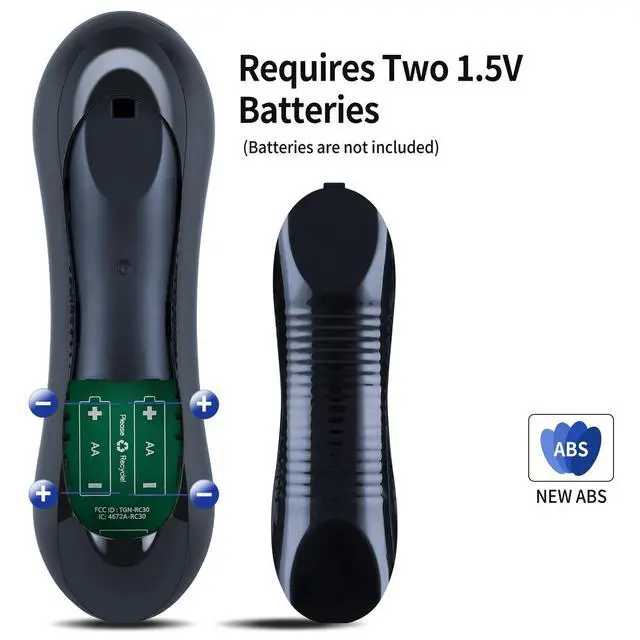
Quality Assurance & SupportPackage Contains: 1x Remote Control (2xAA batteries are not included). Enjoy peace of mind with our comprehensive after-sales service. Contact us via email for any assistance, we'll get back to you within 12 hours on weekdays.
PairStep 1: Hold down the BACK button and the TiVo button at the same time;
Step 2: Wait until the amber activity light on the remote flashes five times.
Note: Once a remote is paired, it will only work in RF mode with that DVR. It will continue to work with other DVRs in IR mode. ^^ How to program? To program your
TiVo remote: Press the TiVo button to go to the TiVo Central screen and select Messages & SettingsSettingsRemote, CableCARD, & DevicesRemote Control SetupFollow the easy on-screen instructions.
Note: If you want to reset all the programmable buttons, pls press and hold the TV PWR and TiVo buttons simultaneously until the light on the remote lights, and remains lit when you release the buttons. Then press THUMBS DOWN three times, then press ENTER. ^^ Built to Last & ComfortableCrafted from high-grade ABS material, the remote is impact-resistant and built for durability. Its smooth surface offers a comfortable grip, while soft silicone keys are gentle on the fingers and resistant to wear and stains. ^^
Quality Assurance & SupportPackage Contains: 1x Remote Control (2xAA batteries are not included). Enjoy peace of mind with our comprehensive after-sales service. Contact us via email for any assistance, we'll get back to you within 12 hours on weekdays.
Warranty & Returns
Warranty, Returns, And Additional Information
Warranty
- Please contact the Seller directly for warranty information. Warranty information may also be found on the Manufacturer's website.
- CONTACT
Return Policies
- Return for refund within: 30 days
- Return for replacement within: non-replaceable
- This item is covered by SIMPLIZED Return Policy
Manufacturer Contact Info
- For a directory of all our manufacturers, please click below.
- Manufacturers Directory
LOADING...