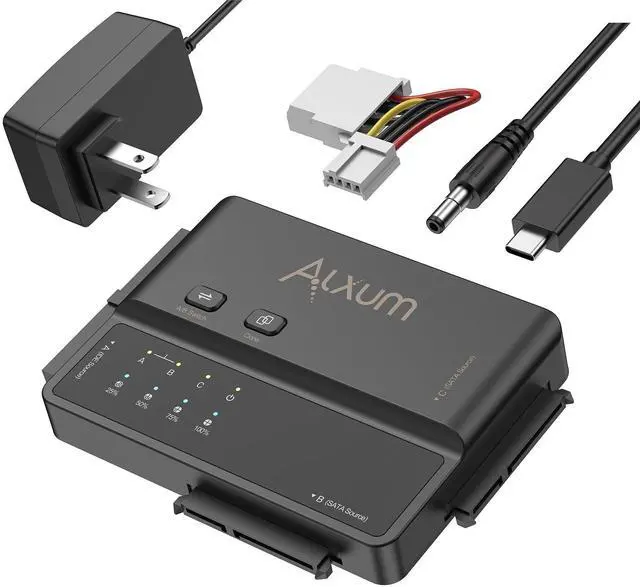
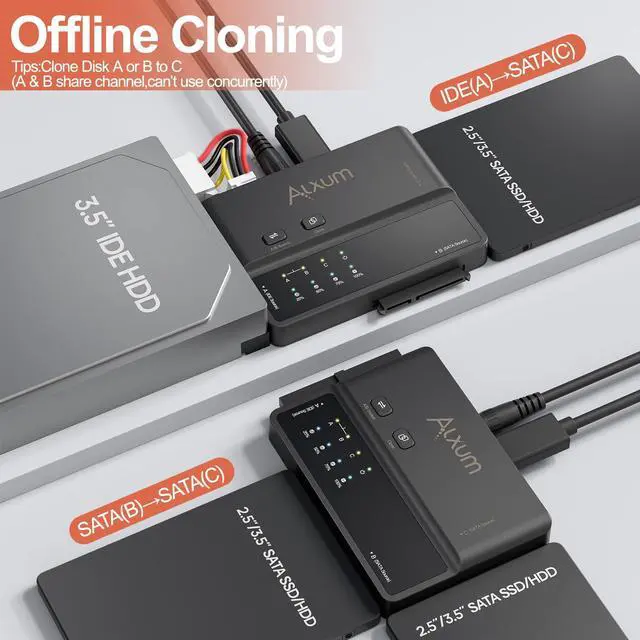
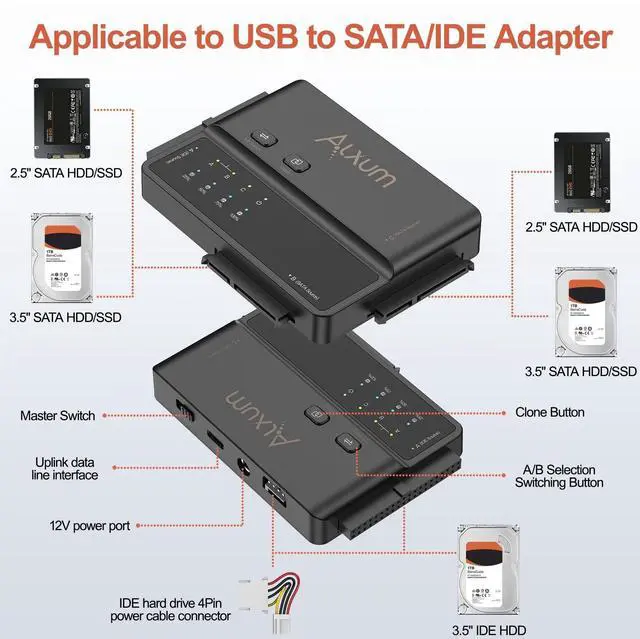
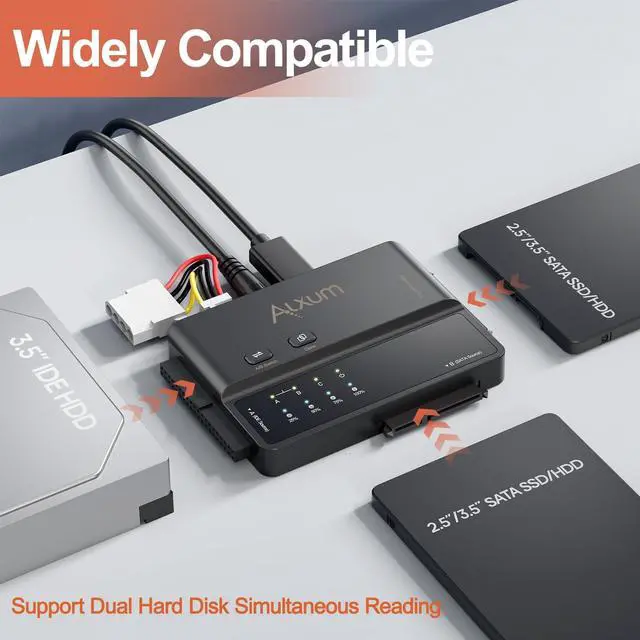
[3-in-1 USB-C to SATA and IDE SSD Enclosure]This Device Enclosure Supports the SATA 3 and IDE 133 interface protocols. It can read two hard drives simultaneously and display the drive letters of two drives. It enables seamless data transfer between traditional and modern devices. It is an ideal choice for data access, device backup, or data management and migration. The real-time LED status indicator ensures full control over the operation. ^^ [One-Click Cloning Function]Alxum SATA and IDE Adapter supports offline cloning. Just wait for the blue light to flash (indicating 25%) and you can start the cloning process.
It supports cloning from IDE (Drive A) /SATA2 (Drive B) to SATA (Drive C).
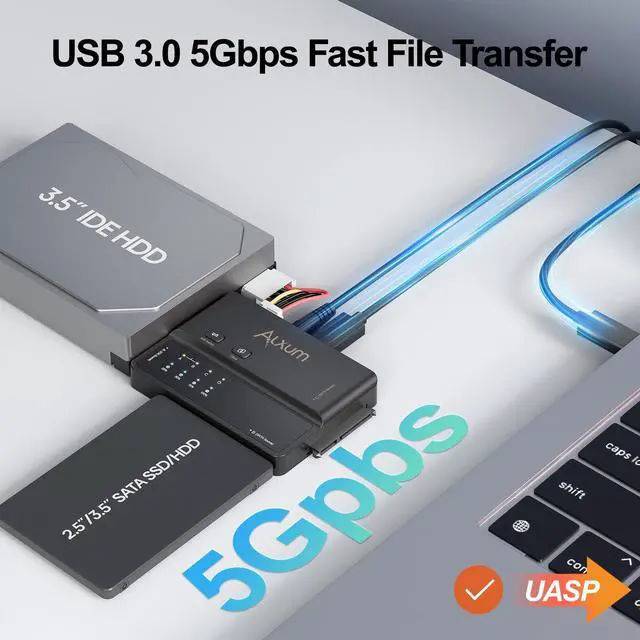
Note: 1. It is not recommended to use an IDE hard drive for cloning. 2. When using the offline cloning function, you must connect the DC power supply and unplug the upstream USB cable. 3. Make sure the capacity of the target disk is greater than that of the original disk. ^^ [5Gbps Transmission]Equipped with a Type - C interface, there's no need to distinguish between the front and back sides, offering an ultra - high - speed transmission experience of up to 5Gbps. Transferring a large 5GB file takes only a few seconds, significantly boosting efficiency! It is also backward - compatible with USB 2.0 and USB 1.1. It supports UASP, with a speed 70% faster than that of traditional USB 3.0. ^^ [Easy to Use]No drivers or software are required. It is plug-and-play and supports hot-swapping. It will enter sleep mode after 30 minutes of inactivity. It supports 2.5" or 3.5" SATA SSD and 3.5" IDE SSD.
Supports SATA/ATAPI LBA48 addressing mode: The
SATA1 (C) port: It uses an independent transmission channel. The SATA2 (B) and 3.5"
IDE (A) ports: They share the same transmission channel (you can select one of them via the switch). ^^ [Package Content]1USB-C to SATA IDE Adapter, 1 USB Type-C to Type-C Cable, 14-pin IDE Power Cable, 1 12V2A Power Cable, 1User Manual.
Attention: 1. 1. An external hard drive enclosure for a 3.5 - inch hard drive needs an external power supply. 2. IDE hard drives are not recommended for cloning due to their older technology and potential bad sectors. 3. When connecting a 3.5 -inch IDE hard drive, you need to connect the 4-Pin power pins.