Your Browsing History
Meet Your Seller
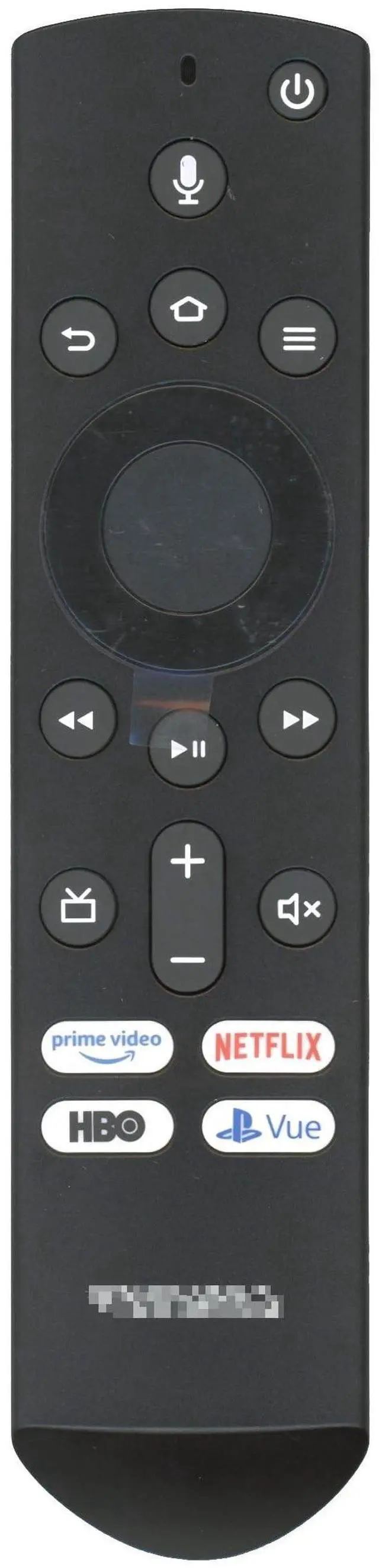
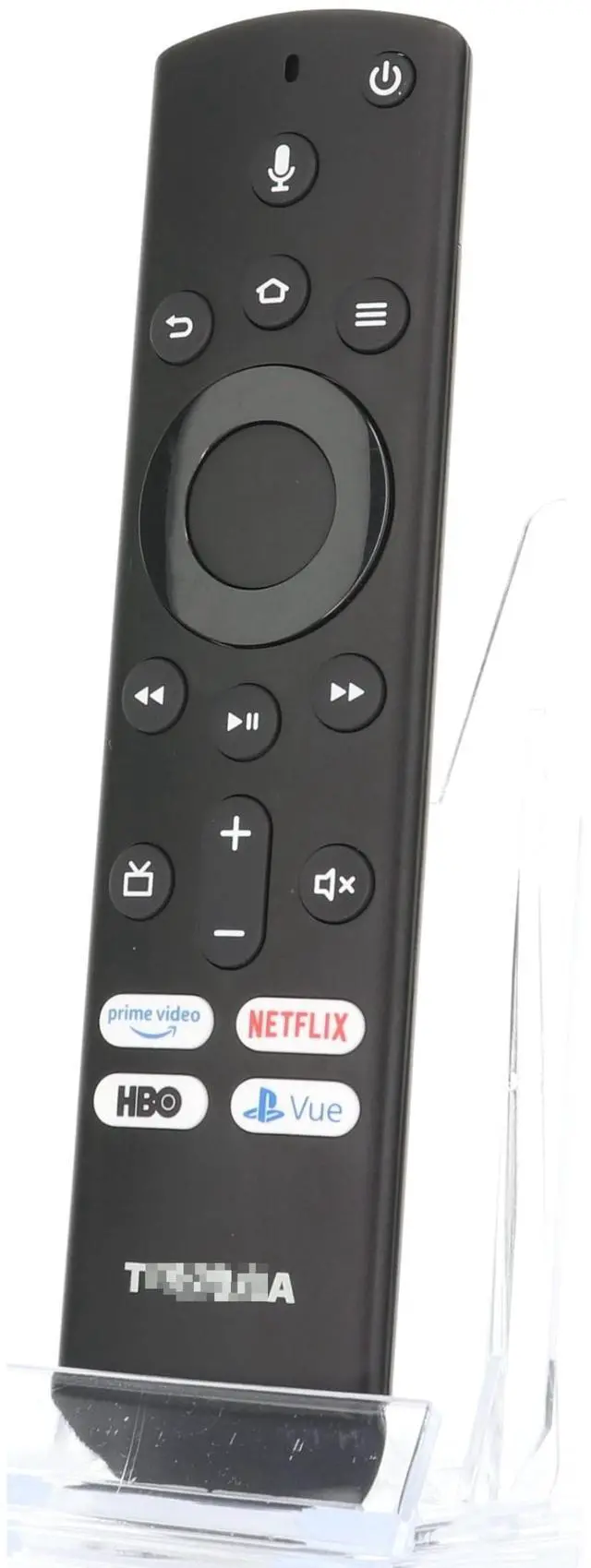
Dan's Originals OEM CT-RC1US-19 for Toshiba Fire Edition TV Remote Control with Voice - CTRC1US19 ^^ 1T86000001I Replacement-Voice-Remote-Control-for-Insignia-Toshiba-Pioneer-Smart-TVs
- Genuine OEM Remote control for Insignia F30 / F20 / F50 / DF710 / DF711 / DF310 / DF510 / DF311 / DF620 TV Series, for Toshiba LF711 / LF621U / LF421U / LF221U / C350 / A810U / A710U / M550 / V35 TV Series, for Omni Series, 2-Series, 4-Series Smart TVs, for Pioneer PN450 / PN651 / PN851 / PN951 TV Series, for TCL Q691F, S551F, Q651F, Q570F, S450F, S350F, S35F, Q650F TV Series, for Hisense U6HF,QD6 TV Series
- Full function Voice remote control compatible (NS-RCFNA-21, CT-95018, CT-RC1US-21, NS-RCFNA-19,CT-RC1US-19) etc
- Requires 2 AAA batteries (not included)
- Quick access buttons for Prime Video, Netflix, HBO, and VUE (shortcut keys may vary)
- Direct replacement with associated numbers PUWJSHT-YKF439, 1T86000001I
+
+
Overview
Specs
Reviews
Any questions? Our AI beta will help you find out quickly.
Try me now
The CT-RC1US-19 TV Remote Control ^^ Voice ^^ Prime Video ^^ Netflix ^^ HBO ^^ VUE - CTRC1US19 ^^ 1T86000001I
ASSOCIATED NUMBERS: FCC ID PUWJSHT-YKF439 1T86000001I-DHUTM-02
Pairing Instructions: Reset TV - Unplug the TV from the power source. Wait 5 to 10 seconds, then plug the TV back in. Turn the TV on and allow it to boot up. Once the TV has booted up, press and hold the HOME key (on the remote) for up to 30 seconds. Continue pressing the HOME key until the TV pairs with the remote.
Note: Only one remote can be paired with the TV at a time. Your TV may instruct you that the remote needs an update. Allow it to update; it may take 1 to 3 minutes, and afterward, your remote will work.
FAQ: My remote was working, but then it stopped and will now only operate the power button.
Answer: Follow the pairing instructions above.
Note: The remote you receive may have different shortcuts
Originally supplied with models: 32LF221C19, 32LF221U19, 43LED2160P, 43LF421U19, 43LF621U19, 43LF621U21 Fire, 43LF711U20, 49LF421U19, 50LED2160P, 50LF621U19, 50LF621U21 Fire, 50LF711U20, 55LED2160P, 55LF621U19, 55LF711U20, TF50A810U19

ASSOCIATED NUMBERS: FCC ID PUWJSHT-YKF439 1T86000001I-DHUTM-02
Pairing Instructions: Reset TV - Unplug the TV from the power source. Wait 5 to 10 seconds, then plug the TV back in. Turn the TV on and allow it to boot up. Once the TV has booted up, press and hold the HOME key (on the remote) for up to 30 seconds. Continue pressing the HOME key until the TV pairs with the remote.
Note: Only one remote can be paired with the TV at a time. Your TV may instruct you that the remote needs an update. Allow it to update; it may take 1 to 3 minutes, and afterward, your remote will work.
FAQ: My remote was working, but then it stopped and will now only operate the power button.
Answer: Follow the pairing instructions above.
Note: The remote you receive may have different shortcuts
Originally supplied with models: 32LF221C19, 32LF221U19, 43LED2160P, 43LF421U19, 43LF621U19, 43LF621U21 Fire, 43LF711U20, 49LF421U19, 50LED2160P, 50LF621U19, 50LF621U21 Fire, 50LF711U20, 55LED2160P, 55LF621U19, 55LF711U20, TF50A810U19
Warranty & Returns
Warranty, Returns, And Additional Information
Warranty
- Please contact the Seller directly for warranty information. Warranty information may also be found on the Manufacturer's website.
- CONTACT
Return Policies
- Return for refund within: 30 days
- Return for replacement within: 30 days
- This item is covered by AetherWide Return Policy
Manufacturer Contact Info
- For a directory of all our manufacturers, please click below.
- Manufacturers Directory
LOADING...