

Your Browsing History


Meet Your Seller

Sponsored Products


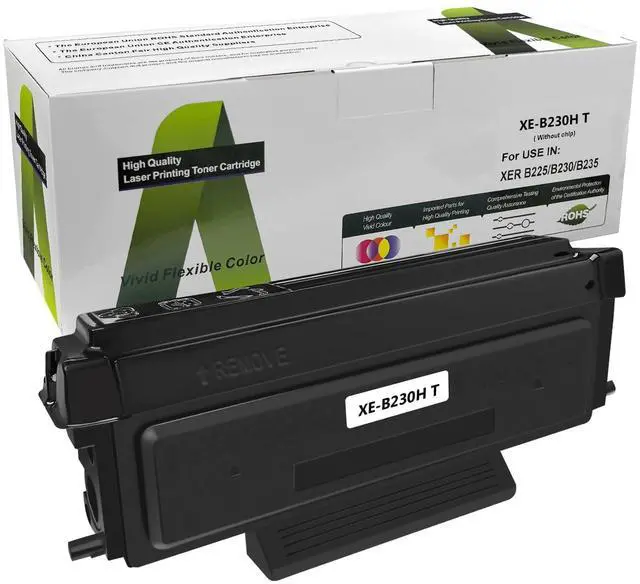





(No chip) B230 B225 B235 Black High Capacity 3000 Pages 006r04400 Toner Cartridge Replacement for Xerox B230 B225 B235 Printer for 006R04399 006R04401
- Notice: These toner cartridges dont have a counting chip with them. You need to use the old B230/B225/B235 counting chip to install before you use it. Please check if there is an old chip available for replacement before purchasing.
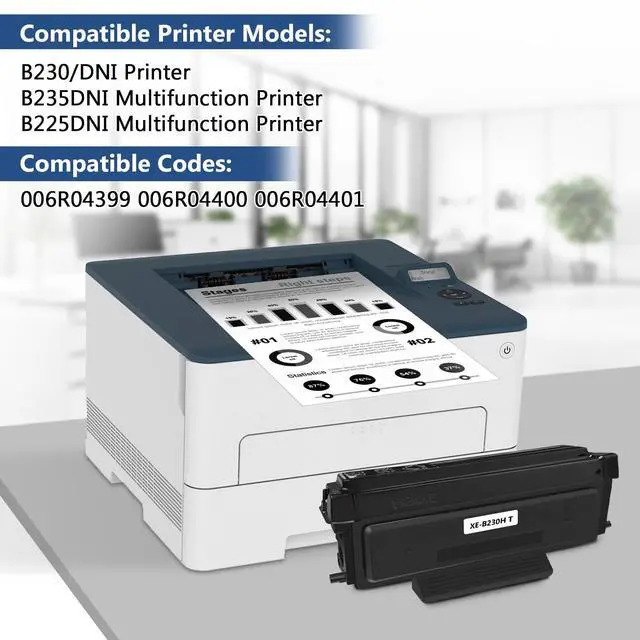
- Compatible Printers: Replacement Toner Cartridges for B230/DNI Printer B235DNI Multifunction Printer B225DNI Multifunction Printer
- Compatible Codes: 006R04399 006r04400 006R04401(Before purchasing, please double check your printer model and purchase the appropriate toner cartridge model.)
- High Page Yield: Approximately 3,000 black pages (5% coverage of A4 paper and the coverage may vary depending on type of use)
- Install Steps: 1.Shake the toner cartridge 5-6 times todistribute the toner evenly. 2.Remove the "counting chip" of your old toner cartridge. 3.Please install the "counting chip" into our new toner cartridge. 4.Take off the black protective cover of the toner cartridge and put it into the printer for use.NOTICE:Do not touch the drum core

+
+
Overview
Specs
Reviews

Any questions? Our AI beta will help you find out quickly.
Try me now
Notice: These toner cartridges dont have a counting chip with them. You need to use the old B230/B225/B235 counting chip to install before you use it. Please check if there is an old chip available for replacement before purchasing.
^^ Compatible Printers: Replacement Toner Cartridges for B230/DNI Printer B235DNI Multifunction Printer B225DNI Multifunction Printer ^^
Compatible Codes: 006R04399 006r04400 006R04401(Before purchasing, please double check your printer model and purchase the appropriate toner cartridge model. ) ^^
High Page Yield: Approximately 3, 000 black pages (5% coverage of A4 paper and the coverage may vary depending on type of use) ^^
Install Steps: 1. Shake the toner cartridge 5-6 times todistribute the toner evenly. 2. Remove the "counting chip" of your old toner cartridge. 3. Please install the "counting chip" into our new toner cartridge. 4. Take off the black protective cover of the toner cartridge and put it into the printer for use.
NOTICE: Do not touch the drum core during use.
^^ Compatible Printers: Replacement Toner Cartridges for B230/DNI Printer B235DNI Multifunction Printer B225DNI Multifunction Printer ^^
Compatible Codes: 006R04399 006r04400 006R04401(Before purchasing, please double check your printer model and purchase the appropriate toner cartridge model. ) ^^
High Page Yield: Approximately 3, 000 black pages (5% coverage of A4 paper and the coverage may vary depending on type of use) ^^
Install Steps: 1. Shake the toner cartridge 5-6 times todistribute the toner evenly. 2. Remove the "counting chip" of your old toner cartridge. 3. Please install the "counting chip" into our new toner cartridge. 4. Take off the black protective cover of the toner cartridge and put it into the printer for use.
NOTICE: Do not touch the drum core during use.
Warranty & Returns
Warranty, Returns, And Additional Information
Warranty
- Please contact the Seller directly for warranty information. Warranty information may also be found on the Manufacturer's website.
- CONTACT
Return Policies
- Return for refund within: 30 days
- Return for replacement within: 30 days
- This item is covered by HyperCore Return Policy
Manufacturer Contact Info
- For a directory of all our manufacturers, please click below.
- Manufacturers Directory
LOADING...