• $47.99
  • Free 30-day Returns
  • Shipped by FoundationSurge

    Price alert
    Shop it at NeweggBusiness.

    Meet Your Seller

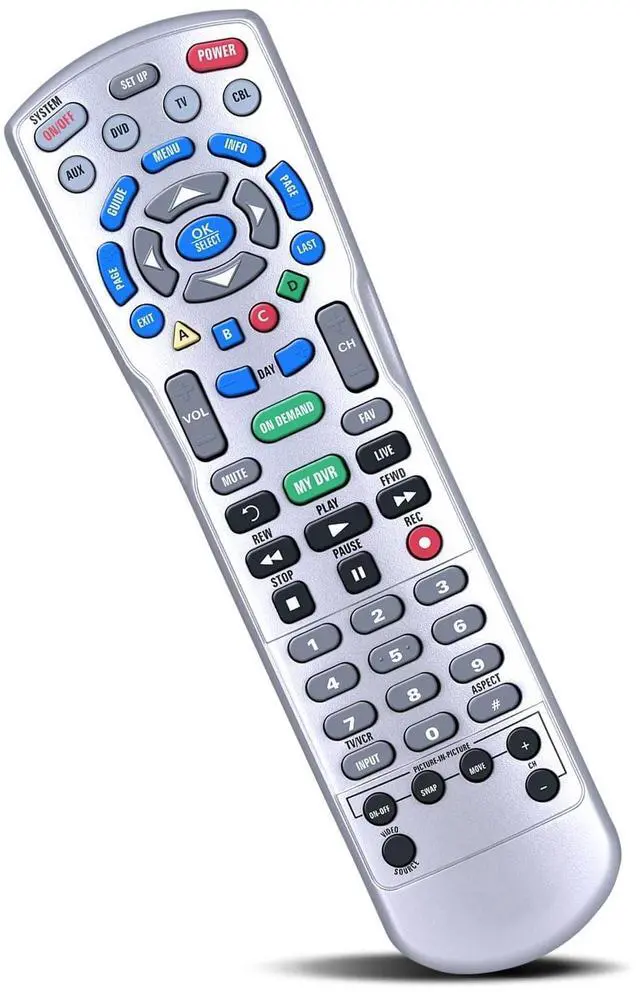
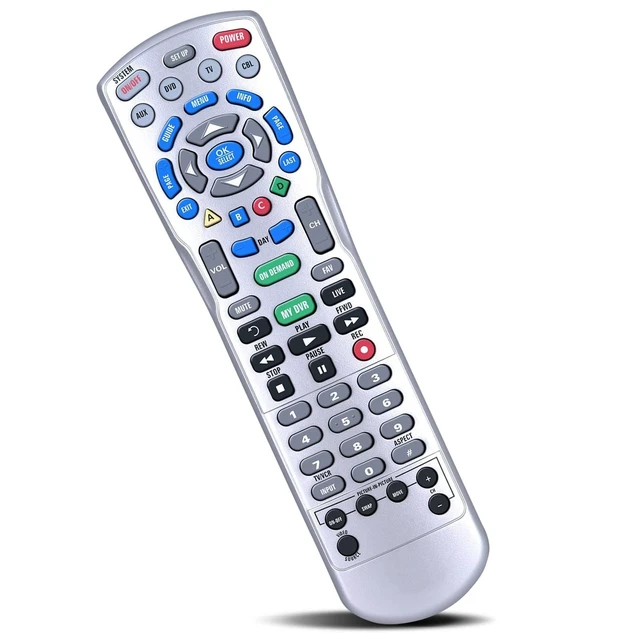
    ZWP Replacement for Charter Spectrum 1060BC2 1060BC3 Remote Control, Compatible for Spectrum P12404-C4, Charter Ocap4 (C4000 & S4000) 4-devic HDTV DVR Cable Box

    • Compatible with model:Spectrum P12404-C4, Charter Ocap4 (C4000 & S4000) 4-devic HDTV DVR Cable BOX,1060BC2 1060BC3 Remote
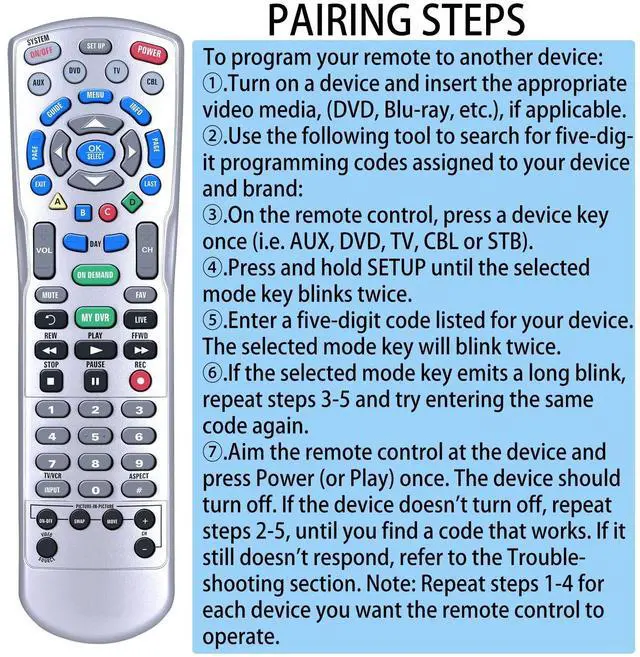
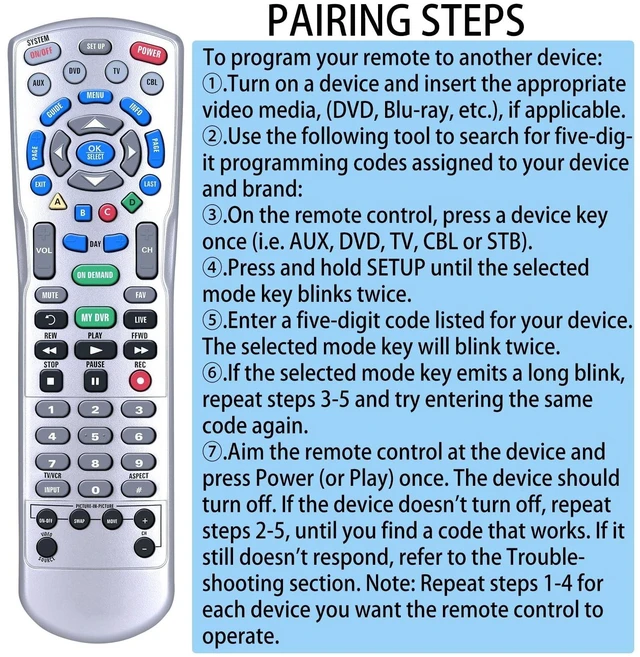
    • To program your remote to another device: 1.Turn on a device and insert the appropriate video media, (DVD, Blu-ray, etc.), if applicable. 2.Use the following tool to search for five-digit programming codes assigned to your device and brand: 3.On the remote control, press a device key once (i.e. AUX, DVD, TV, CBL or STB). 4.Press and hold SETUP until the selected mode key blinks twice. 5.Enter a five-digit code listed for your device. The selected mode key will blink twice.
    • 6.If the selected mode key emits a long blink, repeat steps 3-5 and try entering the same code again. 7.Aim the remote control at the device and press Power (or Play) once. The device should turn off. If the device doesn't turn off, repeat steps 2-5, until you find a code that works. If it still doesn't respond, refer to the Troubleshooting section. Note: Repeat steps 1-4 for each device you
    +
    +
    Overview
    Specs
    Reviews
    avatar

    Any questions? Our AI beta will help you find out quickly.

    Compatible with model: Spectrum P12404-C4, Charter Ocap4 (C4000 & S4000) 4-devic HDTV DVR Cable BOX, 1060BC2 1060BC3 Remote ^^ To program your remote to another device: 1. Turn on a device and insert the appropriate video media, (DVD, Blu-ray, etc. ), if applicable. 2. Use the following tool to search for five-digit programming codes assigned to your device and brand: 3. On the remote control, press a device key once (i. e. AUX, DVD, TV, CBL or STB). 4. Press and hold SETUP until the selected mode key blinks twice. 5. Enter a five-digit code listed for your device. The selected mode key will blink twice. ^^ 6. If the selected mode key emits a long blink, repeat steps 3-5 and try entering the same code again. 7. Aim the remote control at the device and press Power (or Play) once. The device should turn off. If the device doesn't turn off, repeat steps 2-5, until you find a code that works. If it still doesn't respond, refer to the Troubleshooting section.
    Note: Repeat steps 1-4 for each device you want the remote control to operate. ^^ Easy to useEasy to Pairing or setup, After inserting the battery (Not included), Simply follow the pairing steps until successful, and it will perfectly replace your original remote ^^ Premium After-saleWe provide a 1 year warranty return service. If you have any questions about your order, please feel free to contact us directly and we will get back to you within 12 hours.

    Warranty & Returns

    Warranty, Returns, And Additional Information

    Warranty

    • Please contact the Seller directly for warranty information. Warranty information may also be found on the Manufacturer's website.
    • CONTACT

    Return Policies

    Manufacturer Contact Info

    LOADING...