
Your Browsing History


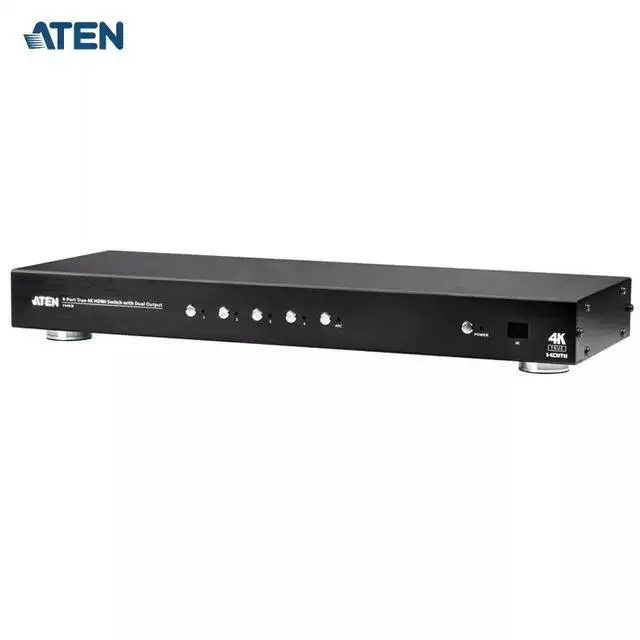
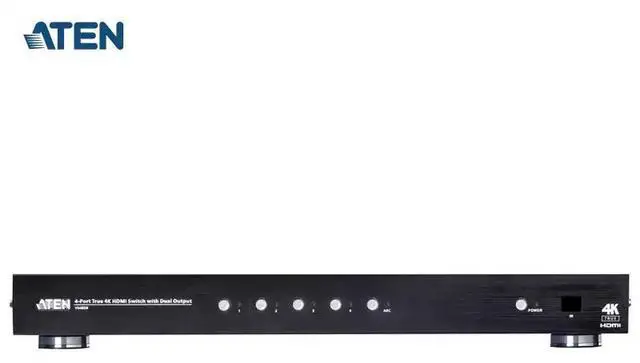



Any questions? Our AI beta will help you find out quickly.
Hardware Installation B
Make sure that the power supply of all devices connected to the hardware to be installed has been turned off.
2. Ensure that all the equipment to be installed is properly grounded to prevent power surges or static electricity.
Rack-mounted installation
For convenience and flexibility, the VS482B can be installed on the system rack.If you need to install the equipment on the rack, please follow these steps:
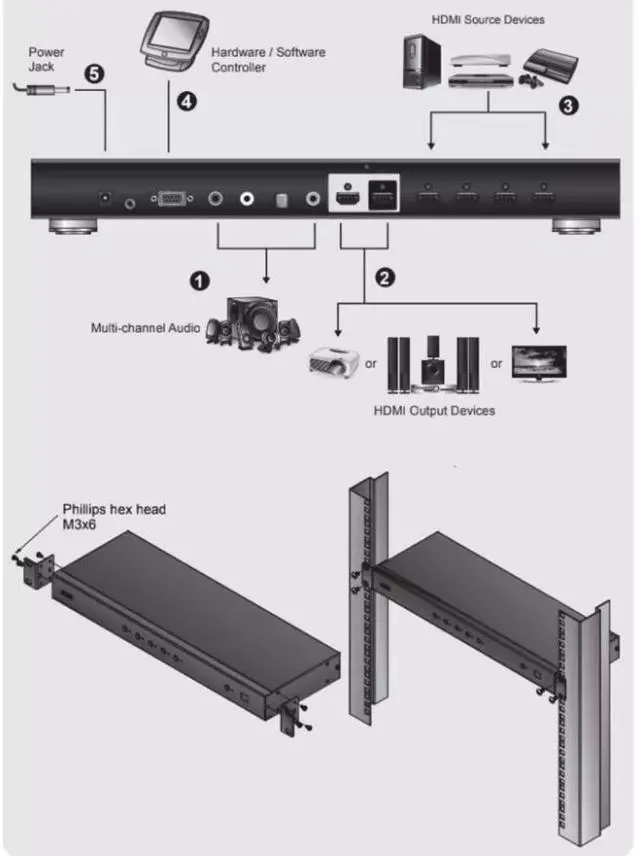
Use the screws provided with the rackinstallation kito tighten and fixthe mounting bracketto the side of the equipment, as shown in the figure
2. Use screws to tighten and fix the bracket onto the frame at any suitable position.
Note: These screws are not included. It is recommended to use M5x121 type cross-slot screws.
Installation
Installing VS482B is as simple as inserting the appropriate cable.
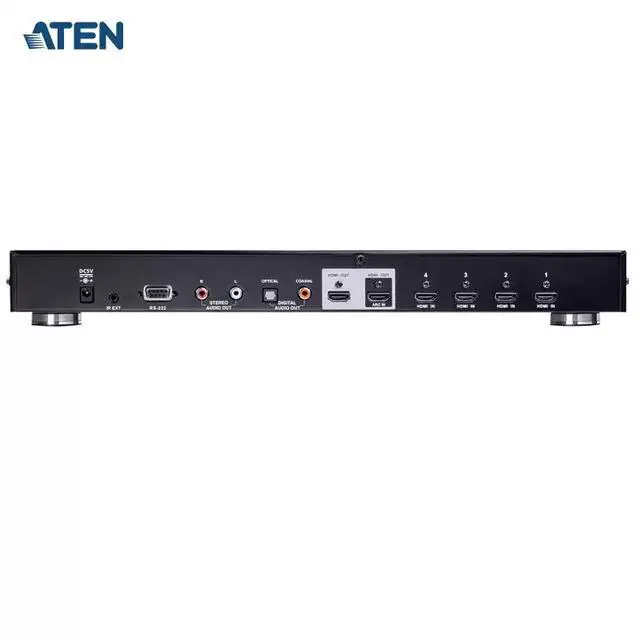
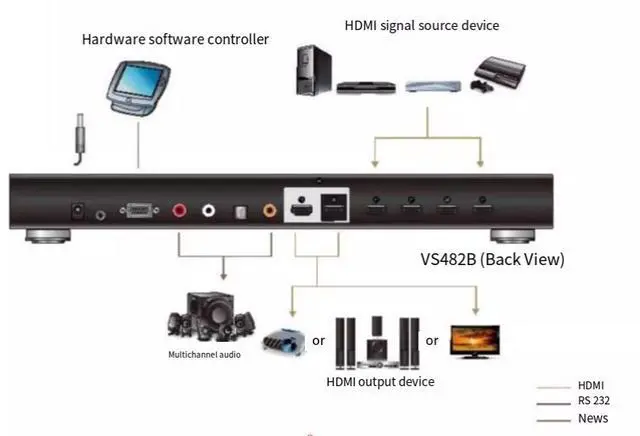
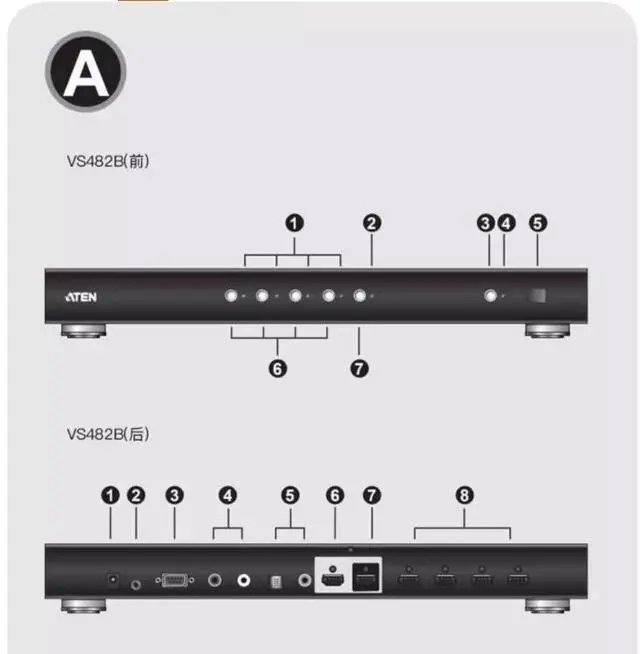
If you need to install the switcher,please referto the installation diagram and follow the steps below:Connect the audio equipment (such as speakers or AVR [Audio Video Receiver]) to the stereo audio output port or the digital audio output port.
2 Connect the HDMl input port on the video display device to the HDMl output port on the back of the VS482B using an HDMl cable.
3 Connect the HDMl output port on the signal source device to the HDMlinput port on the back of the VS482B using an HDMl cable.
4(Optional) If you need to edit the settings of the VS482B system via the RS-232serial port, you can connect the hardware/software controller to this port.
5 Insert the included power adapter into the appropriate AC power supply; insert the poweradapter cable into the power socket on the back of the VS482B. This completes the basicinstallation of the VS482B four-port dual-output true 4K HDMl switcher. Now you can turn on thepower of the VS482B, the display device, and the signal source device.
Thus, the basic installation of the VS482B four-port dual-output true 4K HDMl switcher is completed.
Now, you can turn on the power of the VS482B, the display device, and the signal source device.