Your Browsing History





Any questions? Our AI beta will help you find out quickly.
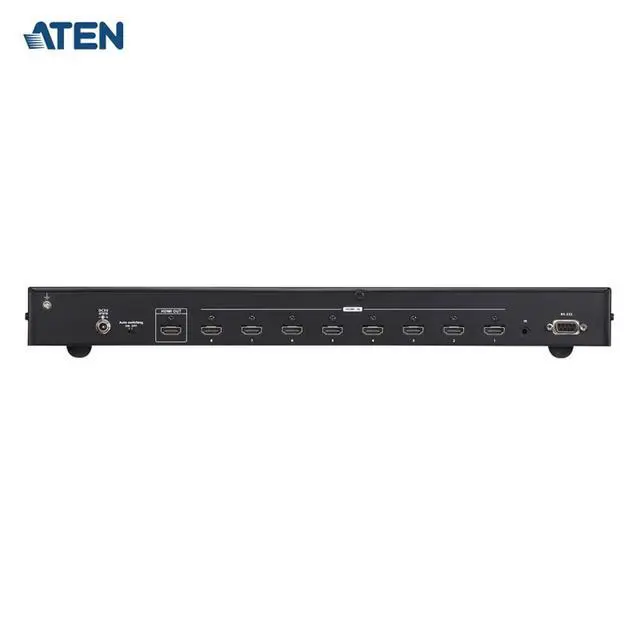
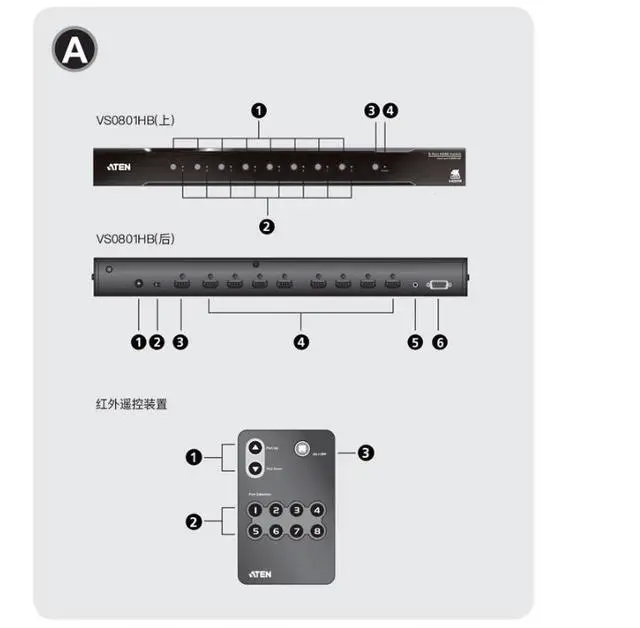
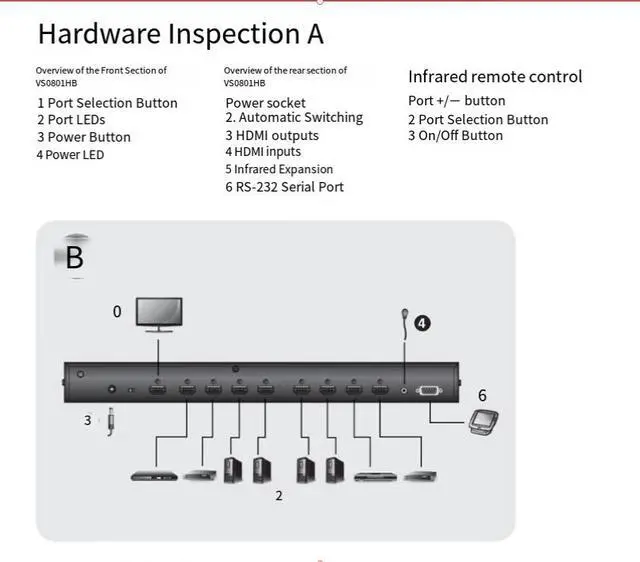
Connect the HDMl input port of the video display device to the HDMl output port ofVS0801HB using a single HDMl cable.
2 Connect the HDMl output port of the input source device to the HDMl input port ofVS0801HB using a single HDMl cable.
3. Insert the included power adapter into the appropriate AC power supply,and then plug the power adapter cable into the power socket of vSO801HB.
4.Insert the infrared receiver cable into the infrared extension to enable the infrared remote control.
5(Optional) Connect the RS-232serial device(such as a PC)to the RS-232 port.
Install the RS-232 controller
You can use an RS-232controller (such as a PC)to control the VS0801HB. When installing thecontroller, connect the device to the VS080lHB using a serial cable (such as a modem cable).Please note that the cable connected to the VS0801HB should use 9-pin protruding connectors.
Select the input source device
Using the VS0801 HB8 port HDMl switcher, you can easily and flexibly select the input source devicein various ways, including front panel buttons, remote control, or via the RS-232 serial interface.
'Manual selection:
When choosing the input source device, you can press the button corresponding to the connection port.
Remote control selection:
When using the remote control to select the input source device, press the corresponding number buttonfor the connection port. Additionally, you can cycle through the input source devices by pressing the Port+/- buttons on the remote control. Use the Port + button to select the next port in ascending order (fromPort 1 to Port 8). Use the Port - button to select the next port in descending order (from Port 8 to Port 1).
'RS-232 Serial Interface:
The VS0801HB is equipped with a built-in bidirectional RS-232serial interface,which can control the system throughhigh-end controllers, PCs,and/or home automation/home theater software packages, On the RS-232 settings page,configure the serial port of thecontroller, such as