




 here!
I’m your shopping assistant for PC builds, upgrades, and everything tech.
Got questions? Ask away!
Start a conversation
here!
I’m your shopping assistant for PC builds, upgrades, and everything tech.
Got questions? Ask away!
Start a conversation



Any questions? Ask CelesteSM will help you find out quickly.
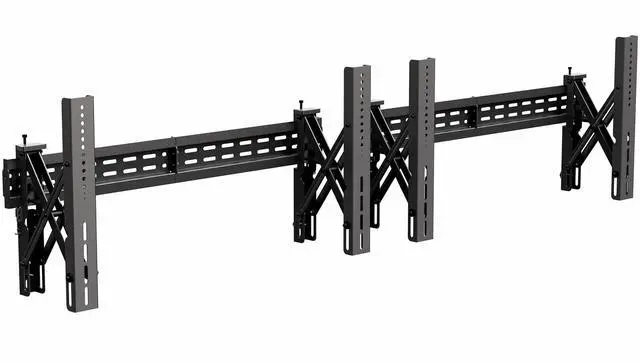
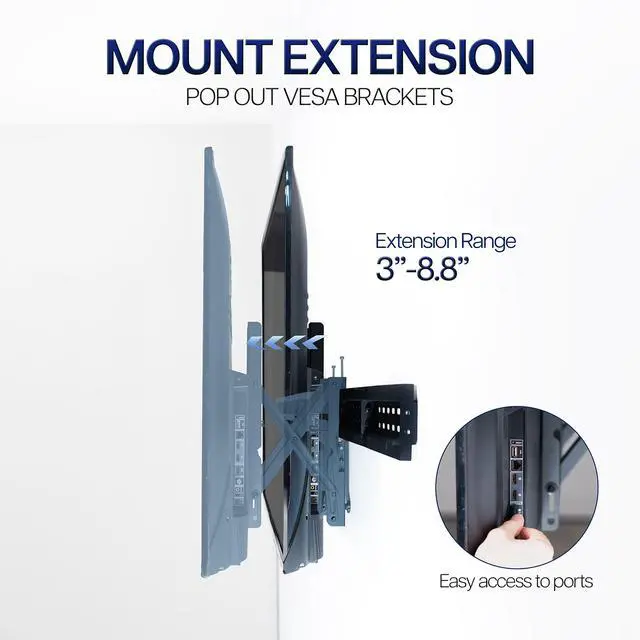
Create an impressive TV display with the Pop-Out Video Wall Mount (x2) (MOUNT-VW90-2) from VIVO! Designed for 37 to 90 TVs weighing up to 154 lbs each (when installed to concrete), this mount will hold your screens safe and secure. The pop-out VESA brackets let you access ports and install hardware after the screens are mounted, and micro-adjustments provide screen-leveling to get your TVs perfectly positioned just how you want them. Hardware is provided for both wood stud and concrete installation.
Compatibility:
TV Sizes: 37 to 90 (per mount)
VESA Standard (mm): 200x200, 300x200, 300x300, 400x200, 400x300, 400x400, 600x400, 800x400
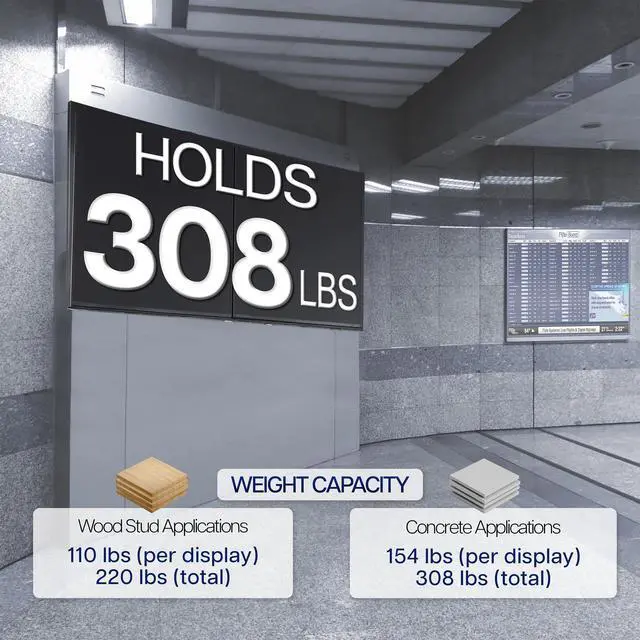
Weight Capacity for Concrete Applications: 154 lbs (per TV)
Weight Capacity for Wood Stud Applications: 110 lbs (per TV)
Specifications:
Color: Black
Material: Steel
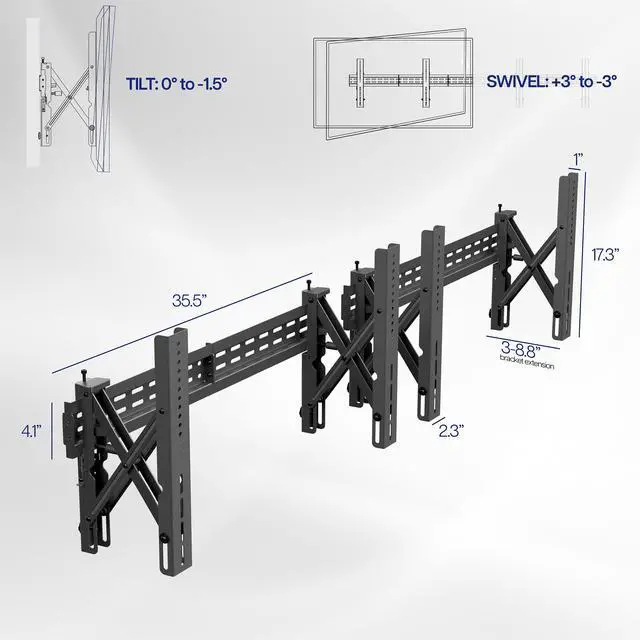
Wall Bracket Dimensions: 35.5 x 1 x 4.1 (x2)
VESA Bracket Dimensions: 17.3 x 2.3 x (3 to 8.8)
VESA Bracket Extension: 3 to 8.8
Tilt: 0° to -1.5° (via adjustment knobs)
Swivel: +3° to -3° (for screen leveling)
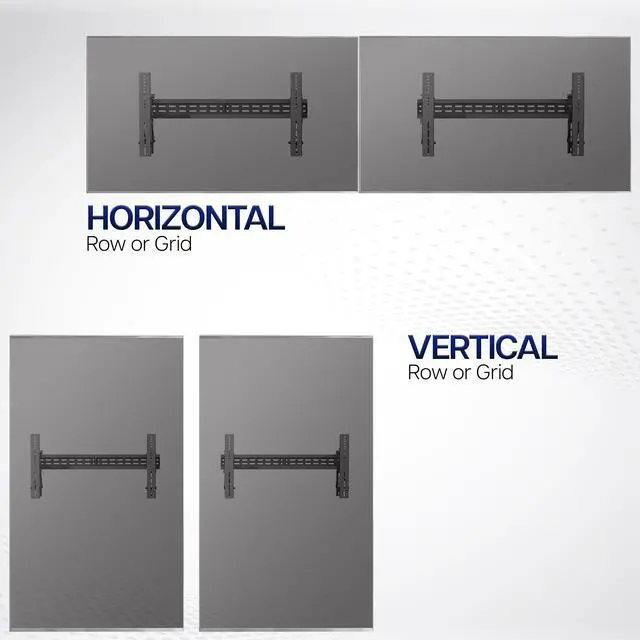
Orientation: Portrait or Landscape
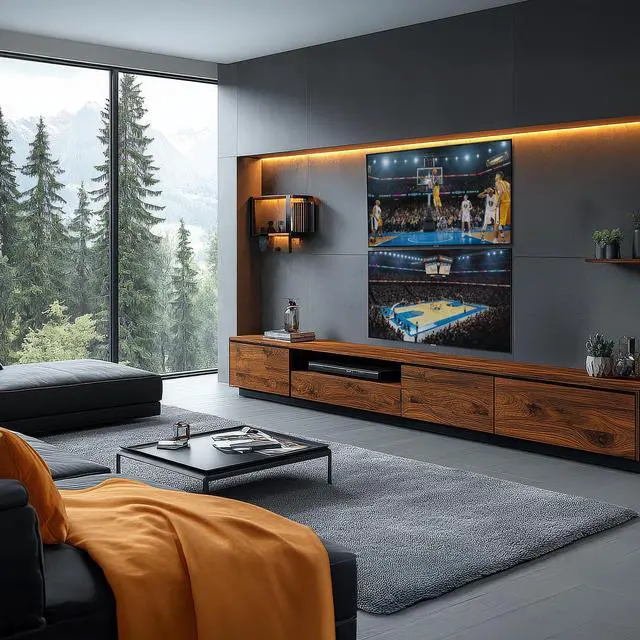
The VIVO Pop-Out Video Wall Mounts are a two-mount wall system for arranging two 37–90-inch TVs side by side or vertically, suited to home theaters, offices, and professional display spaces that need a configurable video wall.
| Attribute | Value |
|---|---|
| Best For | Two-screen TV wall setups using two wall mounts with 37-inch to under-90-inch televisions |
| TV Compatibility And Capacity | For televisions with an 800 × 400 mm VESA pattern; maximum screen weight 154 lb |
| Mounting And Adjustment | Wall-mounted design with screen-leveling movement and up to −1.5° tilt |
| Construction And Finish | Alloy steel construction in black |
| Product Dimensions And Weight | 35.5 × 8.7 × 17.3 inches; weighs 29.5 lb |
| Model Identifiers | VIVO model MOUNT-VW90-2 |
Q: VIVO MOUNT-VW90-2 vs. MOUNT-VW65-2: which fits larger TVs?
A: Choose the MOUNT-VW90-2 for a two-screen setup with TVs up to 90 inches or VESA patterns up to 800×400 mm. The MOUNT-VW65-2 is designed for two 37–65-inch TVs and supports VESA patterns up to 600×400 mm. Both support pop-out access and screen-leveling adjustments.
Q: Should I get the VIVO MOUNT-VW90-2 or the MOUNT-VW90-4?
A: Choose the MOUNT-VW90-2 for a two-display video wall; choose the MOUNT-VW90-4 when you need mounts for four displays. Both support 37–90-inch TVs, the same listed VESA patterns, and up to 154 pounds per TV on concrete or 110 pounds per TV on wood studs.
Q: VIVO MOUNT-VW90-2 vs. MOUNT-VW65-2T: which is better for larger TVs or more tilt adjustment?
A: Choose the MOUNT-VW90-2 for TVs from 66 to 90 inches or VESA patterns up to 800×400 mm. The MOUNT-VW65-2T fits 37–65-inch TVs and offers selectable tilt positions of 0°, −5°, −10°, and −15°; the MOUNT-VW90-2 provides 0° to −1.5° tilt adjustment.
Q: Will this mount fit my TVs?
A: Each mount is designed for a 37–90-inch TV with one of the listed VESA patterns: 200×200, 300×200, 300×300, 400×200, 400×300, 400×400, 600×400, or 800×400 mm. Check each TV’s VESA pattern and weight before buying.
Q: Can I install it on wood studs, and how much weight can it hold?
A: Yes. The product information specifies installation on wood studs or concrete. Capacity is up to 110 lb per screen on wood studs or 154 lb per screen on concrete; verify that the wall structure, hardware, and each TV meet the applicable limits. Do not treat the per-screen limit as a single combined rating.
Q: Can the two screens be stacked vertically or mounted side by side?
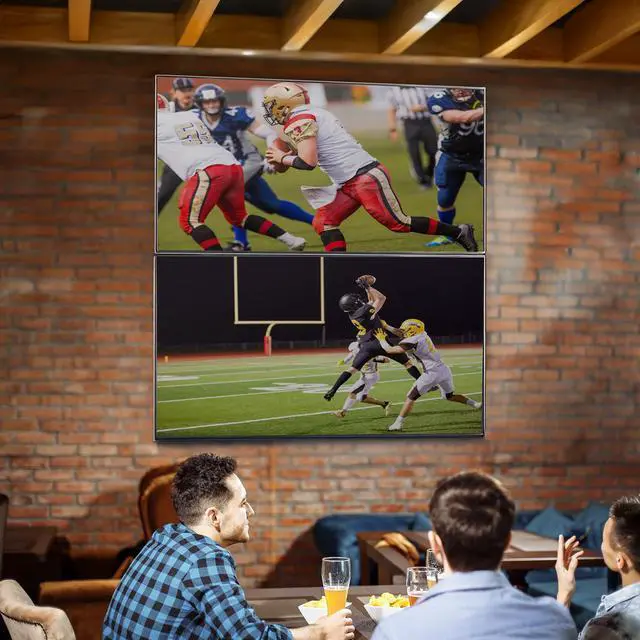
A: Yes. The package includes two separate mounts, allowing a vertically stacked or side-by-side arrangement. The screens can be installed in portrait or landscape orientation, subject to each TV’s VESA pattern and the planned layout.
Q: Does the pop-out design make it easier to reach the back of the TVs?
A: Yes. The brackets push out from the wall to provide rear access for setup, ports, and other hardware. The mount also allows limited swivel, tilt, and sliding adjustment for positioning and alignment; it is designed for video-wall access and alignment rather than broad viewing-angle movement.
Q: Is a two-screen setup worth considering instead of one large TV?
A: It depends on whether you need two separate displays. A Reddit discussion about a setup using VIVO pop-out video-wall mounts considers a single large TV as an alternative, while noting that separate screens can be useful for showing different sources. This mount supports two screens; it does not itself provide video switching or splitting.
Q: Can I install a VIVO pop-out video-wall mount myself?
A: The Reddit post mentions a planned installation using a VIVO pop-out video-wall mount and asks for experience with DIY installation, but it does not establish how easy this two-screen model is to install. Check the product’s installation instructions and confirm that your wall structure and screen weights meet the mount’s limits; consider professional help if you are unsure.


