Team T-Force Delta RGB 16GB (2 x 8GB) 288-Pin PC RAM DDR4 3200 (PC4 25600) Desktop Memory Model TF3D416G3200HC16FDC01
  •  
  • $164.99 –
  • Save: 8%
  • $99.99
  • Free 30-day Returns
  • Price alert
    NAS Builder
    Newegg PC Builder
    Shop it at NeweggBusiness.
    Get Educated

    Make informed decisions with expert advice. Learn More

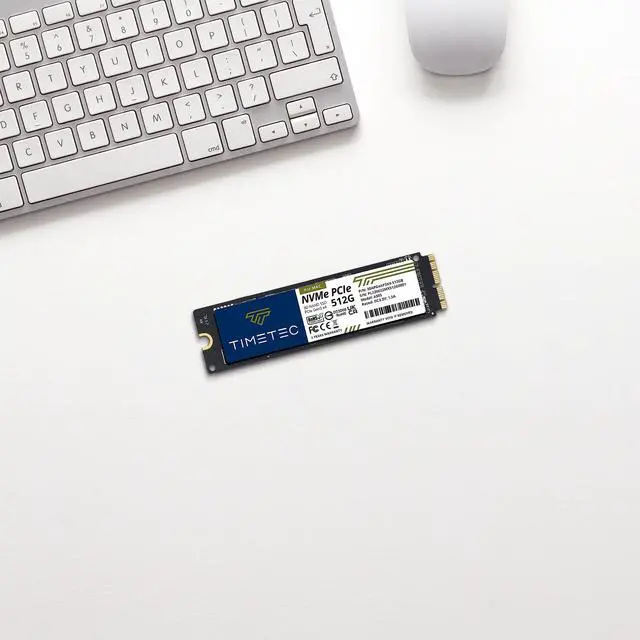
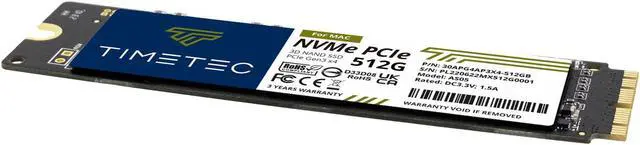
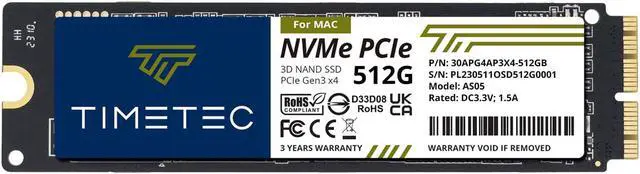
    Timetec 512GB MAC SSD NVMe PCIe Gen3x4 3D NAND TLC Read Up to 2,000MB/s Compatible with Apple MacBook Air (2013-2015, 2017), MacBook Pro (2013-2015), iMac (2013-2019), Mac Pro (2013), Mac Mini (2014)

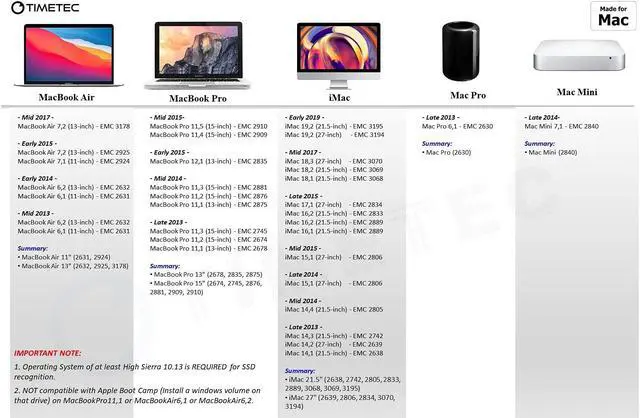
    • IMPORTANT NOTE: macOS 10.13 High Sierra or later macOS MUST be installed on the host computer before installing this Timetec MAC SSD. Otherwise, this new Timetec SSD will not work properly. This Timetec SSD is NOT compatible with Apple Boot Camp on MacBookPro11,1 or MacBookAir6,1 or MacBookAir6,2.
    • Compatible with Apple EMC number: MacBook Air 11" (2631, 2924) / MacBook Air 13" (2632, 2925, 3178) / MacBook Pro 13" (2678, 2835, 2875) / MacBook Pro 15" (2674, 2745, 2876, 2881, 2909, 2910) / iMac 21.5" (2638, 2742, 2805, 2833, 2889, 3068, 3069, 3195) / iMac 27" (2639, 2806, 2834, 3070, 3194) / Mac Pro (2630) / Mac Mini (2840)
    • 256GB NVMe PCIe Gen3x4 3D NAND TLC SSD Designed for MAC Systems Sequential Read Speed up to 2,000MB/s and Write Speed up to 1,500MB/s; An industry-leading 1,500,000 hours mean time to failure (MTTF); Support TRIM command functions.
    • Cables, Screws, Brackets Not Included; Three years limited warranty with free technical support service based on the United States.
    🔥Don't forget your OS, we have Windows 11 OEM, Download and USB versions available
    +
    +
    Overview
    Specs
    Reviews (1)

    Any questions? Ask CelesteSM will help you find out quickly.

    M.2 2230

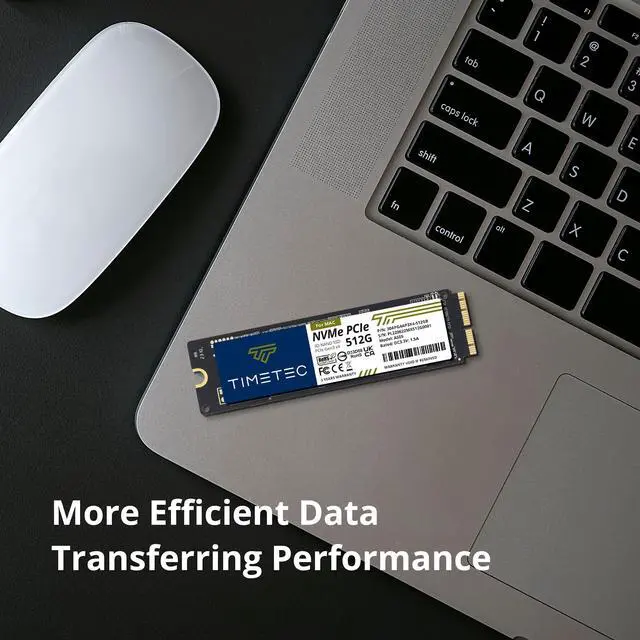
    This Timetec SSD is designed to use the NVMe PCIe interface efficiently during both READs and WRITEs while delivering bandwidth-focused performance. 3D TLC NAND Flash SSD technology enables enhanced boot times, faster application load times, reduced power consumption, and extended reliability.


    M.2 2230
    High Compatibility
    Timetec Premium PCIe NVMe For MAC SSD
    • MacBook Air (2013-2015, 2017)
    • MacBook Pro (2013-2015)
    • iMac (2013-2015, 2017, 2019)
    • Mac Pro (2013)
    • Mac Mini (2014)
    specs
    Compatible EMC Numbers:
    • MacBook Air 11" (2631, 2924)
    • MacBook Air 13" (2632, 2925, 3178)
    • MacBook Pro 13" (2678, 2835, 2875)
    • MacBook Pro 15" (2674, 2745, 2876, 2881, 2909, 2910)
    • iMac 21.5" (2638, 2742, 2805, 2833, 2889, 3068, 3069, 3195)
    • iMac 27" (2639, 2806, 2834, 3070, 3194)
    • Mac Pro (2630), Mac Mini (2840)
    3 Times Faster Than SATA

    This Timetec PCIe NVMe SSD is 3 times faster than the SATA Interface. Its ideal for reading and writing large amounts of game data, complex graphics, or loading heavy duty video and graphics editing software.

    M.2 SATA
    MAC
    Designed For MAC

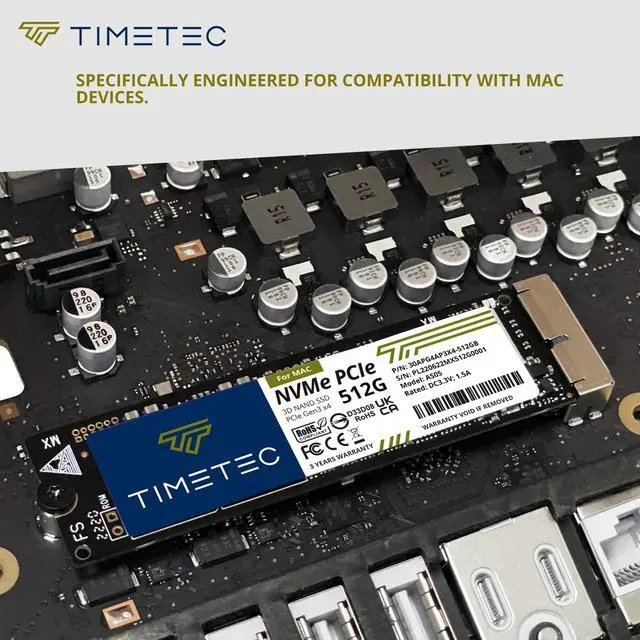
    Designed to fit MAC device SSD connector. Built-in intelligent algorithm management mechanism, this Timetec SSD supports TRIM and advanced SLC cache technology to ensure reliable performance.

    Breathe new life into your old Mac Book Air system with OEM SSD designed for perfect compatibility. Be sure to double-check the compatibility chart in the listing images and the DESCRIPTION below to confirm that this SSD works for your device. The EMC number is the best way to match.

    Warranty & Returns

    Warranty, Returns, And Additional Information

    Warranty

    • Please contact the Seller directly for warranty information. Warranty information may also be found on the Manufacturer's website.
    • CONTACT

    Return Policies

    Manufacturer Contact Info

    LOADING...

    The Timetec Mac SSD is an NVMe PCIe Gen3x4 internal drive for select 2013–2019 Apple Macs, with sequential read speeds up to 2,000MB/s; it suits owners of compatible MacBook, iMac, Mac Pro, or Mac mini models seeking a storage upgrade.

    Recommended For

    • Owners of a listed MacBook Air or MacBook Pro whose existing internal drive is short on space and who want more room for apps and locally stored files.
    • People keeping a supported older Mac in service who want to replace or expand its internal storage rather than rely on an external drive for everyday files and apps.
    • Hands-on Mac owners who are comfortable checking their exact model, preparing macOS, and replacing an internal drive themselves.
    • Owners of a listed iMac, Mac mini, or Mac Pro who want to replace or increase the computer’s internal storage for applications and files kept on that Mac.

    Real-World Use Scenarios

    • When a compatible MacBook Air or MacBook Pro is running short on space, replacing its smaller original SSD with this 512GB drive gives the user more room for apps, documents, photos, and downloaded files without relying as heavily on external storage.
    • If a compatible Mac’s original SSD has failed or become unreliable, this drive can serve as a replacement startup disk; the user should back up recoverable data and prepare macOS installation or recovery before swapping drives.
    • For someone keeping an older supported Mac as a daily computer, the SSD upgrade can provide additional internal storage for routine work and personal files; it does not upgrade the Mac’s processor or memory.
    • When replacing the drive in a compatible MacBook Air, a hands-on installer can follow a model-specific SSD replacement process, then install macOS and migrate files to use the new drive as the internal startup disk.
    • A user installing this SSD as part of a clean macOS setup should make sure the Mac already has macOS High Sierra 10.13 or later available, because Timetec lists that as a requirement for the drive to be recognized.