here!
I’m your shopping assistant for PC builds, upgrades, and everything tech.
Got questions? Ask away!
Start a conversation
here!
I’m your shopping assistant for PC builds, upgrades, and everything tech.
Got questions? Ask away!
Start a conversation





Any questions? Ask CelesteSM will help you find out quickly.
We sell new,unused computers,the original Seal is opened for upgrade ONLY. If you've selected a custom-configured computer, our professional technicians will carefully open the original manufacturer's box and professionally install the upgrades to achieve the advertised specifications.
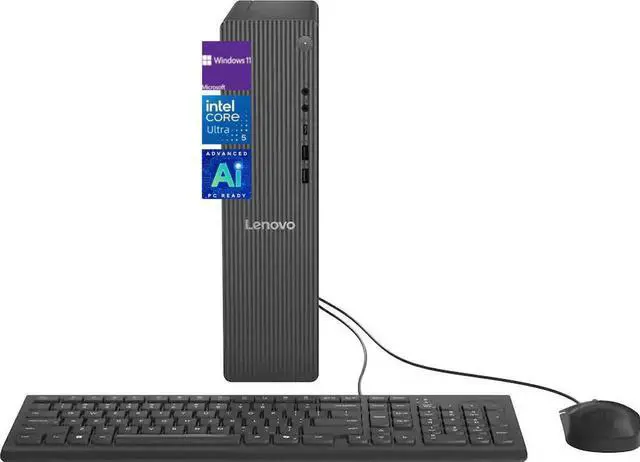
CPU:Intel Core Ultra 5 225 Processor
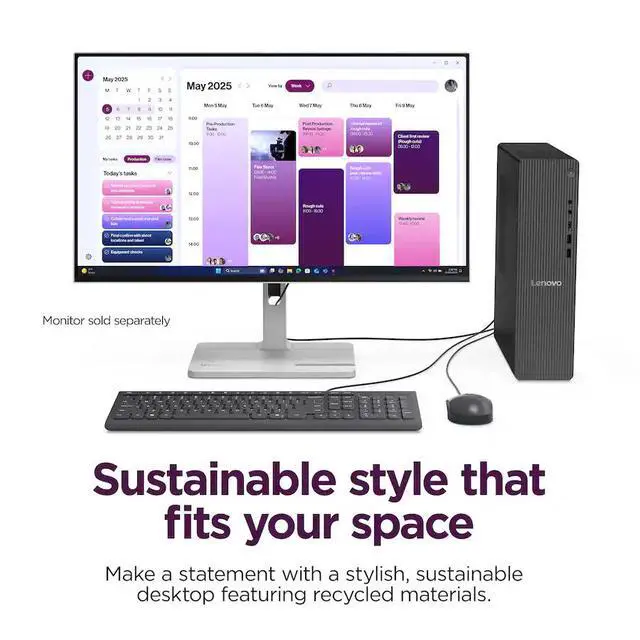
Display:NO
Memory:up to 64 GB DDR5 RAM
Hard Drive:up to 2 TB PCIe NVMe M.2 SSD
Operating System:Windows 11 Home/Pro
Graphics:Intel Graphics
Ports:2 x USB-A 2.0, 4 x USB-A 3.2, 1 x USB-C 3.2,1 x HDMI 2.1
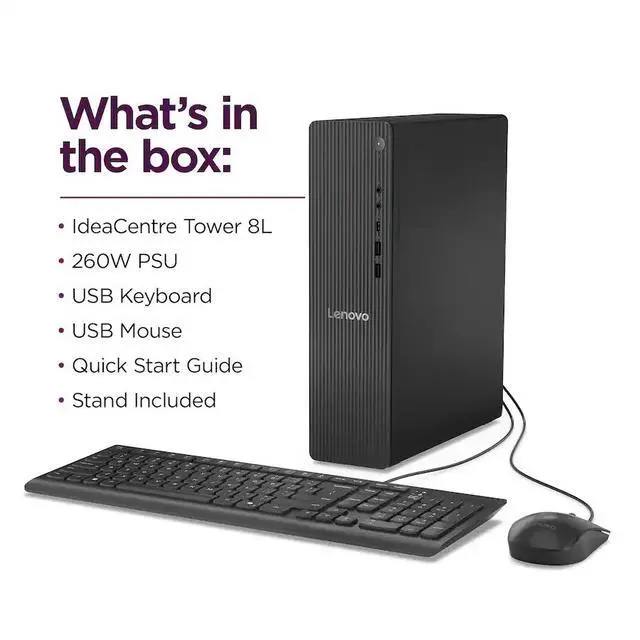
Keyboard and mouse:Wired Keyboard & Mouse Combo
Wireless Connectivity:Intel Wi-Fi 6 (2x2) Gig and Bluetooth 5.3
Battery:260watts Power Supply
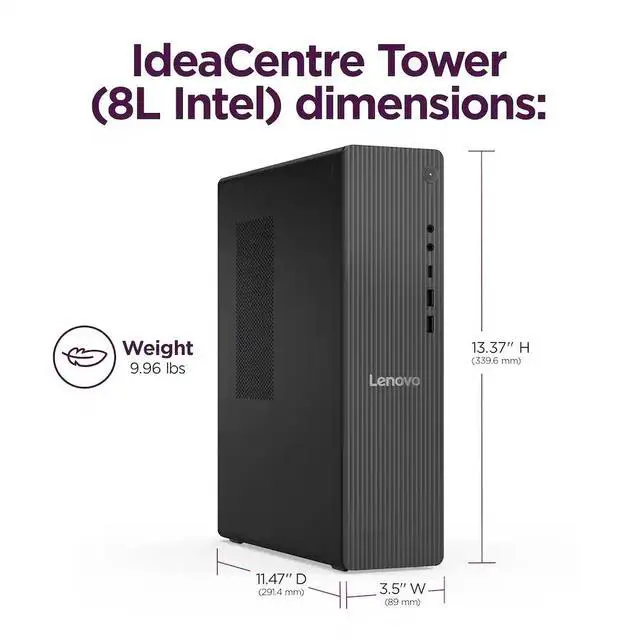
Dimensions:13.37" x 3.5" x 11.47"in,9.1 lb
The Lenovo IdeaCentre Tower is a Windows 11 desktop with an Intel Core Ultra 5 225 processor, 16GB DDR5 memory, and a 512GB NVMe SSD, suited to everyday productivity, web browsing, and home or office use.
| Attribute | Value |
|---|---|
| Best For | A home desktop for everyday computing, with an Intel Core Ultra 5 225 processor, 16GB DDR5 memory and a 512GB SSD |
| Processor | Intel Core Ultra 5 225 (Series 2) |
| Graphics | Intel UHD Graphics |
| Memory And Storage | 16GB DDR5 memory and a 512GB SSD |
| Operating System And AI Features | Windows 11 Home with Copilot+ PC features |
| Wireless Connectivity | Wi-Fi 6 and Bluetooth 5.3 |
| Included Peripherals | Wired keyboard and wired mouse |
| Model Identifiers | Lenovo IdeaCentre desktop PC |
Q: Should I choose the IdeaCentre Tower with Core Ultra 5 225 or Core Ultra 3 205?
A: Choose this Core Ultra 5 225 configuration if you want more CPU cores for running several tasks at once: Lenovo lists 10 cores and 10 threads for the Ultra 5 225, compared with 8 cores and 8 threads for the Ultra 3 205. Both processors are available in the IdeaCentre Tower 08IAS10 family.
Q: Is the IdeaCentre Tower with Core Ultra 5 225 or Core Ultra 7 265 a better fit?
A: Choose this Core Ultra 5 225 configuration for a 10-core, 10-thread processor and everyday multitasking. Choose an IdeaCentre Tower configuration with Core Ultra 7 265 if your priority is a higher core count for more heavily parallel workloads; Lenovo lists 20 cores and 20 threads for that processor.
Q: How does this Core Ultra 5 IdeaCentre Tower compare with an older IdeaCentre Tower using Core i5-14400?
A: Choose this model if you want the Core Ultra 5 225 generation in an IdeaCentre Tower. The older IdeaCentre Tower 08IRR9 configuration uses a Core i5-14400; Lenovo lists that processor with 10 cores and 16 threads, compared with 10 cores and 10 threads for the Core Ultra 5 225.
Q: Does this desktop come with a monitor?
A: No. The monitor is not included and must be supplied separately. A matching Best Buy product Q&A says the desktop includes a keyboard and mouse; the provided specifications identify them as wired.
Q: Can I upgrade the RAM later?
A: The matching IdeaCentre Tower Q&A says the system has two DDR5 UDIMM slots, with one occupied by the included 16GB module. Lenovo has tested that configuration up to 32GB, so check compatibility with Lenovo before buying an upgrade.
Q: Can I add more storage?
A: Yes. The matching IdeaCentre Tower Q&A says the system has a second M.2 SSD slot and a 3.5-inch drive bay, allowing additional internal storage. The desktop comes with a 512GB SSD.
Q: Can it connect to two monitors?
A: The matching IdeaCentre Tower Q&A says it does not provide two native video outputs. Its Lenovo Product Expert describes using the built-in HDMI connection for one display and a USB-A 3.0 video adapter for a second; check the ports on your specific unit before purchasing an adapter.
Q: Will this IdeaCentre handle everyday work, browsing, and photo editing?
A: Its Core Ultra 5 225 processor, 16GB of DDR5 memory, and SSD suit everyday productivity, browsing, and media use. A Reddit discussion about an IdeaCentre Tower with the same processor also considers Illustrator and Photoshop; this listing has 16GB RAM, so demanding projects or heavy multitasking may benefit from more memory. The discussion concerns a different configuration, not this exact listing.
Q: Is the Intel integrated graphics suitable for gaming?
A: This desktop uses integrated Intel Graphics rather than a dedicated graphics card. A Reddit buyer comparing IdeaCentre Tower configurations raised graphics as a concern for MAME and virtual pinball; this model is better considered for light or older games than for demanding modern gaming. The discussion concerns a different RAM configuration.
Q: Can I upgrade the IdeaCentre Tower later?
A: The provided listing does not specify upgrade slots or maximum supported memory. A Reddit discussion about the IdeaCentre Tower 08IAS10 describes expansion options and limits, but configurations can vary. Check the exact model number with Lenovo before buying if you plan to add storage, memory, or a graphics card.