Auusda 16" Business Laptop, AMD Ryzen 5 3500U, 32GB RAM 1TB SSD, Backlit Keyboard, Fingerprint Unlock, Windows 11 Pro Computer, Black
  •  
  • $519.99 –
  • Save: 35%
  • $43.74
  • Free 30-day Returns
  • Sold by Direct from manufacturerOWC
    4.7 (29 seller ratings)

    Shipped by Direct from manufacturerOWC

    Price alert
    Shop it at NeweggBusiness.

    Meet Your Seller

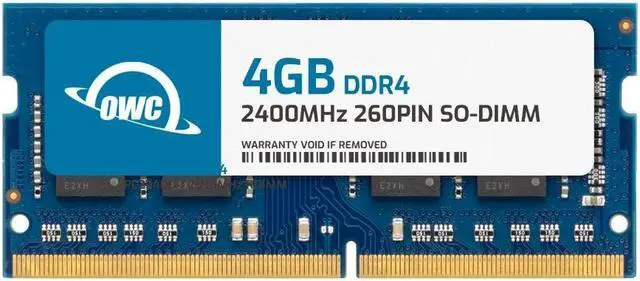
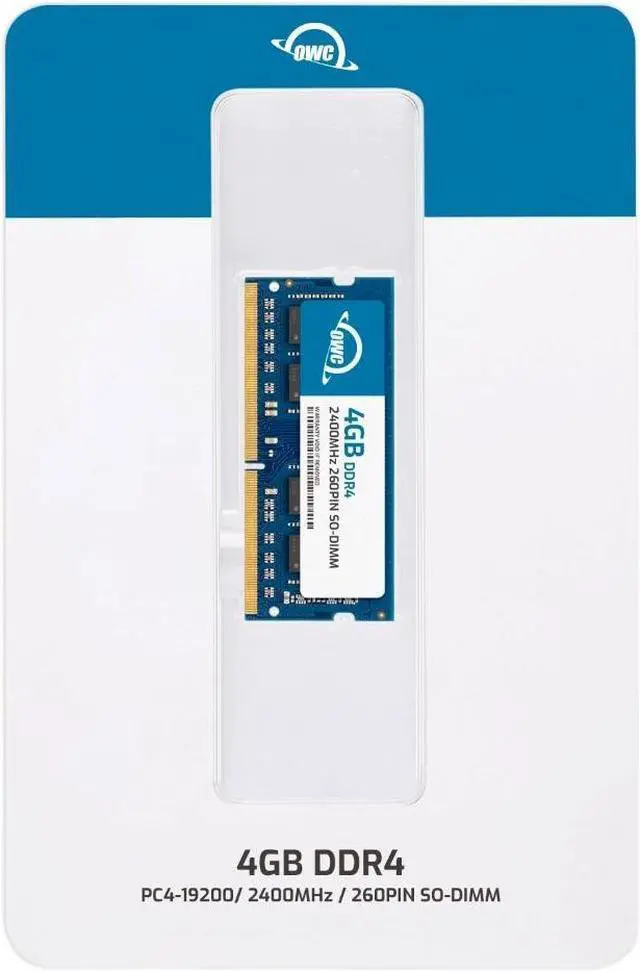
    OWC 4GB Replacement for NCR 1925-K004 497-0531031 497-0531312 - DDR4 2400 PC4-19200 CL17 1Rx8 260-pin 1.2V Non-ECC SODIMM Memory RAM Module Upgrade

    • OWC 4GB DDR4 2400 PC4-19200 CL17 1Rx8 260-pin 1.2V SODIMM Memory RAM Module Upgrade, compatible with NCR part numbers 1925-K004, 497-0531031 and 4970531312.
    • 100% COMPLIANT: JEDEC-Standard and ROHS Compliant. Warranty-Safe Upgrade. Designed and Tested to Meet or Exceed all Manufacturer OEM Specs.
    • INCREASED PERFORMANCE: Memory Upgrades are the Most Effective and Easy Way to Boost your PC's Performance.
    • INDUSTRY LEADING: Consumer-friendly Advanced Replacement Program and Limited Lifetime Warranty, which includes Free Tech Support by Other World Computing.
    • EASY INSTALLATION: In Most Cases, Installing Memory is an Easy DIY project. Watch our OWC Basic Installation Video for Help.
    +
    +
    Overview
    Specs
    Reviews
    See all Q & A

    Any questions? Ask CelesteSM will help you find out quickly.

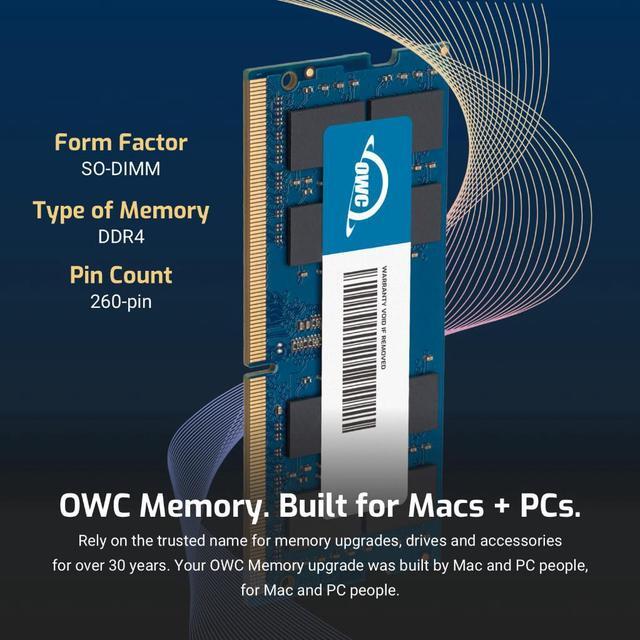
    OWC DDR4 PC4-19200 2400MHz SO-DIMM SPECIFICATIONS

    Technology DDR4
    Speed PC4-19200 2400MHz CL17
    Form Factor 260PIN SO-DIMM
    ECC Type Non ECC
    Voltage 1.2v
    Compatibility Laptops, Notebooks, Mini Desktops, Micro Servers, NAS Systems, POS
    Backward Compatibility Backwards Compatible with 2400MHz and 2133MHz
    204PIN SO-DIMM ddr4 ram 2666mhz memory upgrade for IMAC MAC MINI pc4-21300 pc21300 2018 2019 2020
    imac 667 mhz ddr2 MAC MINI MACBOOK PRO white black ram owc 4gb upgrade 4 PC2-5300 mac memory
    204PIN SO-DIMM ddr4 ram 2666mhz memory upgrade for IMAC MAC MINI pc4-21300 pc21300 2018 2019 2020

    OWC DDR4 PC4-19200 2400MHz SO-DIMM SPECIFICATIONS

    Technology DDR4
    Speed PC4-19200 2400MHz CL17
    Form Factor 260PIN SO-DIMM
    ECC Type Non ECC
    Voltage 1.2v
    Compatibility Laptops, Notebooks, Mini Desktops, Micro Servers, NAS Systems, POS
    Backward Compatibility Backwards Compatible with 2400MHz and 2133MHz
    sodimm
    ddr4
    ram memory
    OWC DDR4 memory is Fully compliant with JEDEC specifications, ROHS compliant, providing a warranty safe upgrade. OWC Memory is the most cost effective and simple DIY upgrade you can install to unleash your Mac or PC's full potential and speed up overall responsiveness. Become a multitasking maven when you upgrade your Mac or PC with OWC Memory. Open more apps. Open larger files. Plus, work with multiple files all at the same time. We test every OWC memory module at our in house lab so you can upgrade with the confidence that your memory is built to last.

    We built your OWC Memory upgrade to meet or exceed the toughest industry specs to provide years of worry-free service. OWC recommends that all DIMMs be the same capacity, speed, and manufacturer to ensure optimal memory performance.

    Warranty & Returns

    Warranty, Returns, And Additional Information

    Warranty

    • Please contact the Seller directly for warranty information. Warranty information may also be found on the Manufacturer's website.
    • Read full details
    • CONTACT

    Return Policies

    • Return for refund within: 30 days
    • Return for replacement within: 60 days
    • This item is covered by OWC Return Policy

    Manufacturer Contact Info

    LOADING...

    The OWC 4GB DDR4-2400 SO-DIMM is a non-ECC laptop memory module for replacing NCR parts 1925-K004, 497-0531031, or 497-0531312, and suits compatible laptops, all-in-one systems, and NAS systems.

    Recommended For

    • NCR KC5 Kitchen Controller owners and restaurant service teams replacing a 4GB module to restore the controller’s specified 4GB DDR4-2400 configuration for kitchen production workflows.
    • Owners or repair technicians working on a compatible DDR4-2400 laptop, all-in-one, or NAS who need a like-for-like 4GB SO-DIMM replacement rather than a larger-capacity upgrade.
    • Budget-laptop owners with a verified, upgradeable SO-DIMM slot who have a light workload and want to add 4GB to an existing 4GB configuration; PCWorld describes 4GB as a possible starting point for basic tasks, with an upgrade path to 8GB.

    Real-World Use Scenarios

    • When a compatible NCR Kitchen Controller 5 (1925) needs its 4GB memory module replaced, this module can restore the controller’s role in receiving POS orders and sending them to kitchen displays; it is a replacement part, not a guaranteed performance upgrade.
    • During a restaurant service rush, a working KC5 controller helps keep incoming POS orders visible on kitchen screens, so staff can follow the production queue instead of relying only on paper tickets.
    • At a kitchen station using a bump bar, the KC5 supports updating the on-screen order queue as items are completed, helping cooks and expediters keep track of active tickets.
    • For quick-service or table-service kitchens, replacing the specified 4GB module can help keep an existing KC5-based kitchen display system in service without changing its established controller configuration.
    • In a convenience-store kitchen or venue concession stand, a functioning KC5 can route POS orders to the kitchen display system, giving back-of-house staff a shared view of what needs to be prepared.

    Spec Summary

    AttributeValue
    Best ForMemory upgrades for laptops, all-in-one systems, and NAS systems; laptop compatibility is also listed
    Capacity4GB memory module
    Memory Speed And LatencyDDR4-2400 (2400 MHz; PC4-19200), CL17, with a listed data transfer rate of 4 Gigabits Per Second
    Module Configuration260-pin DDR4 SO-DIMM laptop memory; non-ECC, unbuffered, and without a heat spreader
    Model IdentifiersOWC; part number 2S4D41R804GB; model number OWC2S4D41R804GB-B946-SF

    Reference Q&A

    Q: Should I get this OWC 4GB DDR4-2400 module or the OWC 8GB DDR4-2400 module?

    A: Choose this 4GB module when a 4GB capacity upgrade matches your system’s needs; choose OWC’s 8GB module when you want twice the memory capacity in one module. Both are DDR4-2400, 260-pin SO-DIMMs with CL17 timing. Confirm your device supports the module capacity and specifications.

    Q: Is this OWC 4GB module or the OWC 8GB (2×4GB) kit a better fit?

    A: Both options use DDR4-2400 SO-DIMMs. Choose this single 4GB module when you want one module; choose the OWC 8GB kit when you want 8GB total across two 4GB modules. Check your device’s available memory slots and supported configuration before choosing.

    Q: Should I choose this OWC 4GB module or an OWC 16GB DDR4-2400 module?

    A: Choose this 4GB module for a 4GB upgrade; choose OWC’s 16GB DDR4-2400 module when you need more capacity in one module and your device supports it. Both are 260-pin SO-DIMMs rated at DDR4-2400 and CL17.

    Q: Will this RAM work in my laptop?

    A: It is a 4GB, 260-pin DDR4-2400 SO-DIMM module. It is suitable only for a system that supports DDR4 SO-DIMM memory and this module’s capacity and speed. Check your laptop or NCR system’s specifications and supported memory limits before buying; the listed NCR part numbers are 1925-K004, 497-0531031, and 497-0531312.

    Q: Is 4GB enough for everyday laptop use?

    A: This module adds or replaces 4GB of memory, so it is best suited to a compatible system that needs a 4GB module or a basic memory replacement. Whether 4GB total is sufficient depends on the computer and workload; check the system’s existing memory and maximum supported capacity before deciding.

    Q: Can I add this module to the RAM already in my computer?

    A: Possibly, if the system has an available SO-DIMM slot and supports the module’s DDR4 type and capacity. Confirm the system’s slot availability and memory configuration first; the product information alone does not establish compatibility with every system or mixed-memory configuration.

    Q: Is this memory difficult to install?

    A: The product information describes installation as a DIY task in most cases, but the process depends on the computer. Check the system’s service manual and confirm that the memory is user-accessible before opening the device.