here!
here!
I’m your shopping assistant for PC builds, upgrades, and everything tech.
Got questions? Ask away!
Start a conversation
here!
I’m your shopping assistant for PC builds, upgrades, and everything tech.
Got questions? Ask away!
Start a conversationShipped by Newegg



Make informed decisions with expert advice. Learn More




Any questions? Ask CelesteSM will help you find out quickly.

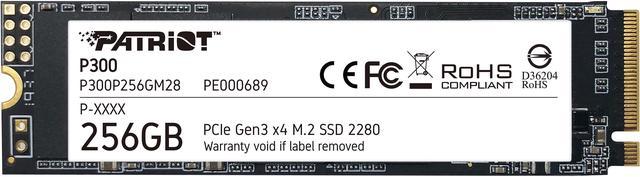
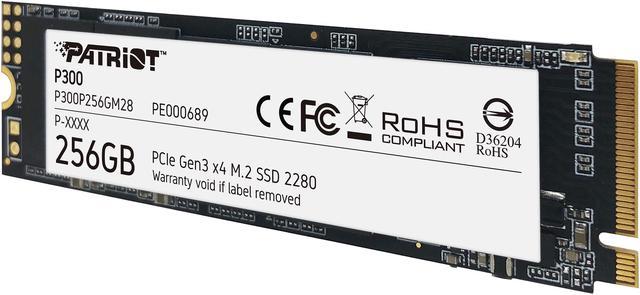
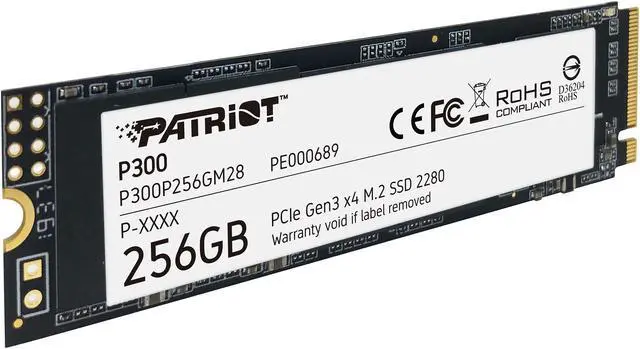
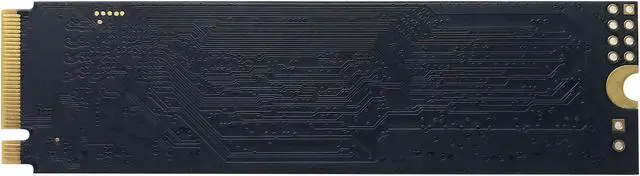
Patriot P300 greatly improves the speed of your laptop or desktop in an M.2 2280 form factor. It utilizes PCIe 3.0 x4 interface to deliver up to 1700MBps* sequential read speed and up to 1100MBps* sequential write speed. Now you can spend less time waiting and get more things done, as everything from boot-up to program launching becomes incredibly fast. Up to 2TB capacity is available to cover your storage needs.
* Speeds vary depending on SSD capacity and computer configuration.
The compact m.2 form factor will fit into any desktop or laptop, while its low power consumption helps extend laptop's battery life and save energy.
The P300's advanced firmware offers ECC technology and end-to-end data path protection to ensure data integrity throughout the entire lifecycle.
Advanced wear-leveling and thermal management features extend the service life of the drive and eliminate sharp speed drop over time.
The Patriot P300 P300P256GM28 is a 256GB M.2 2280 NVMe SSD with a PCIe Gen3 x4 interface, rated for sequential reads up to 1,700 MB/s and writes up to 1,100 MB/s. It suits users upgrading a compatible PC or laptop from a traditional hard drive for faster startup, loading, and file transfers.
| Attribute | Value |
|---|---|
| Best For | General computer use and internal storage or performance upgrades in a compatible M.2 PCIe system |
| Capacity | 256 GB |
| Interface And Form Factor | PCIe Gen3 x4 with NVMe 1.3 connectivity in an M.2 2280 form factor |
| Read Write Performance | Sequential speeds up to 1,700 MB/s read and 1,100 MB/s write; random 4 KB performance up to 290,000 IOPS read and 260,000 IOPS write |
| Cache And Data Protection | DRAM-less design with HMB, ECC technology, and end-to-end datapath protection |
| Power And Operating Conditions | 0.37 W idle and 2.07 W active power consumption; operating temperature 0°C to 70°C |
| Physical Specifications | 80 × 22 × 3.8 mm, 9 g, and no heatsink |
| Model Identifiers | Patriot P300, model P300P256GM28 |
Q: Should I get the Patriot P300 256GB or a 500GB WD Blue SN570?
A: Choose the P300 if 256GB is enough and it costs less; choose the SN570 if you want more space and higher rated sequential transfer speeds. The P300 is rated for up to 1,700 MB/s read and 1,100 MB/s write, while the 500GB SN570 is rated for up to 3,500 MB/s read and 2,300 MB/s write. Both are M.2 NVMe drives, so check that your system supports NVMe. Tom’s Hardware notes that the SN570’s sustained write performance can be weaker than its short-burst performance, so its peak ratings don’t describe every workload.
Q: Is the Patriot P300 256GB or 512GB version a better buy?
A: Choose the 512GB P300 if you expect to store games, media, or larger applications: it doubles capacity and is rated for 160 TBW versus 80 TBW for the 256GB model. Their rated sequential read speed is the same at up to 1,700 MB/s; the 512GB model is rated for up to 1,200 MB/s write versus 1,100 MB/s for the 256GB model. The 256GB version makes sense when lower capacity meets your needs and is meaningfully less expensive.
Q: Should I choose the P300 256GB or step up to the 1TB P300?
A: Choose the 256GB model for a compact boot-drive or light-use setup; choose the 1TB model if you want substantially more room and higher rated sequential speeds. The 256GB model is rated for up to 1,700/1,100 MB/s read/write and 80 TBW; the 1TB model is rated for up to 2,100/1,650 MB/s and 320 TBW. The larger model is the more suitable configuration for storing a bigger application or game library, while the smaller one fits a capacity-limited budget.
Q: Patriot P300 NVMe or a SATA SSD—which should I pick?
A: Pick the P300 when your system has an M.2 slot that supports NVMe and you want higher sequential transfer ratings: the P300 is rated up to 1,700 MB/s read and 1,100 MB/s write, compared with up to 560/530 MB/s for the cited WD Blue SATA SSD. Choose a SATA SSD when your device only supports SATA storage or its available drive connection requires SATA; confirm the interface and form factor before buying.
Q: Will this SSD fit and work in my laptop or desktop?
A: It can work in a computer with an M.2 2280 slot that supports PCIe NVMe. Check the computer’s specifications before buying: an M.2 slot alone does not confirm support for this drive’s size and interface.
Q: Is 256GB enough storage for a main drive?
A: 256GB may suit a basic system drive for an operating system, everyday applications, and documents, but it leaves less room for large games, media libraries, and work files. Choose it if your storage needs are modest or you plan to keep larger files elsewhere.
Q: Can this SSD make an older computer start and load programs faster?
A: It is designed to improve startup, loading, and file-transfer times compared with a traditional hard drive. Its rated sequential speeds are up to 1,700 MB/s read and 1,100 MB/s write; actual performance depends on the computer and workload.
Q: Does this SSD have a DRAM cache, and is that a concern?
A: It has no dedicated DRAM cache and uses Host Memory Buffer (HMB) technology. That is a relevant trade-off to consider if your workload involves sustained, demanding storage activity; the provided specifications do not quantify performance for specific workloads.
Q: Is the Patriot P300 256GB suitable as a Windows boot drive?
A: Yes. Its NVMe interface and listed speeds of up to 1,700 MB/s read and 1,100 MB/s write make it suitable for an operating-system drive, but 256GB leaves limited room for games and other files.
Q: Is 256GB enough for general use or gaming?
A: It can suit Windows, applications, and a small number of games, but 256GB is restrictive for a larger game library or general file storage. Consider a larger drive if the price difference is modest.
Q: Will this SSD work in my M.2 slot?
A: It requires an M.2 2280 slot that supports PCIe NVMe. M.2 slots do not all support the same drive types, so check the motherboard or laptop specifications before buying.
Q: Is the 256GB P300 worth choosing over a larger or SATA SSD?
A: It may make sense when you specifically need a low-capacity NVMe drive for an operating system or a few applications. For broader storage needs, compare its price with larger-capacity options; the product data lists no DRAM cache and 80TBW endurance.