here!
here!
I’m your shopping assistant for PC builds, upgrades, and everything tech.
Got questions? Ask away!
Start a conversation
here!
I’m your shopping assistant for PC builds, upgrades, and everything tech.
Got questions? Ask away!
Start a conversationShipped by Newegg
 Top Rated






Any questions? Ask CelesteSM will help you find out quickly.

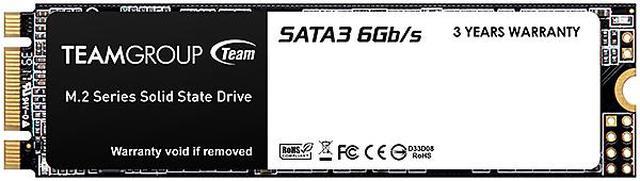
Integrated with outstanding storage performance and ultra-compact body, Team group MS30 M.2 SATA solid state drive is definitely a smart choice for your desktops and mobile computing devices. The Wear Leveling, advanced garbage collection, TRIM command and power saving function work behind the scene to improve your working efficiency and drive life lifespan.

MS30 M.2 SATA solid state drive uses the latest SATA III 6Gb/s transfer interface and offers excellent transfer efficiency and compatibility. For different environment usage, MS30 comes in two sizes, 22x80mm and 22x42mm, and both of them are fully compliant with the M.2 specification. In addition, the capacity is increased to 1TB, which is capable of satisfying all kinds of specification requirements for motherboards, laptops, mobile devices and developing embedded devices.

Intel Smart Response Technology is supported. MS30 M.2 SATA solid state drive allows user to set the solid state drive as the cache memory between the hard disk drive (HDD) and the computer, so the hard drive with high capacity can have a fast response time like the system of solid state drive and improves the overall working efficiency.

MS30 M.2 SATA solid state drive supports advanced garbage collection, wear leveling, TRIM command and power saving function of the next generation. It provides excellent solution for performance, power efficiency and service life.
Overview
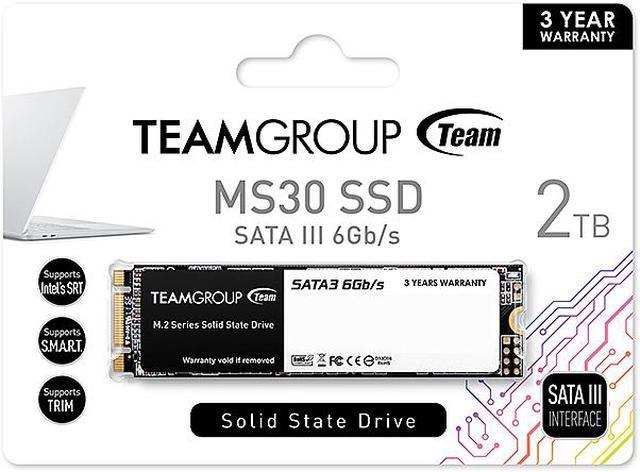
The TEAMGROUP MS30 is a 2TB internal solid state drive for consumer use. Its M.2 2280 form factor and SATA III interface provide storage for compatible Laptop & PC Desktop systems.
Key Features
Performance
The SATA III interface supports transfer speeds of up to 6Gb/s. Maximum sequential performance is up to 550 MB/s read and up to 500 MB/s write.
Design
The M.2 2280 internal SSD measures 3.50mm in height, 22.00mm in width and 80.00mm in depth, with a weight of 10.00g. The memory components are TLC, and the drive has no DRAM with HMB.
Connectivity & Compatibility
The drive uses the SATA III interface and SATA protocol in an M.2 2280 form factor. It is compatible with Laptop & PC Desktop systems and supports use in motherboards, desktops, laptops and embedded devices.
Reliability & Durability
The drive is rated for 1,024TB TBW and an MTBF of 1,500,000 hours. Operating temperature is 0°C ~ +70°C, storage temperature is -40°C ~ +80°C, and operating humidity is RH 90% under 40 celsius degree. Maximum shock resistance is 500G, 2 m/sec, and maximum vibration resistance is 80-2,000 Hz / 20G.
Specifications
The TEAMGROUP MS30 is a 2TB M.2 2280 SATA III SSD for users upgrading a compatible laptop or desktop who want substantial storage and sequential speeds up to 550 MB/s read and 500 MB/s write.
| Attribute | Value |
|---|---|
| Best For | Consumer storage for personal, gaming, and business use in compatible laptops and desktop PCs |
| Capacity And Flash | 2 TB of TLC flash storage |
| Interface And Form Factor | Internal M.2 2280 SSD using the SATA III (SATA 6 Gb/s) interface and protocol |
| Read And Write Performance | Sequential speeds up to 550 MB/s read and 500 MB/s write |
| Cache And Storage Features | No DRAM cache (HMB); supports Intel Smart Response Technology (SRT), S.M.A.R.T., TRIM, and power-saving technology |
| Endurance And Reliability | 1,024 TBW endurance rating and 1,500,000-hour MTBF |
| Operating Environment And Durability | Operating temperature 0°C to 70°C; storage temperature -40°C to 80°C; operating humidity up to 90% RH below 40°C; shock resistance up to 500G at 2 ms and vibration resistance of 20G from 80 to 2,000 Hz |
| Physical Specifications | 80 × 22 × 3.5 mm; weighs 10 g |
| Model Identifiers | TEAMGROUP MS30, model TM8PS7002T0C101 |
Q: Will the TEAMGROUP MS30 work in an M.2 NVMe-only slot?
A: Not necessarily. The MS30 is an M.2 2280 SATA SSD, so the motherboard or laptop’s M.2 slot must support SATA drives; an M.2 connector alone does not guarantee compatibility. Choose the MS30 when the system supports M.2 SATA, and check the system specifications before buying.
Q: TEAMGROUP MS30 vs WD Blue SA510 2TB: which should I choose?
A: Both are 2TB M.2 2280 SATA SSDs with similar advertised sequential speeds. The MS30 is rated for up to 550/500 MB/s read/write and 1,024 TBW; the WD Blue SA510 is rated for up to 560/520 MB/s and 500 TBW, with a five-year limited warranty. Choose the MS30 if its higher rated write endurance is your priority; choose the SA510 if its longer stated warranty is more important.
Q: Should I buy the MS30 or a PCIe NVMe M.2 SSD?
A: Choose the MS30 for a system that supports M.2 SATA or when SATA performance is sufficient for the intended use. Choose a PCIe NVMe SSD when the system supports NVMe and the workload benefits from higher interface bandwidth, such as frequent large-file transfers. Confirm the system’s supported interface before selecting either type.
Q: Is the 2TB MS30 worth choosing over the 1TB version?
A: Choose the 2TB MS30 if you need more storage or want the higher listed capacity-specific endurance rating: TEAMGROUP lists up to 1,024 TBW and 550/500 MB/s sequential read/write for 2TB, compared with 512 TBW and 530/480 MB/s for 1TB. The 1TB version is suitable when it provides enough space and costs less.
Q: Will this M.2 SSD work in my laptop or desktop?
A: It will fit a device only if the M.2 slot supports SATA drives, the 2280 form factor, and the drive’s 2TB capacity. M.2 describes the form factor, not the interface: an M.2 slot that supports NVMe only may not work with this SATA SSD. Check the device or motherboard specifications before buying.
Q: Is it suitable as a primary drive for everyday work and gaming?
A: It can serve as a primary drive for everyday computing, office tasks, and game storage if the system supports M.2 SATA. Its sequential speeds are rated up to 550 MB/s read and 500 MB/s write. Because it uses SATA rather than NVMe, it is best suited to SATA-level performance expectations.
Q: Can I use it to upgrade storage in a laptop or desktop?
A: Yes, if the computer has an available M.2 2280 slot that supports SATA. Before installing it, verify the system’s supported interface and maximum drive capacity; an M.2 slot alone does not guarantee SATA compatibility.
Q: Is 2TB enough for games, files, and applications?
A: The drive provides 2TB of stated capacity, which can accommodate an operating system, applications, games, and personal files depending on their size. Confirm that the computer supports a 2TB M.2 SATA drive before purchasing.
Q: Will the TEAMGROUP MS30 work in any M.2 slot?
A: No. The MS30 is an M.2 2280 SATA drive, not an NVMe drive. Check the computer or motherboard specifications to confirm the specific M.2 slot supports SATA; a slot that supports only NVMe may not recognize it.
Q: Should I choose the MS30 over an NVMe SSD?
A: Choose the MS30 when you need a SATA M.2 drive and your device supports that interface. Its advertised sequential speeds are up to 550 MB/s read and 500 MB/s write; choose an NVMe drive if your device requires NVMe or you want higher interface speeds.
Q: Is the MS30 suitable as extra storage for games or media?
A: It can serve as extra storage for games or media if the system has an M.2 slot that supports SATA. A Reddit user reports using an MS30 for game storage; the drive’s SATA interface has lower advertised sequential speeds than NVMe drives.