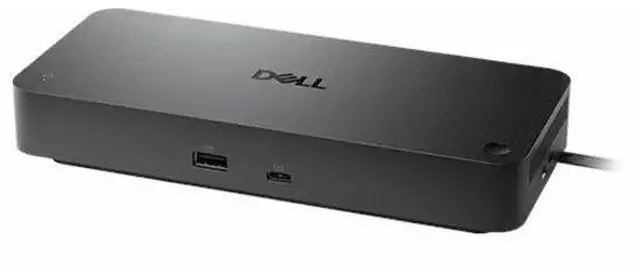
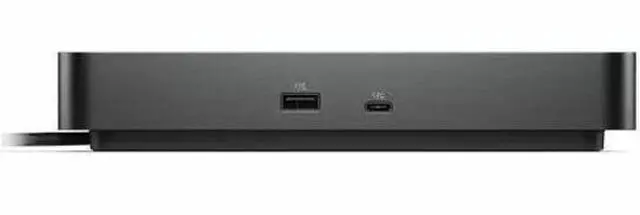
The Dell Pro Dock WD25Z is a USB-C docking station for compatible laptops and desktop PCs, suited to users who want to connect multiple peripherals, wired 2.5GbE networking, and external displays through one dock.
Recommended For
- Dell laptop users setting up a regular desk or home-office workspace who want one USB-C connection for charging, monitors, USB peripherals, and wired Ethernet.
- Office workers using two or three external displays for documents, spreadsheets, dashboards, or video calls, provided their laptop supports the required display setup.
- IT-managed Dell workspaces that benefit from features such as PXE boot, MAC address pass-through, Wake-on-LAN, and dock firmware management.
- Non-Dell laptop owners whose USB-C port supports DisplayPort Alt Mode and who can work with up to 96W of dock-delivered charging.
Real-World Use Scenarios
- At a home or office desk, a user connects a compatible laptop to the dock to use desk displays, USB accessories, and wired networking through one dock connection; the laptop can also charge while connected, subject to its USB-C display support and power requirements.
- For spreadsheet, document, and communication-heavy work, a user connects multiple external monitors to keep apps visible side by side; the number and resolution supported depend on the computer’s display capabilities and dock configuration.
- When returning to a desk, a user leaves a keyboard, mouse, external storage, and other USB devices connected to the dock; reconnecting the laptop brings those accessories back into the setup without plugging each one in separately.
- For large file transfers or a more consistent office connection, a user plugs the dock into wired Ethernet instead of relying on Wi-Fi; the actual network speed depends on the computer, network equipment, and service.
- In a shared or hot-desk workspace, a user can keep monitors and common peripherals attached to the dock and connect a compatible laptop when sitting down; compatibility and charging behavior vary by laptop.




 here!

 Hot Seller