
Your Browsing History

Any questions? Our AI beta will help you find out quickly.
Try me now
Quick View
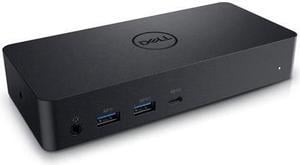
Dell Docking Station Universal Dock D6000 (FNVXM / 452-BCYT)

- Compatibility: Designed For Inspiron 14 7460, 15 Gaming 7567; Latitude 13 3379 2-in-1, 13 3380, 3189, 3480, 3580, 5280, 5285 2-in-1, 5289 2-In-1, 5480, 5580, 7280, 7480; Vostro 14 5468, 15 3568, 15 5568; XPS 13 9365 2-in-1 System Requirements OS Required Windows 7, 8, 8.1, 10 (32/64bit) or later System Requirement (Recommended) PC's equipped with USB3.0 or USB-C port DisplayLink Driver installation Refer user guide for details of system specs requirement
- Ports Spec: 1 x USB Type C 1 x display / video - HDMI 2 x display / video - DisplayPort 1 x USB host 3 x SuperSpeed USB 3.0 1 x SuperSpeed USB 3.0 with PowerShare 1 x USB Type C with PowerShare 1 x headphones / speakers
- Dimension: 1.20" x 3.10" x 6.60"
- Weight: 0.84 lb.
- Model #: DELL D6000
- $219.99
- $99.99 –
- Save: $120.00 (54%)
- More options from $99.99 - $455.76
- Free Shipping
Quick View
in 30 days
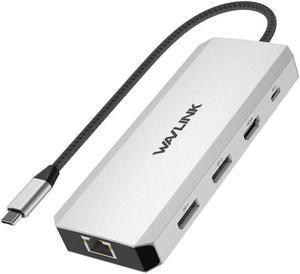
WAVLINK Triple Monitor Laptop Docking Station | 12-in-1 USB C Hub with 4K HDMI | Dual 4K DP | 100W PD Charging | USB3.0 | USB2.0 | RJ45 | SD/TF Slots | Audio/Mic - MacBook/Dell/HP/Lenovo
Limited time offer, ends 05/10
- Part Number: 1x USB-C(PD IN,100W), 1x HDMI (4K@60Hz), 2x DisplayPort(4K@60Hz), 1x Gigabit RJ45, 2xUSB3.0-A(5Gbps), 2 x USB2.0-A(480Mbps), 1x SD Card Slot, 1x TF Card Slot, 1 x Audio/Mic Port
- Compatibility: Systems/ Devices Compatibility Plug and play on Windows 11/10/8.1/8/7, Mac OS, Chrome OS, Linux, iPad OS, Harmony OS, Android. Works with your USB-C Desktop PCs, Laptops, Tablets/Mobile Phones(OTG function required).
- Weight: 0.27Lbs
- Parts: How to Confirm if the Type-C Port of Your Laptop Supports Video Output and Charging? Step 1: Please check the model of your laptop, it should be on the back of the label; Step 2: Search “brand + the model number of the device + manual” in Google, for example:
- Model #: WL-UMD303


Quick View
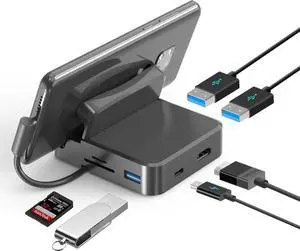
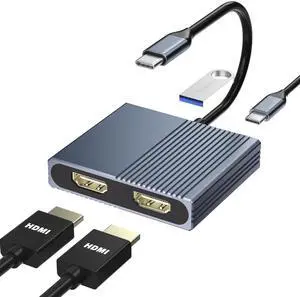
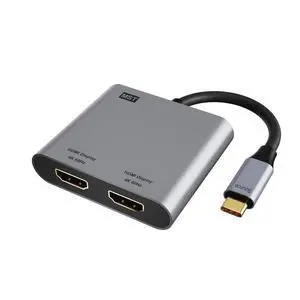
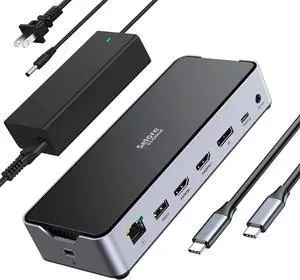
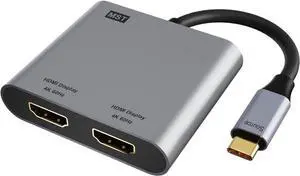
Laptop Docking Station Dual Monitor, USB C Docking Station for Dell/HP/Lenovo/Mac, Dual HDMI Adapter for 2 Monitors, USB Type-C Hub with USB3.0/PD, USB C to Double HDMI Adapter
- Brand: Belkin
- Series: 4 IN 1, Movcle
- Compatibility: MacBook/MacBook Pro 2021 2020 2019 2018 2017,MacBook Air 2020-2018,Dell XPS12(9250) /Dell XPS13(9350) /Dell XPS15(9550), Dell Latitude 13 7000/Lenovo Yoga 720/ Yoga 910/ Yoga 920/ Yoga 930/HP Probook 450 G5/6/7 HP Chromebook 14/Surface Book 2 Surface Go Surface Pro 7 Surface Pro X Surface Laptop 3 and more
- Ports Spec: 1 x USB 2.0
- Model #: 556117988055
- $42.99 –
- Free Shipping

Quick View
USB C to Dual HDMI Adapter 4K@60Hz, 2-in-1 Dual Monitors Adapter USB C Hub with 2 HDMI Docking Station, USB C to HDMI Splitter for MacBook Air/Pro, Dell XPS, HP, etc
- Model #: Fahint418367069354
- $39.48 –
- Free Shipping
Quick View
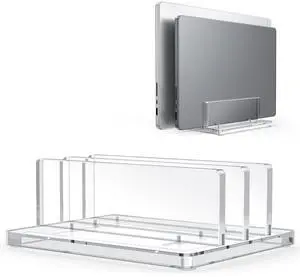
Vertical Laptop Stand for Desk, Acrylic Dual Laptop Holder Desktop Clear Adjustable Dock for MacBook Pro Air, HP, All Gaming Laptops up to 17 (Clear, Dual Slot)
- Brand: Belkin
- Series: LD06
- Part Number: LD06
- Color: Black
- Model #: 434705888681
- $33.99 –
- Free Shipping