

Your Browsing History
- Free 30-day Returns
$109.71
Ships from China.


Meet Your Seller


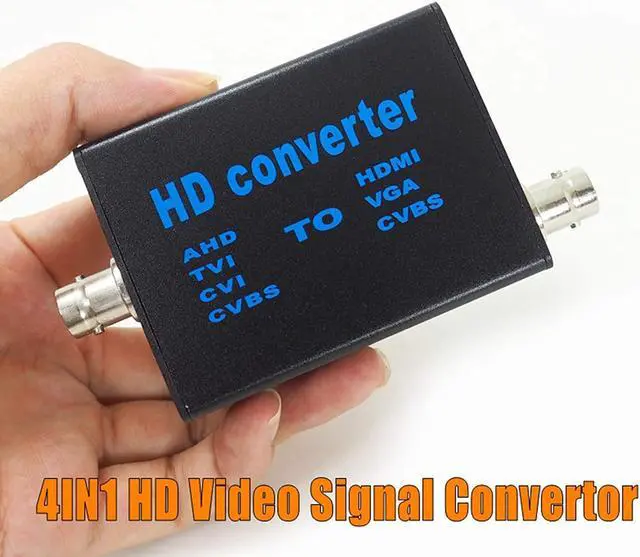




BNC to HDMI Video Signal convertor , 4-in-1 Composite CVBS AHD TVI CVI to HDMI Video Converter Adapter Supporting BNC Cable to HDMI VGA BNC(CVBS) for Camera /DVR/ CCTV Security System
Limited time offer, ends 07/05 By GGnix
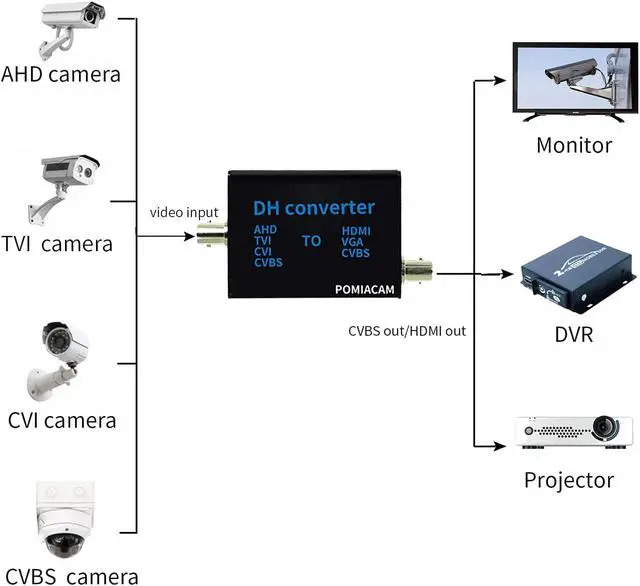
- AHD/TVI/CVI/CVBS video signal to HDMI/VGA/CVBS convertor This is a 4 in 1 high definition convertor, it convert AHD/TVI/CVI/CVBS signal, then you get the HDMI . this item recognize input automatically. compatible with 1080P,960P,720P,480P input. output support 1080P and 720P. You can shift by button on convertor. MPS wide power 5V-20V design helps widely used different working conditions.
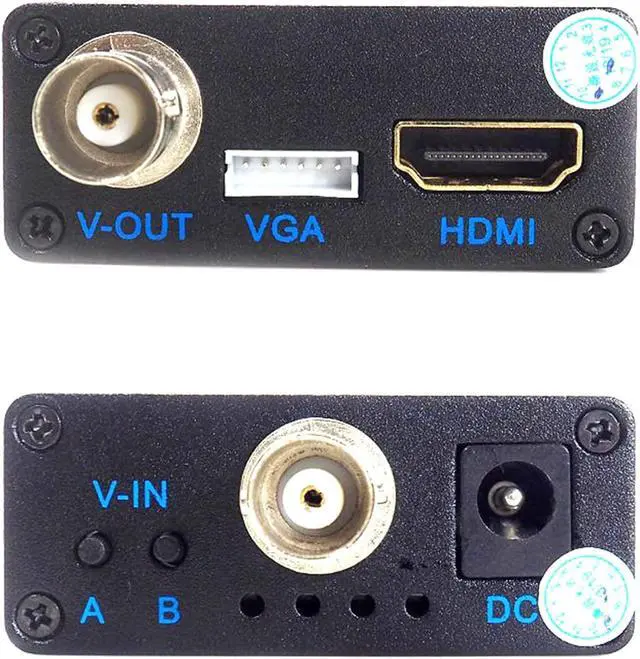
- High definition video signal convertor Front panel instructionPort/Function: A: Output signal shift / B: Signal output resolution or TV mode shift / V-IN: Signal input (AHD TVI CVI CVBS) / DC: Power input 5V-20V / Indicator (From left to right) : VGA signal, CVBS signal, HDMI signal, Power (Red)
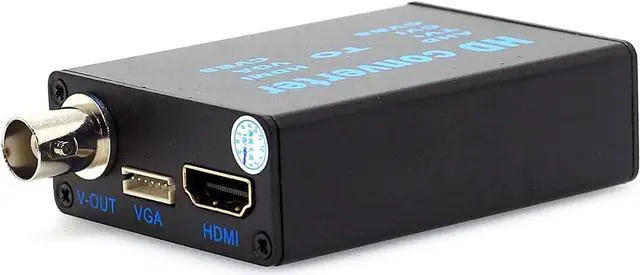
- video convertor Rear panel instructionPort/Function : V-OUT: CVBS signal output (NCTS or PAL optional) / VGA: VGA signal output / HDMI: HDMI signal output[720P or 1080P optional]
- Convertor Signal input it support 1080P/960P/720P AHD,1080P/960P/720P TVI,1080P/960P/720P CVI, CVBS Signal ,You can con
+
+
Overview
Specs
Reviews

Any questions? Our AI beta will help you find out quickly.
Try me now
High definition video signal convertor Factory Direct 4-in-1 high definition video signal convertor AHD41, AHD/TVI/CVI/CVBS signal to HDMI/VGA/CVBS signal convertor
How to use:
1. Connect with original 12V power adapter to DC port, after power on, the RED light on;
2. V-IN connect with video signal input, the other side connect with the device which to receive converted video signal;?
3. If you connect V-OUT/VGA/HDMI at the same time, press button A to shift different signal to display. The default output signal type is HDMI.
4. When using HDMI output, press button B to shift Video resolution between 1080P or 720P.
5. When using CVBS output, press Button B to shift PAL/NTSC mode.
Front panel instruction:
Port/Function:?
A: Output signal shift
B: Signal output resolution or TV mode shift
V-IN: Signal input (AHD/TVI/CVI/CVBS
DC: Power input5V-20V
Indicator (From left to right) : VGA signal, CVBS signal, HDMI signal, Power (Red)
Rear panel instruction:
Port/Function
V-OUT: CVBS signal output (NCTS/PAL optional)
VGA: VGA signal output
HDMI: HDMI signal output720P/1080P optional
Specifications
Power: DC 5V-20V
Working Current: 150mAh
Consumption: 2Wat
Signal input: AHD/TVI/CVI/CVBS1080P/960P/720P
Signal output: HDMI / VGA / CVBS(1080P/720P)
Dimension: 66*53*21mm
Net Weight: 73g
Accessories:?
Convertor*1
12V Power adapter*1?
Manual*1?
VGA module*1
FAQ
1. Why there has no video after I connect V-IN and V-OUT?
A. Please confirm if the monitor signal type is same as convertor output type. And please confirm if convertor signal shift to the correct mode.?
2. Can I use my own power adapter with convertor
A. Convertor support 5V-20V power input, please use the adapter within this range and good quality.?
Warranty & Returns
Warranty, Returns, And Additional Information
Warranty
- Please contact the Seller directly for warranty information. Warranty information may also be found on the Manufacturer's website.
- CONTACT
Return Policies
- Return for refund within: 30 days
- Return for replacement within: 30 days
- This item is covered by GGnix Return Policy
Manufacturer Contact Info
- For a directory of all our manufacturers, please click below.
- Manufacturers Directory
LOADING...