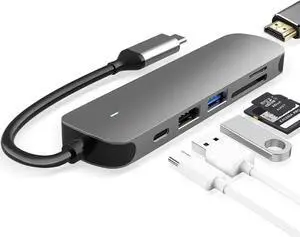
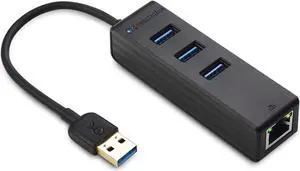
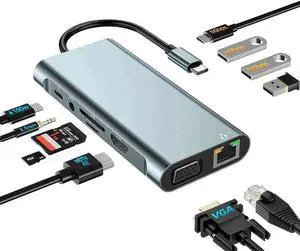
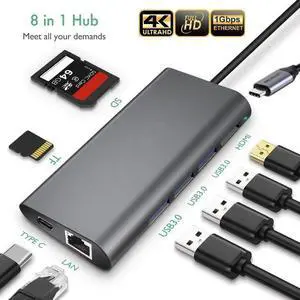
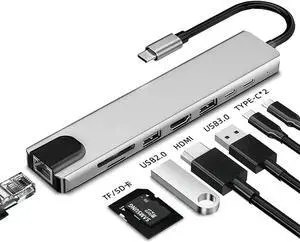
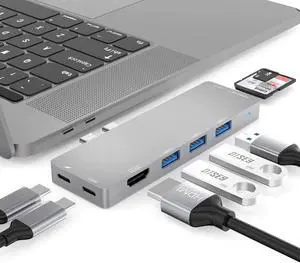
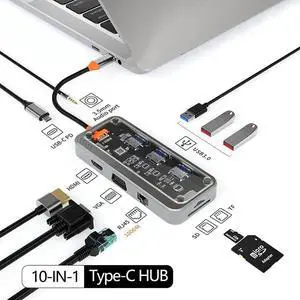
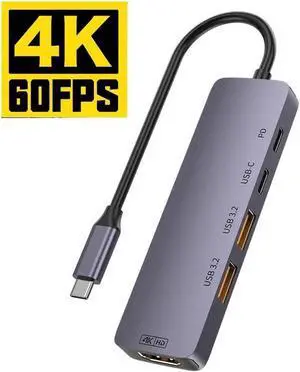
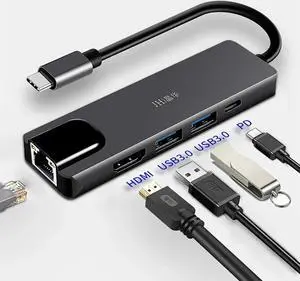
Part Number: 1x USB-C(PD IN,100W), 1x HDMI (4K@60Hz), 2x DisplayPort(4K@60Hz), 1x Gigabit RJ45, 2xUSB3.0-A(5Gbps), 2 x USB2.0-A(480Mbps), 1x SD Card Slot, 1x TF Card Slot, 1 x Audio/Mic Port
Compatibility: Systems/ Devices Compatibility Plug and play on Windows 11/10/8.1/8/7, Mac OS, Chrome OS, Linux, iPad OS, Harmony OS, Android. Works with your USB-C Desktop PCs, Laptops, Tablets/Mobile Phones(OTG function required).
Weight: 0.27Lbs
Parts: How to Confirm if the Type-C Port of Your Laptop Supports Video Output and Charging? Step 1: Please check the model of your laptop, it should be on the back of the label; Step 2: Search “brand + the model number of the device + manual” in Google, for example:
Ports Spec: 3 x USB-A Port: 5Gbps 1 x USB-A 5Gpbs (USB BC1.2 Fast Charge) 2 x HDMI (1x2K, 1x4K) 1 x 4-pole phone Jack 1 x USB-C I/P: Upstream Charging 100W Max 1 x DC Power Jack Port 1 x RJ45 Gigabit Ethernet
Compatibility: Compatible Systems
- Windows 11/10
- Mac OS 13 or later
- Android 8.0 or later
- Ubuntu
-ChromeOS
Features: -The upstream USB-C port provides the host laptop with 100W charging.
-Two USB ports support 10Gbps data transmission.
-RJ45 Ethernet port provides 10/100/1000M/2.5G high-speed network.
-Five video ports(3*HDMI+2*DP) support up to 4K@60Hz resolution.
-Supports extend and mirror video modes through display interfaces.
-PD IN 3.0 passthrough provides 120W power supply for the docking station.
Part Number: Ports: Side 1: Power LED; 3x USB-A 5Gbps; 1x 3.5mm Earphone; 1x 3.5mm Mic; SD/TF Card Reader(312MB/s)
Side 2: 1x RJ45(10/100/1000Mbps); 2x HDMI (2K@60Hz); 1x 4K HDMI(Alt. Mode); 2x USB-A 5Gbps; 1x USB-C Upstream (Host, PD100W); 1x DC IN(20V)
Compatibility: Works with Windows 10/11, Mac OS 11.x-15.x and later, Chrome OS, Ubuntu, Android, and HarmonyOS. Compatible with popular laptops like M1/M2/M3/M4 MacBooks, Dell, ASUS, etc.
*Not compatible with Linux, Unix, iOS, iPadOS. Requires DisplayLink driver installation; not plug-and-play.
Features: - Three HDMI ports support video output simultaneously: one HDMI port can support the resolution up to 4K@60Hz and the other two support up to 2K@60Hz. - Extend/Mirror video modes are available for multiple tasks. - 130W Power Supply delivers maximum 100W power upstream to charge your laptop. - A...
Compatibility: Installation Before using this dock, please make sure that the latest PC/laptop drivers are installed (including USB, graphics card etc) because the network port needs specific drivers. For Windows 10, the system detects and automatically installs them after the dock is connected to the network. If drivers cannot be automatically installed, the network port can’t perform properly. Please install them manually. For MAC OS system, you need to install the network port driver manually, please visit www.wavlink.com > Support > Driver > PC peripherals > USB Docking. 1. The dock is driver free, therefore you don’t need to install any driver before using it. 2. Plug the power adapter of the dock in a power outlet. 3. Connect the USB-C connector of the dock to your host laptop/PC, the LED light on the dock will turn blue. 4. Connect your monitor(s) to video ports of ...