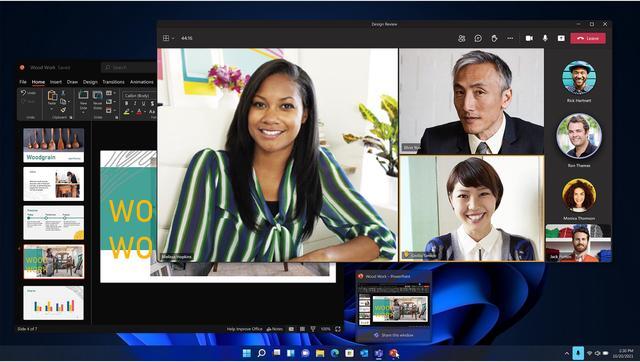
Microsoft Windows 11 Pro Upgrade is a digital download for moving an eligible Windows Home device to Pro; it suits users who want built-in security protections and familiar deployment and update tools, provided their PC meets Windows 11 requirements.
Recommended For
- People who need to connect to their PC remotely—for example, to reach files or apps on a home or office desktop while away. The PC being accessed must run Pro; the device connecting to it can run Home or another edition.
- Developers and IT learners who want to create and run local virtual machines with Hyper-V for testing software, operating systems, or development environments.
- People carrying sensitive work or personal files on a laptop who need BitLocker Drive Encryption’s additional configuration and management options beyond Windows Home’s Device Encryption.
- Employees or small-business users whose PC must join an organization’s domain or Microsoft Entra ID and use centrally managed work-device settings.
Real-World Use Scenarios
- You want to connect to your home or office PC from another device while away. Windows 11 Pro can host Microsoft Remote Desktop sessions, so you can access that PC remotely once Remote Desktop and the connection are configured.
- You carry a laptop with work or personal files and want more control over drive encryption if it is lost or stolen. Pro includes BitLocker Drive Encryption; save the recovery key somewhere you can access if Windows asks for it.
- Your small-business or work PC needs to connect to company identity and device-management systems. Pro supports business enrollment and management workflows, letting an organization apply its configured policies and manage the device.
- You need to check an unfamiliar app or file without installing it directly on your everyday desktop. Windows Sandbox provides a temporary, isolated Windows environment; closing it discards its contents and changes.
- You develop software or support multiple Windows environments and want to run test systems separately from your main desktop. Pro supports Hyper-V virtual machines, provided the PC also meets Hyper-V’s hardware requirements.
Spec Summary
| Attribute | Value |
|---|
| Best For | Upgrading an eligible Windows Home device to Windows 11 Pro with a digital download |
|---|
| Operating System And Upgrade | Windows 11 Pro upgrade for devices running Windows 11 Home; eligible Windows 10 Home devices can upgrade from Windows 10 version 2004 or later |
|---|
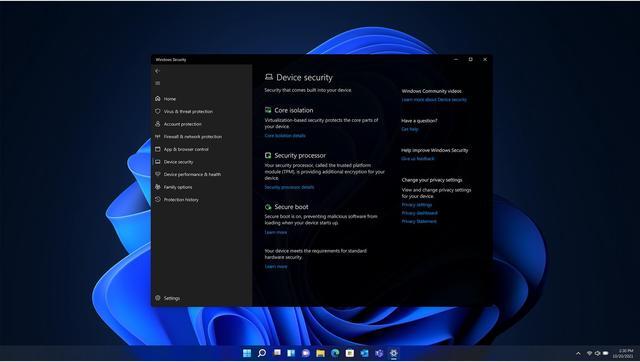
| System Requirements | Compatible 64-bit processor or SoC at 1 GHz or faster with 2 or more cores; 4 GB RAM; 64 GB or larger storage; UEFI firmware with Secure Boot capability; TPM 2.0; DirectX 12-compatible graphics with a WDDM 2.0 driver; and a 720p display larger than 9 inches with 8 bits per color channel. Internet access is required for updates and some features; a Microsoft account is required for some features |
|---|
| Delivery | Digital download |
|---|
| Model Identifiers | Microsoft model 5VR-00244 |
|---|




 here!