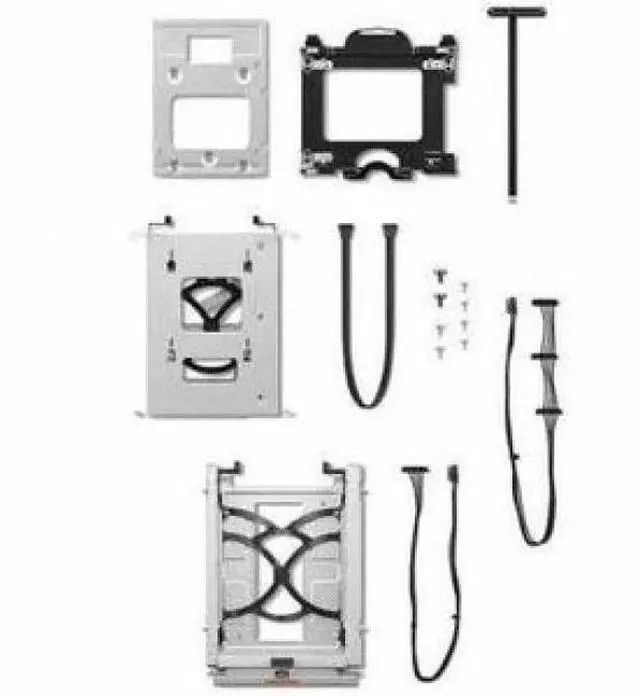
The Lenovo ThinkStation Storage Kit is a bracket kit for installing 3.5-inch or 2.5-inch HDDs in a ThinkStation P3 Tower, suited to owners expanding storage in a compatible workstation.
Recommended For
- ThinkStation P3 Tower owners adding internal SATA storage for large project files, media libraries, or local backups; the kit supplies drive cages, a 2.5-inch bracket, and cables, but not the drives.
- P3 Tower users who want to add or configure 3.5-inch and 2.5-inch SATA drives using Lenovo-specific mounting hardware and cabling.
- IT staff or workstation maintainers servicing compatible P3 Tower systems who need the specified storage brackets and cables for an internal drive installation.
- P3 Tower owners expanding SATA drive capacity who are willing to check their system configuration and install the hardware themselves.
Real-World Use Scenarios
- When a ThinkStation P3 Tower runs short on space for project files or archives, use the kit to mount a compatible 3.5-inch HDD; the drive adds local storage without replacing the existing system drive.
- When adding a 2.5-inch SATA SSD or HDD to a P3 Tower, use the kit’s dedicated bracket and cables; it provides a way to mount the drive inside the workstation, subject to the system’s available connections.
- For a workstation that needs separate storage for active work and less-used files, install a compatible 3.5-inch HDD alongside the existing storage; this can keep large files on a separate drive, though it does not itself configure backups or RAID.
- When expanding a P3 Tower with more than one supported drive, use the kit’s mounting hardware for the applicable 3.5-inch and 2.5-inch drives; check the specific workstation configuration and connections before installation.




 here!

 Hot Seller
 Top Rated