Acer Nitro V16 16.0" WUXGA 180Hz Gaming Laptop, Intel Core 7 240H, GeForce RTX 5060, 32GB DDR5, 512GB PCIe Gen 4 SSD, Windows 11 Home ANV16-72-73C7
  •  
  • $1,349.99 –
  • Save: 20%
Out of stock
  • $85.99
  • Free 30-day Returns
Most customers receive within 7-9 days.
Price alert
NAS Builder
Newegg PC Builder
Shop it at NeweggBusiness.

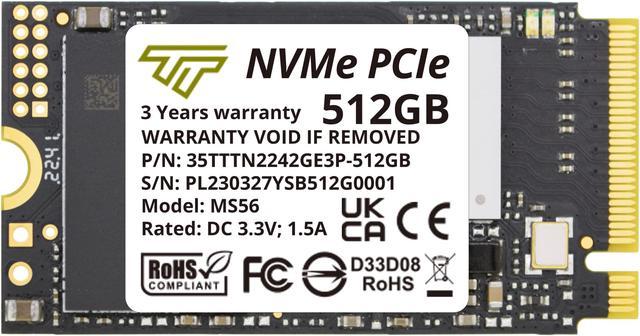
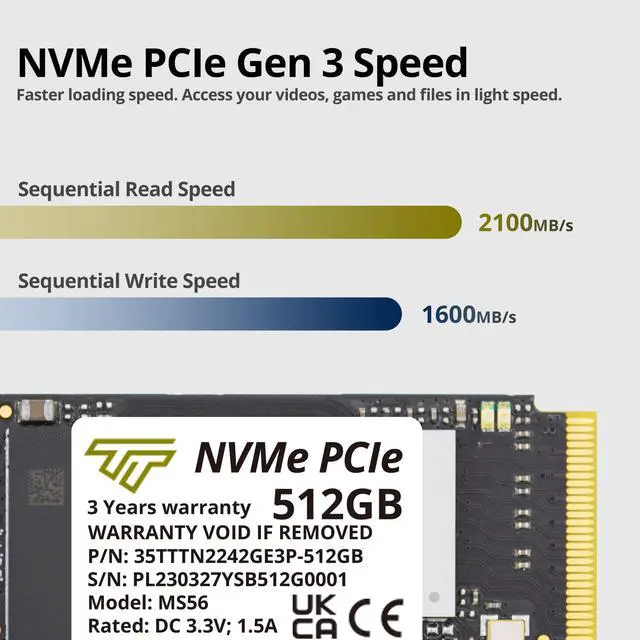
Timetec 512GB M.2 2242 SSD NVMe PCIe Gen3x4 3D NAND TLC Read/Write Speed Up to 2,100/1,600 MB/s Compatible with Lenovo Thinkpad X1 Nano Gen 2 /ThinkPad 11e Yoga Gen 6 /Thinkpad E15, Laptop and Desktop

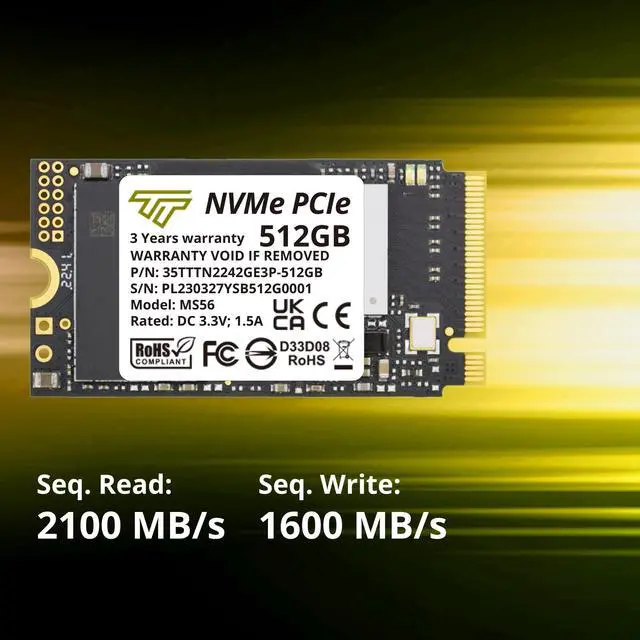
  • Size (22mmx42mm) NVMe PCIe Gen3x4 3D NAND Breakthrough Read and Write Speeds: Sequential Read Speed up to 2,100MB/s and Write Speed up to 1,600MB/s, the advanced SLC Cache Technology allows performance boost and longer lifespan
  • An industry-leading 1,500,000 hours mean time before failure (MTBF) and up to 600TB Written (TBW, Terabyte Written) for enhanced reliability
  • Support S.M.A.R.T. technology, TRIM command functions, Garbage Collection technology, Wear-Leveling technology, Power Management Support for APST / ASPM, RAID, ECC (Error Correction Code), LDPC (Low-Density Parity Check) , ONFi 2.3, ONFi 3.0, ONFi 3.2 and ONFi 4.0 interface to provide the optimized performance
  • Includes: M.2 2242 NVMe PCIe3x4 SSD (All Other Cables, Screws, Brackets Not Included); Five years limited warranty with free technical support service (Timetec M.2 PCIe SSDs which are purchased on or after August 1, 2020 have a 5-Year extended warranty)
🔥Don't forget your OS, we have Windows 11 OEM, Download and USB versions available
+
+
Overview
Specs
Reviews (1)
See all Q & A

Any questions? Ask CelesteSM will help you find out quickly.

M.2 2242

This Timetec SSD is designed to use the NVMe PCIe interface efficiently during both READs and WRITEs while delivering bandwidth-focused performance. 3D NAND Flash SSD technology enables enhanced boot times, faster application load times, reduced power consumption, and extended reliability.

M.2 2230
Fast and Reliable
Timetec Premium M.2 2242 PCIe Gen3x4 SSD
  • 3 Times Faster Than SATA and High Efficiency Performance
  • Industry-leading 1,500,000 hours mean time to failure (MTTF)
  • Low Power Consumption for Longer Use
  • 5 years product care
3 Times Faster Than SATA

This Timetec PCIe NVMe SSD is 3 times faster than the SATA Interface. Its ideal for reading and writing large amounts of game data, complex graphics, or loading heavy duty video and graphics editing software.

M.2 SATA
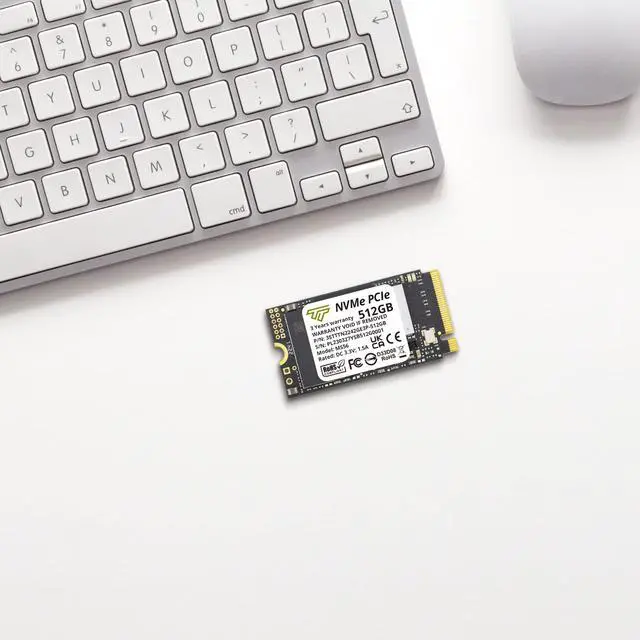
2242 Short Form Factor

This small M.2 NVMe SSD is designed to fit into the ultra-compact M.2 2242 form factor, which is suitable for thin and light system.

M.2 2230

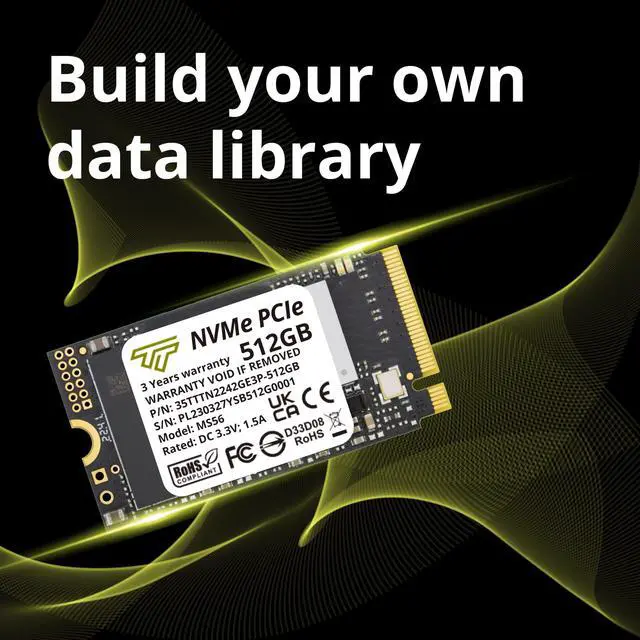
The Timetec 3D NAND SSD is designed to use M.2 PCIe NVMe interface and offer enhanced bandwidth, low latency, and power efficiency ideal for tech enthusiasts, high end gamers, and 4K & 3D content designers. The advanced SLC Cache Technology allows performance boost and longer lifespan.


Key Features:

3 Times Faster Than SATA - This Timetec SSD is 3 times faster than the SATA III Interface. Its ideal for reading and writing large amounts of game data, complex graphics and motion processing algorithms, or loading heavy duty video/graphics editing software.

High Efficiency Performance - Uses M.2 PCIe NVMe 8Gb/s transfer interface, Read speed up to 2,100 MB/s and write speed up to 1,600 MB/s which offers more efficient data transferring performance.

Low Power Consumption - Supports Power Management for APST / ASPM.

Advance Technology - Supports Garbage Collection, Wear-Leveling technology, ECC, S.M.A.R.T., TRIM, LDPC (Low-Density Parity Check) , ONFi 2.3, ONFi 3.0, ONFi 3.2 and ONFi 4.0.

M.2 2280 form factor - Uses new generation of 3D flash memory. Supports the next-generation platforms of Intel and AMD. Suitable for both desktop and notebook.

Product warranty - 5 years warranty and free technical support. Timetec M.2 PCIe SSDs which are purchased on or after August 1, 2020 have a 5-Year extended warranty.


Disclaimers:

1GB=1,000,000,000 Bytes. In OS system, it would be displayed as 1,000,000,000 Bytes/1024/1024/1024 = 0.93GB

Definition and conditions of TBW (Terabytes Written) are based on JEDEC standard

Transmission speed will vary according to different hardware/software conditions, therefore the data can only use for basic reference.

PCIe SSD works best under WIN8.1 and WIN10 operating system. Windows Operating Systems earlier than Windows 8.1 does not support NVMe Driver natively. Users will need to install NVMe Driver prior installing the SSD.

Warranty & Returns

Warranty, Returns, And Additional Information

Warranty

  • Please contact the Seller directly for warranty information. Warranty information may also be found on the Manufacturer's website.
  • CONTACT

Return Policies

Manufacturer Contact Info

LOADING...

The Timetec 512GB M.2 2242 NVMe SSD is a compact PCIe 3.0 x4 drive with sequential speeds up to 2,100 MB/s read and 1,600 MB/s write, suited to upgrading laptops or desktops with a compatible M.2 2242 NVMe slot.

Recommended For

  • ThinkPad X1 Nano Gen 2 owners replacing or upgrading the internal drive who need an M.2 2242 NVMe SSD; Lenovo specifies a 2242 storage slot, and this Timetec model uses that form factor.
  • Owners of compact laptops with a confirmed M.2 2242 NVMe slot who want to replace a smaller or aging drive for everyday work, apps, and files. The 512GB capacity and listed sequential speeds of up to 2,100/1,600 MB/s suit a moderate-capacity internal upgrade.
  • ThinkPad users whose upgrade choices are constrained by the uncommon 2242 length and who want a standard-size NVMe replacement rather than a 2280 drive or an adapter-based workaround.
  • Laptop or small-form-factor PC owners with a compatible 2242 NVMe slot who need a single internal drive for the operating system, applications, and a moderate collection of files or games.

Real-World Use Scenarios

  • Replacing the internal drive in a compatible laptop with an M.2 2242 NVMe slot: the 512GB SSD can hold the operating system, everyday apps, and personal files on one drive. Confirm the laptop supports the 2242 size and NVMe interface before buying.
  • Moving from a smaller drive to 512GB: users can keep more work files, photos, and applications on the laptop before needing external storage. The upgrade replaces the existing drive rather than adding a second one in systems with a single storage slot.
  • Migrating to a replacement drive: a user can clone the old drive before swapping it, preserving the existing system setup when the cloning process completes successfully. Back up important files first and check that the target drive has enough usable space.
  • Using the laptop for everyday work—launching apps, browsing, and opening saved files: the NVMe drive serves as the system and file-storage drive, while the actual feel also depends on the laptop and workload. It is a storage upgrade, not a way to increase processor or graphics performance.
  • Keeping a modest local game or media library on a travel laptop: 512GB provides internal space for selected games, downloads, and media, but users with large libraries may still need external or cloud storage. The SSD affects storage and loading, not in-game frame rates.