

Your Browsing History
- In Stock
- Sold by Newegg
- Make an Offer
- New

Any questions? Our AI mode will help you find out quickly.
Try me now
Quick View
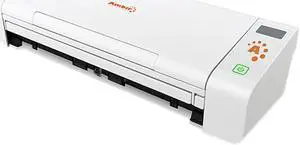
Ambir nScan 700gt w/ AmbirScan
- Brand: Ambir
- Series: nScan
- Type: Sheet Fed
- Element Type: CIS
- Model #: DS700GT-AS
- $298.99 –
- More options from $298.99 - $354.08
- Free Shipping
Quick View
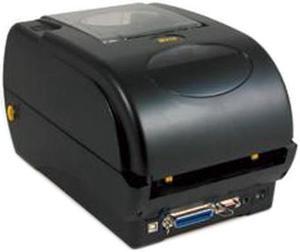
Wasp 633808402006 WPL305 Desktop Thermal Barcode Printer
- Printer Type: Desktop
- Memory: 8 MB SDRAM, 4 MB Flash
- Fonts Included: Resident fonts: Eight alphanumeric bitmap fonts, one Monotype Imaging CG Triumvirate Bold Condensed scalable font, built-in Monotype True Type Font engine Font rotation: 0°, 90°, 180°, 270°
- Barcode Type: 1D Barcodes: Code 39, Code 93, Code 128 UCC, Code 128 subset A., B., C., Codabar, Interleave 2 of 5, EAN-8, EAN-13, EAN-128, UPC-A, UPC-E, EAN and UPC 2 (5) digits add-on, MSI, PLESSEY, POSTNET, RSS-Stacked, GS1 DataBar, Code 11
- Model #: 633808402006
- $524.99 –
- $2.99 Shipping
Quick View
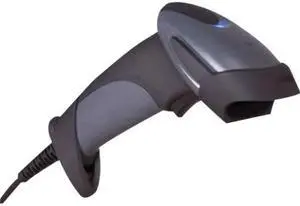
Honeywell MK9590-61A38-A-EAS Multi-Interface Barcode Scanner
- Interfaces Supported: RS232, USB, Keyboard Wedge, and 46xx RS485
- Light Source: 650 nm +/-10 nm VLD
- Depth of Scan Field: 0 mm - 305 mm (0" - 12") for 0.330 mm (13 mil) bar codes @ default
- Width of Scan Field: 50 mm (2") @ face; 300 mm (11.8") @ 305 mm (12")
- Model #: MK9590-61A38-A-EAS
- $99.00 –
- Free Shipping
Quick View
Kodak 1894351 A3 Flatbed Accessory for Scanmate i1150, i1180, i2400, i2600, i2800, i2900, i3000, i4000, Scan-Station 700 Scanner, PS50, PS55, PS80
- Product Sort: Scanner Accessories
- Compatibility: Scanmate i1150, i1180, i2400, i2600, i2800, i2900, i3000, i4000, Scan-Station 700 Scanner, PS50, PS55, PS80
- Specifications: Scan Resolution: 600 dpi Output Resolutions: 100, 150, 200, 240, 250, 300, 400, 600 and 1200 dpi Max doc size: 305 x 457 mm (12 x 18 in.) Height x width x length: 108 x 419 x 699 mm (4.25 x 16.5 x 27.5 in.) Weight: 8 kg (19 lbs.)
- Model #: 1894351
- $1,214.96 –
- More options from $1,214.96 - $1,308.22
- Free Shipping
Quick View
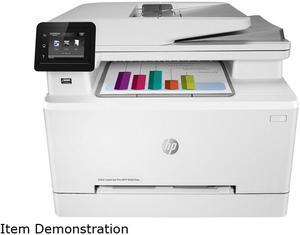
HP LaserJet M283fdw MFP Color Multifunction Laser Printer, 7KW75A#BGJ


- Recommended Use: MFP
- Output Capacity, std.: Up to 100 sheets (10 mm stack height) Standard; 10 mm stack height
- Black Print Speed: Letter: Up to 22 ppm First page out: As fast as 10.3 sec Print speed Duplex: Up to 13 ppm
- Black Print Quality: 600 x 600 dpi
- Model #: 7KW75A#BGJ
- $999.99 –
- More options from $575.10 - $999.99
- Free Shipping
Quick View
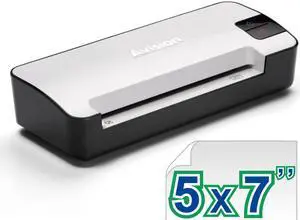
Avision IS15+ Portable Photo and Card Scanner
- Brand: AVISION
- Type: Mobile
- Element Type: CIS (Contact Image Sensor)
- Light Source: LED
- Model #: FS-1204B
- $44.95 –
- Free Shipping
Quick View
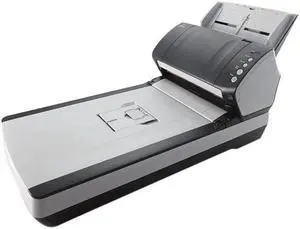
Fujitsu fi-7240 (PA03670-B605) Color Duplex Scanner
- Light Source: 3 x White LED Array (1 x front , 1 x back, 1 x flatbed)
- Scanning Speed: Simplex: 40 ppm, Duplex: 80 ipm (200 / 300 dpi)
- Max. Document Size: Document size: Maximum: 216.00 x 355.60 mm (8.50" x 14.00") Minimum: 50.80 x 54.00 mm (2.00" x 2.13") (Landscape / Portrait) Long paper scanning: 216.00 x 5,588.00 mm (8.50" x 220.00") Paper weight (Thickness): Paper: 27 to 413 g/m2 (7.20 to 112.00 lbs.) A8 size: 127 to 209 g/m2 (34.00 to 56.00 lbs.) Plastic Card: 1.40 mm or less Paper chute capacity (A4 Landscape): 80 Sheets ( A4: 80 g/m2 or 20.00 lbs. )
- USB Ports: USB 2.0
- Model #: PA03670-B605
- $1,070.00 –
- Free Shipping
Quick View
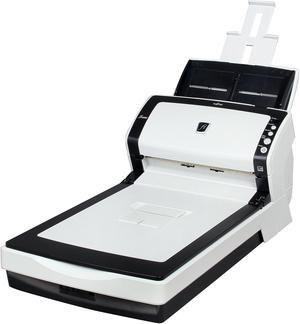
Fujitsu PA03630-B505 ADF + Flatbed Color Duplex Document Scanner
- Brand: Fujitsu
- Type: ADF + Flatbed
- Element Type: CCD
- Light Source: White cold cathode discharge lamp x 3 (front x 1, back x 1, Flatbed x 1)
- Model #: fi-6240Z
- $1,699.95 –
- More options from $398.95 - $1,699.95
- Free Shipping
Quick View
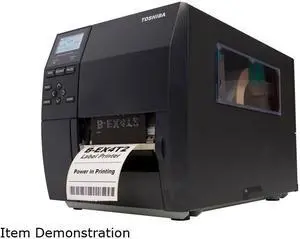
Toshiba BEX4T1TS12DM01 B-EX4T1 Series Industrial Label Printer
- Fonts Included: Bitmap and outline
- Barcode Type: Includes GS1 DataBar (RSS) compatibles
- Media sizes supported: Paper Width: 120 mm Paper Roll: 200 mm Std. Ribbon Length: 600 m
- Interface: Lan / USB
- Model #: BEX4T1TS12DM01
- $1,570.00 –
- More options from $1,570.00 - $1,727.57
- Free Shipping
Quick View
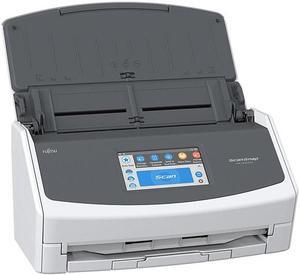
Used - Very Good Fujitsu ScanSnap iX1500 PA03770-B215 2 x Color CIS (1 x Front, 1 x Back) 600 x 600 dpi ADF (Automatic Document Feeder) / Manual Feed, Duplex Document Scanner
- Light Source: 3 x Color LED (Red / Green / Blue)
- Scanning Speed: Auto Mode (Default) Simplex / Duplex: 30 ppm Normal Mode Simplex / Duplex: 30 ppm (Color / Grayscale: 150 dpi, Monochrome: 300 dpi) Better Mode Simplex / Duplex: 30 ppm (Color / Grayscale: 200 dpi, Monochrome: 400 dpi) Best Mode Simplex / Duplex: 30 ppm (Color / Grayscale: 300 dpi, Monochrome: 600 dpi) Excellent Mode Simplex / Duplex: 8 ppm (Color / Grayscale: 600 dpi, Monochrome: 1,200 dpi)
- Max. Document Size: 216.00 x 360.00 mm (8.50" x 14.17")
- Automatic Document Feeder (ADF): Yes
- Model #: PA03770-B215
- $328.95 –
- More options from $289.90 - $328.95
- Free Shipping
Quick View
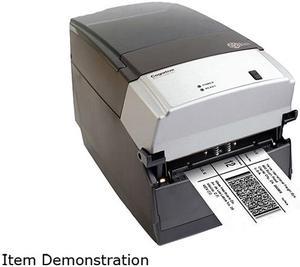
Used - Good Cognitive TPG CXD4-1300 Direct Thermal Desktop Label Printer, 300 dpi, 8 ips, 4.2" 2-Line LCD Display, Serial, Parallel, USB A/B, Ethernet
- Printer Type: Desktop
- Memory: RAM - 16 MB, Flash - 8 MB
- Fonts Included: Bitmapped: 7 styles with up to 10x10 magnification, variable boldness and spacing International: Sans serif font in 7 pt. sizes, up to 4x4 magnification, variable boldness and spacing Scalable Smooth Fonts: 3 Ultra Font styles for smooth characters in any size and boldness Rotations: 0, 90, 180, 270 degrees Optional: Kanji, Korean, and OCR fonts available
- Barcode Type: Add2, Add5, Codabar, Code39, Code93, Code 128A/B/C, D2of5, I2of5, S20f5, EAN8, EAN13, EAN128, MSI/I1, Plessey, Postnet, UPCA/A+/E/E1
- Model #: CXD4-1300
- $199.00 –
- More options from $199.00 - $711.25
- Free Shipping
Quick View
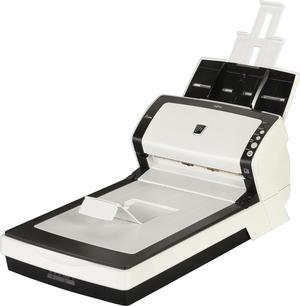
Used - Very Good Fujitsu Fujitsu fi-6230Z(PA03630-B555) CCD 600 x 600 dpi ADF + Flatbed Sheet-Fed Scanner
- Brand: Fujitsu
- Type: ADF + Flatbed
- Element Type: CCD
- Light Source: White cold cathode discharge lamps
- Model #: fi-6230Z
- $399.95 –
- Free Shipping
Quick View
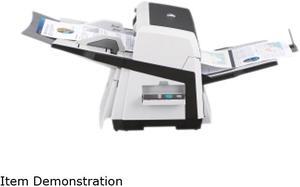
Used - Very Good Fujitsu fi-6670 (CG01000-281601) Up to 180 ipm 1200 dpi USB Duplex Sheetfed Document Scanner
- Brand: Fujitsu
- Type: Sheet Fed
- Element Type: Charge coupled device (CCD) image sensor (x 2)
- Scanning Speed: Letter/Landscape Mode: Simplex: Monochrome, Grayscale & Color @ 200 dpi: 90 ppm Monochrome, Grayscale & Color @ 300 dpi: 80 ppm Duplex: Monochrome, Grayscale & Color @ 200 dpi: 180 ipm Monochrome, Grayscale & Color @ 300 dpi: 160 ipm Letter/Portrait Mode: Simplex: Monochrome, Grayscale & Color @ 200 dpi: 70 ppm Monochrome, Grayscale & Color @ 300 dpi: 60 ppm Duplex: Monochrome, Grayscale & Color @ 200 dpi: 140 ipm Monochrome, Grayscale & Color @ 300 dpi: 120 ipm
- Model #: CG01000-281601
- $698.95 –
- Free Shipping
Quick View
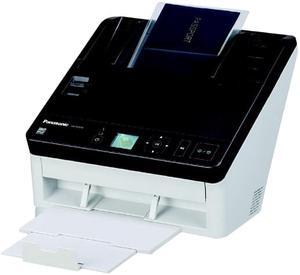
Used - Very Good Panasonic KV-S1057C 600 dpi USB Duplex Color Document Scanner
- Light Source: RGB LED
- Scanning Speed: A4, Portrait: Simplex: 65 ppm, Duplex: 130 ipm (200 dpi / 300 dpi) (Portrait)
- Max. Document Size: A4 8.30" x 11.70" Letter 8.50" x 11" 1.89" x 2.13"
- Automatic Document Feeder (ADF): Yes
- Model #: KV-S1057C
- $398.95 –
- Free Shipping
Quick View
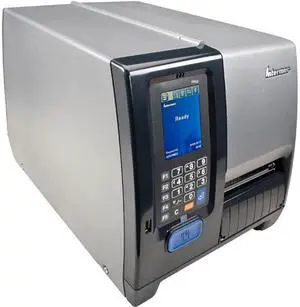
Used - Good Intermec PM43 300dpi Thermal Transfer Printer w/ Touch Display
- Printer Type: Industrial
- Memory: 128MB Flash memory, 128MB SDRAM
- Fonts Included: Monotype font engine Non-Latin fonts available through WTLE
- Media Type: Labels and Tags, Linerless and Linered media
- Model #: PM43A11000000301
- $499.00 –
- Free Shipping
Quick View
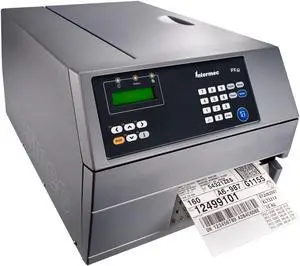
Used - Good Honeywell (Intermec) PX6C 6” Industrial Thermal Transfer Label Printer, 203 dpi, 32MB/16MB, RS232, USB, USB Host, Ethernet, Universal Firmware - PX6C010000000020
- Printer Type: Industrial
- Memory: Standard: 16MB Flash memory, 32MB SDRAM, 1 Compact Flash slot Options: 1GB CompactFlash memory, multi-GB USB memory device (FAT16/FAT32 USB drivers supported)
- Barcode Type: 1-Dimensional: All major 1D symbologies are supported. 2-Dimensional: All major 2D symbologies are supported.
- Cutter: Tear Off
- Model #: PX6C010000000020
- $399.00 –
- Free Shipping
Quick View
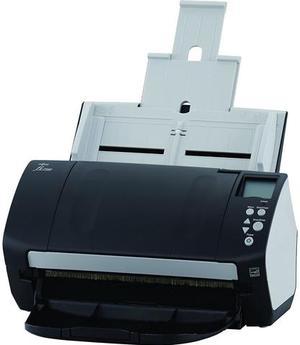
Used - Good Fujitsu Fi-7160 FJ3011 24 bit 2 x Color CCD (1 x Front, 1 x Back) 600 dpi Duplex Document Scanner (A4, Duplex) 60 ppm, 80 Sheets ADF, 600 dpi, USB 3.0
- Brand: Fujitsu
- Series: Fi-7160
- Type: Duplex
- Element Type: 2 x Color CCD (1 x Front, 1 x Back)
- Model #: FJ3011
- $499.95 –
- Free Shipping
Quick View
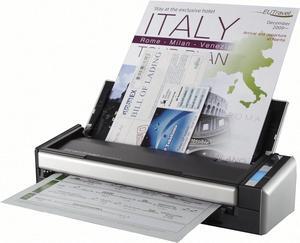
Used - Very Good Fujitsu ScanSnap S1300i (PA03643-B005) Duplex Up to 12 PPM 600 x 600 DPI USB Color Document Scanner
- Light Source: LED
- Scanning Speed: A4 portrait & AC adapter: Auto mode: Simplex / Duplex: 6 ppm / 12 ipm Normal mode: Color 150 dpi, Grayscale 300 dpi, Simplex / Duplex: 12 ppm / 24 ipm Better mode: Color 200 dpi, Grayscale 400 dpi, Simplex / Duplex: 9 ppm / 18 ipm Best mode: Color 300 dpi, Grayscale 600 dpi, Simplex / Duplex: 6 ppm / 12 ipm Excellent mode: Color 600 dpi, Grayscale 1,200 dpi, 1 ppm / 2 ipm A4 portrait & USB bus powered: Auto mode: Simplex / Duplex: 2 ppm / 4 ppm Normal mode: Color 150 dpi, Grayscale 300 dpi, 4 ppm / 8 ipm Better mode: Color 200 dpi, Grayscale 400 dpi, 3 ppm / 6 ipm Best mode: Color 300 dpi, Grayscale 600 dpi, 2 ppm / 4 ipm Excellent mode: Color 600 dpi, Grayscale 1,200 dpi, 1 ppm / 2 ipm
- Max. Document Size: Normal Mode: A4, A5, A6, B5, B6, Business card, Post card, Letter, Legal and Custom sizes (Max: 216.00 mm x 360....
- Model #: PA03643-B005,.
- $168.95 –
- Free Shipping
Quick View
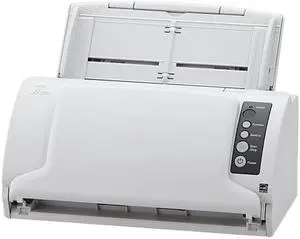
Used - Good Ricoh / Fujitsu fi-7030 PA03750-B015 Trade Compliant TAA Desktop Scanner
- Type: Duplex
- Element Type: CIS
- Light Source: LED
- Scanning Speed: Simplex: 27 ppm, Duplex: 54 ipm (200 dpi / 300 dpi)
- Model #: PA03750-B015,.
- $328.95 –
- Free Shipping
Quick View
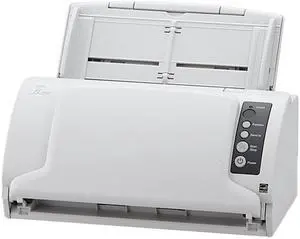
Used - Very Good Ricoh / Fujitsu fi-7030 PA03750-B015 Trade Compliant TAA Desktop Scanner
- Brand: Ricoh / Fujitsu
- Type: Sheet Fed
- Element Type: Color CIS (Contact Image Sensor) x 2 (front x 1, back x 1)
- Light Source: 3 Color LED (Red / Green / Blue) x 2 (front x 1, back x 1)
- Model #: PA03750-B015
- $498.95 –
- Free Shipping
Quick View
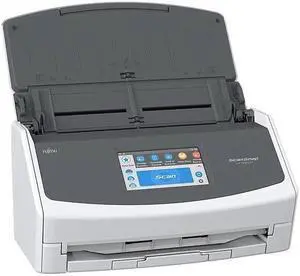
Used - Very Good Fujitsu ScanSnap iX1500 PA03770-B215 2 x Color CIS (1 x Front, 1 x Back) 600 x 600 dpi ADF (Automatic Document Feeder) / Manual Feed, Duplex Document Scanner (PA03770-B215)
- Light Source: 3 x Color LED (Red / Green / Blue)
- Scanning Speed: Auto Mode (Default) Simplex / Duplex: 30 ppm Normal Mode Simplex / Duplex: 30 ppm (Color / Grayscale: 150 dpi, Monochrome: 300 dpi) Better Mode Simplex / Duplex: 30 ppm (Color / Grayscale: 200 dpi, Monochrome: 400 dpi) Best Mode Simplex / Duplex: 30 ppm (Color / Grayscale: 300 dpi, Monochrome: 600 dpi) Excellent Mode Simplex / Duplex: 8 ppm (Color / Grayscale: 600 dpi, Monochrome: 1,200 dpi)
- Max. Document Size: 216.00 x 360.00 mm (8.50" x 14.17")
- USB Ports: USB 3.1 Gen1 / USB 3.0 / USB 2.0 / USB 1.1 (Connector Type: Type-B)
- Model #: PA03770-B215
- $348.95 –
- Free Shipping
Quick View
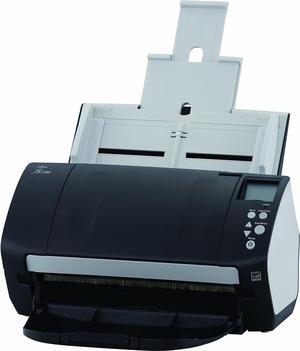
Used - Good Fujitsu fi-7160 - Document scanner - Duplex - PA03670-B051
- Light Source: White LED array
- Max. Document Size: 216 mm x 355.6 mm
- Model #: PA03670-B051..,,
- $278.95 –
- Free Shipping
Quick View
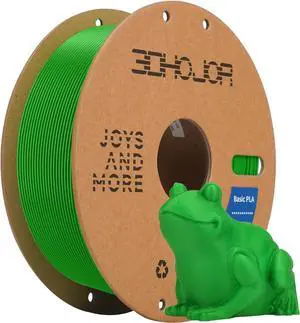
3D Printing Filament High-Speed PLA Filament 1.75mm 300mm/s 1kg Cardboard Spool Dimensional Accuracy +/- 0.03 mm Fit Most 3D FDM Printer-Green
OUT OF STOCK
- Model #: EQWER462277169833
- $29.88 –
- Free Shipping

Quick View
SainSmart GT-3 High Speed Matte PLA Filament 1.75mm, High Flow 3D Printer Filament, Gray, 2.2 LBS (1KG) Spool, Dimensional Accuracy +/- 0.02mm
OUT OF STOCK
- Model #: EQWER462277171041
- $49.88 –
- Free Shipping
Quick View
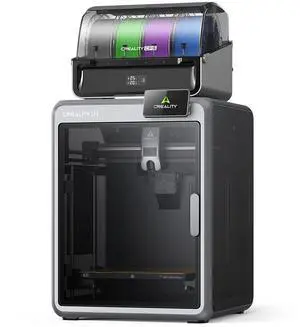
Creality K2 Combo 3D Printer, 260x260x260mm, CFS Multicolor Printing
OUT OF STOCK
- Technology: FDM (Fused Deposition Modeling)
- Type: 3D Printer
- Brand: Creality
- Number of Extruders: Dual-gear direct drive extruder
- Model #: 1002110058
- $499.99 –
- Free Shipping
Choosing the Right Printer for Your Office Needs
When it comes to office solutions, printers and scanners are essential tools for any business. Whether you need to print important documents, scan invoices, or create professional-quality marketing materials, having the right equipment is crucial. In this article, we will explore the different types of printers and scanners available in the market and provide tips on how to choose the best one for your office.
All-in-One Printers: Versatility and Convenience
all-in-one printers, also known as multifunction printers, are a popular choice for offices. These devices combine the functionality of a printer, scanner, copier, and sometimes even a fax machine into a single unit. They offer versatility and convenience, allowing you to perform multiple tasks without the need for separate devices. All-in-one printers are available in both inkjet and laser options, catering to different printing needs and budgets.
Specialized Printers for Specific Tasks
In addition to all-in-one printers, there are specialized printers designed for specific tasks. For example, 3D printers are ideal for creating prototypes or intricate models, while barcode and label printers are perfect for businesses that require efficient inventory management. laser printers are known for their fast printing speeds and high-quality output, making them suitable for offices with high-volume printing needs. inkjet printers, on the other hand, are more cost-effective and can produce vibrant color prints.
Choosing the Right Supplies
Once you have selected the right printer for your office, it is important to choose the right supplies to ensure optimal performance and longevity. When it comes to inkjet printers, using high-quality ink cartridges is essential to achieve the best print quality and prevent clogging. For laser printers, it is important to choose the right type of toner cartridges that are compatible with your printer model. Additionally, investing in high-quality paper can make a significant difference in the final print results.
FAQs: Common Questions about Printers and Scanners
| Q: How often should I replace the ink cartridges? | A: The frequency of replacing ink cartridges depends on your printing volume. However, it is recommended to replace them when the print quality starts to degrade. |
|---|---|
| Q: Can I use third-party ink cartridges with my printer? | A: While it is possible to use third-party ink cartridges, it is important to ensure compatibility with your printer model. Using incompatible cartridges may result in poor print quality or damage to the printer. |
| Q: How do I clean the scanner glass? | A: To clean the scanner glass, use a soft, lint-free cloth slightly dampened with glass cleaner. Gently wipe the glass surface to remove any smudges or debris. |
| Q: What is the difference between optical and interpolated resolution in scanners? | A: Optical resolution refers to the actual hardware resolution of the scanner, while interpolated resolution is achieved through software enhancements. Optical resolution provides more accurate and detailed scans. |
| Q: How can I improve the scanning speed? | A: To improve scanning speed, reduce the scanning resolution, use black and white mode instead of color, and ensure that the scanner is connected to a high-speed USB port. |