• In Stock
  • Sold by Newegg
  • Make an Offer
  • New
Department
Show More
Brands
Show More
Price
Show More
All Top Brands
Availability
Condition
Discount
Sold by
Useful Links
Customer Ratings
avatar

Any questions? Our AI beta will help you find out quickly.

Sort By:
View:
NGFF M.2 NVMe Mainboard to CF Express M2 M-key for CFE Type-B Extension Adapter Support R5 Z6 Z7 Memory Card
Quick View
Mitsubishi 4x6" Media for New CP-M1A High Capacity Printer, 750 Prints Roll
Quick View
  •  
  • $138.81 
  • $21.60 Shipping
Honeywell PC45t Thermal Transfer Printer - 203dpi - Ethernet  (PC45T000000201)
Quick View
Honeywell PC45t Thermal Transfer Printer - 203dpi - Ethernet (PC45T000000201)
  • Brand: Honeywell
  • Part Number: PC45T000000201
  • Print Technology: Thermal Transfer Printer
  • Printer Type: Desktop
  • Model #: PC45T000000201
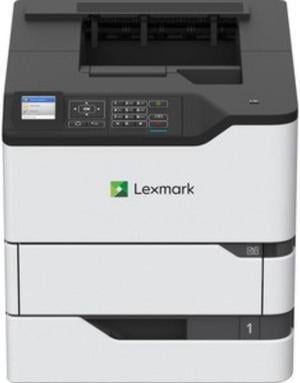
Lexmark MX826ADXE (25B0611) Mono Multifunction Laser Printer
Quick View
Canon CLI-42 Light Gray Ink Cartridge, 2-Pack
Quick View
  •  
  • $49.85 
  • $7.85 Shipping
DNP 5x7" Dye Sub Media for DS620A Printer #DS6205X7
Quick View
  •  
  • $171.33 
  • $19.10 Shipping
Xerox Phaser 6510/DN Color Printer built for business
Quick View
  •  
  • $1,689.00 
  • Free Shipping
Cab SQUIX 6.3/300P Thermal Transfer Label Printer 300dpi USB LAN Peel Rewind
Quick View
Cab SQUIX 6.3/300P Thermal Transfer Label Printer 300dpi USB LAN Peel Rewind
  • Print Technology: Direct Thermal/Thermal Transfer Printer
  • Max Resolution(B&W): 300 dpi
  • Memory: 256MB Flash
  • Interface: Lan / Serial / USB
  • Model #: 306300472450
Xerox VersaLink B600/DN Monochrome Printer
Quick View
  •  
  • $2,399.00 
  • Free Shipping
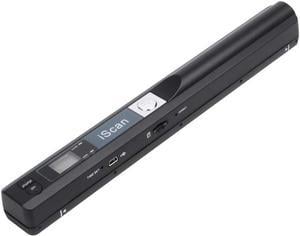
Pandigtal- Handheld WIFI Wand Scanner - Red
Quick View
  •  
  • $65.00 
  • Free Shipping
Zebra ZT510 ZT51043-T210000Z Thermal Transfer Label Printer
Quick View
Zebra ZT510 ZT51043-T210000Z Thermal Transfer Label Printer
  • Printer Type: Industrial
  • Memory: 512 MB SDRAM
  • Fonts Included: CG Triumvirate Bold Condensed , OCR-A , OCR-B
  • Barcode Type: Aztec code, Codabar, CODABLOCK, Code 11, Code 128A, Code 128B, Code 128C, Code 39, Code 49, Code 93, Data Matrix, EAN-13, EAN-8, Industrial 2 of 5, Interleaved 2 of 5, ISBT 128, LOGMARS, MaxiCode, MicroPDF417, MSI, PDF417, PLANET, Plessey, Postnet, QR code, RSS-14, Standard 2 of 5, TLC39, UPC-A, UPC-E
  • Model #: ZT51043-T210000Z
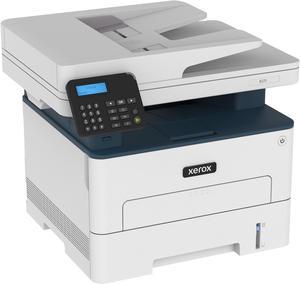
Xerox B215DNI Monochrome Multifunction Printer
Quick View
  •  
  • $1,399.00 
  • Free Shipping
Lexmark MS821N Monochrome Laser 55ppm 1200dpi - Gray
Quick View
Gardner Bender EFT-15 Mini Cable Snake, 15 Ft Steel Fish Tape, Electrical Wire Fishing Tape, Red & Black
Quick View
  •  
  • $38.86 
  • Free Shipping
Canon imagePROGRAF PRO-4600 44" Large Format Printer
Quick View
Canon imagePROGRAF PRO-4600 44" Large Format Printer
  • Cartridges Compatible: Shipped with printer: 330 ml of each color Replacement: 160 ml PFI-3100 (PBK, C, M, Y, PC, PM, GY, PGY, R, B, CO), 160 ml PFI-2100 (MBK), 330 ml PFI-3300 (PBK, C, M, Y, PC, PM, GY, PGY, R, B, CO), 330 ml PFI-2300 (MBK), 700 ml PFI-3700 (PBK, C, M, Y, PC, PM, GY, PGY, R, B, CO), 700 ml PFI-2700 (MBK)
  • Color Technologies: Pigment: PBK, MBK, C, M, Y, PC, PM, GY, PGY, R, B, +CO
  • Feed Rate: Front-Loading Roll Feed: One Roll, Front Output Front-Loading Manual Feed: Front Loading, Front Output
  • Print Languages, std.: SGRaster (Swift Graphic Raster), PDF, JPEG
  • Model #: 6407C002AA
FOR 100W USB Type C Fast Cable Cord E-mark Chip DC Power Connector for Laptop
Quick View
  •  
  • $28.00 
  • Free Shipping
Shenzhong BCM94331CSAX BCM94331CSDAX BCM4331 Bluetooth Wireless Wifi Card Module 802.11N for Mac 2012-2013 MD212 MD213 A1398 A1425
Quick View
  •  
  • $14.76 
  • Free Shipping
10ft (3M) USB Stable Data Cable Compatible for Oculus Quest/Quest 2 / Oculus Link Steam VR, Type A to C USB 3.1 Gen 1 Cable, High Speed Data Transfer & Fast Charging
Quick View
10ft (3M) USB Stable Data Cable Compatible for Oculus Quest/Quest 2 / Oculus Link Steam VR, Type A to C USB 3.1 Gen 1 Cable, High Speed Data Transfer & Fast Charging

Limited time offer, ends 03/07

  • Connector Type: USB A to USB C
  • Terminal Gender: Male to Male
  • Speed: 5 Gbps
  • Apple Compatible: USB-C port
  • Model #: 2#Q0770_B_3M
  •  
  • $11.99 
  • Free Shipping
MK3S+ 3D Printer Cooling Fan 5015 4010 DC5V Blower Air Fan Bearing Cooling
Quick View
  •  
  • $226.50 
  • Free Shipping

Choosing the Right Printer for Your Office Needs

When it comes to office solutions, printers and scanners are essential tools for any business. Whether you need to print important documents, scan invoices, or create professional-quality marketing materials, having the right equipment is crucial. In this article, we will explore the different types of printers and scanners available in the market and provide tips on how to choose the best one for your office.

All-in-One Printers: Versatility and Convenience

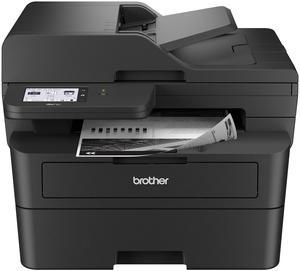
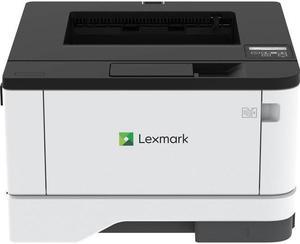
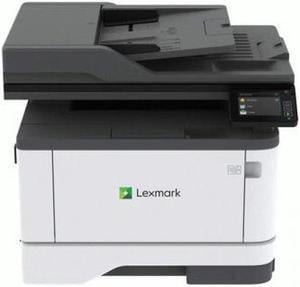
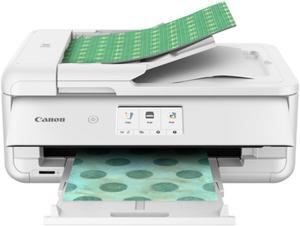
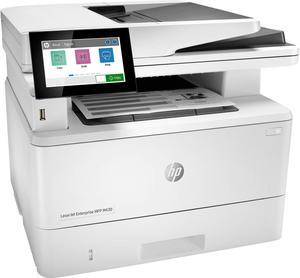
all-in-one printers, also known as multifunction printers, are a popular choice for offices. These devices combine the functionality of a printer, scanner, copier, and sometimes even a fax machine into a single unit. They offer versatility and convenience, allowing you to perform multiple tasks without the need for separate devices. All-in-one printers are available in both inkjet and laser options, catering to different printing needs and budgets.

Specialized Printers for Specific Tasks

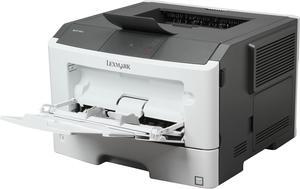
In addition to all-in-one printers, there are specialized printers designed for specific tasks. For example, 3D printers are ideal for creating prototypes or intricate models, while barcode and label printers are perfect for businesses that require efficient inventory management. laser printers are known for their fast printing speeds and high-quality output, making them suitable for offices with high-volume printing needs. inkjet printers, on the other hand, are more cost-effective and can produce vibrant color prints.

Choosing the Right Supplies

Once you have selected the right printer for your office, it is important to choose the right supplies to ensure optimal performance and longevity. When it comes to inkjet printers, using high-quality ink cartridges is essential to achieve the best print quality and prevent clogging. For laser printers, it is important to choose the right type of toner cartridges that are compatible with your printer model. Additionally, investing in high-quality paper can make a significant difference in the final print results.

FAQs: Common Questions about Printers and Scanners

Q: How often should I replace the ink cartridges?A: The frequency of replacing ink cartridges depends on your printing volume. However, it is recommended to replace them when the print quality starts to degrade.
Q: Can I use third-party ink cartridges with my printer?A: While it is possible to use third-party ink cartridges, it is important to ensure compatibility with your printer model. Using incompatible cartridges may result in poor print quality or damage to the printer.
Q: How do I clean the scanner glass?A: To clean the scanner glass, use a soft, lint-free cloth slightly dampened with glass cleaner. Gently wipe the glass surface to remove any smudges or debris.
Q: What is the difference between optical and interpolated resolution in scanners?A: Optical resolution refers to the actual hardware resolution of the scanner, while interpolated resolution is achieved through software enhancements. Optical resolution provides more accurate and detailed scans.
Q: How can I improve the scanning speed?A: To improve scanning speed, reduce the scanning resolution, use black and white mode instead of color, and ensure that the scanner is connected to a high-speed USB port.