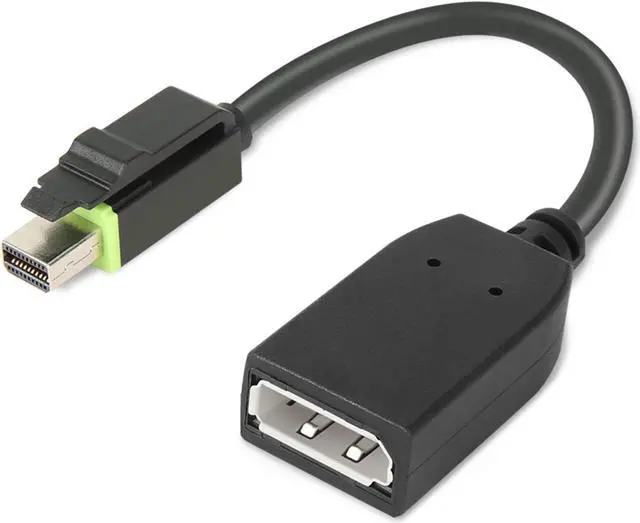
The Lenovo ThinkStation Mini DP to DP Adapter converts a Mini DisplayPort male connection to a DisplayPort female connection, making it suitable for users connecting a Mini DisplayPort workstation or graphics card to a DisplayPort cable.
Recommended For
- ThinkStation P-series workstation users with a Mini DisplayPort output who need to connect to a full-size DisplayPort monitor; Lenovo identifies this adapter as qualified for ThinkStation P-series machines.
- Workstation users setting up a 4K DisplayPort monitor from a compatible ThinkStation Mini DisplayPort output; Lenovo lists 4K support for this adapter.
- IT staff or workstation owners replacing a missing adapter when the computer has Mini DisplayPort and the monitor connection uses a separate full-size DisplayPort cable.
Real-World Use Scenarios
- When a ThinkStation P-series workstation has a Mini DisplayPort output and the monitor uses DisplayPort, connect the adapter to the workstation and plug in a standard DisplayPort cable to get a direct wired display connection.
- When setting up or replacing a monitor cable at a workstation, use the adapter’s DisplayPort socket to reuse a standard DisplayPort cable instead of sourcing a Mini DisplayPort cable.
- For a multi-monitor desk, use the adapter to connect one Mini DisplayPort output to a DisplayPort monitor; whether it adds another working screen depends on the workstation’s available outputs and graphics support.
- In a meeting room or shared workspace, connect a ThinkStation’s Mini DisplayPort output to a DisplayPort-equipped screen or projector using the adapter and a standard DisplayPort cable, if the room’s display accepts DisplayPort.




 here!