Your Browsing History

Any questions? Our AI beta will help you find out quickly.
Try me now
Quick View
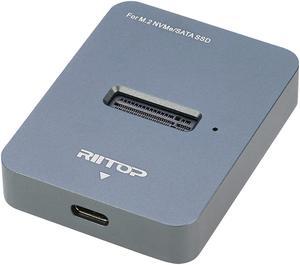
M.2 SATA and NVMe SSD to USB C Docking Station, RIITOP M.2 SSD to USB-C Reader Adapter for Both M.2 (M Key) NVMe SSD and (B+M Key) SATA-Based SSD Enclosure
Limited time offer, ends 02/22
- Type: Dock
- Model #: M2BM2DT-2

Quick View
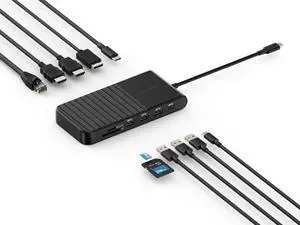
Kensington UH1510P USB C Hub 11-in-1 Triple Display with 2 HDMI 1 DP++, 85W Power Charging, Ethernet, SD/MicroSD Card Slots, 3xUSB-A, 2xUSB-C, USB C Dongle for Dell/HP/Lenovo/ThinkPad (K34040WW)
- Brand: Kensington
- Part Number: K34040WW
- Model #: K34040WW
- $99.99
- $89.99 –
- Save: $10.00 (10%)
- More options from $84.82 - $170.24
- Free Shipping
Quick View
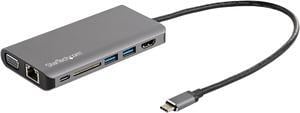
StarTech.com DKT30CHVAUSP USB-C Multiport Adapter - HDMI or VGA - 100W PD - Attached 30 cm Host Cable - SD Card Reader - USB-C Mini Dock (DKT30CHVAUSP)
- Ports Spec: External Ports: 1 - HDMI Receptacle 1 - VGA (15 pin, High Density D-Sub) Receptacle 1 - RJ-45 Receptacle 2 - USB 3.1 USB Type-A (9 pin, Gen 1, 5 Gbps) Receptacle 1 - SD Slot Receptacle 1 - 3.5 mm Audio Receptacle Input 1 - 3.5 mm Audio Receptacle Output 1 - USB Type-C (24 pin) USB 3.0 (5Gbps) Receptacle Host Connectors 1 - USB Type-C (24 pin) USB 3.0 (5Gbps) Plug
- Model #: DKT30CHVAUSP
- $45.99
- $42.99 –
- Save: $3.00 (6%)
- Free Shipping
Quick View
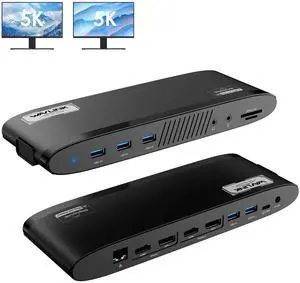
WAVLINK Universal Dual 5K DisplayLink Docking Station, USB-C Laptop Dock for Mac M1/M2/M3/M4 & Windows, 14-in-1 with 100W Charging, 2 DP, 2 HDMI, 5 USB Ports, Ethernet, SD/TF, Phone Jacks

Limited time offer, ends 02/22
- Part Number: Side 1: Power LED; 3x USB-A 5Gbps; 1x 3.5mm Earphone; 1x 3.5mm Mic; SD/TF Card Reader(312MB/s) Side 2: 1x RJ45(10/100/1000Mbps); Display 1 (HDMI/DP++); Display 2 (HDMI/DP++); 2x USB-A 5Gbps; 1x USB-C Upstream (Host, PD100W); 1x DC IN(20V)
- Compatibility: Works with Windows 10/11, Mac OS 11.x-15.x and later, Chrome OS, Ubuntu, Android, and HarmonyOS. Compatible with popular laptops like M1/M2/M3/M4 MacBooks, Dell, ASUS, etc. *Not compatible with Linux, Unix, iOS, iPadOS. Requires DisplayLink driver installation; not plug-and-play.
- Dimension: 1.32" x 7.95" x 5.83"...
- Model #: WL-UG69PD11
Quick View
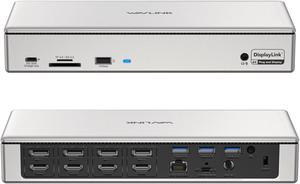
WAVLINK DisplayLink Docking Station Quad Monitors 5K 4K@60Hz, 19-In-1 USB C/USB A Laptop Dock for M1 M2 Mac & Windows Laptops with 4 HDMI, 4 DP, 2.5G RJ45, 180W AC Power Supply, 10Gbps Data Transfer
Limited time offer, ends 02/22
- Compatibility: Perfect for laptops with USB-A, USB-C, USB4, or Thunderbolt 3/4 ports. Supports Windows 11/10/8.1/8/7/Vista, Mac OS 10.14-13.x and latest, Android 5.0 or later with USB OTG cable, Ubuntu 20.04, 22.04, Chrome OS, and Harmony OS. Unsupported with Unix systems, Linux and iPad OS. Note: Please install the latest DisplayLink drivers
- Ports Spec: 1x USB-C upstream to connect to and charge your laptop with max 100W power, all by one cable 4x HDMI + 4x DisplayPort ports support quad-display 4K@60Hz, four displays at the same time, all powered by DisplayLink DL6910 solution 1x USB-C port downstream supports 30W PD charging for any device that complies
- Dimension: 8.86" x 3.46" x 1.06"
- Content: 1 x USB 3.0 Docking Station 1 x SuperSpeed USB 3.0 Cable 1 x DVI convert to VGA Adapter 1 x DC12V/2A Certified Power Adapter 1 x User Manual
- Model #: WL-UG69PD12

Quick View
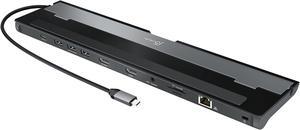
WAVLINK USB C 4K Laptop Docking Station Triple Display With 100W PD3.0 Charging (65W for PC), Dual HDMI, 1 Displayport, 4xUSB-A 3.0 , Gigabit Ethernet, SD&TF Card Slot Audio Jack For Windows, Mac
Limited time offer, ends 02/22
- Compatibility: Installation Before using this dock, please make sure that the latest PC/laptop drivers are installed (including USB, graphics card etc) because the network port needs specific drivers. For Windows 10, the system detects and automatically installs them after the dock is connected to the network. If drivers cannot be automatically installed, the network port can’t perform properly. Please install them manually. For MAC OS system, you need to install the network port driver manually, please visit www.wavlink.com > Support > Driver > PC peripherals > USB Docking. 1. The dock is driver free, therefore you don’t need to install any driver before using it. 2. Plug the power adapter of the dock in a power outlet. 3. Connect the USB-C connector of the dock to your host laptop/PC, the LED light on the dock will turn blue. 4. Connect your monitor(s) to video ports of ...
- Model #: WL-UMD05
Quick View
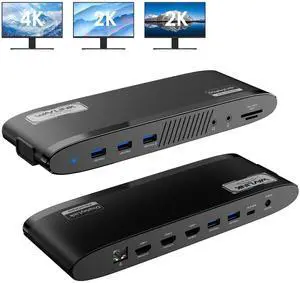
WAVLINK DisplayLink Docking Station 3 Monitors, USB-C Laptop Dock Dual 2K + 4K with 100W Charging for Mac M1/M2/M3/M4 & Windows, 3 HDMI, 5 USB Ports, Ethernet, SD/TF, Audio
Limited time offer, ends 02/22
- Part Number: Ports: Side 1: Power LED; 3x USB-A 5Gbps; 1x 3.5mm Earphone; 1x 3.5mm Mic; SD/TF Card Reader(312MB/s) Side 2: 1x RJ45(10/100/1000Mbps); 2x HDMI (2K@60Hz); 1x 4K HDMI(Alt. Mode); 2x USB-A 5Gbps; 1x USB-C Upstream (Host, PD100W); 1x DC IN(20V)
- Compatibility: Works with Windows 10/11, Mac OS 11.x-15.x and later, Chrome OS, Ubuntu, Android, and HarmonyOS. Compatible with popular laptops like M1/M2/M3/M4 MacBooks, Dell, ASUS, etc. *Not compatible with Linux, Unix, iOS, iPadOS. Requires DisplayLink driver installation; not plug-and-play.
- Features: - Three HDMI ports support video output simultaneously: one HDMI port can support the resolution up to 4K@60Hz and the other two support up to 2K@60Hz. - Extend/Mirror video modes are available for multiple tasks. - 130W Power Supply delivers maximum 100W power upstream to charge your laptop. - A...
- Model #: WL-UG39PD11
Quick View
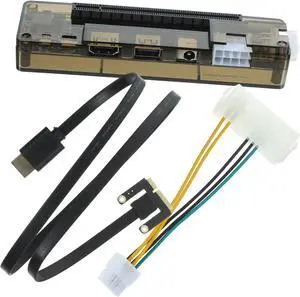
External Graphics Card Docking Station for Pci Interface Portable Video Card Expansion Dock Compatible with Various Systems for Gamers and Professionals
- Model #: LIUEB0FDG4HK49
- $101.99 –
- Free Shipping
Quick View
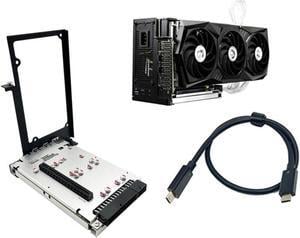
Dpofirs External Gpu for JHL7440, External Graphics Card Dock, Egpu Enclosure, Plug and Play External Gpu Dock, Transfer Rate 40Gbps, Usb3.0 5Gbps, Support Daisy Chain
- Model #: 9158154850383
- $345.99 –
- $5.99 Shipping
Quick View
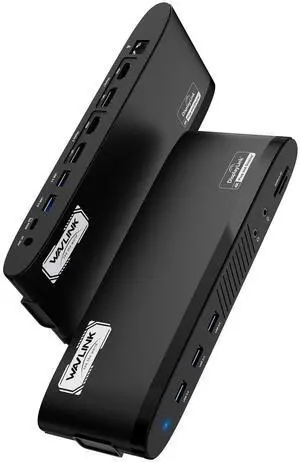
WAVLINK DisplayLink Docking Station, Dual Monitor for Mac M1/M2/M3/M4 & Windows, 14-in-1 with 100W 2 DP/2 HDMI 4K, SD/TF, 5 USB Ports, Ethernet, Audio
- Model #: 404669086748
- $251.99 –
- $5.99 Shipping
Quick View
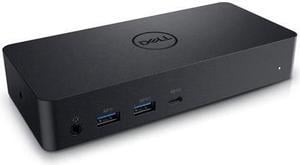
Dell Docking Station Universal Dock D6000 (FNVXM / 452-BCYT)

- Compatibility: Designed For Inspiron 14 7460, 15 Gaming 7567; Latitude 13 3379 2-in-1, 13 3380, 3189, 3480, 3580, 5280, 5285 2-in-1, 5289 2-In-1, 5480, 5580, 7280, 7480; Vostro 14 5468, 15 3568, 15 5568; XPS 13 9365 2-in-1 System Requirements OS Required Windows 7, 8, 8.1, 10 (32/64bit) or later System Requirement (Recommended) PC's equipped with USB3.0 or USB-C port DisplayLink Driver installation Refer user guide for details of system specs requirement
- Ports Spec: 1 x USB Type C 1 x display / video - HDMI 2 x display / video - DisplayPort 1 x USB host 3 x SuperSpeed USB 3.0 1 x SuperSpeed USB 3.0 with PowerShare 1 x USB Type C with PowerShare 1 x headphones / speakers
- Dimension: 1.20" x 3.10" x 6.60"
- Weight: 0.84 lb.
- Model #: DELL D6000
- $219.99
- $148.00 –
- Save: $71.99 (32%)
- More options from $118.88 - $453.48
- Free Shipping
Quick View
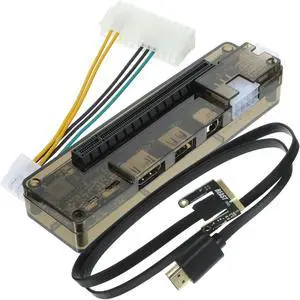
Graphics Card Expansion Dock External Gpu for Laptop Portable No Installation Required Random Style
- Model #: LIUEB0DJL7288H
- $112.99 –
- Free Shipping
Quick View
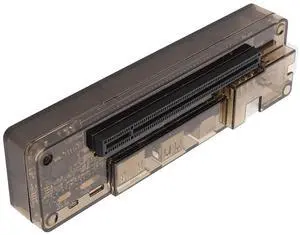
Keenso External Graphics Card Dock Efficient Laptop Independent Video Card Docking Station for Mini PCI E Interface, Suitable for Gaming and GPU Computing
- Model #: LIUEB0FBCY259V
- $91.99 –
- Free Shipping
Quick View
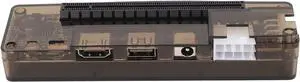
Laptop Graphics Card Dock High Performance External Video Card Dock, Ideal for GPU Computing, ABS Material
- Model #: LIUEB0F9PPVLRY
- $108.99 –
- Free Shipping
Quick View
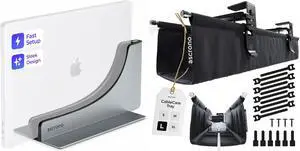
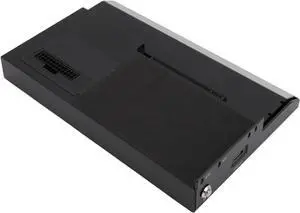
Aluminum PCIE X16 GPU Dock Station Desktop Class Graphics Capability External GPU Enclosure for Win 10 64 Bit
- Model #: LIUEB0FBHK7WRH
- $240.99 –
- Free Shipping
Quick View
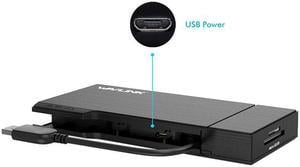
Wavlink Universial USB 3.0 Mini Docking Dual Monitor HDMI+VGA with Gigabit Ethernet,USB 3.0, Removable SD/TF Card Reader, HDMI up to 2560x1440, VGA 1920x1200, For Apple M1, Intel Macs,Dell XPS 13/15
Limited time offer, ends 02/22
- Part Number: Input: 1 x USB 3.0 Cable1 x HDMI1 x VGA2 x USB 3.01 x RJ45 Gigabit EthernetCombo: 1 x SD Card Reader,1 x Micro SD Card Reader
- Compatibility: System Support: Windows 11, 10, 7, 8.1, Mac OS 10.14 or higher, Chrome OS, Android 7.1 and above, Android devices only support mirroring mode with resolutions up to 1080P. Att: iOS, Linux, Unix are not supported. It's worth noting that siliconmotion driver installation is required. You can connect multiple USB
- Ports Spec: Upstream USB3.0 foldable extension cable designed for Mini Dock handy travelling Built in HDMI port maximum resolution up to 2560x1600 and VGA port reach at 1080p Two USB-A ports extended USB3.0 (5Gbps) data transferring, and USB2.0 compliance Gigabit Ethernet with devices wake up function Combo built in USB3.0 SD and TF / Micro SD...
- Model #: WL-UG39DH2
Quick View
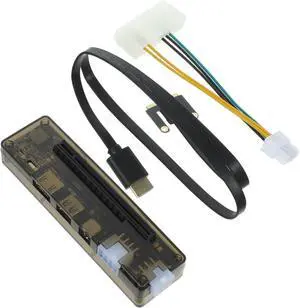
External Laptop Graphics Card Docking Station Portable Pci Expansion for Enhanced Graphics Performance Power Output No Setup Required for Gaming and Professional
- Model #: LIUEB0FBM645Q2
- $92.99 –
- Free Shipping
![[CES Picks Awards 2025] Baseus SpaceMate(MAC) Docking Station, USB C Docking Station 3 Monitors with 4K HDMI, 10Gbps USB Ports, 100W PD, Gigabit Ethernet, Audio, Laptop Docking Station for Mac & Win](https://c1.neweggimages.com/productimage/nb300/BFJND2503020MDC5PC7.jpg "[CES Picks Awards 2025] Baseus SpaceMate(MAC) Docking Station, USB C Docking Station 3 Monitors with 4K HDMI, 10Gbps USB Ports, 100W PD, Gigabit Ethernet, Audio, Laptop Docking Station for Mac & Win")
Quick View
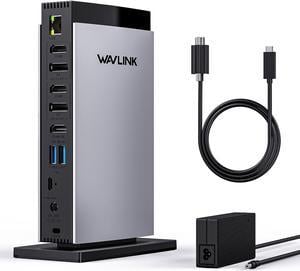
WAVLINK USB C DisplayLink Docking Station Triple Display with 3 HDMI 4K60Hz for MacBook M1/M2/M3/Windows,5 USB Ports,2DP,Ethernet Port,Audio/Mic,SD/TF, 130W AC Power Supply
Limited time offer, ends 02/22
- Part Number: Front Panel: 1x TF Card Slot, 1x SD Card Slot, 2 x USB-C 10Gbps, 1 x USB-A 5Gbps, 1 x 4-Pole Phone Jack; Rear Panel: 1x RJ45(10/100/1000Mbps), 1 x Display 1(HDMI/DP), 1 x Display 2(HDMI/DP), 1 x 4K HMDI(Alt. Mode), 2 x USB-A 5Gbps, 1x USB-C (Host, PD100W), 1x DC IN
- Compatibility: Perfect for laptops with a full-function type-C port or thunderbolt 3/4 port. Support Windows 11/10/8.1/8/7/XP/Vista, Mac OS 10.14-14.x and latest, Chrome OS, Ubuntu, Android and Harmony OS. Not compatible with Unix systems, Linux, iOS and iPad OS. *Does not support plug and play; the installation of the latest DisplayLink driver is required....
- Model #: WL-UG63PD13 Pro
Quick View
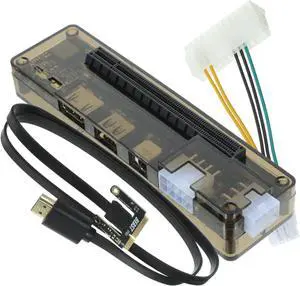
DOITOOL External Graphics Card Dock Portable Laptop Graphics Card Adapter for Gaming Professional Use Supports Up to Compatible with Various Systems for Expanding
- Model #: LIUEB0FCFHQV2S
- $92.99 –
- Free Shipping
Quick View
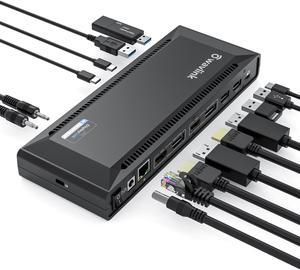
Wavlink Universal USB C Laptop Docking Station with 100W Charging and Single 5K/Dual 4K@60Hz Display for Windows/MacOS/ChromeOS/Ubuntu ( 2xDP 1.2, 2xHDMI 2.0, Gigabit Ethernet, 6 USB 3.0, Audio/Mic)
- Compatibility: System Compatible This item has DL-6950 chipset which made by Displaylink. Supported Operating Systems Attention: It's worth noting that displaylink driver installation is required For Windows: Windows 11, Windows 10, Windows 7, Windows 8.1, Windows 8 For macOS: Ventura 13, Monterey 12, Big Sur 11, Catalina 10.15, Mojave 10.14 For
- Ports Spec: 2 x DisplayPort 2 x HDMI 4 x USB-A 3.0 2 x Type-C 1 x USB-C (Connect to laptop) 1 x Audio Output Jack 1 x Microphone Input Jack 1 x RJ45 Gigabit Ethernet 1 x DC Power Jack Port
- Content: Package Includes: - 1 x USB-C Dual 4K Universal Docking Station - 1 x USB-C to C Cable(E-Mark Chip) 1meter - 1 x USB 3.0 A to C Cable 1meter - 1 x Quick Start Guide - 1 x DC20V/6.5A 130Watt Power Adapter...
- Model #: WL-UG69PD2 Pro
Quick View
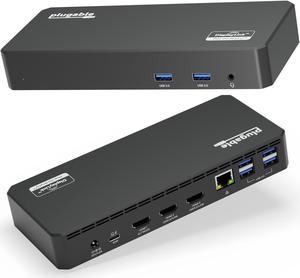
Plugable USB C Triple Display Docking Station with Laptop Charging, Thunderbolt 3 or USB C Dock Compatible with Specific Windows and Mac Systems (3x HDMI, 6x USB Ports, 60W USB PD)
- Brand: Plugable
- Part Number: UD-3900PDZ
- Color: Black
- Compatibility: Windows 10 / 11 & macOS 10.15.x and later, ChromeOS 100.x and later Supports full-featured USB-C, USB4, and Thunderbolt 3 / Thunderbolt 4 systems, including: M1 / M2 / M3 /M4 /M5 based MacBooks (M1 Pro/Max, M2 Pro/Max, M3 Pro/Max, M4 Pro/Max, M5 Pro/Max); Intel-based Thunderbolt 3 MacBooks (late 2016+) Dell XPS, Latitude, Inspiron series with full-featured USB-C, USB4, or Thunderbolt 3 / 4 Microsoft Surface Pro / Go / Book / Laptop models with USB-C, USB4, or Thunderbolt 4 HP ProBook, EliteBook, Spectre x360 series with full-featured USB-C, USB4, or Thunderbolt 3 / 4 Lenovo ThinkPad, IdeaPad, and Yoga with full-featured USB-C, USB4, or Thunderbolt 3 / 4 LG Gram with full-featured USB-C, USB4, or Thunderbolt 3 / 4 & thousands of other laptops which are compliant with full-fe...
- Model #: UD-3900PDZ
Quick View
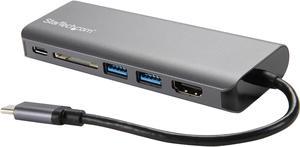
StarTech.com USB C Multiport Adapter - Portable USB-C Dock to 4K HDMI, 2-pt USB 3.0 Hub, SD/SDHC, GbE, 60W PD Pass-Through - USB Type-C/Thunderbolt 3 - NEW VERSION AVAILABLE DKT30CSDHPD3 (DKT30CSDHPD)
- Ports Spec: Connector Type(s) 1 - USB Type-C (24 pin) USB 3.0 Male 1 - HDMI (19 pin) Female 1 - RJ-45 Female 2 - USB Type-A (9 pin) USB 3.0 Female 1 - SD / MMC Slot Female 1 - USB-C (24 pin) USB Power Delivery only Female
- Parts: 3 Year
- Model #: DKT30CSDHPD
- $97.99
- $92.99 –
- Save: $5.00 (5%)
- More options from $92.99 - $109.45
- Free Shipping
Quick View
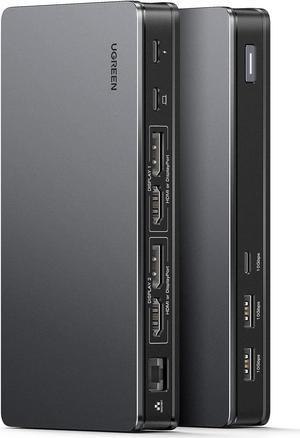
UGREEN Revodok Pro 209 USB C Docking Station, DisplayLink 9-in-1 Dual 4K@60hz Monitor Dock for MacBook & Windows with 2 DP & 2 HDMI, 10 Gbps USB C & USB-A Data Ports, 100W PD, Gigabit Ethernet
Limited time offer, ends 02/24
- Model #: 6268428393669BO60
- $231.00 –
- More options from $231.00 - $369.98
- Free Shipping
Quick View
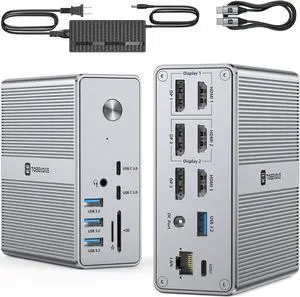
TobenONE DisplayLink Docking Station Triple Monitor with 120W Power Adapter, Triple 4K Display for MacBook Pro/Air, Thunderbolt 4/3, USB-C Windows(3X HDMI, 3X DisplayPort, 2xUSB-C, 4xUSB 3.2, SD/TF)
Limited time offer, ends 02/24
- Model #: 6268428392563BO22
- $434.23 –
- More options from $425.48 - $434.23
- Free Shipping
Quick View
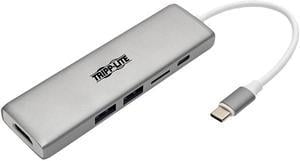
Tripp Lite USB C Docking Station 4k @ 30Hz w/USB Hub HDMI Micro SD Charging (U442-DOCK10-S)
- Type: USB-C to HDMI Adapters
- Changer Type: USB-C to USB / USB-C / HDMI / Micro SD
- Color: Black
- Specifications: Ports: 1 x HDMI Female 1 x Micro SD Port 2 x USB 3.1 Type-A Female 1 x USB Type-C Female Transfer Rate: USB 3.1 Gen 1 (up to 5 Gbps)
- Model #: U442-DOCK10-S
- $111.04 –
- More options from $42.66 - $111.04
- Free Shipping