

Your Browsing History

Any questions? Our AI mode will help you find out quickly.
Try me now

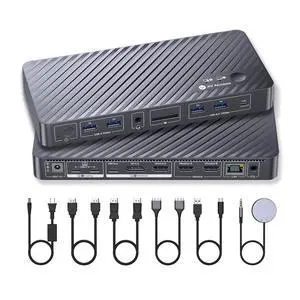
Quick View
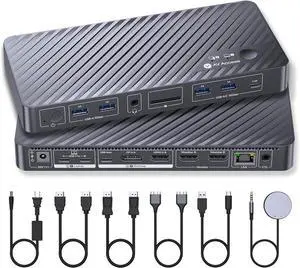
AV Access KVM Switch Docking Station for MacBook, USB C KVM Switch 2 Monitors 2 Computers, 4K Dual HDMI Displays, 1 Laptop+1 Desktop Switching, Ethernet, 100W Power Delivery, EDID Emulation(iDock M10)
+ 10% off w/ promo code MKTCBJ0UZ2TJ,limited offer
- Brand: v AV Access
- Model: iDock M10
- Ports Spec: 2 × HDMI video outputs; 2 × USB 3.2 Gen 2 (10Gbps) Type-A ports; 1 × USB 3.2 Gen 2 (10Gbps) Type-C port; 2 × USB 3.2 Gen 1 (5Gbps) Type-A ports; 1 × SD card slot; 1 × Gigabit Ethernet port; 1 × 3.5mm headset jack.
- Model #: iDock M10
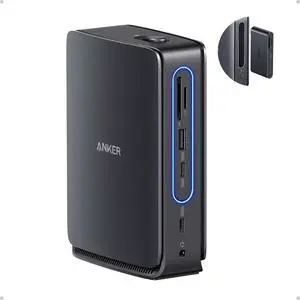
Quick View
Anker Nano Laptop Docking Station with Detachable Hub, 13-in-1 USB-C Triple Display Docking with 2 HDMI+1 DP, 10 Gbps USB-C, 3 USB-A, Audio, SD/TF, Ethernet, 100W Max PD for Dell, Lenovo, HP, and More
- Brand: Anker
- Part Number: A83C3
- Color: Black/Gray
- Ports Spec: 3 x USB 3.0
- Model #: A83C3111
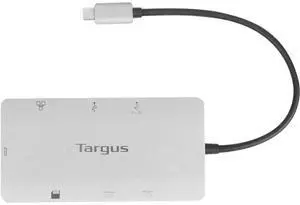
Quick View
Targus USB-C Dual HDMI 4K Docking Station with 100W PD Pass-Thru - Expand Your HDMI, USB, and Ethernet Connections On-the-Go (DOCK423TT)
- Model #: TOLJB09RFX5GYF
- $90.99 –
- Free Shipping
Quick View
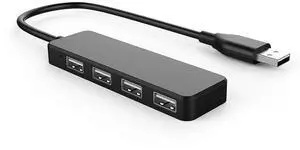
USB Hub, USB Splitter,USB 4-Port Adapter,Extender for Laptop, PC, MacBook, Mac Pro, Mac mini, iMac, Surface Pro and More (Black-USB 2.0/0.3m)
- Model #: C5PY-C03013-14
- $19.99 –
- Free Shipping
Quick View
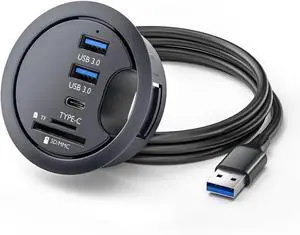
CY USB 3.0 Hub SD TF USB-C 2 Port USB 60mm Desk Grommet Splitter Dock Station Micro-SD Card Reader for Desktop PC
- Model #: ilepo425828969276QI
- $44.83 –
- Free Shipping
Quick View
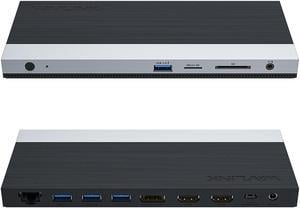
WAVLINK USB C 4K Laptop Docking Station Triple Display With 100W PD3.0 Charging (65W for PC), Dual HDMI, 1 Displayport, 4xUSB-A 3.0 , Gigabit Ethernet, SD&TF Card Slot Audio Jack For Windows, Mac

Limited time offer, ends 09/07
- Compatibility: Installation Before using this dock, please make sure that the latest PC/laptop drivers are installed (including USB, graphics card etc) because the network port needs specific drivers. For Windows 10, the system detects and automatically installs them after the dock is connected to the network. If drivers cannot be automatically installed, the network port can’t perform properly. Please install them manually. For MAC OS system, you need to install the network port driver manually, please visit www.wavlink.com > Support > Driver > PC peripherals > USB Docking. 1. The dock is driver free, therefore you don’t need to install any driver before using it. 2. Plug the power adapter of the dock in a power outlet. 3. Connect the USB-C connector of the dock to your host laptop/PC, the LED light on the dock will turn blue. 4. Connect your monitor(s) to video ports of ...
- Model #: WL-UMD05
Quick View
CY USB 3.0 Hub SD TF USB-C 2 Port USB 60mm Desk Grommet Splitter Dock Station Micro-SD Card Reader for Desktop PC
- Model #: Fahint418367073146
- $45.65 –
- Free Shipping
Quick View
Targus USB-C Dual HDMI 4K Docking Station with 100W PD Pass-Thru - Expand Your HDMI, USB, and Ethernet Connections On-The-Go (DOCK423TT)
- Model #: STARWELL961141208819Lan
- $166.98 –
- Free Shipping
Quick View
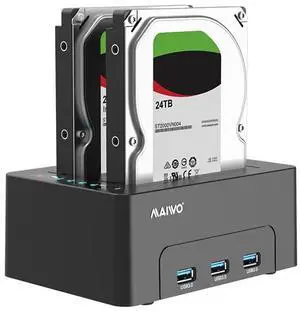
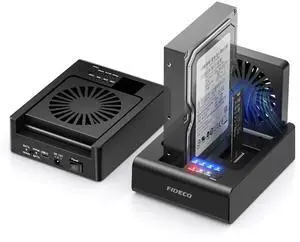
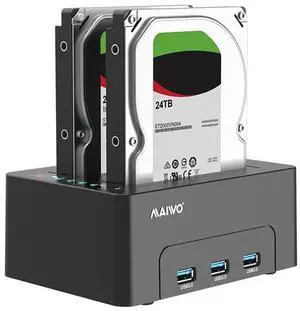
MAIWO Dual Bay Hard Drive Docking Station with Offline Clone for 2.5 3.5 Inch SATA HDD SSD, 3X USB 3.0 Hub Extension, 48TB Capacity, External Hard Drive Duplicator Cloner Copier
OUT OF STOCK
- Model #: 683491614101
- $58.99 –
- $5.00 Shipping