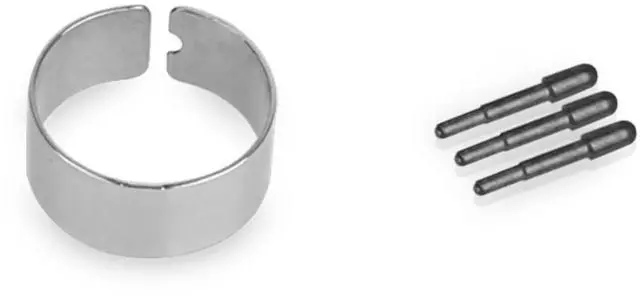
The Lenovo Pen Tip Kit 4XH0R14769 is a replacement-tip set for Lenovo active pens, with three pen tips and a removal tweezer. It suits Lenovo stylus users who need spare tips for writing or sketching; check pen compatibility before ordering.
Recommended For
- People who regularly write, annotate, or sketch with a compatible Lenovo Active Pen or ThinkPad Pen Pro and need spare tips for continued use.
- Students and mobile note-takers whose compatible Lenovo pen gets frequent use and who want replacement tips on hand rather than replacing the whole pen.
- Owners of a Lenovo Active Pen 2 who have confirmed their pen is compatible and want spare nibs for handwriting or sketching; Lenovo lists this kit among its compatible accessories.
Real-World Use Scenarios
- When a compatible Lenovo active pen’s tip is worn or damaged, replace it to continue writing or drawing on the touchscreen without replacing the whole pen.
- If a pen tip is lost, keep using the compatible pen by fitting one of the replacement tips with the included change tweezer.
- For classes or meetings, keep spare tips on hand so a worn or missing tip is less likely to interrupt handwriting notes on a compatible Lenovo device.
- When sketching on a compatible touchscreen, replace a worn tip to get back to using the pen for drawing; Lenovo describes the kit as supporting a natural-feeling sketching experience.
- Before replacing a tip, check that the kit matches your specific pen: Lenovo lists the hardware requirements as Lenovo Active Pen or ThinkPad Pen Pro, and compatibility can vary by system.




 here!