

Your Browsing History


Katie F.
Joined on 02/15/11
0
0
product reviews
- 7
Beast of a power supply
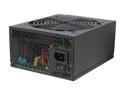
Rosewill CAPSTONE-750 - 750-Watt Active PFC Power Supply - Continuous @ 122 Deg. F (50C), 80 PLUS Gold, ATX 12V v2.31 & EPS12V v2.92, Intel Haswell, SLI & CrossFire Ready
Pros: Great power supply for the price. It's a nice wattage which will allow for any upgrades in the future. Has almost every connection you could ever need.
Cons: The thing is a beast, and that's a pro and a con. The cables are not modular which presents a bit of an issue when you don't need them all. Zip ties can only do so much in this case, there are A LOT of cables coming out.
Overall Review: Other than wishing I could take some of the darn cables off, this thing seems to be doing great so far.
7/13/2013See more detail
Still not too sure about this drive
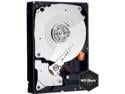
WD Caviar Black WD1002FAEX 1TB 7200 RPM 64MB Cache SATA 6.0Gb/s 3.5" Internal Hard Drive Bare Drive
Pros: Easy to install. Runs well.
Cons: The first day I had the drive, I installed it into my build and loaded Win8 on it. About a half hour later, my brand new computer freaked out and stalled. Naturally, I rebooted. I was given boot errors, Win8 couldn't recover itself, the drive was locked... long story short, we ended up having to go into diskpart and format the whole thing again and wipe everything (because doing it from the disk didn't work). Once we got everything off, I switched sata ports (it was recommended) and I started to put 8 on it again and there was an error to the effect that the drive would fail soon. I figured I really didn't have much left to lose so I went ahead and installed and so far everything seems to be doing okay. Either it was a Windows update that went wrong or something is up with the drive. We'll see soon enough.
Overall Review: Other than possibly just getting a bad drive, everything else seems to be fine.
7/13/2013See more detail
Freaking huge.
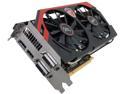
MSI Gaming N760 TF 2GD5/OC G-SYNC Support GeForce GTX 760 2GB 256-Bit GDDR5 PCI Express 3.0 SLI Support Video Card
Pros: So far, this graphics card is doing well. Colors look great, I haven't experienced any lagging (we'll really see once my game installs though).
Cons: Not really a con, but this thing is ridiculously huge. I purchased one for each of my builds (I had two going), both mid-towers, nothing exciting, and the video card was a very tight fit. I was pretty sure it wouldn't fit in the older case I was working on.
7/13/2013See more detail
So good so far
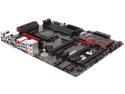
MSI Z87-G45 Gaming LGA 1150 Intel Z87 HDMI USB 3.0 ATX Pro Gaming with Killer Networking & Sound Blaster Intel Motherboard
Pros: So far, seems like a good motherboard. Decent design. Great bios (very comprehensive)
Cons: The sata ports are not facing up like a typical motherboard, they are facing away towards the bays of the computer. A large card in the middle slot will sit on top of the sata connectors (which is presumably why they put them on the side in the first place). They're a bit hard to get in.. especially if you're using a mid-sized case.
7/13/2013See more detail
10/10, would buy again
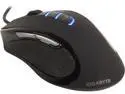
GIGABYTE GM-M6980X Black 9 Buttons Tilt Wheel USB Wired Pro-Laser Gaming Mouse
Pros: It's a little large so it allows the hand to spread out evenly. Very comfortable. The DPI buttons change the sensitivity well and I don't find myself hitting them on accident. All buttons work well. Easy to install, I just plugged it into my build (before I even had an OS installed) and it worked beautifully.
Cons: The lights stay on when the computer is in sleep mode and the cord will take a little bit to straightened out. It would be nice if the cord were braided but that's not really a major con. Otherwise, none.
Overall Review: This mouse is definitely better than it's wireless counterpart (which is also a good mouse). I don't have to worry about this one looking connectivity and having to bang it around my desk.
7/13/2013See more detail
Not a bad mouse, just not great
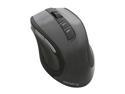
GIGABYTE ECO600 GM-ECO600 Black 1 x Wheel USB RF Wireless Laser Mouse
Pros: Very comfortable to use. Doesn't cause any hand cramps. Adjustable DPI. The extra buttons increase my efficiency. Easy to set up. Seems durable. Good battery life. I use this mouse 8+ hours a day and it does pretty well.
Cons: Jumpy connectivity. I occasionally have to set it down firmly on the desk (read: bang) to get it to work again. Picks up any dust that is on the desk and gradually builds up on the underside of the mouse. It's easy enough to clean off but it can affect the DPI sensitivity. I occasionally have to "restart" it to reestablish good connectivity. Kind of frustrating if you're trying to do something important but generally it's not a huge issue.
Overall Review: Generally speaking, I like the mouse. I use it 8+ hours every day and it doesn't give me too much grief, some days more than others.
3/7/2013See more detail