

Your Browsing History


Connor G.
Joined on 03/02/12
0
0
product reviews
- 8
Excellent motherboard, works well.
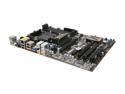
ASRock 970 EXTREME3 AM3+ AMD 970 + SB950 USB 3.0 ATX AMD Motherboard
Pros: - SATA connectors are out of the way of graphics cards - Plenty of fan connectors and headers - Lots of connectors on the back, including USB3, eSATA, 7.1 audio, etc. - Very sturdy - Recommend for all AMD builds!
Cons: My one issue is that the sensors on the board are not recognized in Linux by sensors-detect. It appears that this motherboard is not supported by lm-sensors. I could also be doing it wrong. The only sensor it detects is the GPU temperature.
6/18/2012See more detail
Why get anything else?
AMD Phenom II X4 965 Black Edition - Phenom II X4 Deneb Quad-Core 3.4 GHz Socket AM3 125W Processor - HDZ965FBGMBOX
Pros: This CPU is excellent! It runs very fast, plenty of cores to use, and it's less expensive than comparable CPUs. Easy to install.
Cons: The major issue is that the stock cooler is terrible. It's very, very bad. It is very difficult to install (but then again, all AMD coolers are). It doesn't keep the CPU very cool under load. My CPU idles at around 30 degrees C, but goes up to around 50 during a game. Prime95 got the temperature up to 62 degrees, the limit for the CPU. I had to stop it before it actually did damage. I may end up getting a stock cooler for this. However, for most uses, the stock cooler is fine, and it's worth getting this CPU.
6/18/2012See more detail
It works.
CORSAIR ValueSelect 8GB (2 x 4GB) DDR3 1333 (PC3 10600) Desktop Memory Model CMV8GX3M2A1333C9
Pros: It's memory, it's large, and it works. No issues here, Corsair makes a good product. Memtest showed no issues. There's really no need to pay 60 bucks for super gamer RAM, when this works fine, and it's much less expensive. Sure, it doesn't look pretty, but it doesn't need to.
Cons: None.
6/18/2012See more detail
Good drive, a bit expensive
WD Caviar Black WD1002FAEX 1TB 7200 RPM 64MB Cache SATA 6.0Gb/s 3.5" Internal Hard Drive Bare Drive
Pros: Large drive, made by Western Digital. I've had nothing but good experience from WD drives, and I wanted to continue with them. Seagate makes a 1TB drive for around 20 bucks cheaper, but they seem to fail more often.
Cons: A bit expensive, considering Seagate makes an equivalent drive for $20 less. However, WD always seems to make more reliable drives, in my opinion, and I decided it was worth it to get a longer-lasting HD. A small minor issue is that during heavy read/write operations, it is a bit loud.
6/18/2012See more detail
Okay card
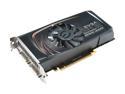
EVGA GeForce GTS 450 (Fermi) 1GB GDDR5 PCI Express 2.0 x16 SLI Support Graphics Card 01G-P3-1450-TR
Pros: It was incredibly easy to install. Felt very sturdy, as do all EVGA cards. Works in both Windows 7 and Debian, which is why I went nVidia over ATI.
Cons: Not the best card for the money, you could probably get a much better AMD card for a little more money. I got this because I'm a Linux guy, and AMD drivers are notoriously bad for Linux.
6/18/2012See more detail
Excellent case!
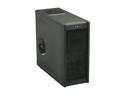
Antec Gaming Series One Black Steel ATX Mid Tower Computer Case
Pros: This is one of my favorite parts of the build. For a 50 dollar case, you have a lot of airflow, USB3 on the front (with a header cable, no looping around the back!), cable management, and it's all in a great looking case! The side panels provide a lot of room for stuffing extra cables. I have a non-modular PSU, which means the old Molex connectors are sitting around, doing nothing. There's a lot of room to shove them behind the mobo. The tool less design is excellent. Slid my ODD in, snapped in to place, and it held it quite sturdily. The HDD went in just as well, and it's quite easy to access from the side panels. I STRONGLY recommend this case. It's a cheap case that works extremely well.
Cons: The rear PCI slot covers are all punch-out (except for one), which means that you can't really reuse them. You could get some replacement covers, not sure how those would work. The power led is very, very bright, however, this is easily resolved by swapping the HD and Power LEDs.
6/18/2012See more detail