
Your Browsing History


Matthew L.
Joined on 08/06/09
0
0
product reviews
- 13
Great Value!
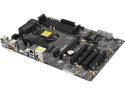
ASRock Z87 Extreme3 LGA 1150 Intel Z87 HDMI USB 3.0 ATX Intel Motherboard
Pros: - UEFI is pretty easy to navigate and tweak - Good layout and bus speeds for CF/SLI - Overclocked painlessly (i7 4770k @ 4.4GHz) - Great Price - Came with latest UEFI/BIOS - Removable/Replaceable UEFI/BIOS EEPROM (DIP) - Good mix of PCI and PCIe 1x - Boots quick
Cons: None really.
Overall Review: Can't go wrong here. Great features at a great price. Nothing to flashy but it gets the job done. Here are my specs: Intel Core i7 4770k OC 4.4GHz 16GB DDR3 2400 C9 G-Skill Trident X 2 x Radeon HD 7870 Crossfire Has built in overclocking settings which you can use as a starting point. Set points were 4.0, 4.2, 4.4, 4.6 and 4.8GHz. These generally set the voltage much higher (but still in safe ranges) than needed, but can be used to start then tweak the voltages down to their lowest stable point. Made stabilizing 4.4 GHz a breeze. XMP profiles worked with my RAM immediately, no tweaking required for memory stability. Crossfire gave me no issues with this board. Symmetric PCIe 3.0 x8 is a plus.
11/5/2013See more detail
LEDs go out.
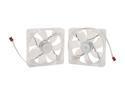
Cooler Master Sleeve Bearing 120mm Blue LED Silent Fan for Computer Cases, CPU Coolers, and Radiators (Value 2-Pack)
Pros: They are whisper quiet and look good when they are working.
Cons: I bought 3 packs of these (6 fans) and every last one of them has had 1 to 2 LEDs burn out. Now I know that the LEDs don't affect the function of the fan, but you don't buy LED fans unless you want the LEDs to work. In my experience a 100% failure rate is faulty manufacturing and thus 1 egg.
Overall Review: Would've been great if they would've lasted, good price for LED fans, but you're better off with another brand.
8/6/2009See more detail
Works Great
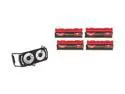
G.SKILL TridentX Series 16GB (4 x 4GB) DDR3 2400 (PC3 19200) Desktop Memory Model F3-2400C9Q-16GTXD
Pros: - High Frequency, Low CAS - Affordable - Removable Sinks - XMP profiles included - Worked flawlessly with no tweaking
Cons: None that I can think of. These modules really don't need a heatsink or that little fan cooler that comes with it. Pretty gimmicky if you ask me, but considering how affordable the kit is you can't really complain for getting extras, even if they are just that, extraneous.
Overall Review: Worked like a charm on an ASRock Z87 Extreme 3 using the included XMP profile and 4770k. With the heatsinks removed this kit is compatible with the Noctua NH-D14 CPU cooler.
11/5/2013See more detail
Beastly
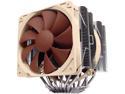
Noctua NH-D14, Premium CPU Cooler with Dual NF-P14 PWM and NF-P12 PWM Fans (Brown)
Pros: - It's big, lots of surface area. - Top notch Noctua fans included. - Pretty straight forward to install. - High grade thermal paste included. - Packaged well to protect from damage. - Product was flawless in construction. - Very flat / shiny contact surface, looked well machined - Very good performance, details in other thoughts - Keeps that hot Haswell nice and cool - Quiet operation even at full speed.
Cons: These aren't really cons, but are potential game breakers if you don't do your research. - Covers DIMMs, make sure you have low profile memory before using this. The permitted clearance is listed on Noctua's website. - Fans are not PWM. Be prepared to use linear regulation or constant speed. - Tall, make sure your case can fit this bad-boy. - No mounting kit for LGA 2011, make sure you get the 2011 edition of this sink for LGA 2011 mounting.
Overall Review: Cools exceptionally well. I'm running an overclocked 4770k at 4.4GHz at 1.215V. Coretemp under Prime95 worst case temp was 81 Celsius out of 100 for TJ Max which means it hardly breaks a sweat doing anything else. I'm running it with an ASRock Z87 Extreme 3, Fractal Define R4 and G-skill Trident X RAM (the sinks are removable and so they fit fine).
11/5/2013See more detail
Great!
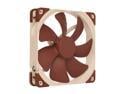
Noctua NF-A14 FLX, Premium Quiet Fan, 3-Pin (140mm, Brown)
Pros: - Good airflow, nothing to write home about, but good. - At full speed you get a low "woosh" sound, no whining. - At 7V and lower you may not even know they're on. - Lots of goodies packed in, speed adapters, extension cables, power adapters, silicon mounting plugs. - Anti-vibration padding - Top-notch build quality. The attention to detail here is nice. By far the most well built fan I have handled. The airflow/noise ratio here is unbeatable.
Cons: Silicon plugs are impossible to use. You basically have to pull it through the screw hole with pliers to get it so sit snug. Good luck having the patience to do that. Not really a deal breaker though, there is a silicon cover around every screw hole to dampen vibrations from the frame to case.
Overall Review: Running 4 of these in a Fractal Define R4, positive pressure setup. At full speed I get a nice low "woosh" sound, at 7V and lower you can't even hear them. Some people dislike that they are brown. I kind of like it.
11/5/2013See more detail
Exceptional
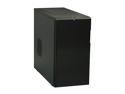
Fractal Design Define R4 Black Silent ATX Midtower Computer Case
Pros: Where to start? - Excellent build quality - Included fans are of good quality - 3 channel fan controller - Plenty of space behind the motherboard - Heatsink retention bracket access - Removable HDD rack - All fans 120 or 140mm - High heatsink clearance - Easily accessible filters - PLENTY of spare parts included - Nothing critical is made of plastic - Lots of airflow options - Good sound proofing - SSDs mountable behind motherboard - Onboard fan controller is powering 6 fans total on 3 channels
Cons: These aren't really cons, just things that could be issues for some people: - HD Audio connector is pretty short. If your front panel audio connector is near the back of your motherboard it may not reach. - No HDD light. Only one LED, power, or HDD, you choose. - Only expansion cards and side panels are tool-less - It might be difficult powering or getting data to an SSD mounted behind the motherboard because the connector sits flush.
Overall Review: This case is of exceptional value and performance. The attention to detail is very nice. For one, the build quality is superb. Everything on this case is built to last. Many things that would be plastic on other cases are made of steel here. Fractal did a great job of making it easy to maintain by making filters easy to access and clean. There are tons of airflow and noise reduction options. It's a very accessible and roomy mid-tower. The front door does a good job of reducing noise and keeping airflow high. My System: ASRock Z87 Extreme 3 Intel i7 4770k @ 4.4GHz Noctua NH-D14 Heatsink 16GB DDR3 2400 C9 G-Skill Trident 2 x Radeon HD 7870s HT Omega Plus+ Soundcard Noctua NF-A14 Case fans
11/5/2013See more detail