
Your Browsing History


Lucas F.
Joined on 09/16/06
0
0
product reviews
- 17
Decent router.
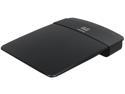
Linksys E1200 Wireless-N300 Router
Pros: Doesn't take much space. Better configuration options than the WRT54G it replaced. seems to keep cool enough.
Cons: None that I've seen.
Overall Review: It doesn't have any antennae, so you can't really adjust the exact area coverage like you can with a router that has them. Still, the range is enough to cover my whole house. If you're looking for a router that you can really configure the range of, you're probably better off spending a little bit more for a higher-end one with adjustable antennae. If you just want a nice access point for your house, this router is great.
12/24/2012See more detail
Decent, but not without its flaws.

Pros: Very good for protecting the iPad from damage. With both the leather-covered case its self and the keyboard, your iPad is secure. Bluetooth installation was quick and simple, and worked instantly. The keyboard's automatic sleep feature is nice, since it saves battery power and prevents accidental use.
Cons: It does have some downsides, though. As a reviewer on another site said, it doesn't fit completely snug on the iPad, so the ipad has some wiggle room. This means that the screen will settle down deep enough into the case that very bottom part of the screen can be obscured. This can be solved by rolling up a piece of paper and inserting it there, but then it sometimes pushes the iPad TOO high, so that the very top of the screen is obscured, so you need to insert a rolled-up piece of paper there too. In addition to this, it often records your keystrokes twice, especially with the space key. This can be annoying for those used to typing quickly, since you may have already typed several other words before you even noticed the doubled keypress.
Overall Review: It's often very awkward to type on the silicone keyboard. Despite the lack of tactile response, I find that I can type faster and more accurately on the iPad's touchscreen keyboard than this one. This is probably a problem with all silicone keyboards, though. Really, the only problem I have with this case is the keyboard. Otherwise, the case is great. I'm purchasing an Apple bluetooth keyboard to use instead of the silicone one in this case, but I'll still keep my iPad in this case, since it does a really good job of protecting it.
3/1/2012See more detail
Great mouse
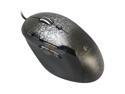
Logitech G500 10 Buttons Dual-mode Scroll Wheel USB Wired Laser Gaming Mouse
Pros: This is the best mouse I've ever owned. It's comfortable and responsive, and feels great in the hand.
Cons: The selectable scroll wheel operation can take some getting used to. The normal mode is normal, but the smooth scrolling mode seems to be a little bit TOO smooth. Barely touch it and it'll scroll all the way through really long pages before stopping. It could probably use just a little bit more friction.
Overall Review: I also own an M570 trackball. The forward/backward buttons on the trackball are in the same place as the DPI buttons on this mouse, so I've ended up accidentally messing up my DPI a couple times because of it. Not an incredibly big deal, but something to keep in mind.
12/24/2012See more detail
Decent drive
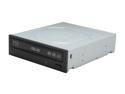
ASUS Black 12X Blu-ray Burner SATA BW-12B1ST/BLK/G/AS
Pros: This drive does exactly what I wanted it to.
Cons: No Blu-ray codec software. Not a big deal for me, since I purchased the drive mainly to make blu-ray data backups, not to watch movies.
12/24/2012See more detail
Good fan

Antec 761345-75026-4 Red LED 3-Speed Case Cooling Fan
Pros: Does a decent job moving air. The red LEDs look great in my case.
Cons: None that I can think of.
Overall Review: Make sure that you really want this color when you buy it! While the lights themselves are red, some of the light cast into and out of the case is pink or even magenta.
12/24/2012See more detail
Dusty, but otherwise good case.
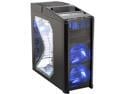
Antec Nine Hundred Black Steel ATX Mid Tower Computer Case with Upgraded USB 3.0
Pros: The case's design provides for a lot of air flow. The two 120mm intake fans in the front make practically the whole front of the case open and active in the cooling process. Not only does it keep the air circulating well, but you'll never have to worry about hard drive temperatures again. One of the removable hard drive mounting bays has a wind tunnel attachment which focuses air into the case. And, of course, the 200mm fan on the top is incredible. The side fan mount is well-placed, too. It blows air straight onto the GPU, which is the hottest component in my setup.
Cons: ...But with all this air flow, there's also a lot of dust buildup. thankfully, it doesn't build up on top of your components, but you'll find a gigantic amount of dust built up in corners and in any gaps where it can get trapped. Especially susceptible are braided PSU cables. I have a non-modular server PSU with a ridiculous amount of connectors, most of which I just have kept in a bundle at the bottom of my case. When I took my case apart to install a new hard drive, I had to wipe them off to get the dust off of them. Cable management can also be difficult. There's only two small holes, through which I was only able to route a couple of cables before there wasn't any more room. There isn't a lot of space in the back of the case. The aforementioned wind tunnel attachment for the hard drive bay also sticks out, which can get in the way of cables. Additionally, you can only install two hard drives into the wind tunneled hard drive bay - the bottom slot prevents the SATA power cable from connecting. Additionally, the grills on the intake fans will eventually accumulate a decent amount of dust. I find myself wiping them off every month or so.
Overall Review: The dust isn't that incredibly big of a deal, in my opinion. It mainly just accumulates in the corners of the case, and not on the components, so the problem is mainly aesthetics. If you have dust allergies, this might not be the case for you. The dust that does build up doesn't seem to affect performance much, but when you open the case for maintenance or to install new components, you may want to put on a dust mask.
12/24/2012See more detail